# @a11y/focus-trap

> A lightweight web component that traps focus within a DOM node

Latest version **1.0.5** (published 2019-11-09) · MIT license · 0 weekly downloads

## Install

```sh
npm install @a11y/focus-trap
pnpm add @a11y/focus-trap
yarn add @a11y/focus-trap
bun add @a11y/focus-trap
```

## Health

**Score 30/100 (F)** — status: abandoned.

Positive: has types; esm support; no vulnerabilities; high quality score.

Warnings: low downloads.

Negative: abandoned; low maintenance score.

## Facts

| | |
|---|---|
| Version | 1.0.5 |
| Published | 2019-11-09 |
| First published | 2019-03-23 |
| Weekly downloads | 0 |
| License | MIT |
| TypeScript types | bundled |
| Module format | ESM + CommonJS |
| Dependencies | 0 |
| Unpacked size | 26 KB |
| Known vulnerabilities | 0 |
| Install scripts | no |
| GitHub stars | 58 |
| Author | Andreas Mehlsen |
| Maintainers | explore |
| Keywords | custom, elements, web, component, custom element, web component, focus, accessibility, dialog, focus trap, trap |

## Links

- npm: https://www.npmjs.com/package/@a11y/focus-trap
- Repository: https://github.com/andreasbm/focus-trap
- Homepage: https://github.com/andreasbm/focus-trap#readme
- Issues: https://github.com/andreasbm/focus-trap/issues
- npm.io page: https://npm.io/package/@a11y/focus-trap

## Alternatives

- [@opentelemetry/exporter-zipkin](https://npm.io/package/@opentelemetry/exporter-zipkin.md) — 14.8M weekly downloads
- [pusher-js](https://npm.io/package/pusher-js.md) — 2.0M weekly downloads
- [browserify](https://npm.io/package/browserify.md) — 1.7M weekly downloads
- [sqs-consumer](https://npm.io/package/sqs-consumer.md) — 1.7M weekly downloads
- [@sanity/eventsource](https://npm.io/package/@sanity/eventsource.md) — 930.8K weekly downloads

## Recent versions

- 1.0.5 (latest) — 2019-11-09
- 1.0.4 — 2019-10-20
- 1.0.3 — 2019-10-11
- 1.0.2 — 2019-03-28
- 1.0.1 — 2019-03-23

## README

<h1 align="center">@a11y/focus-trap</h1>

<p align="center">
		<a href="https://npmcharts.com/compare/@a11y/focus-trap?minimal=true"><img alt="Downloads per month" src="https://img.shields.io/npm/dm/@a11y/focus-trap.svg" height="20"/></a>
<a href="https://www.npmjs.com/package/@a11y/focus-trap"><img alt="NPM Version" src="https://img.shields.io/npm/v/@a11y/focus-trap.svg" height="20"/></a>
<a href="https://david-dm.org/andreasbm/focus-trap"><img alt="Dependencies" src="https://img.shields.io/david/andreasbm/focus-trap.svg" height="20"/></a>
<a href="https://github.com/andreasbm/focus-trap/graphs/contributors"><img alt="Contributors" src="https://img.shields.io/github/contributors/andreasbm/focus-trap.svg" height="20"/></a>
<a href="https://www.webcomponents.org/element/@a11y/focus-trap"><img alt="Published on webcomponents.org" src="https://img.shields.io/badge/webcomponents.org-published-blue.svg" height="20"/></a>
	</p>


<p align="center">
  <b>A lightweight web component that traps focus within a DOM node</b></br>
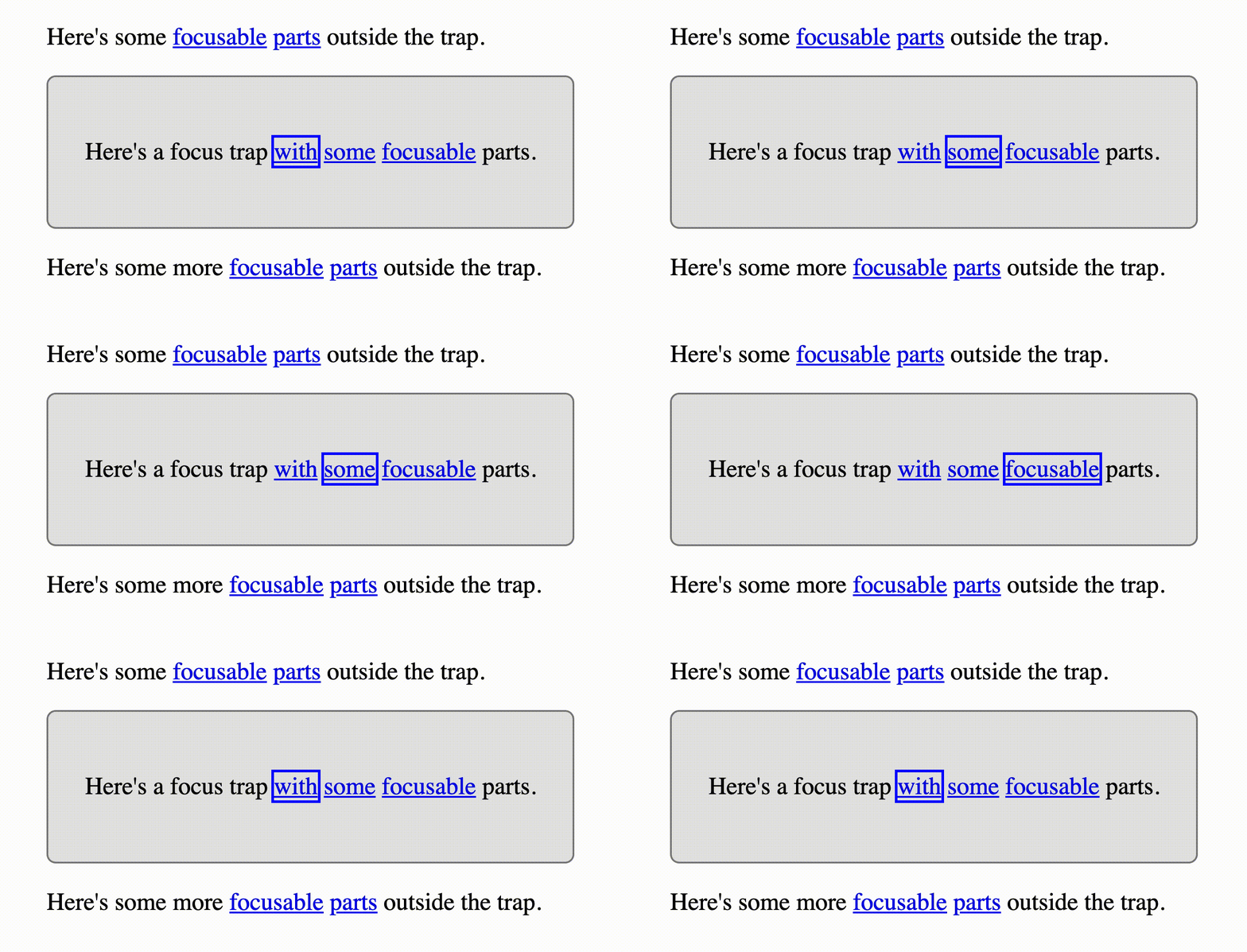
  <sub>A focus trap ensures that <code>tab</code> and <code>shift + tab</code> keys will cycle through the focus trap's tabbable elements but not leave the focus trap. This is great for making <a href='https://www.w3.org/TR/wai-aria-practices/examples/dialog-modal/dialog.html'>accessible modals</a>. Go here to see a demo <a href="https://appnest-demo.firebaseapp.com/focus-trap/">https://appnest-demo.firebaseapp.com/focus-trap/</a>.<sub>
</p>

<br />


<p align="center">
	<img src='https://raw.githubusercontent.com/andreasbm/focus-trap/master/assets/demo.gif' width='400'>
</p>

* Does one things very very well - it traps the focus!
* Pierces through the shadow roots when looking for focusable elements.
* Works right out of the box (just add it to your markup)
* Created using only vanilla js - no dependencies and framework agnostic!


[![-----------------------------------------------------](https://raw.githubusercontent.com/andreasbm/readme/master/assets/lines/rainbow.png)](#installation)


## ➤ Installation

```javascript
npm i @a11y/focus-trap
```


[![-----------------------------------------------------](https://raw.githubusercontent.com/andreasbm/readme/master/assets/lines/rainbow.png)](#usage)


## ➤ Usage

Import `@a11y/focus-trap` somewhere in your code and you're ready to go! Simply add the focus trap to your `html` and it'll be working without any more effort from your part.

```html
<focus-trap>
  <button>Focus 1</button>
  <button>Focus 2</button>
  <button>Focus 3</button>
  <button>Focus 4</button>
  <button>Focus 5</button>
</focus-trap>
```


[![-----------------------------------------------------](https://raw.githubusercontent.com/andreasbm/readme/master/assets/lines/rainbow.png)](#api)

## ➤ API

The `focus-trap` element implements the following interface.

```typescript
interface IFocusTrap {
  // Returns whether or not the focus trap is inactive.
  inactive: boolean;

  // Returns whether the focus trap currently has focus.
  readonly focused: boolean;

  // Focuses the first focusable element in the focus trap.
  focusFirstElement: (() => void);

  // Focuses the last focusable element in the focus trap.
  focusLastElement: (() => void);

  // Returns a list of the focusable children found within the element.
  getFocusableElements: (() => HTMLElement[]);
}
```


[![-----------------------------------------------------](https://raw.githubusercontent.com/andreasbm/readme/master/assets/lines/rainbow.png)](#license)


## ➤ License
	
Licensed under [MIT](https://opensource.org/licenses/MIT).

---
_Source: https://npm.io/package/@a11y/focus-trap · Machine-readable twin of the npm.io package page. Health data is recomputed on every publish._