# @amoy/filter-colorblind
> PixiJS filter to apply an colorblind effect
Latest version **3.0.31** (published 2019-12-04) · MIT license · 0 weekly downloads
## Install
```sh
npm install @amoy/filter-colorblind
pnpm add @amoy/filter-colorblind
yarn add @amoy/filter-colorblind
bun add @amoy/filter-colorblind
```
## Health
**Score 25/100 (F)** — status: abandoned.
Positive: has types; esm support; no vulnerabilities.
Warnings: low downloads.
Negative: abandoned; low maintenance score.
## Facts
| | |
|---|---|
| Version | 3.0.31 |
| Published | 2019-12-04 |
| First published | 2019-12-03 |
| Weekly downloads | 0 |
| License | MIT |
| TypeScript types | bundled |
| Module format | ESM + CommonJS |
| Dependencies | 1 |
| Unpacked size | 59.1 KB |
| Known vulnerabilities | 0 |
| Install scripts | no |
| GitHub stars | 11 |
| Author | lilieming |
| Maintainers | justclear, paopaocat, warmrabbit, xd_tayde |
| Keywords | pixi, plugin, filters 2d, shader, webgl |
## Links
- npm: https://www.npmjs.com/package/@amoy/filter-colorblind
- Repository: https://github.com/amoyjs/amoy-filters
- Homepage: https://github.com/amoyjs/amoy-filters/
- Issues: https://github.com/amoyjs/amoy-filters/issues
- npm.io page: https://npm.io/package/@amoy/filter-colorblind
## Dependencies (1)
- [@pixi/core](https://npm.io/package/@pixi/core.md) ^5.0.0-X
## Recent versions
- 3.0.31 (latest) — 2019-12-04
- 3.0.29 — 2019-12-03
## README
# amoy-filters
[](https://travis-ci.org/amoyjs/amoy-filters)
Amoy-filters are based on pixijs filter, similar to pixi-filters library, providing rich and common 2D game effects!
## Demo
Click [here](https://amoyjs.github.io/amoy-filters/tools/demo/index.html) to interactively play with filters to see how they work.
## Real examples
Click [here](https://amoyjs.github.io/amoyjs-filters-examples/examples/index.html) to interactively play with filters to see how they work.
## Doc API
Click [here](https://amoyjs.github.io/amoy-filters/docs/index.html) to see how to use it.
## Filters
| Filter | Preview |
|---|---|
| **AmoyPixelVibrationFilter**
_@amoy/filter-pixel-vibration_ |  |
| **AmoyWiteBlackSketchFilter**
_@amoy/filter-white-black-sketch_ |  |
| **AmoyFlameFilter**
_@amoy/filter-flame_ |  |
white-black-sketch.png?v=2) |
| **AmoyRainfallFilter**
_@amoy/filter-rainfall_ |  |
| **AmoyBrokenCamDistortionFilter**
_@amoy/filter-broken-cam-distortion_ | 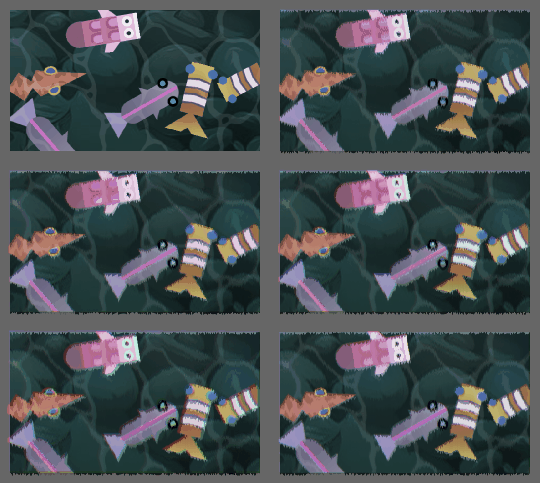 |
| **AmoyGameboyStyleFilter**
_@amoy/filter-gameboy_ | 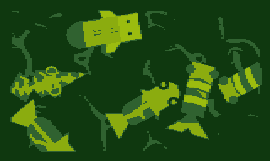 |
| **AmoyInnerOutlineFilter**
_@amoy/filter-inner-outline_ |  |
| **AmoyMosaicFilter**
_@amoy/filter-mosaic_ | 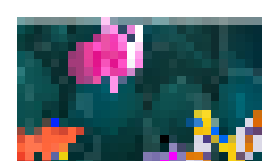 |
| **AmoyLightSweepFilter**
_@amoy/filter-light-sweep_ |  |
All filters work with PixiJS v5.
## Building
Build all filters, demo and screenshots by running the following:
```bash
npm run build
```
Build single filter by running the following:
```bash
npm run build:prod -- --scope "@amoy/filter-flame"
```
Build multiple filters where scope is a glob expression:
```bash
npm run build:prod -- --scope "{@amoy/filter-light2d,@amoy/filter-mosaic}"
```
Watch all filters (auto-rebuild upon src changes):
```bash
npm run watch
```
Build all filters in dev-mode (un-minified):
```bash
npm run build:dev
```
Thanks [PIXI FILTERS](https://github.com/pixijs/pixi-filters) .
---
_Source: https://npm.io/package/@amoy/filter-colorblind · Machine-readable twin of the npm.io package page. Health data is recomputed on every publish._