# @carlsonp/kort
> A web application that provides UX card sorting, tree testing, and more.
Latest version **1.0.1** (published 2020-12-31) · GPL-3.0 license · 0 weekly downloads
## Install
```sh
npm install @carlsonp/kort
pnpm add @carlsonp/kort
yarn add @carlsonp/kort
bun add @carlsonp/kort
```
## Health
**Score 15/100 (F)** — status: abandoned.
Positive: no vulnerabilities.
Warnings: low downloads; no types; no esm support.
Negative: abandoned; low maintenance score.
## Facts
| | |
|---|---|
| Version | 1.0.1 |
| Published | 2020-12-31 |
| First published | 2018-12-15 |
| Weekly downloads | 0 |
| License | GPL-3.0 |
| TypeScript types | none |
| Module format | CommonJS |
| Dependencies | 35 |
| Unpacked size | 2.2 MB |
| Known vulnerabilities | 0 (+7 in 5 direct dependencies) |
| Install scripts | no |
| GitHub stars | 16 |
| Author | Patrick Carlson and Leif Berg |
| Maintainers | carlsonp |
| Keywords | UX, User Experience, card sort, tree testing, product reaction, system usability scale, net promoter score |
## Links
- npm: https://www.npmjs.com/package/@carlsonp/kort
- Repository: https://github.com/carlsonp/kort
- Issues: https://github.com/carlsonp/kort/issues
- npm.io page: https://npm.io/package/@carlsonp/kort
## Dependencies (35)
- [ejs](https://npm.io/package/ejs.md) ^3.1.5
- [uuid](https://npm.io/package/uuid.md) ^8.3.2
- [async](https://npm.io/package/async.md) ^3.2.0
- [helmet](https://npm.io/package/helmet.md) ^4.2.0
- [jquery](https://npm.io/package/jquery.md) ^3.5.1
- [jstree](https://npm.io/package/jstree.md) ^3.3.11
- [morgan](https://npm.io/package/morgan.md) ^1.10.0
- [bootbox](https://npm.io/package/bootbox.md) ^5.5.2
- [dragula](https://npm.io/package/dragula.md) ^3.7.3
- [express](https://npm.io/package/express.md) ^4.17.1
- [pkginfo](https://npm.io/package/pkginfo.md) ^0.4.1
- [winston](https://npm.io/package/winston.md) ^3.3.3
- [bcryptjs](https://npm.io/package/bcryptjs.md) ^2.4.3
- [mongoose](https://npm.io/package/mongoose.md) ^5.11.8
- [passport](https://npm.io/package/passport.md) ^0.4.1
- [bootstrap](https://npm.io/package/bootstrap.md) ^4.5.3
- [clipboard](https://npm.io/package/clipboard.md) ^2.0.6
- [plotly.js](https://npm.io/package/plotly.js.md) ^1.58.4
- [popper.js](https://npm.io/package/popper.js.md) ^1.16.1
- [body-parser](https://npm.io/package/body-parser.md) ^1.19.0
- [compression](https://npm.io/package/compression.md) ^1.7.4
- [font-awesome](https://npm.io/package/font-awesome.md) ^4.7.0
- [connect-flash](https://npm.io/package/connect-flash.md) ^0.1.1
- [connect-mongo](https://npm.io/package/connect-mongo.md) ^3.2.0
- [cookie-parser](https://npm.io/package/cookie-parser.md) ^1.4.5
- [datatables.net](https://npm.io/package/datatables.net.md) ^1.10.23
- [mongo-sanitize](https://npm.io/package/mongo-sanitize.md) ^1.1.0
- [passport-local](https://npm.io/package/passport-local.md) ^1.0.0
- [express-session](https://npm.io/package/express-session.md) ^1.17.1
- [datatables.net-dt](https://npm.io/package/datatables.net-dt.md) ^1.10.23
- [express-rate-limit](https://npm.io/package/express-rate-limit.md) ^5.2.3
- [npm-font-open-sans](https://npm.io/package/npm-font-open-sans.md) ^1.1.0
- [passport-google-oauth](https://npm.io/package/passport-google-oauth.md) ^2.0.0
- [datatables.net-buttons](https://npm.io/package/datatables.net-buttons.md) ^1.6.5
- [datatables.net-buttons-dt](https://npm.io/package/datatables.net-buttons-dt.md) ^1.6.5
## Alternatives
- [duck](https://npm.io/package/duck.md) — 4.2M weekly downloads
- [ava](https://npm.io/package/ava.md) — 560.2K weekly downloads
- [storybook-addon-module-mock](https://npm.io/package/storybook-addon-module-mock.md) — 71.7K weekly downloads
- [@ethereum-waffle/mock-contract](https://npm.io/package/@ethereum-waffle/mock-contract.md) — 40.0K weekly downloads
- [aws-elasticsearch-connector](https://npm.io/package/aws-elasticsearch-connector.md) — 37.4K weekly downloads
## Recent versions
- 1.0.1 (latest) — 2020-12-31
- 1.0.0 — 2019-02-09
- 0.9.1 — 2018-12-15
## README
# Kort

[](https://github.com/carlsonp/kort/actions)
[](https://github.com/carlsonp/kort/releases/latest)
[](http://www.somsubhra.com/github-release-stats/?username=carlsonp&repository=kort)
[](https://www.gnu.org/licenses/gpl-3.0)
[](https://snyk.io/test/github/carlsonp/kort)
[](https://lgtm.com/projects/g/carlsonp/kort/alerts/)
[](https://lgtm.com/projects/g/carlsonp/kort/context:javascript)
## Table of Contents
[About](#About)
[Screenshots](#Screenshots)
[Installation and Setup](#Installation)
[After Install](#AfterInstall)
[Support / Improvement / Suggestions](#Support)
[License](#License)
## About
A web application supporting multiple user experience (UX) research methods.
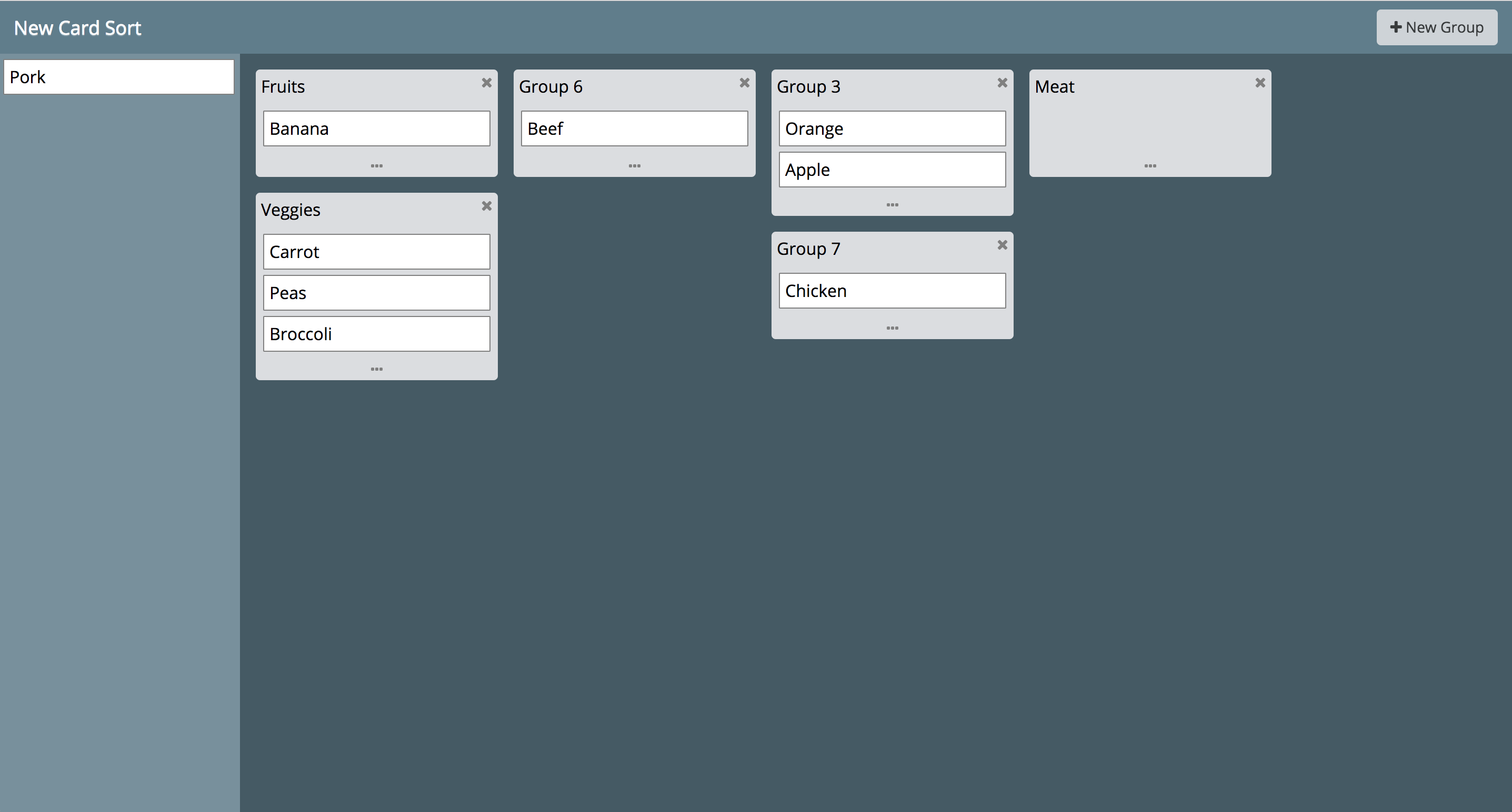
* [Card Sorting](https://en.wikipedia.org/wiki/Card_sorting)
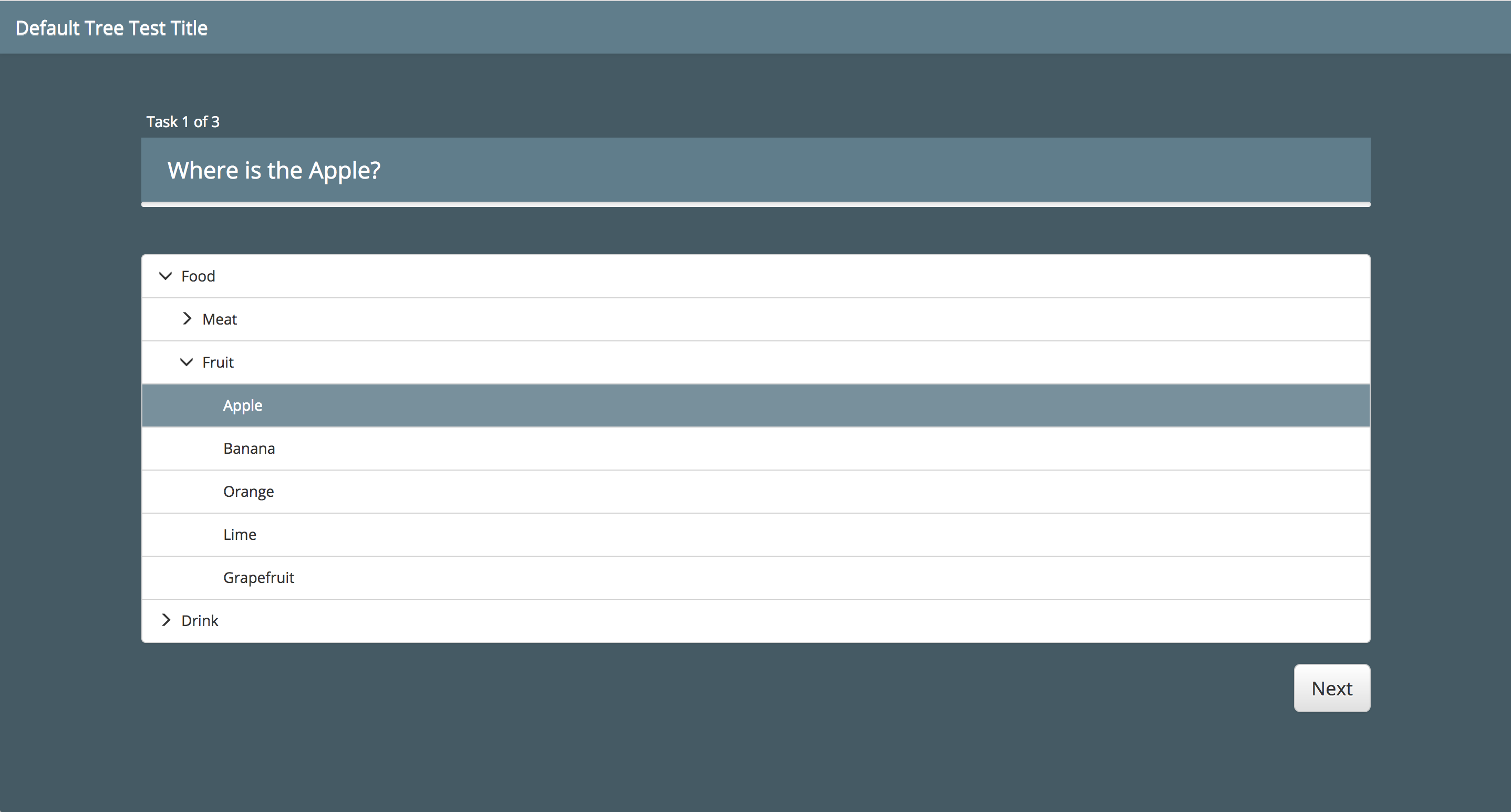
* [Tree Testing](https://en.wikipedia.org/wiki/Tree_testing)
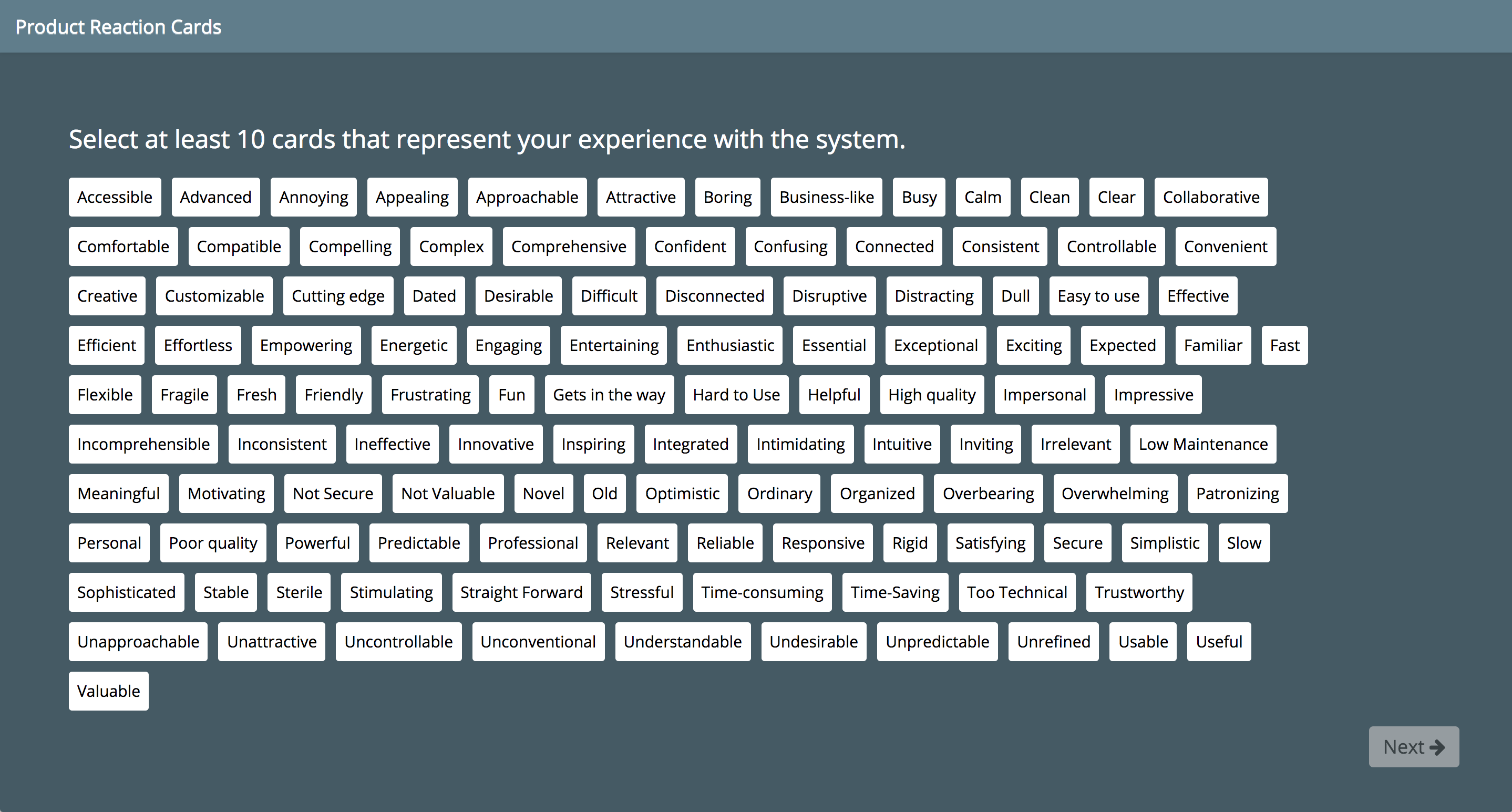
* [Product Reaction Cards](https://en.wikipedia.org/wiki/Microsoft_Reaction_Card_Method_%28Desirability_Testing%29)
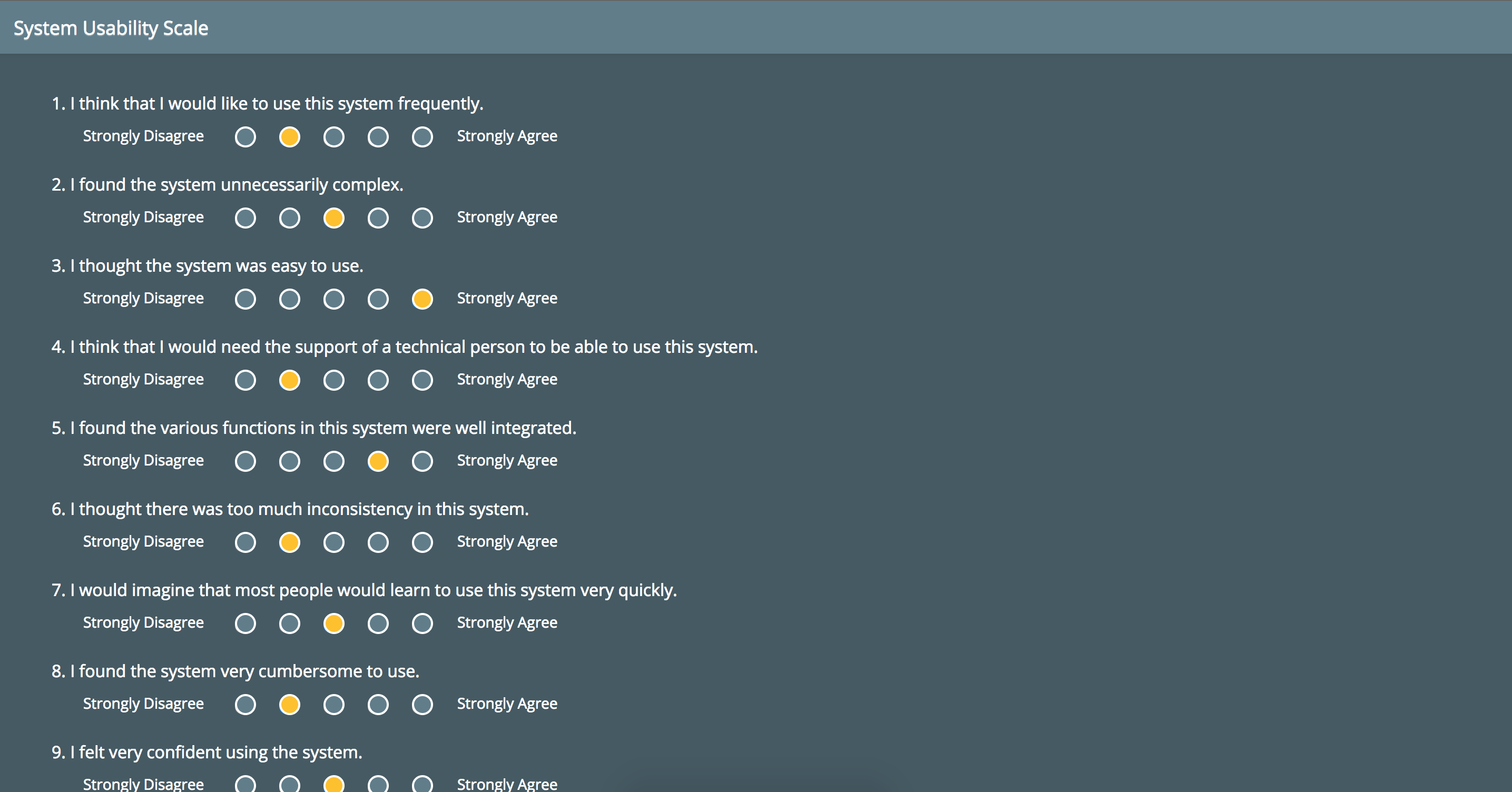
* [System Usability Scale (SUS)](https://en.wikipedia.org/wiki/System_usability_scale)
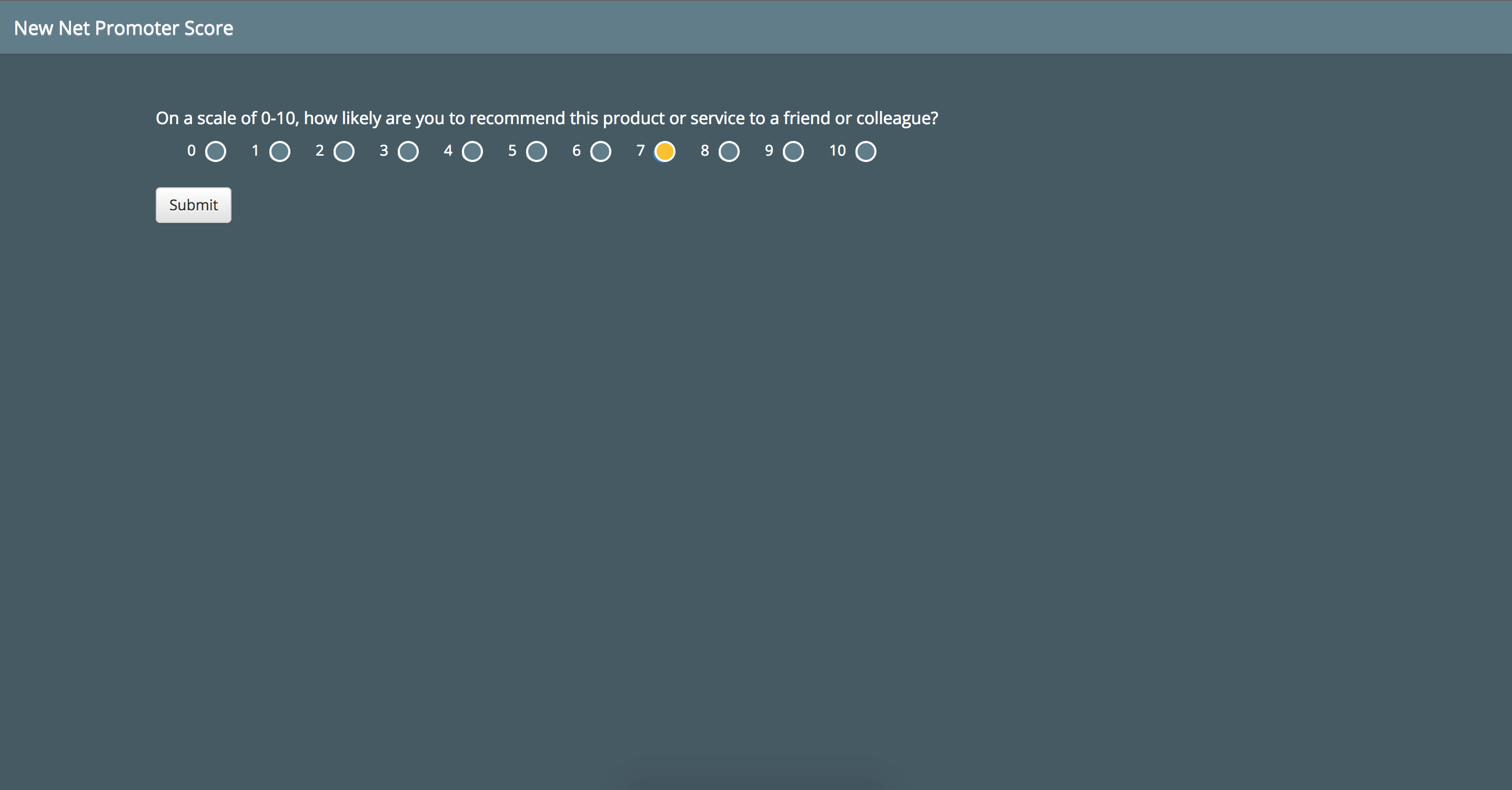
* [Net Promoter Score (NPS)](https://www.netpromoter.com/know/)
See the [website](https://carlsonp.github.io/kort/) for more information.
## Screenshots
 ## Installation and Setup
1. Use one of the following:
1. Use [Git](https://git-scm.com/) to clone the code (`git clone https://github.com/carlsonp/kort.git`)
2. [Download a release archive](https://github.com/carlsonp/kort/releases) from Github
3. Install from the published [npm package](https://www.npmjs.com/package/@carlsonp/kort) via `npm install @carlsonp/kort`
2. Edit `app.js` and optionally set the `adminUser` and set your own username.
3. Edit the `adminPassword` value in `app.js`.
4. Optionally set `allowUserRegistration` in `app.js` to allow users to register. Otherwise users can only be created by accounts with 'admin' access.
5. Optionally setup Google authentication. [See the wiki for details](https://github.com/carlsonp/kort/wiki/Setting-up-Google-Authentication).
6. Continue installation [via source](#ViaSource) or
[via Docker](#ViaDocker).
### Via Source
1. Install [Node.js](https://nodejs.org)
2. Install [MongoDB](https://www.mongodb.com/) (3.0 or higher) or provide a connection to an existing server
by editing the `app.js` file and setting the `mongoURL`. Kort uses the Mongoose package To optionally [secure your MongoDB with a username
and password](https://stackoverflow.com/questions/4881208/how-to-secure-mongodb-with-username-and-password/19768877),
create a user for the `kort` database by doing the following:
Open a Mongo commandline shell:
```shell
mongo --port 27017
```
Select the database:
```mongo
use kort
```
Create the new user:
```mongo
db.createUser(
{
user: "kort",
pwd: "123",
roles: [ { role: "readWrite", db: "kort" } ]
}
)
```
Then edit `/etc/mongodb.conf` and enable `auth=true`. Restart the service. Make sure to set
the `mongoURL` with the appropriate username and password.
3. Run `npm install` on the commandline. This will install the dependencies into the `node_modules` folder.
4. Run `node app.js` from the main directory. This will start the NodeJS server
on the default port 3000.
### Via Docker
1. [Install Docker](https://docs.docker.com/install/)
2. [Install docker-compose](https://docs.docker.com/compose/install/)
3. Build the containers
```shel
docker-compose build
```
4. Start the containers (use -d to run in detached mode)
```shell
docker-compose up
```
5. Stop the containers (when using detached mode)
```shell
docker-compose down
```
Data from MongoDB is persisted and mounted as a Docker volume in the `./data/` folder.
### After Install
1. You can connect via [http://localhost:3000](http://localhost:3000)
2. The `adminUser` and `adminPassword` that is set in `app.js` is the username and password for the account that will be created upon first launch. Use this to login.
## Support / Improvement / Suggestions
Open a [Github issue](https://github.com/carlsonp/kort/issues).
## License
Kort is licensed under the [GPLv3](https://www.gnu.org/licenses/gpl-3.0.en.html).
---
_Source: https://npm.io/package/@carlsonp/kort · Machine-readable twin of the npm.io package page. Health data is recomputed on every publish._
## Installation and Setup
1. Use one of the following:
1. Use [Git](https://git-scm.com/) to clone the code (`git clone https://github.com/carlsonp/kort.git`)
2. [Download a release archive](https://github.com/carlsonp/kort/releases) from Github
3. Install from the published [npm package](https://www.npmjs.com/package/@carlsonp/kort) via `npm install @carlsonp/kort`
2. Edit `app.js` and optionally set the `adminUser` and set your own username.
3. Edit the `adminPassword` value in `app.js`.
4. Optionally set `allowUserRegistration` in `app.js` to allow users to register. Otherwise users can only be created by accounts with 'admin' access.
5. Optionally setup Google authentication. [See the wiki for details](https://github.com/carlsonp/kort/wiki/Setting-up-Google-Authentication).
6. Continue installation [via source](#ViaSource) or
[via Docker](#ViaDocker).
### Via Source
1. Install [Node.js](https://nodejs.org)
2. Install [MongoDB](https://www.mongodb.com/) (3.0 or higher) or provide a connection to an existing server
by editing the `app.js` file and setting the `mongoURL`. Kort uses the Mongoose package To optionally [secure your MongoDB with a username
and password](https://stackoverflow.com/questions/4881208/how-to-secure-mongodb-with-username-and-password/19768877),
create a user for the `kort` database by doing the following:
Open a Mongo commandline shell:
```shell
mongo --port 27017
```
Select the database:
```mongo
use kort
```
Create the new user:
```mongo
db.createUser(
{
user: "kort",
pwd: "123",
roles: [ { role: "readWrite", db: "kort" } ]
}
)
```
Then edit `/etc/mongodb.conf` and enable `auth=true`. Restart the service. Make sure to set
the `mongoURL` with the appropriate username and password.
3. Run `npm install` on the commandline. This will install the dependencies into the `node_modules` folder.
4. Run `node app.js` from the main directory. This will start the NodeJS server
on the default port 3000.
### Via Docker
1. [Install Docker](https://docs.docker.com/install/)
2. [Install docker-compose](https://docs.docker.com/compose/install/)
3. Build the containers
```shel
docker-compose build
```
4. Start the containers (use -d to run in detached mode)
```shell
docker-compose up
```
5. Stop the containers (when using detached mode)
```shell
docker-compose down
```
Data from MongoDB is persisted and mounted as a Docker volume in the `./data/` folder.
### After Install
1. You can connect via [http://localhost:3000](http://localhost:3000)
2. The `adminUser` and `adminPassword` that is set in `app.js` is the username and password for the account that will be created upon first launch. Use this to login.
## Support / Improvement / Suggestions
Open a [Github issue](https://github.com/carlsonp/kort/issues).
## License
Kort is licensed under the [GPLv3](https://www.gnu.org/licenses/gpl-3.0.en.html).
---
_Source: https://npm.io/package/@carlsonp/kort · Machine-readable twin of the npm.io package page. Health data is recomputed on every publish._