# @codebet/react-native-draggable
> draggable
Latest version **1.0.15** (published 2019-01-21) · MIT license · 0 weekly downloads
## Install
```sh
npm install @codebet/react-native-draggable
pnpm add @codebet/react-native-draggable
yarn add @codebet/react-native-draggable
bun add @codebet/react-native-draggable
```
## Health
**Score 15/100 (F)** — status: abandoned.
Positive: no vulnerabilities.
Warnings: low downloads; no types; no esm support.
Negative: abandoned; low maintenance score.
## Facts
| | |
|---|---|
| Version | 1.0.15 |
| Published | 2019-01-21 |
| First published | 2019-01-21 |
| Weekly downloads | 0 |
| License | MIT |
| TypeScript types | none |
| Module format | CommonJS |
| Dependencies | 1 |
| Unpacked size | 557.9 KB |
| Known vulnerabilities | 0 |
| Install scripts | no |
| GitHub stars | 319 |
| Author | tongyy |
| Maintainers | kaffemakarn, kimastrom, lokecarlsson, mtnptrsn |
| Keywords | react-native, draggable, drag, drop |
## Links
- npm: https://www.npmjs.com/package/@codebet/react-native-draggable
- Repository: https://github.com/tongyy/react-native-draggable
- Homepage: https://github.com/tongyy/react-native-draggable#readme
- Issues: https://github.com/tongyy/react-native-draggable/issues
- npm.io page: https://npm.io/package/@codebet/react-native-draggable
## Dependencies (1)
- [prop-types](https://npm.io/package/prop-types.md) ^15.6.0
## Recent versions
- 1.0.15 (latest) — 2019-01-21
- 1.0.14 — 2019-01-21
## README
# react-native-draggable
Draggable item for react-native!
How to use
```
return (
alert('touched!!')} tolerance={5} />
);
```
[Demo](https://github.com/tongyy/react-native-draggable/blob/master/demo/demo.gif)
[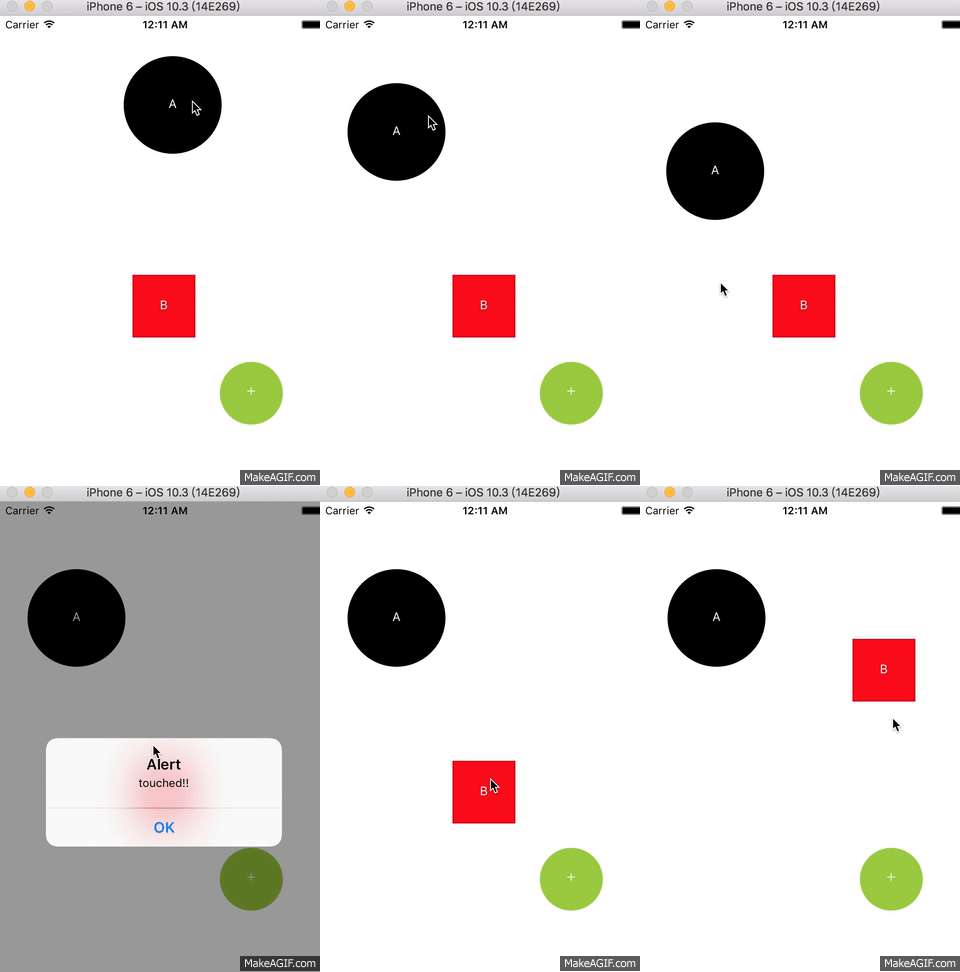](https://raw.githubusercontent.com/tongyy/react-native-draggable/master/demo/demo.gif)
in my project => 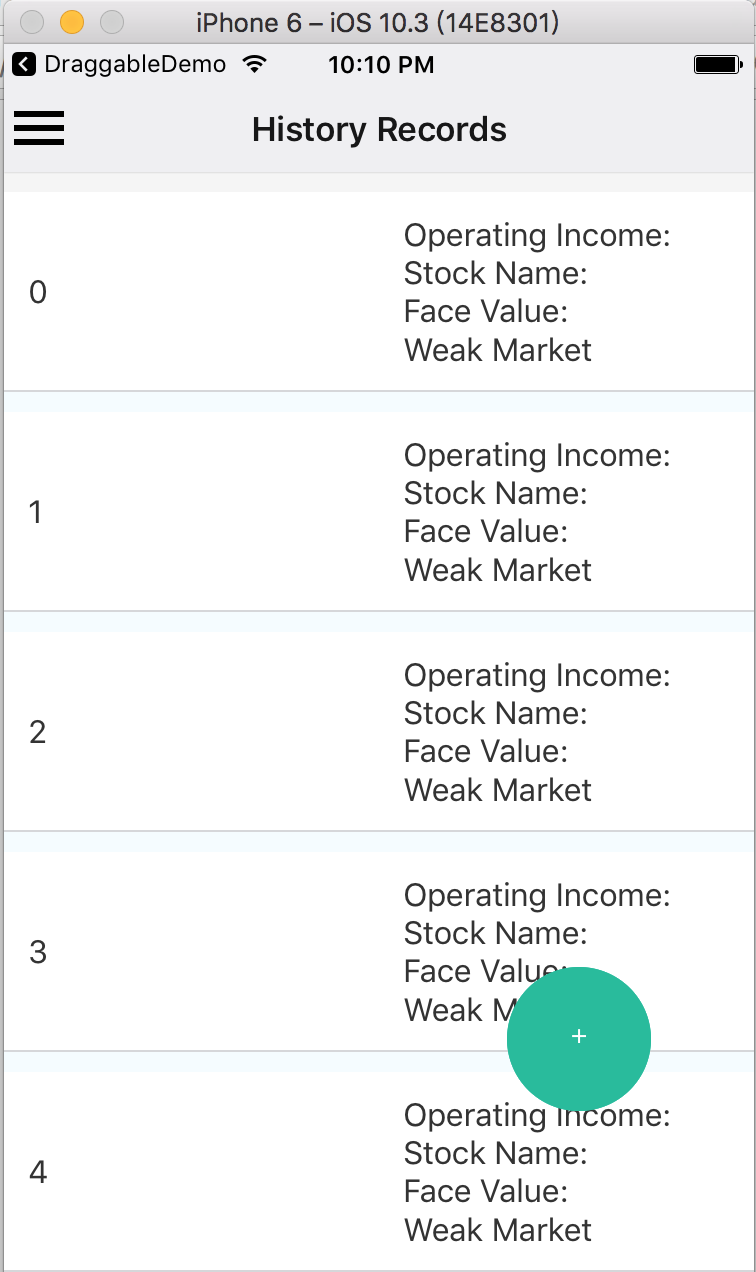 ```
return (
console.log('long press')}
pressDrag={()=>console.log('press drag')}
pressInDrag={()=>console.log('in press')}
pressOutDrag={()=>console.log('out press')}
/>
);
```
[Event Demo](https://github.com/tongyy/react-native-draggable/blob/master/demo/demo3.gif)
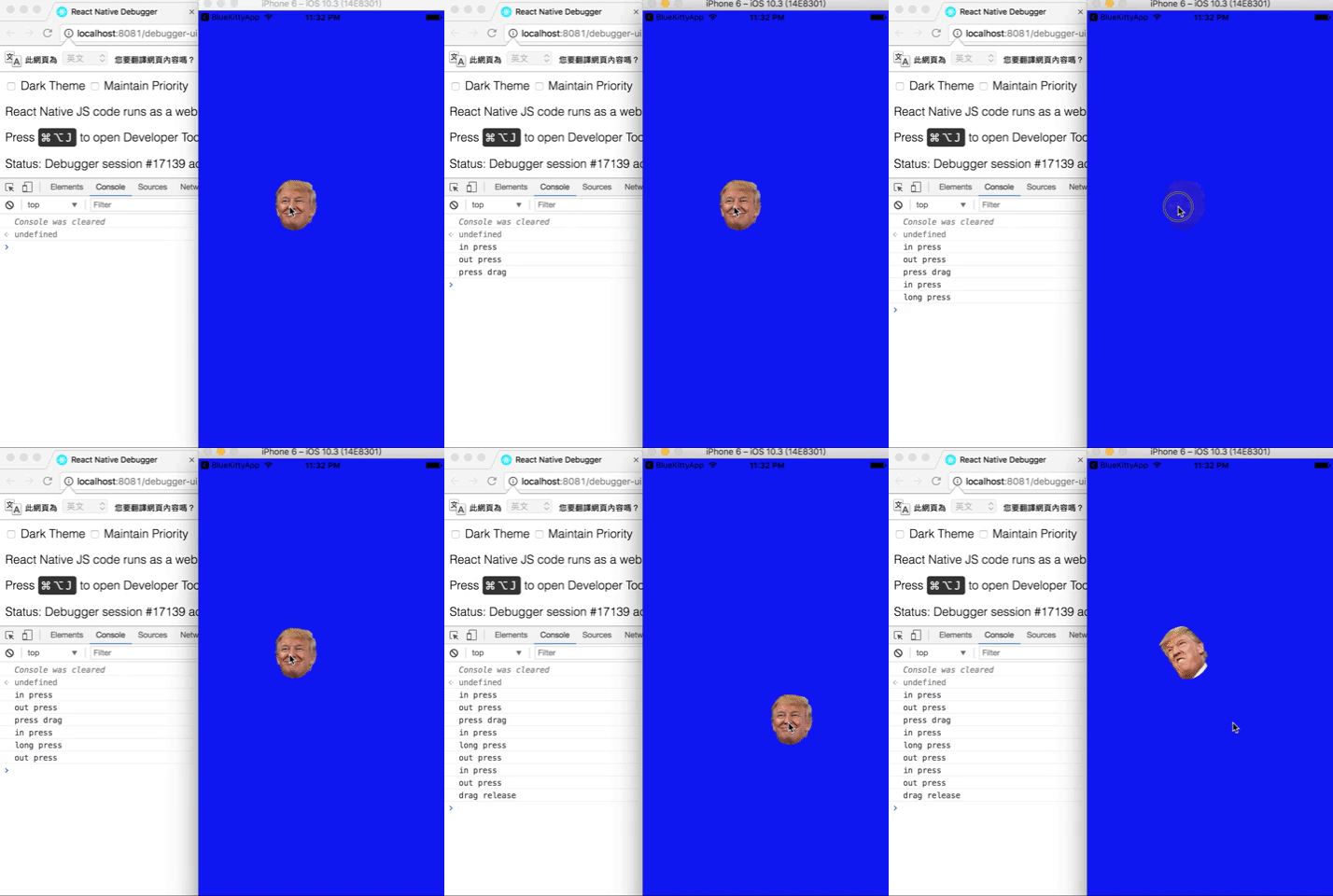
# Props spec & Example
## Properties
| Prop | Type | Example | Default | Description |
| :------------ |:---------------:|:---------------:|:---------------:|:-----|
| tolerance | number | {25} | {0} | Distance component can move and also trigger click |
| offsetX | number |{0}| {100} | offsetX with center |
| offsetY | number |{100}| {100} | offsetY with center |
| x | number |{0}| --- | position x |
| y | number |{0}| --- | position y |
| z | number |{0}| --- | position z |
| reverse | bool | {true} | {true} | reverse flag |
## Events
| Event | Type | Description |
| :------------ |:---------------:|:-----|
| pressDrag | func | onPress event |
| pressDragRelease | func | release drag event |
| longPressDrag | func | long press event |
| pressInDrag | func | in press event |
| pressOutDrag | func | out press event |
## Methods
| Method | params | Description |
| :------------ |:---------------:|:-----|
| reversePosition | --- | manually reset Draggable to start position |
# What's next?
This Draggable is used to be a Draggable Button in my project.
Let me know if you have any idea or demand, let's discuss and develop it.
---
_Source: https://npm.io/package/@codebet/react-native-draggable · Machine-readable twin of the npm.io package page. Health data is recomputed on every publish._
```
return (
console.log('long press')}
pressDrag={()=>console.log('press drag')}
pressInDrag={()=>console.log('in press')}
pressOutDrag={()=>console.log('out press')}
/>
);
```
[Event Demo](https://github.com/tongyy/react-native-draggable/blob/master/demo/demo3.gif)

# Props spec & Example
## Properties
| Prop | Type | Example | Default | Description |
| :------------ |:---------------:|:---------------:|:---------------:|:-----|
| tolerance | number | {25} | {0} | Distance component can move and also trigger click |
| offsetX | number |{0}| {100} | offsetX with center |
| offsetY | number |{100}| {100} | offsetY with center |
| x | number |{0}| --- | position x |
| y | number |{0}| --- | position y |
| z | number |{0}| --- | position z |
| reverse | bool | {true} | {true} | reverse flag |
## Events
| Event | Type | Description |
| :------------ |:---------------:|:-----|
| pressDrag | func | onPress event |
| pressDragRelease | func | release drag event |
| longPressDrag | func | long press event |
| pressInDrag | func | in press event |
| pressOutDrag | func | out press event |
## Methods
| Method | params | Description |
| :------------ |:---------------:|:-----|
| reversePosition | --- | manually reset Draggable to start position |
# What's next?
This Draggable is used to be a Draggable Button in my project.
Let me know if you have any idea or demand, let's discuss and develop it.
---
_Source: https://npm.io/package/@codebet/react-native-draggable · Machine-readable twin of the npm.io package page. Health data is recomputed on every publish._