# @duncte123/vue-notify-me
> Stackable notification Alert for Vue
Latest version **1.1.0** (published 2023-07-17) · MIT license · 0 weekly downloads
## Install
```sh
npm install @duncte123/vue-notify-me
pnpm add @duncte123/vue-notify-me
yarn add @duncte123/vue-notify-me
bun add @duncte123/vue-notify-me
```
## Health
**Score 15/100 (F)** — status: abandoned.
Positive: no vulnerabilities.
Warnings: low downloads; no types; no esm support.
Negative: abandoned; low maintenance score.
## Facts
| | |
|---|---|
| Version | 1.1.0 |
| Published | 2023-07-17 |
| First published | 2023-07-17 |
| Weekly downloads | 0 |
| License | MIT |
| TypeScript types | none |
| Module format | CommonJS |
| Dependencies | 1 |
| Unpacked size | 86.3 KB |
| Known vulnerabilities | 0 |
| Install scripts | no |
| GitHub stars | 139 |
| Author | PygmySlowLoris Team |
| Maintainers | duncte123 |
| Keywords | vue, notify, notification, notify me, alert |
## Links
- npm: https://www.npmjs.com/package/@duncte123/vue-notify-me
- Repository: https://github.com/PygmySlowLoris/vue-notify-me
- Homepage: https://github.com/PygmySlowLoris/vue-notify-me#readme
- Issues: https://github.com/PygmySlowLoris/vue-notify-me/issues
- npm.io page: https://npm.io/package/@duncte123/vue-notify-me
## Dependencies (1)
- [vue](https://npm.io/package/vue.md) ^3.2.36
## Alternatives
- [update-check](https://npm.io/package/update-check.md) — 4.0M weekly downloads
- [react-native-onesignal](https://npm.io/package/react-native-onesignal.md) — 134.5K weekly downloads
- [react-redux-toastr](https://npm.io/package/react-redux-toastr.md) — 33.7K weekly downloads
- [@nocobase/plugin-notification-manager](https://npm.io/package/@nocobase/plugin-notification-manager.md) — 2.0K weekly downloads
- [react-simple-toasts](https://npm.io/package/react-simple-toasts.md) — 1.9K weekly downloads
## Recent versions
- 1.1.0 (latest) — 2023-07-17
## README
# vue-notify-me
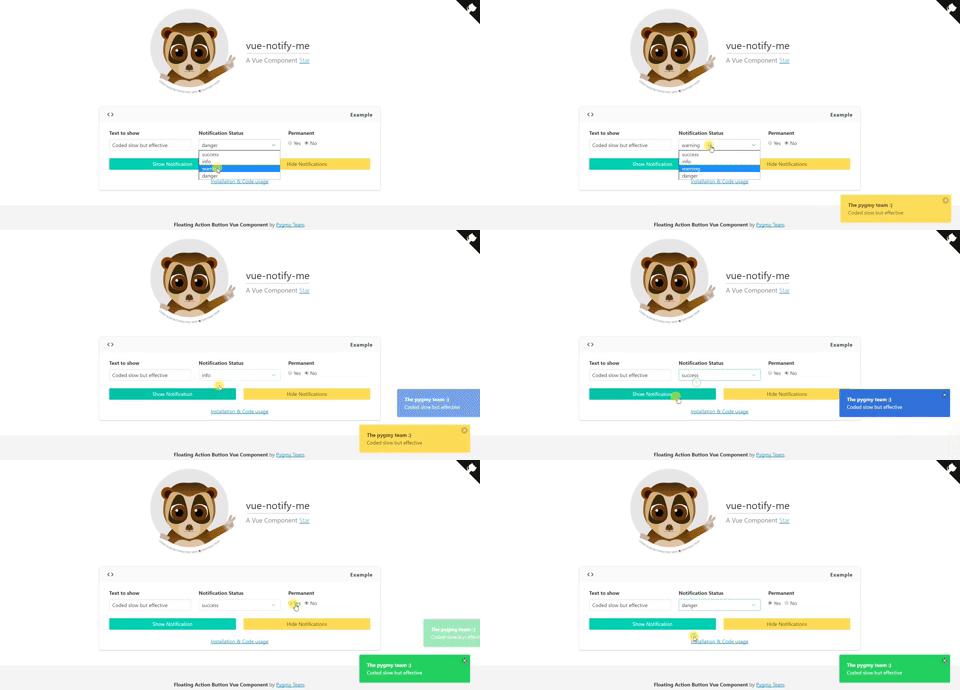
Notification Alert for Vue.
## Features
* Customizable template
* Stackable notifications
Live Demo
## Installation
```bash
npm install vue-notify-me --save
```
## Properties
| Properties | Type | Values |
| :--------------- | :------- | :--------- |
| `event-bus` | Object | Central event Bus |
| `event-show` (not required) | String | Default `notify-me`|
| `event-hide` (not required) | String | Default `hide-notify-me`|
| `close` (not required) | String | Default `bulma`, options: bootstrap or any other class for the closing icon|
| `permanent` (not required) | Bool | Default false|
| `container` (not required) | String | Default `notification`, (Class for the notification container)|
| `status` (not required) | String | Default `is-success`, (Class for the notification status)|
| `width` (not required) | String | Default `350px`. It's **mandatory** to set the **unit** for the width. For example: `rem`, `em`, `px` |
| `timeout` (not required) | Number | Default `4000`. Value is in miliseconds. If notification is not `permanent` you can set the timeout for it |
## Examples
Include the component in your .vue file.
```html
{{data.title}}
{{data.text}}
```
If you'd like to use the component in a SPA set a single template on your layout application
and fire your notification through your central event bus.
Set any available prop for the component like this:
```html
{{data.title}}
{{data.text}}
```
To show a notification just fire an event like this:
```js
```
You may also add any available prop through the event emitter:
```js
this.bus.$emit('notify-me', {
permanent: true,
status: this.status,
data: {
title: 'The pygmy team :)',
text: this.text
}
});
```
Enjoy :)
---
_Source: https://npm.io/package/@duncte123/vue-notify-me · Machine-readable twin of the npm.io package page. Health data is recomputed on every publish._