# @equinor/react-native-skia-draw

> A React Native drawing library running on SKIA

Latest version **0.8.1** (published 2026-10-21) · MIT license · 0 weekly downloads

## Install

```sh
npm install @equinor/react-native-skia-draw
pnpm add @equinor/react-native-skia-draw
yarn add @equinor/react-native-skia-draw
bun add @equinor/react-native-skia-draw
```

## Health

**Score 65/100 (B)** — status: active.

Positive: has types; esm support; no vulnerabilities; recently updated; high maintenance score.

Warnings: low downloads; pre 1.0.

## Facts

| | |
|---|---|
| Version | 0.8.1 |
| Published | 2026-10-21 |
| First published | 2023-03-17 |
| Weekly downloads | 0 |
| License | MIT |
| TypeScript types | bundled |
| Module format | ESM + CommonJS |
| Dependencies | 1 |
| Unpacked size | 69.3 KB |
| Known vulnerabilities | 0 |
| Install scripts | no |
| Author | Equinor Mobile App Delivery team |
| Maintainers | anjalipandit, haakonsvane |
| Keywords | drawing, markup, react native, signature, typescript |

## Links

- npm: https://www.npmjs.com/package/@equinor/react-native-skia-draw
- Homepage: https://github.com/equinor/mad/
- Issues: https://github.com/equinor/mad/issues
- npm.io page: https://npm.io/package/@equinor/react-native-skia-draw

## Dependencies (1)

- [@equinor/mad-components](https://npm.io/package/@equinor/mad-components.md) *

## Alternatives

- [@openai/codex-sdk](https://npm.io/package/@openai/codex-sdk.md) — 731.4K weekly downloads
- [babel-plugin-transform-react-jsx](https://npm.io/package/babel-plugin-transform-react-jsx.md) — 565.0K weekly downloads
- [babel-helper-remove-or-void](https://npm.io/package/babel-helper-remove-or-void.md) — 508.5K weekly downloads
- [@pnpm/store-controller-types](https://npm.io/package/@pnpm/store-controller-types.md) — 186.9K weekly downloads
- [react-native-signature-canvas](https://npm.io/package/react-native-signature-canvas.md) — 155.6K weekly downloads

## Recent versions

- 0.8.1 (latest) — 2026-10-21
- 0.8.0 — 2026-09-24
- 0.7.5 — 2026-08-25
- 0.7.4 — 2026-07-06
- 0.7.3 — 2026-06-22
- 0.7.2 — 2026-06-05
- 0.7.1 — 2026-05-29
- 0.7.0 — 2026-05-19
- 0.6.4 — 2026-01-16
- 0.6.3 — 2025-11-26
- 0.6.2 — 2025-10-30
- 0.6.1 — 2025-10-29
- 0.6.0 — 2025-08-25
- 0.5.8 — 2025-06-20
- 0.5.7 — 2025-06-20
- … 75 more at https://npm.io/package/@equinor/react-native-skia-draw/versions

## README

# React Native Skia Draw

<p align="center">
        <img src="https://img.shields.io/badge/iOS-✅-brightgreen" />
        <img src="https://img.shields.io/badge/web-✅-brightgreen" />
        <img src="https://img.shields.io/badge/android-❔-orange" />
</p>
<p align="center">
        <img 
            src="https://raw.githubusercontent.com/equinor/mad/main/packages/skia-draw/assets/skia-draw-header.png"
            title="React Native Skia Draw"
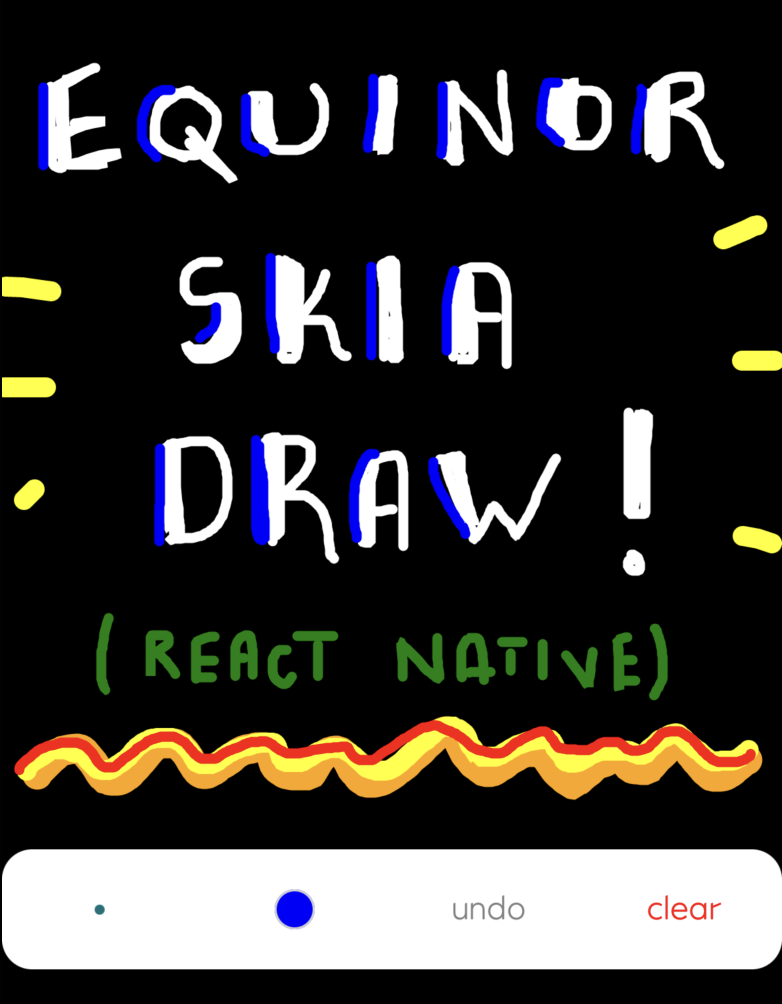
            alt="The Equinor React Native library for all things drawing!"
            width=390/>
</p>
<br />

This library adds basic drawing capabilities for your apps. It features a ready to use Signature Pad
and an [EDS](https://loop.equinor.com/en/stories/eds-design-system) themed Image Markup tool. The
library also exposes functionality for creating your own solution.

## 🖌️ How to use

The library currently exposes two ready-made (reffered to as premades) solutions.

### 🖋️ Signature Pad

<p align="center">
        <img 
            src="https://raw.githubusercontent.com/equinor/mad/main/packages/skia-draw/assets/skia-draw-signature.png"
            title="React Native Skia Draw Signature Pad"
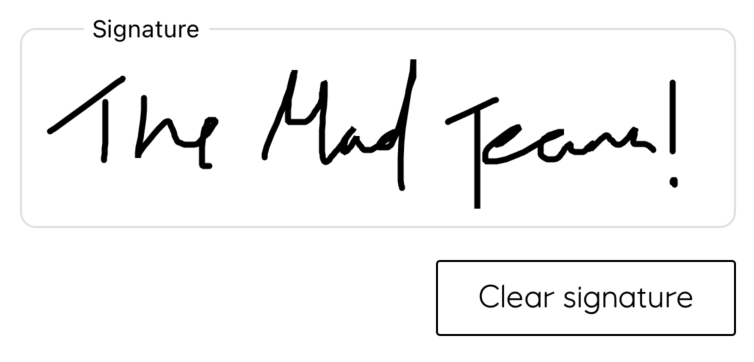
            alt="For signing all your important stuff!"
            width=300/>
</p>
<br/>

The Signature Pad component comes with a signature field, a clear button and the ability to create
snapshots. A simple implementation looks like this:

```tsx
import { Button } from "react-native";
import { SignaturePad, CanvasImageControls } from "@equinor/react-native-skia-draw";
import { SkiaDrawSnapshot } from "@equinor/react-native-skia-draw/dist/types";

const MySignaturePad = () => {
    const drawRef = useRef<CanvasImageControls>(null);
    const [myImage, setMyImage] = useState<SkiaDrawSnapshot>();

    const takeSnapshot = () => {
        if (drawRef.current?.makeImageSnapshot) {
            const result = drawRef.current.makeImageSnapshot();
            setMyImage(result);
        }
    };

    return (
        <>
            <SignaturePad ref={drawRef} />
            <Button
                title="Take snapshot!"
                onPress={takeSnapshot} />
        <>
    );
};
```

---

<br/>

### 👩‍🎨 Image Markup

<p align="center">
        <img 
            src="https://raw.githubusercontent.com/equinor/mad/main/packages/skia-draw/assets/skia-draw-image-markup.png"
            title="React Native Skia Draw Signature Pad"
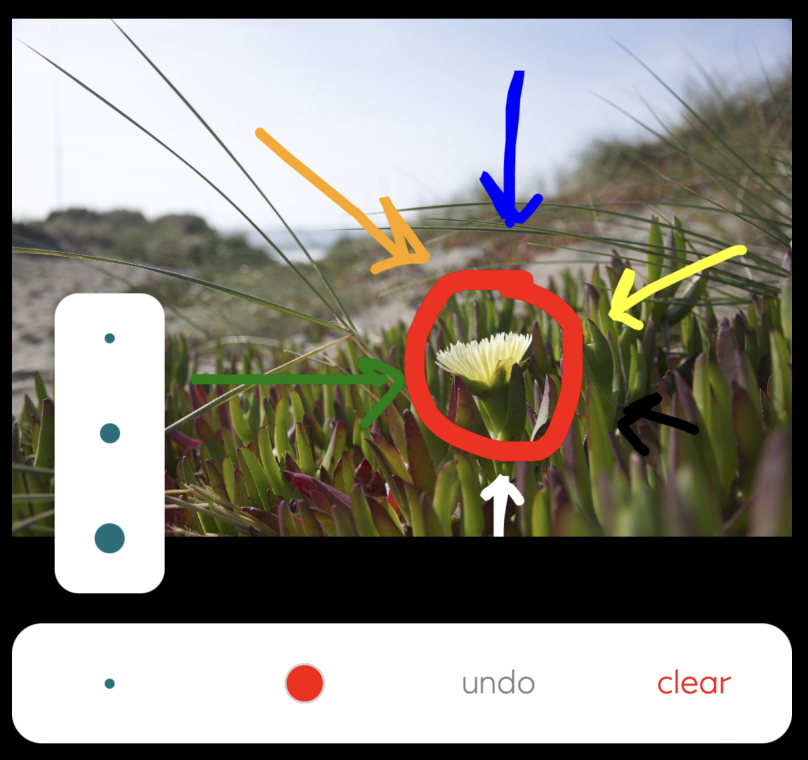
            alt="For drawing on top of your work of art <3"
            width=300/>
</p>
<br/>

The Image Markup component comes with a simple control panel for some markup operations (stroke
size, color selection, clear and undo), and the ability to draw on top of an imported image. A
simple implementation looks like this:

```tsx
import { Button } from "react-native";
import { ImageMarkup, CanvasImageControls } from "@equinor/react-native-skia-draw";
import { SkiaDrawSnapshot } from "@equinor/react-native-skia-draw/dist/types";

const MyImageMarkup = ({
    myImageAsAnEncodedString,
}:
{
    myImageAsAnEncodedString: string;
}) => {
    const drawRef = useRef<CanvasImageControls>(null);
    const [myImage, setMyImage] = useState<SkiaDrawSnapshot>();

    const takeSnapshot = () => {
        if (drawRef.current?.makeImageSnapshot) {
            const result = drawRef.current.makeImageSnapshot();
            setMyImage(result);
        }
    };

    return (
        <>
            <ImageMarkup
                ref={drawRef}
                markupImage={myImageAsAnEncodedString} />
            <Button
                title="Take snapshot!"
                onPress={takeSnapshot} />
        <>
    );
};
```

## ⚙️ Installation

[React Native Skia](https://shopify.github.io/react-native-skia/) is listed as a peer deendency to
this project. This means you will have to install an appropriate version of this on your own. Please
refer to the
[React Native installlation guide](https://shopify.github.io/react-native-skia/docs/getting-started/installation)
for information on how to do this.

### 🕸️ Web support

Note that React Native Skia has an own setup process for working on the web. Make sure to follow
this when adding any solution from this packace to your React Native web project.

## Custom implementations

In addition to the premades listed above, this library also lets you create your own design using
your own components to control the canvas. Start by making sure that you wrap both your control
panel and the canvas inside a `CanvasControlProvider`:

```tsx
import { CanvasControlProvider, Canvas } from "@equinor/react-native-skia-draw";

export const MyCustomControlledCanvas = () => (
    <CanvasControlProvider>
        <MyCustomControlPanel />
        <Canvas />
    </CanvasControlProvider>
);
```

Then, in your custom control panel, tap into the canvas using the controls exported from the
`useCanvasControl()` hook:

```tsx
import { useCanvasControl } from "@equinor/react-native-skia-draw";

export const MyCustomControlPanel = () => {
    const {
        toolColor,
        setToolColor,
        strokeWeight,
        setStrokeWeight,
        toolType,
        setToolType,
        text,
        setText,
        font,
        undo,
        clear,
    } = useCanvasControl();

    return <>{/* custom ui here */}</>;
};
```

---
_Source: https://npm.io/package/@equinor/react-native-skia-draw · Machine-readable twin of the npm.io package page. Health data is recomputed on every publish._