# @hackplan/react-live
> A production-focused playground for live editing React code
Latest version **2.2.3-transform-fix** (published 2020-12-24) · MIT license · 0 weekly downloads
## Install
```sh
npm install @hackplan/react-live
pnpm add @hackplan/react-live
yarn add @hackplan/react-live
bun add @hackplan/react-live
```
## Health
**Score 45/100 (D)** — status: abandoned.
Positive: has types; esm support; no vulnerabilities; high maintenance score; high quality score.
Warnings: low downloads.
Negative: abandoned.
## Facts
| | |
|---|---|
| Version | 2.2.3-transform-fix |
| Published | 2020-12-24 |
| First published | 2020-12-24 |
| Weekly downloads | 0 |
| License | MIT |
| TypeScript types | bundled |
| Module format | ESM + CommonJS |
| Node | >= 0.12.0 |
| Dependencies | 7 |
| Unpacked size | 82.7 KB |
| Known vulnerabilities | 0 |
| Install scripts | no |
| GitHub stars | 4610 |
| Author | Phil Plückthun |
| Maintainers | hackplan-user |
| Keywords | react, live, live edit, component playground, react live |
## Links
- npm: https://www.npmjs.com/package/@hackplan/react-live
- Repository: https://github.com/philpl/react-live
- Issues: https://github.com/philpl/react-live/issues
- npm.io page: https://npm.io/package/@hackplan/react-live
## Dependencies (7)
- [buble](https://npm.io/package/buble.md) 0.19.6
- [core-js](https://npm.io/package/core-js.md) ^2.4.1
- [unescape](https://npm.io/package/unescape.md) ^1.0.1
- [prop-types](https://npm.io/package/prop-types.md) ^15.5.8
- [dom-iterator](https://npm.io/package/dom-iterator.md) ^1.0.0
- [prism-react-renderer](https://npm.io/package/prism-react-renderer.md) ^1.0.1
- [react-simple-code-editor](https://npm.io/package/react-simple-code-editor.md) ^0.10.0
## Alternatives
- [mobx-react](https://npm.io/package/mobx-react.md) — 2.8M weekly downloads
- [rc-tree](https://npm.io/package/rc-tree.md) — 2.6M weekly downloads
- [@react-oauth/google](https://npm.io/package/@react-oauth/google.md) — 1.3M weekly downloads
- [@wagmi/connectors](https://npm.io/package/@wagmi/connectors.md) — 877.0K weekly downloads
- [vee-validate](https://npm.io/package/vee-validate.md) — 836.4K weekly downloads
## Recent versions
- 2.2.3-transform-fix (latest) — 2020-12-24
- 2.2.3-transform — 2020-12-24
## README
React Live
A flexible playground for live editing React code





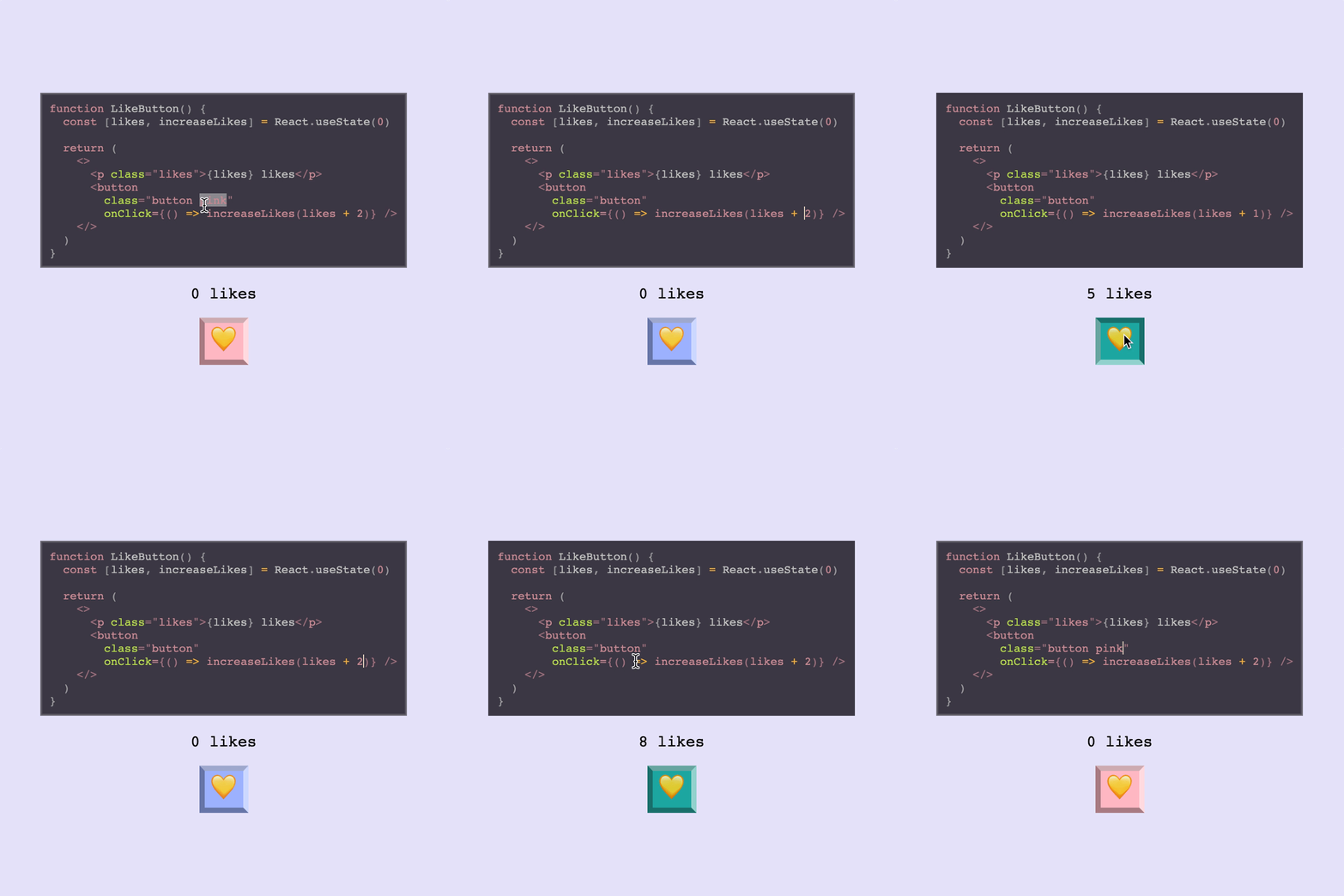
**React Live** brings you the ability to render React components with editable source code and live preview.
It supports server-side rendering and comes in a tiny bundle.
The library is structured modularly and lets you style and compose its components freely.
## Usage
Install it with `npm install react-live` or `yarn add react-live` and try out this piece of JSX:
```js
import {
LiveProvider,
LiveEditor,
LiveError,
LivePreview
} from 'react-live'
```
## Demo
[https://react-live.netlify.com/](https://react-live.netlify.com/)
## FAQ
### How does it work?
It takes your code and transpiles it with [Bublé](https://github.com/bublejs/buble), while the code is displayed using [`react-simple-code-editor`](https://github.com/satya164/react-simple-code-editor) and the code is highlighted using [`prism-react-renderer`](https://github.com/FormidableLabs/prism-react-renderer).
The transpiled code is then rendered in the preview component (`LivePreview`), which does a fake mount if the code
is a React component.
### What code can I use?
The code can be one of the following things:
- React elements, e.g. `Hello World!`
- React pure functional components, e.g. `() => Hello World!`
- React component classes
If you enable the `noInline` prop on your `LiveProvider`, you’ll be able to write imperative code,
and render one of the above things by calling `render`.
### How does the scope work?
The `scope` prop on the `LiveProvider` accepts additional globals. By default it injects `React` only, which
means that the user can use it in their code like this:
```js
// ↓↓↓↓↓
class Example extends React.Component {
render() {
return Hello World!
}
}
```
But you can of course pass more things to the scope. They will be available as variables in the code. Here's an example using [styled components](https://github.com/styled-components/styled-components):
```js
import styled from 'styled-components';
const headerProps = { text: 'I\'m styled!' };
const scope = {styled, headerProps};
const code = `
const Header = styled.div\`
color: palevioletred;
font-size: 18px;
\`
render()
`
```
Here's an example using a custom component ``. This component lives in a different directory. It gets passed into the scope wrapped in an Object. Note that since we are not using `render()` in the code snippet we let `noInline` stay equal to the default of `false`:
```js
import { MyButton } from './components/MyButton';
const scope = { MyButton };
const code = `
`
```
### What bundle size can I expect?
Our reported bundle size badges don't give you the full picture of
the kind of sizes you will get in a production app. The minified
bundles we publish _exclude_ some dependencies that we depend
on.
In an actual app when you use `react-live` you will also be bundling
Buble for transpilation, which adds `~135kB` to your bundle. This also
includes their dependency on `regenerate-unicode-properties`, which
is rather large as well.
We maintain a fork of Buble which excludes the ESnext Regular Expression
transpilation with removes Buble's large dependency and weighs in at
a smaller size of `~51kB`, which you can find published at [`@philpl/buble`](http://npm.im/@philpl/buble).
You can alias this in Webpack or the build tool of your choice, which
will reduce the overall bundle size of `react-live` to about `83kB`.
## API
### <LiveProvider />
This component provides the `context` for all the other ones. It also transpiles the user’s code!
It supports these props, while passing any others through to the `children`:
|Name|PropType|Description|
|---|---|---|
|code|PropTypes.string|The code that should be rendered, apart from the user’s edits
|scope|PropTypes.object|Accepts custom globals that the `code` can use
|noInline|PropTypes.bool|Doesn’t evaluate and mount the inline code (Default: `false`). Note: when using `noInline` whatever code you write must be a single expression (function, class component or some `jsx`) that can be returned immediately. If you'd like to render multiple components, use `noInline={true}`
|transformCode|PropTypes.func|Accepts and returns the code to be transpiled, affording an opportunity to first transform it
|language|PropTypes.string|What language you're writing for correct syntax highlighting. (Default: `jsx`)
|disabled|PropTypes.bool|Disable editing on the `` (Default: `false`)
|theme|PropTypes.object|A `prism-react-renderer` theme object. See more [here](https://github.com/FormidableLabs/prism-react-renderer#theming)
All subsequent components must be rendered inside a provider, since they communicate
using one.
The `noInline` option kicks the Provider into a different mode, where you can write imperative-style
code and nothing gets evaluated and mounted automatically. Your example will need to call `render`
with valid JSX elements.
### <LiveEditor />
This component renders the editor that displays the code. It is a wrapper around [`react-simple-code-editor`](https://github.com/satya164/react-simple-code-editor) and the code highlighted using [`prism-react-renderer`](https://github.com/FormidableLabs/prism-react-renderer).
|Name|PropType|Description|
|---|---|---|
|style|PropTypes.object|Allows overriding default styles on the `LiveEditor` component.
### <LiveError />
This component renders any error that occur while executing the code, or transpiling it.
It passes through any props to a `pre`.
> Note: Right now when the component unmounts, when there’s no error to be shown.
### <LivePreview />
This component renders the actual component that the code generates inside an error boundary.
|Name|PropType|Description|
|---|---|---|
|Component|PropTypes.node|Element that wraps the generated code. (Default: `div`)
### withLive
The `withLive` method creates a higher-order component, that injects the live-editing props provided
by `LiveProvider` into a component.
Using this HOC allows you to add new components to react-live, or replace the default ones, with a new
desired behavior.
The component wrapped with `withLive` gets injected the following props:
|Name|PropType|Description|
|---|---|---|
|code|PropTypes.string|Reflects the code that is passed in as the `code` prop
|error|PropTypes.string|An error that the code has thrown when it was previewed
|onError|PropTypes.func|A callback that, when called, changes the error to what's passed as the first argument
|onChange|PropTypes.func|A callback that accepts new code and transpiles it
|element|React.Element|The result of the transpiled code that is previewed
> Note: The code prop doesn't reflect the up-to-date code, but the `code` prop, that is passed to the `LiveProvider`.
## FAQ
> **I want to use experimental feature x but Bublé doesn't support it! Can I use babel instead?**
`react-live` doesn't currently support configuring the transpiler and it ships with Bublé. The current workaround for using some experimental features `bublé` doesn't support would be to use the `transformCode` prop on `LiveProvider` to transform your code with `babel` alongside `bublé`.
Here is a minimal example on how you could use `babel` to support class-properties in `react-live`:
[](https://codesandbox.io/s/7ml9mjw766?fontsize=14)
## Comparison to [component-playground](https://github.com/FormidableLabs/component-playground)
There are multiple options when it comes to live, editable React component environments. Formidable actually has **two** first class projects to help you out: [`component-playground`](https://github.com/FormidableLabs/component-playground) and [`react-live`](https://github.com/FormidableLabs/react-live). Let's briefly look at the libraries, use cases, and factors that might help in deciding which is right for you.
Here's a high-level decision tree:
- If you want **fast and easy** setup and integration, then `component-playground` may be the ticket!
- If you want **a smaller bundle**, **SSR**, and **more flexibility**, then `react-live` is for you!
Here are the various factors at play:
- **Build**: `component-playground` uses `babel-standalone`, `react-live` uses `bublé`. (_Note_: `react-live` might make transpiler customizable in the future).
- **Bundle size**: `component-playground` has a larger bundle, but uses a more familiar editor setup. `react-live` is smaller, but more customized editor around `prism`.
- **Ease vs. flexibility**: `react-live` is more modular/customizable, while `component-playground` is easier/faster to set up.
- **SSR**: `component-playground` is not server-side renderable, `react-live` is.
- **Extra features**: `component-playground` supports raw evaluation and pretty-printed output out-of-the-box, while `react-live` does not.
- **Error handling**: `component-playground` might have more predictable error handling than `react-live` in some cases (due to `react-dom`, although this might change with React 16).
## Maintenance Status
**Active:** Formidable is actively working on this project, and we expect to continue for work for the foreseeable future. Bug reports, feature requests and pull requests are welcome.
---
_Source: https://npm.io/package/@hackplan/react-live · Machine-readable twin of the npm.io package page. Health data is recomputed on every publish._