# @ibomorrissey/shoppy
Latest version **0.1.0** (published 2024-03-09) · 0 weekly downloads
## Install
```sh
npm install @ibomorrissey/shoppy
pnpm add @ibomorrissey/shoppy
yarn add @ibomorrissey/shoppy
bun add @ibomorrissey/shoppy
```
## Health
**Score 15/100 (F)** — status: abandoned.
Positive: no vulnerabilities.
Warnings: low downloads; no types; no esm support; pre 1.0.
Negative: abandoned; low maintenance score.
## Facts
| | |
|---|---|
| Version | 0.1.0 |
| Published | 2024-03-09 |
| First published | 2024-03-09 |
| Weekly downloads | 0 |
| TypeScript types | none |
| Module format | CommonJS |
| Dependencies | 55 |
| Unpacked size | 4.1 MB |
| Known vulnerabilities | 0 |
| Install scripts | no |
| Maintainers | ibomorrissey |
## Links
- npm: https://www.npmjs.com/package/@ibomorrissey/shoppy
- Repository: https://github.com/ibomorrissey/shoppy
- Homepage: https://github.com/ibomorrissey/shoppy#readme
- Issues: https://github.com/ibomorrissey/shoppy/issues
- npm.io page: https://npm.io/package/@ibomorrissey/shoppy
## Dependencies (55)
- [viem](https://npm.io/package/viem.md) ^1.19.11
- [jsdom](https://npm.io/package/jsdom.md) ^22.1.0
- [karma](https://npm.io/package/karma.md) ^6.3.18
- [react](https://npm.io/package/react.md) ^17.0.2
- [enzyme](https://npm.io/package/enzyme.md) ^3.11.0
- [escope](https://npm.io/package/escope.md) ^4.0.0
- [core-js](https://npm.io/package/core-js.md) ^3.35.1
- [webpack](https://npm.io/package/webpack.md) ^5.88.2
- [prettier](https://npm.io/package/prettier.md) 3.2.4
- [react-dom](https://npm.io/package/react-dom.md) ^17.0.2
- [@babel/cli](https://npm.io/package/@babel/cli.md) ^7.23.4
- [@formio/js](https://npm.io/package/@formio/js.md) ^5.0.0-rc.33
- [prop-types](https://npm.io/package/prop-types.md) ^15.8.1
- [typescript](https://npm.io/package/typescript.md) ^5.1.6
- [@babel/core](https://npm.io/package/@babel/core.md) ^7.23.7
- [karma-mocha](https://npm.io/package/karma-mocha.md) ^2.0.1
- [react-icons](https://npm.io/package/react-icons.md) ^4.3.1
- [babel-loader](https://npm.io/package/babel-loader.md) ^9.1.3
- [eventemitter2](https://npm.io/package/eventemitter2.md) ^6.4.5
- [karma-webpack](https://npm.io/package/karma-webpack.md) ^5.0.0
- [react-scripts](https://npm.io/package/react-scripts.md) 5.0.0
- [babel-polyfill](https://npm.io/package/babel-polyfill.md) ^6.26.0
- [@syncfusion/ej2](https://npm.io/package/@syncfusion/ej2.md) ^19.4.48
- [presale-demo-pe](https://npm.io/package/presale-demo-pe.md) ^0.1.0
- [react-router-dom](https://npm.io/package/react-router-dom.md) ^6.2.1
- [@babel/preset-env](https://npm.io/package/@babel/preset-env.md) ^7.23.8
- [@babel/preset-react](https://npm.io/package/@babel/preset-react.md) ^7.23.3
- [eslint-plugin-mocha](https://npm.io/package/eslint-plugin-mocha.md) ^10.2.0
- [eslint-plugin-react](https://npm.io/package/eslint-plugin-react.md) ^7.33.2
- [react-test-renderer](https://npm.io/package/react-test-renderer.md) ^18.2.0
- [@rinaudokasia/manage](https://npm.io/package/@rinaudokasia/manage.md) ^0.0.3
- [karma-mocha-reporter](https://npm.io/package/karma-mocha-reporter.md) ^2.2.5
- [@pincince64883736/tea](https://npm.io/package/@pincince64883736/tea.md) ^0.3.0
- [@rinaudokasia/checker](https://npm.io/package/@rinaudokasia/checker.md) ^1.0.0
- [karma-chrome-launcher](https://npm.io/package/karma-chrome-launcher.md) ^3.1.1
- [eslint-config-prettier](https://npm.io/package/eslint-config-prettier.md) ^9.1.0
- [@ibomorrissey/dashboard](https://npm.io/package/@ibomorrissey/dashboard.md) ^0.1.0
- [@rendaxia/sdk_swap_core](https://npm.io/package/@rendaxia/sdk_swap_core.md) ^0.0.3
- [enzyme-adapter-react-16](https://npm.io/package/enzyme-adapter-react-16.md) ^1.15.6
- [@richeroneren/fast-presale](https://npm.io/package/@richeroneren/fast-presale.md) ^1.3.0
- [@pincince64883736/cryptobot](https://npm.io/package/@pincince64883736/cryptobot.md) ^0.0.2
- [@pincince64883736/daily-pro](https://npm.io/package/@pincince64883736/daily-pro.md) ^0.3.0
- [@syncfusion/ej2-react-grids](https://npm.io/package/@syncfusion/ej2-react-grids.md) ^19.4.50
- [@syncfusion/ej2-react-charts](https://npm.io/package/@syncfusion/ej2-react-charts.md) ^19.4.50
- [@syncfusion/ej2-react-inputs](https://npm.io/package/@syncfusion/ej2-react-inputs.md) ^19.4.52
- [@syncfusion/ej2-react-kanban](https://npm.io/package/@syncfusion/ej2-react-kanban.md) ^19.4.48
- [@syncfusion/ej2-react-popups](https://npm.io/package/@syncfusion/ej2-react-popups.md) ^19.4.52
- [react-transform-catch-errors](https://npm.io/package/react-transform-catch-errors.md) ^1.0.0
- [@syncfusion/ej2-react-schedule](https://npm.io/package/@syncfusion/ej2-react-schedule.md) ^19.4.50
- [@syncfusion/ej2-react-calendars](https://npm.io/package/@syncfusion/ej2-react-calendars.md) ^19.4.48
- [@syncfusion/ej2-react-dropdowns](https://npm.io/package/@syncfusion/ej2-react-dropdowns.md) ^19.4.52
- [@numberonecamomilew/next-ui-demo](https://npm.io/package/@numberonecamomilew/next-ui-demo.md) ^0.2.0
- [@richeroneren/react-slider-private](https://npm.io/package/@richeroneren/react-slider-private.md) ^1.2.0
- [@syncfusion/ej2-react-richtexteditor](https://npm.io/package/@syncfusion/ej2-react-richtexteditor.md) ^19.4.50
- [@numberonecamomilew/landing-page-start-crypto](https://npm.io/package/@numberonecamomilew/landing-page-start-crypto.md) ^0.2.0
## Recent versions
- 0.1.0 (latest) — 2024-03-09
## README
# Shoppy - Admin Dashboard Template

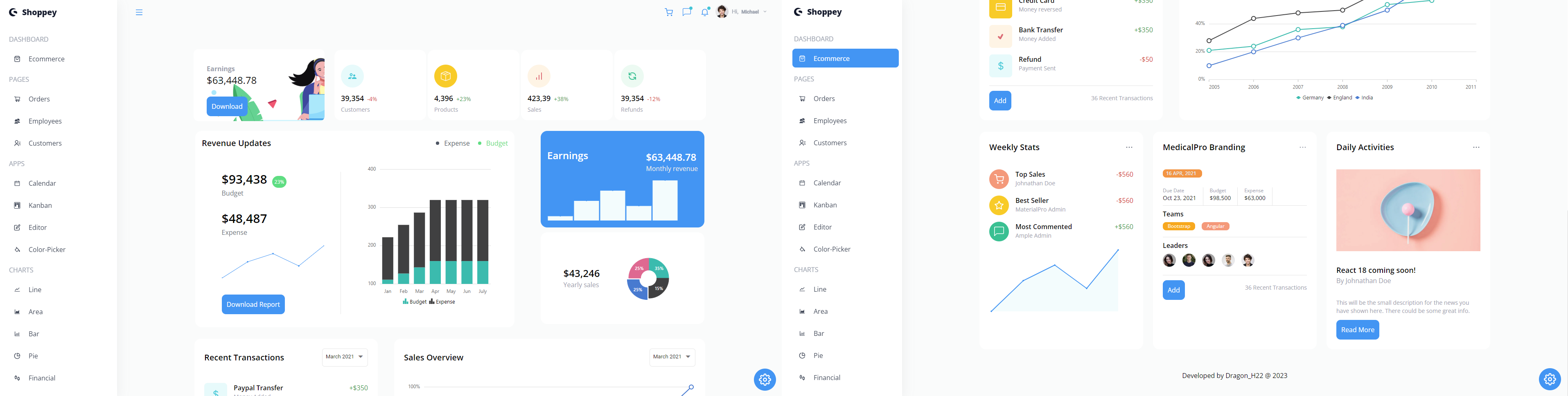
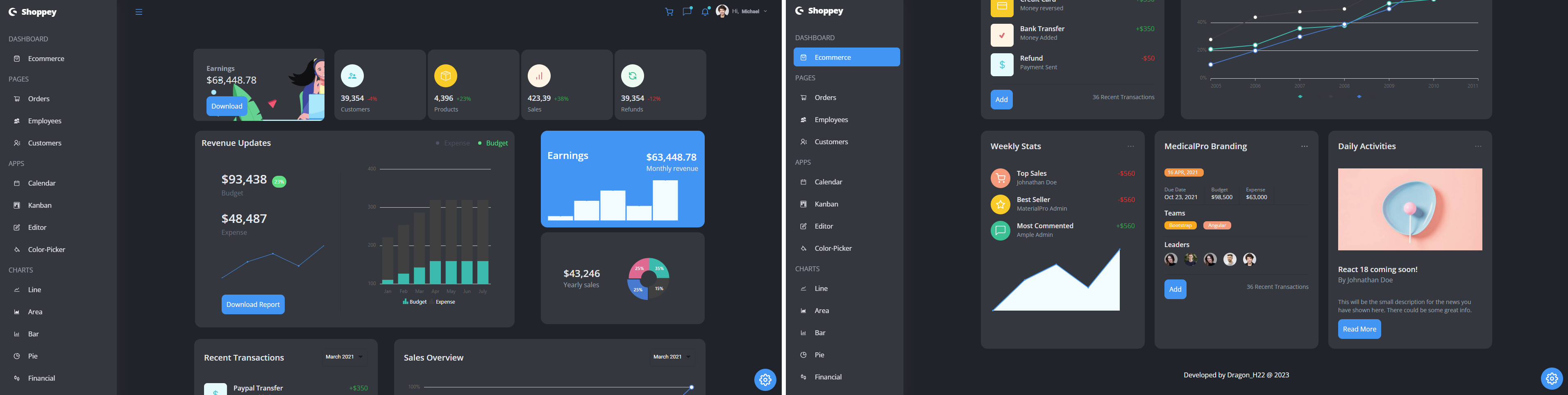
Welcome to the Shoppy Project, an admin dashboard template built using React, Tailwind, and Syncfusion. This template provides a comprehensive set of features for visualizing and managing your data. It includes various charts and visualizations, pages for orders, employees, and customers, as well as several useful apps like a calendar, kanban board, editor, and color picker.
## Features
The Shoppy Project admin dashboard template comes with a wide range of features, including:
- **Dashboard:** An overview of key metrics and statistics.
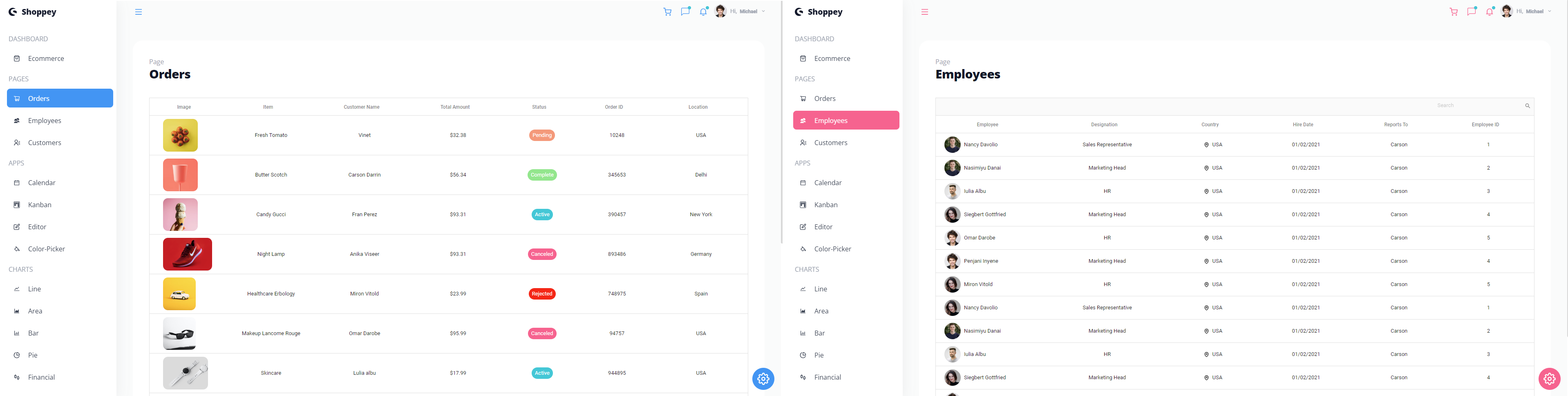
- **Orders:** Manage and track customer orders with detailed information.
- **Employees:** Keep track of employee data and performance.
- **Customers:** Maintain a database of customer information.
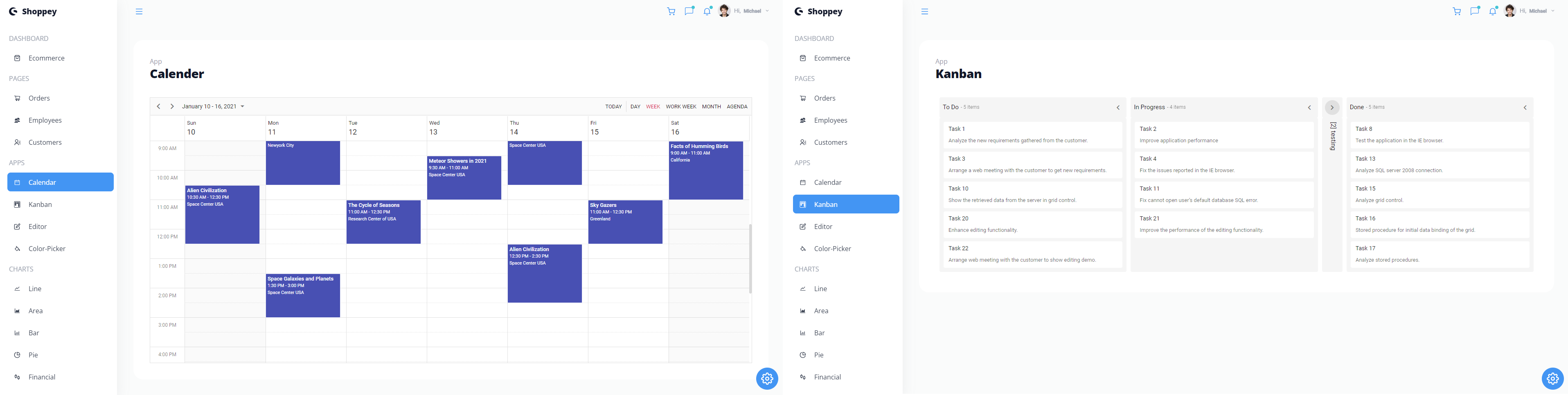
- **Calendar:** Plan and schedule events with an interactive calendar.
- **Kanban Board:** Visualize tasks and workflows using the Kanban Board.
- **Editor:** Rich text editor for content creation and editing.
- **Color Picker:** Select and customize colors with ease.
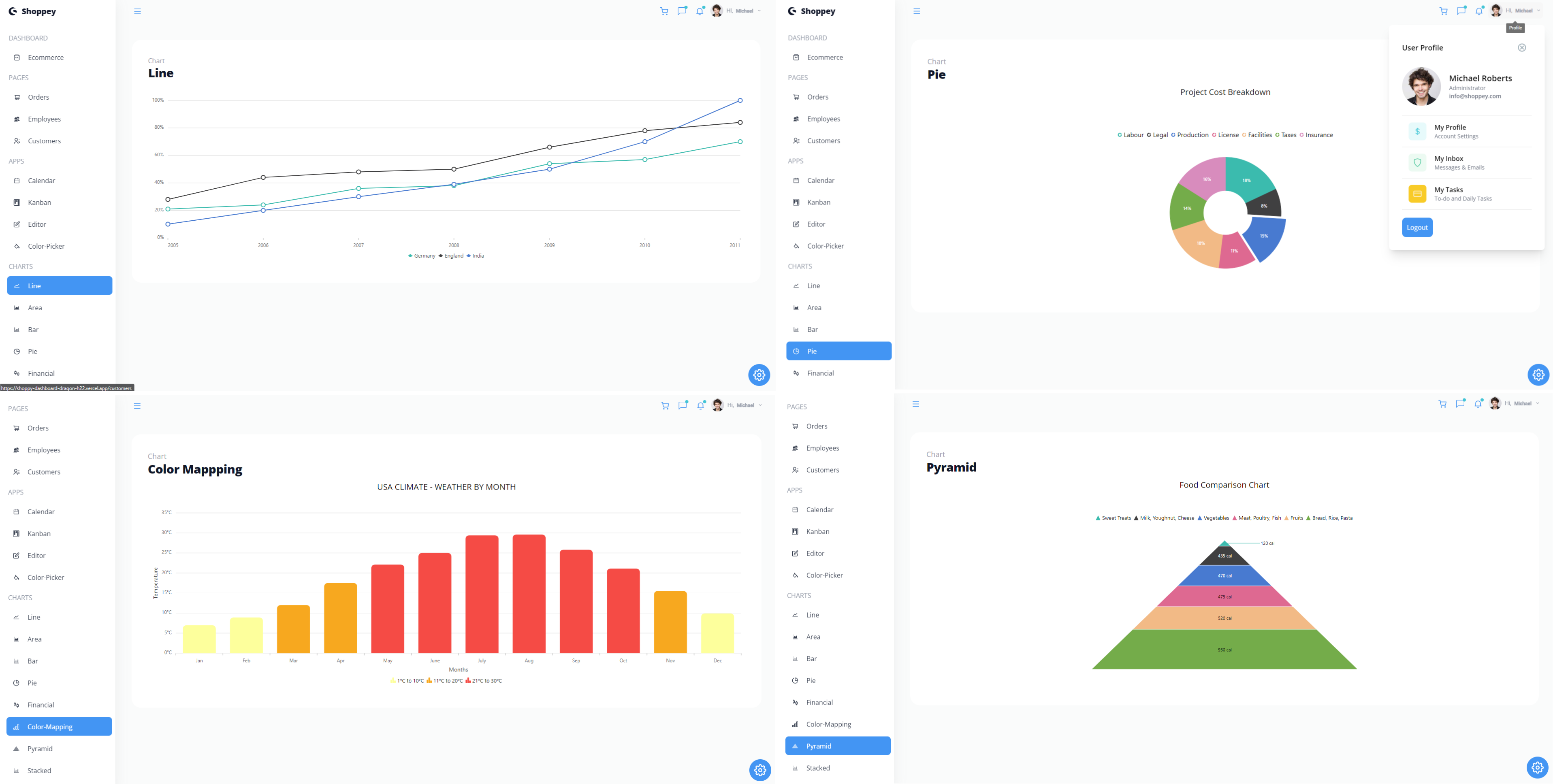
- **Charts:** Various chart types including Line, Area, Bar, Pie, Financial, Color Mapping, Pyramid, and Stacked charts for data visualization.
## Getting Started
To get started with the Shoppy Project, follow these steps:
1. **Clone the Repository:** Clone this repository to your local machine using the following command:
```bash
git clone https://github.com/Dragon-H22/Shoppy-DashBoard.git
```
2. **Install Dependencies:** Navigate to the project directory and install the required dependencies using your preferred package manager:
```bash
cd Shoppy-DashBoard
npm install
```
3. **Run the Application:** Start the development server to run the application locally:
```bash
npm start
```
4. **Access the Application:** Open your web browser and visit `http://localhost:3000` to see the Fresh Cart frontend in action.
## Customization
You can easily customize the Shoppy Project to suit your specific needs:
- Modify the dashboard components and layout.
- Add additional pages or features.
- Change the styling and theming to match your branding.
The codebase is well-organized, making it easy to make these customizations.
## Sample Photos
#### Home
#### Home (Dark Mode)
#### Sample Pages
#### Sample Apps
#### Sample Charts
Thank you for choosing the Shoppy Project admin dashboard template. We hope it helps you build powerful and visually appealing admin interfaces for your projects. If you have any questions or need assistance, please don't hesitate to contact me. Happy coding!
---
_Source: https://npm.io/package/@ibomorrissey/shoppy · Machine-readable twin of the npm.io package page. Health data is recomputed on every publish._