# @jdorg/jmoremsg
> 一个基于vue的“更多信息”的单个组件
Latest version **0.1.5** (published 2020-12-23) · MIT license · 0 weekly downloads
## Install
```sh
npm install @jdorg/jmoremsg
pnpm add @jdorg/jmoremsg
yarn add @jdorg/jmoremsg
bun add @jdorg/jmoremsg
```
## Health
**Score 15/100 (F)** — status: abandoned.
Positive: no vulnerabilities.
Warnings: low downloads; no types; no esm support; pre 1.0.
Negative: abandoned; low maintenance score.
## Facts
| | |
|---|---|
| Version | 0.1.5 |
| Published | 2020-12-23 |
| First published | 2020-12-23 |
| Weekly downloads | 0 |
| License | MIT |
| TypeScript types | none |
| Module format | CommonJS |
| Dependencies | 4 |
| Unpacked size | 102.7 KB |
| Known vulnerabilities | 0 (+1 in 1 direct dependencies) |
| Install scripts | no |
| GitHub stars | 0 |
| Author | jdongchen |
| Maintainers | jdongchen |
| Keywords | vue, more, message, component |
## Links
- npm: https://www.npmjs.com/package/@jdorg/jmoremsg
- Repository: https://github.com/isJDongYa/jmoremsg
- Homepage: https://github.com/isJDongYa/jmoremsg#readme
- Issues: https://github.com/isJDongYa/jmoremsg/issues
- npm.io page: https://npm.io/package/@jdorg/jmoremsg
## Dependencies (4)
- [vue](https://npm.io/package/vue.md) ^2.6.11
- [core-js](https://npm.io/package/core-js.md) ^3.6.5
- [vue-class-component](https://npm.io/package/vue-class-component.md) ^7.2.3
- [vue-property-decorator](https://npm.io/package/vue-property-decorator.md) ^8.4.2
## Recent versions
- 0.1.5 (latest) — 2020-12-23
- 0.1.4 — 2020-12-23
## README
# jmoremsg
- 一个基于vue的“更多信息”的单个组件
- 根据包裹组件所在位置自动调整显示位置
- 默认显示位置为right-bottom, 距离鼠标指针 [ 3px, 3px ], 请注意,该默认位置并未提供修改prop
## setup
```shell
npm install @jdorg/jmoremsg --save
import JDMoremsg from '@jdorg/jmoremsg'
Vue.use(JDMoremsg)
```
## Props
|props|描述|备注|
|---|---|---|
|[text](#text)|设置文本|none|
|[setup](#setup)|设置基本属性|none|
|[follow](#follow)|设置跟随性质|none|
### text
该prop用来设置要显示的更多信息
> @Prop({default: ''}) private text?:string;
### setup
该prop用来设置一些基本属性
> @Prop() private setup?:Setup;
```ts
interface Setup {
duration?:number; // 隔多久显示
width?:string; // 宽度, 与css属性一致
height?:string; // 高度, 与css属性一致
background?:string; // 背景, 与css属性一致
}
```
默认值:
```ts
private defaultSetup:Setup = {
duration: 2000,
width: 'auto',
height: 'auto',
background: '#fff'
}
```
### follow
该prop用来设置此组件的跟随性质,默认为空字符串
> @Prop({default: ''}) private follow?:string;
|可选值|状态|备注|
|---|---|---|
|'follow'|鼠标在组件内部移动时moremsg会跟随移动,当mouseleave时消失|none|
|'none'|鼠标在组件内移动时mroemsg会马上消失|none|
|''|鼠标在组件内部移动时moremsg不会消失,当mouseleave时消失|default|
## Slots
### default
要让鼠标在上面经过duration显示moremsg包裹的内容
```html
{{ text }}
```
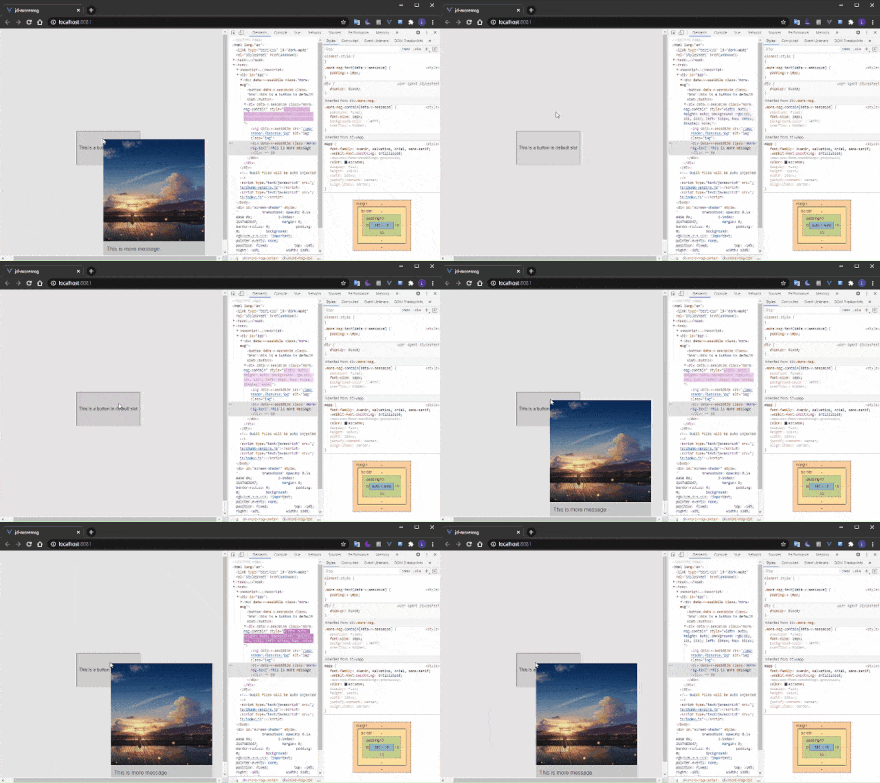
## example
```html
This is a button in default slot
```
```less
.btn {
height: 100px;
}
.img {
width: 300px;
}
```
## others
@jdorg是一个开源前端组件的社区,如果你有开源组件的想法,欢迎加入我们

---
_Source: https://npm.io/package/@jdorg/jmoremsg · Machine-readable twin of the npm.io package page. Health data is recomputed on every publish._
