# @marcelo-diament/dynamic-countdown
> A dynamic countdown package in vanilla javascript
Latest version **1.3.2** (published 2021-07-10) · ISC license · 0 weekly downloads
## Install
```sh
npm install @marcelo-diament/dynamic-countdown
pnpm add @marcelo-diament/dynamic-countdown
yarn add @marcelo-diament/dynamic-countdown
bun add @marcelo-diament/dynamic-countdown
```
## Health
**Score 20/100 (F)** — status: abandoned.
Positive: esm support; no vulnerabilities.
Warnings: low downloads; no types.
Negative: abandoned; low maintenance score.
## Facts
| | |
|---|---|
| Version | 1.3.2 |
| Published | 2021-07-10 |
| First published | 2021-07-10 |
| Weekly downloads | 0 |
| License | ISC |
| TypeScript types | none |
| Module format | ESM + CommonJS |
| Node | >=12.18.4 |
| Dependencies | 0 |
| Unpacked size | 615.5 KB |
| Known vulnerabilities | 0 |
| Install scripts | no |
| GitHub stars | 0 |
| Author | Marcelo Diament |
| Maintainers | marcelo-diament |
| Keywords | countdown, js, vanilla, npm, package, dynamic countdown, multilanguage |
## Links
- npm: https://www.npmjs.com/package/@marcelo-diament/dynamic-countdown
- Repository: https://github.com/Marcelo-Diament/dynamic-countdown
- Homepage: https://github.com/Marcelo-Diament/dynamic-countdown#readme
- Issues: https://github.com/Marcelo-Diament/dynamic-countdown/issues
- npm.io page: https://npm.io/package/@marcelo-diament/dynamic-countdown
## Alternatives
- [@mapbox/jsonlint-lines-primitives](https://npm.io/package/@mapbox/jsonlint-lines-primitives.md) — 5.3M weekly downloads
- [reftools](https://npm.io/package/reftools.md) — 3.5M weekly downloads
- [@hey-api/openapi-ts](https://npm.io/package/@hey-api/openapi-ts.md) — 3.5M weekly downloads
- [@mapbox/geojson-rewind](https://npm.io/package/@mapbox/geojson-rewind.md) — 2.4M weekly downloads
- [turbo-stream](https://npm.io/package/turbo-stream.md) — 1.7M weekly downloads
## Recent versions
- 1.3.2 (latest) — 2021-07-10
## README
# Dynamic Countdown v1.4.2
_Updated at July 9th, 2021 by [Marcelo Diament](https://github.com/Marcelo-Diament/)._
This is a public [npm package](https://www.npmjs.com/package/dynamic-countdown) that aims to make it easier to use countdown by simply adding data attributes to you HTML.
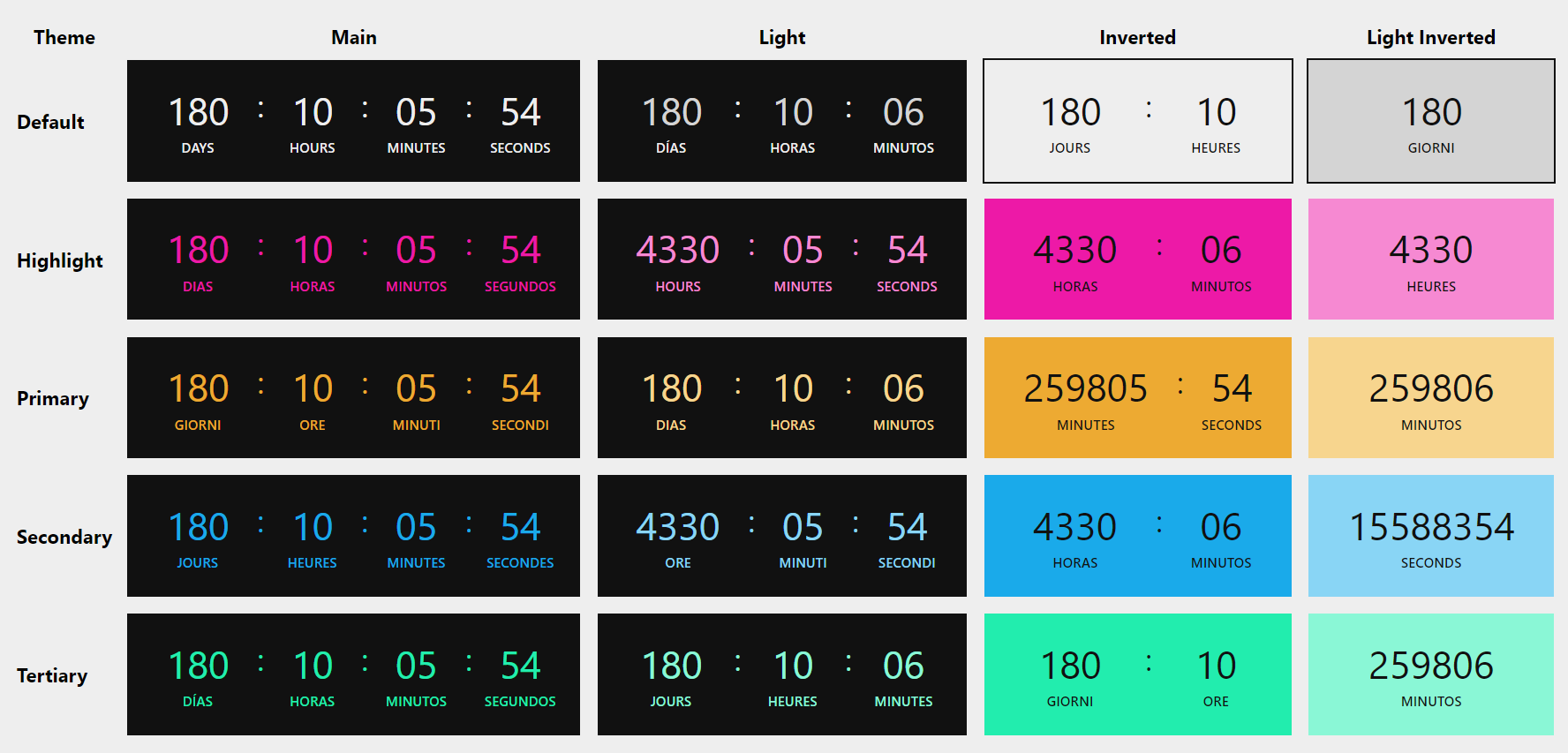
Check our demo [here](https://marcelo-diament.github.io/dynamic-countdown/index.html). And don't forget to check our [style theme options table](https://marcelo-diament.github.io/dynamic-countdown/theme-table.html).
Visit our the [dynamic-countdown npm page](https://www.npmjs.com/package/dynamic-countdown).
## Summary
* [Getting Started](#getting-started)
* [Using HTML data attributes](#using-html-data-attributes)
- [JS Script](#call-the-script-module-to-your-html)
- [Counter Container](#counter-container)
- [Counter Children](#counter-children)
* [Using vanilla JS method](#using-vanilla-js-method)
- [Import](#import)
- [MountCountdown](#mountcountdown)
- [Running the Countdown](#running-the-countdown)
* [Style Theme](#style-theme)
- [Default](#default)
- [Highlight](#highlight)
- [Primary](#primary)
- [Secondary](#secondary)
- [Tertiary](#tertiary)
* [Changelog](#changelog)
___
## Getting Started
> There are two ways of using this package - setting HTML elements or mounting it through vanilla JS
You can construct you countdown by setting HTML tags with its necessary and optional data attributes or you can create a custom countdown with vanilla JS and append your on-the-fly countdown element in the container tag of your choice. Or you can also use both of them. Finally, just call the `counter()` method.
### Make sure you have node installed
Just make sure you have the node and npm installed. You can check it by running the following commands:
```sh
node -v
# Expected return: v12.18.4 (or a more recent version)
```
```sh
npm -v
# Expected return: v6.14.8 (or a more recent version)
```
### Install the package as a dependency
The first step is to install this package as a dependency:
```sh
npm i dynamic-countdown --save
```
___
## Using HTML data attributes
In order to use the Dynamic Countdown by using data attributes, you just need to follow those 2 simple steps:
### Call the script module to your HTML
Before closing the `body` tag, just add the following code snippet:
```html
```
### Create your own counter element
**It is necessary that your countdown component uses the `counter` class** and also to declare some specific data attributes.
Then you must add its children, according to the date format desired.
#### Counter Container
The required data attributes are (default values for optional attributes in bold):
| Data Attribute | Options | Role |
| -------------- | ------- | ---- |
| `data-target-date` (required) | 'MM/DD/YYYY HH: MM' (month/day/year hour:minute) | Defines the time difference between current time and this target date |
| `data-time-format` (optional) | **'DHMS'**, 'DHM', 'DH', 'D', 'HMS', 'HM', 'H', 'MS', 'M', 'S' | Defines which time units will be shown on the countdown |
| `data-min-digits` (optional) | **'2'** or more | Defines the minimum length of each time unit counter |
| `data-lang` (optional) | **'pt'**, 'en', 'es', 'fr', 'it' | Defines if the language in wich the time units will be displayed |
#### Counter Children
Within the container, you must create children elements to show each desired time unit. **Each children must have the `counter__unit` class declared.**
And you must also declare each children elements time unit by declaring the `data-time-unit` attribute, that can have the following values: `days` , `hours` , `minutes` and/or `seconds` .
**Example**
Here is a simple example:
```html
```
And another example, with the minimum required data-attributes:
```html
```
___
## Using vanilla JS method
You can create as many counters as you want to by using the `mountCounter` method. Then, you must call the `counter` method on you main file.
### Import
Firstly, you must import the `counter` to your file:
```jsx
import { mountCounter } from 'dynamic-countdown'
```
### MountCountdown
Now you must call the `mountCountdown` method and append the mounted countdown to the HTML element you need:
```js
// Creating the countdown
const myCountdown = mountCounter('08/01/2021 16:20', 'DH', '2', 'en', 'primary-light-inverted')
// Appending it to the main HTML tag
document.querySelector('main').appendChild(myCountdown)
```
### Running the Countdown
On your main file, you must import the `counter` method and execute it after window loads:
```jsx
import { counter } from 'dynamic-countdown'
window.onload = () => {
counter()
}
```
___
## Style Theme
You can also add extra classes in order to take advantage of the dynamic-countdown theme.
In order to use the dynamic-countdown theme you must add its style too (right before the closing `head` tag):
```html
```
Or you may use this other link: `https://marcelo-diament.github.io/dynamic-countdown/style/style.min.css` .
You can check each possible value (declared below) in the demo version ( `./index.html` ):
### Default
*Tons of grey*
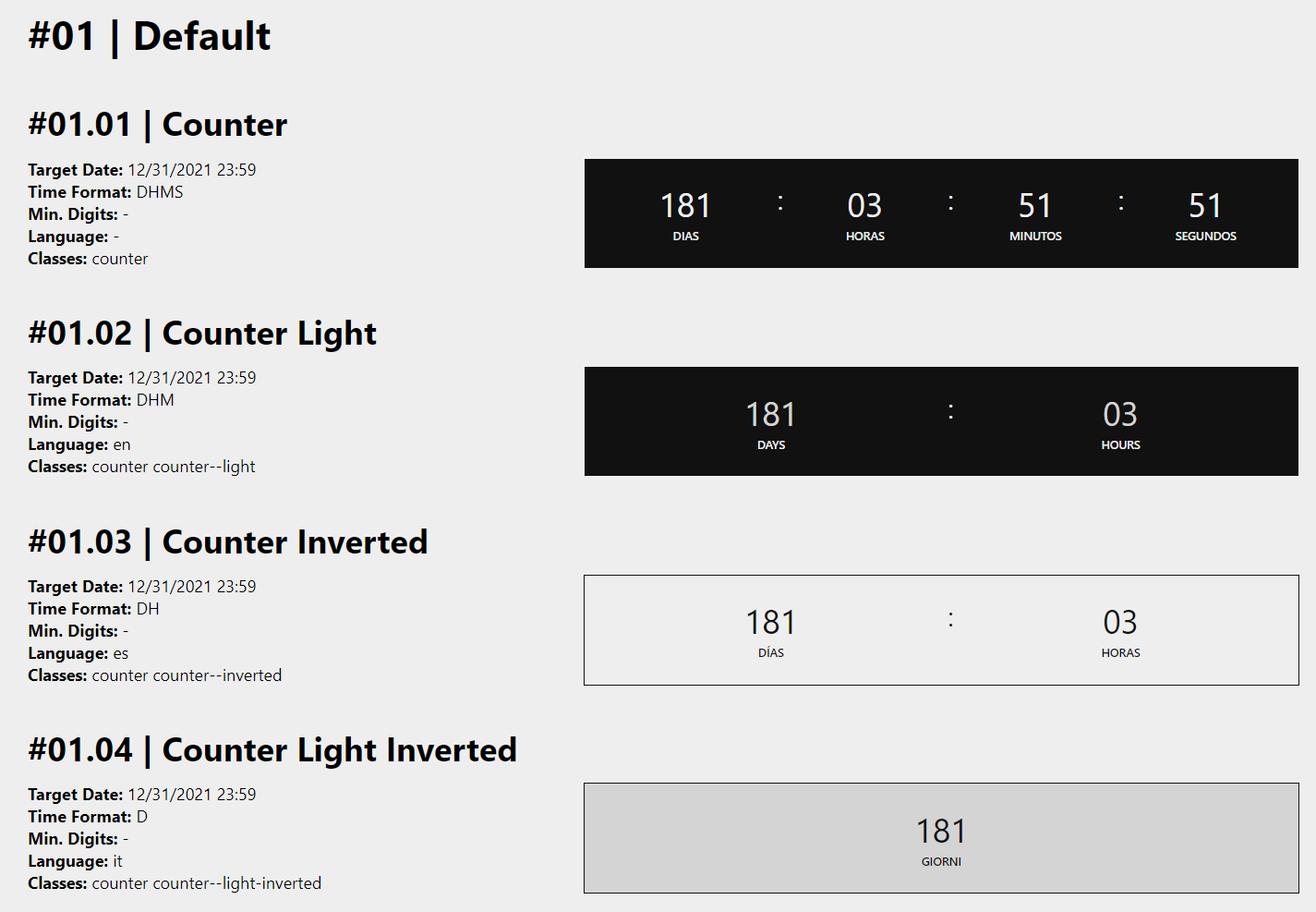
* `.counter--light`
* `.counter-inverted`
* `.counter--light-inverted`
### Highlight
*Pink and black*
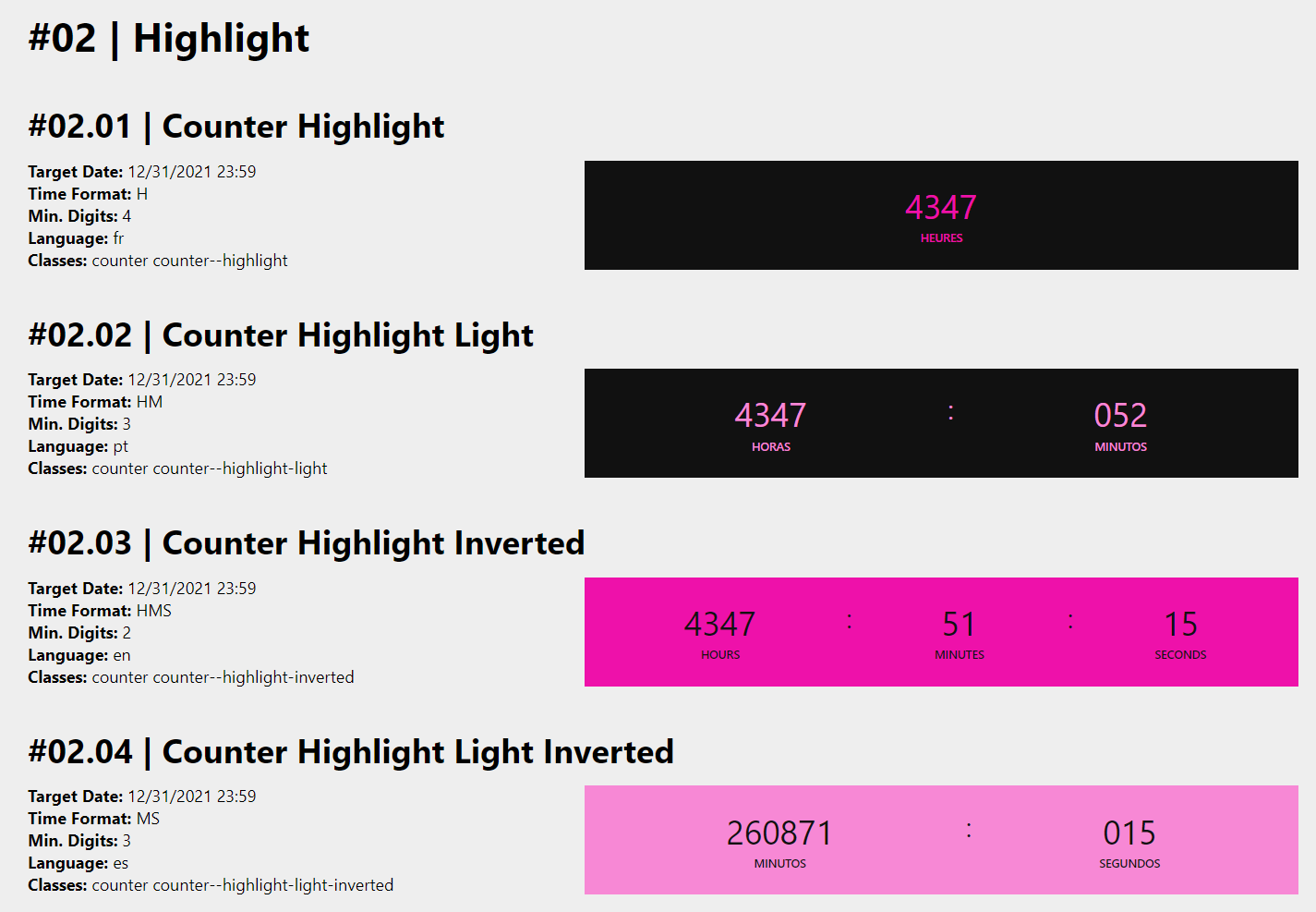
* `.counter--highlight`
* `.counter--highlight-light`
* `.counter--highlight-inverted`
* `.counter---highlight-light-inverted`
### Primary
*Yellow and black*
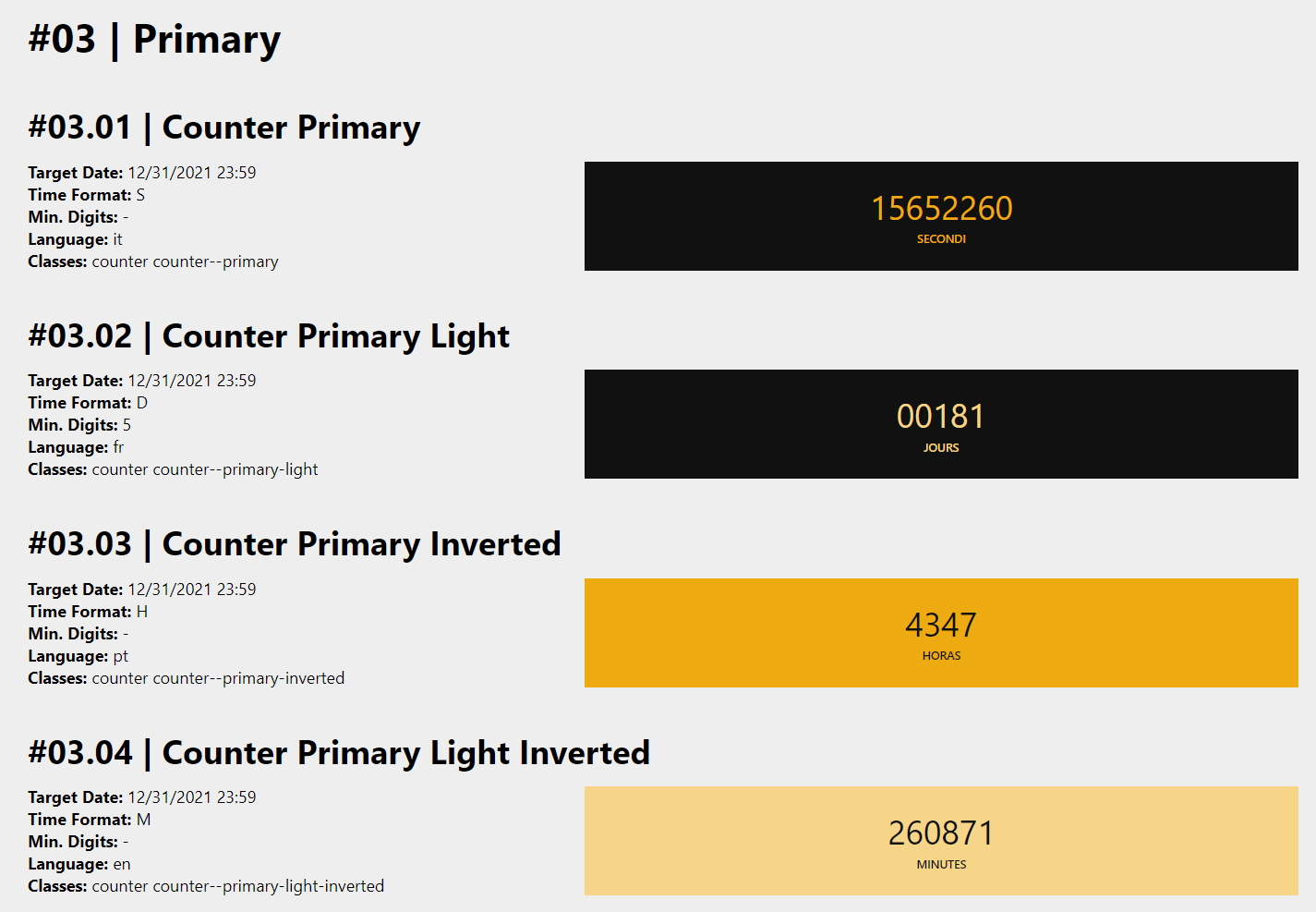
* `.counter--primary`
* `.counter--primary-light`
* `.counter--primary-inverted`
* `.counter---primary-light-inverted`
### Secondary
*Blue and black*
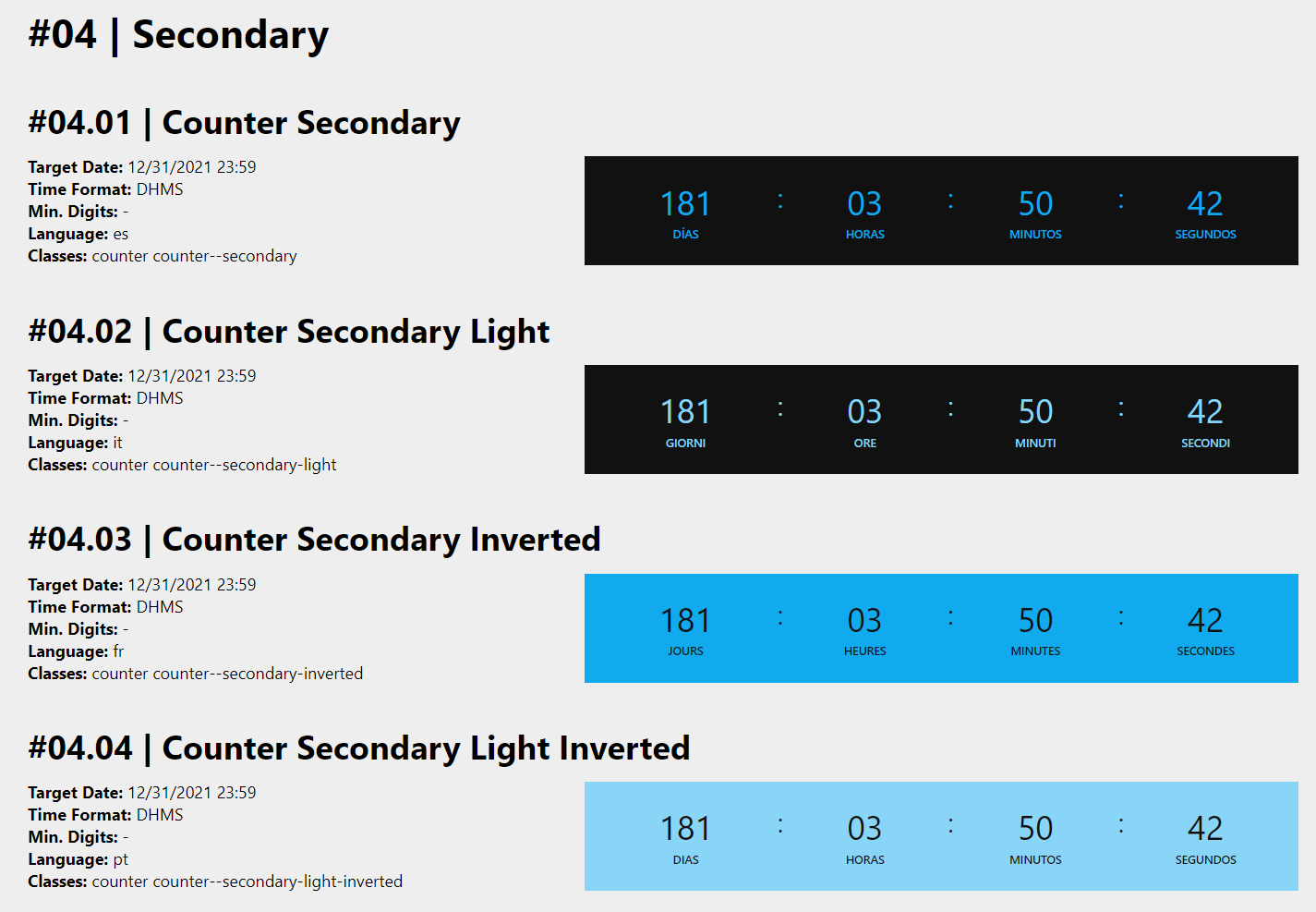
* `.counter--secondary`
* `.counter--secondary-light`
* `.counter--secondary-inverted`
* `.counter---secondary-light-inverted`
### Tertiary
*Green and black*
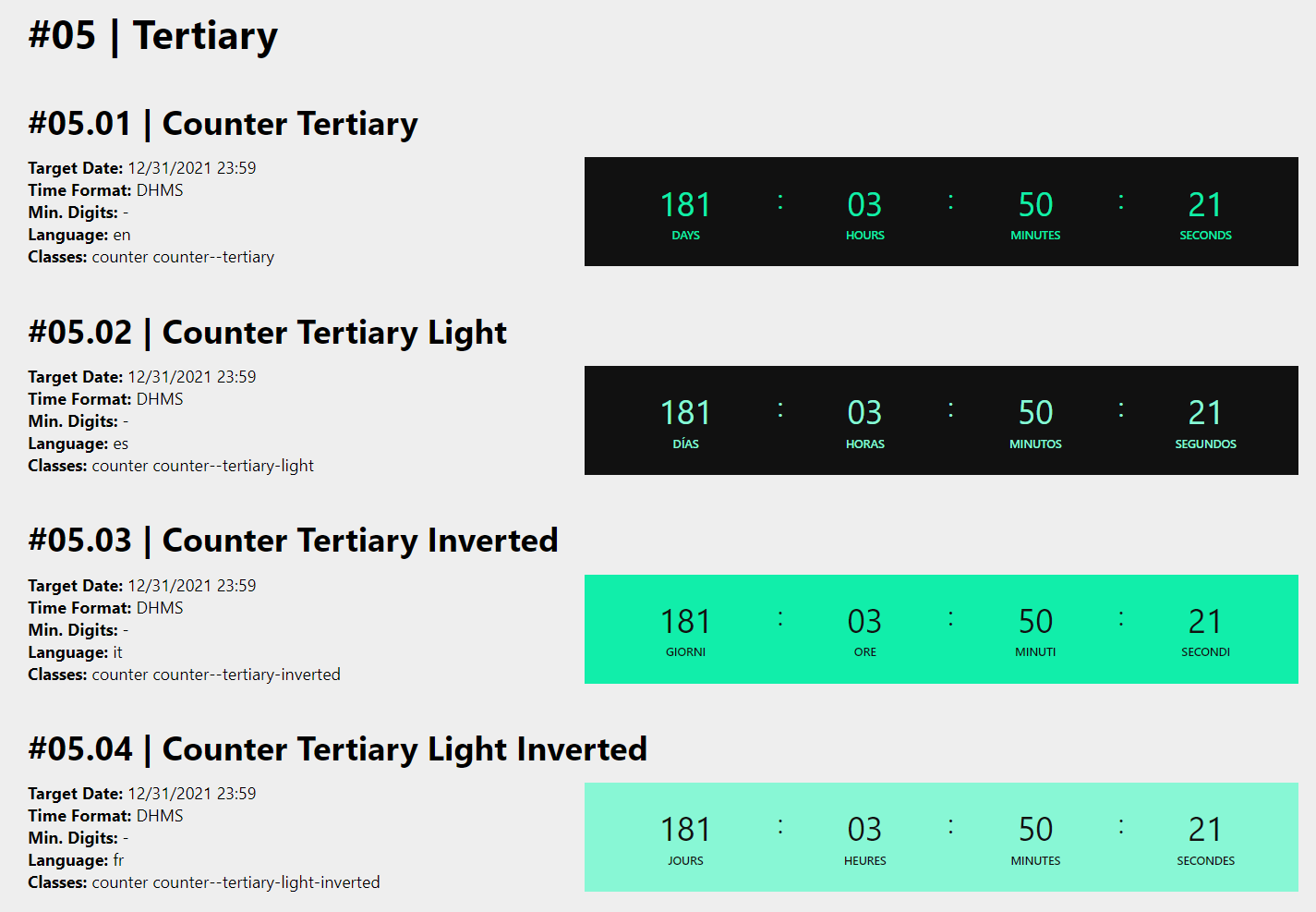
* `.counter--tertiary`
* `.counter--tertiary-light`
* `.counter--tertiary-inverted`
* `.counter---tertiary-light-inverted`
___
## Changelog
### v1.4.2
_07/09/2021 by [Marcelo Diament](https://github.com/Marcelo-Diament/)_
**Bugfixes**
* Remove module export
### v1.4.1
_07/09/2021 by [Marcelo Diament](https://github.com/Marcelo-Diament/)_
**Bugfixes**
* Minified Script updated
**Features**
* Documentation updated
### v1.4.0
_07/09/2021 by [Marcelo Diament](https://github.com/Marcelo-Diament/)_
**Features**
* Export updated
* Documentation updated
### v1.3.0
_07/09/2021 by [Marcelo Diament](https://github.com/Marcelo-Diament/)_
**Features**
* Script minified
* Documentation updated
### v1.2.0
_07/09/2021 by [Marcelo Diament](https://github.com/Marcelo-Diament/)_
**Features**
* Main script renamed (and imports updated)
* Export updated
* Documentation updated
### v1.1.0
_07/04/2021 by [Marcelo Diament](https://github.com/Marcelo-Diament/)_
**Features**
* Demo main page and theme table page updated
* Cover image updated
* Documentation updated
### v1.0.0
_07/04/2021 by [Marcelo Diament](https://github.com/Marcelo-Diament/)_
**Features**
* `counter()` and `mountCounter()` methods added
* `timeFormat` arg as optional
* Theme and demo styles minified
* [Main demo page](https://marcelo-diament.github.io/dynamic-countdown/index.html) updated
* [Theme options table page](https://marcelo-diament.github.io/dynamic-countdown/theme-table.html) added to demo
* Documentation updated
### v0.2.2
_07/03/2021 by [Marcelo Diament](https://github.com/Marcelo-Diament/)_
**Bugfixes**
* Extensions added to import statements
### v0.2.1
_07/03/2021 by [Marcelo Diament](https://github.com/Marcelo-Diament/)_
**Bugfixes**
* Documentation updated
### v0.2.0
_07/03/2021 by [Marcelo Diament](https://github.com/Marcelo-Diament/)_
**Features**
* Files structure updated
* Demo updated
* Screenshots added to documentation
* Documentation updated
### v0.1.1
_07/03/2021 by [Marcelo Diament](https://github.com/Marcelo-Diament/)_
**Bugfixes**
* Documentation updated
### v0.1.0
_07/03/2021 by [Marcelo Diament](https://github.com/Marcelo-Diament/)_
**Features**
* Mounts countdown based on HTML data attributes of `.counter` elements
* Documentation
---
_Source: https://npm.io/package/@marcelo-diament/dynamic-countdown · Machine-readable twin of the npm.io package page. Health data is recomputed on every publish._