# @ngx-tiny/time-picker
>    · MIT license · 0 weekly downloads
## Install
```sh
npm install @ngx-tiny/time-picker
pnpm add @ngx-tiny/time-picker
yarn add @ngx-tiny/time-picker
bun add @ngx-tiny/time-picker
```
## Health
**Score 25/100 (F)** — status: abandoned.
Positive: has types; esm support; no vulnerabilities.
Warnings: low downloads.
Negative: abandoned; low maintenance score.
## Facts
| | |
|---|---|
| Version | 10.0.0 |
| Published | 2020-08-27 |
| First published | 2020-01-01 |
| Weekly downloads | 0 |
| License | MIT |
| TypeScript types | bundled |
| Module format | ESM + CommonJS |
| Dependencies | 1 |
| Unpacked size | 108.3 KB |
| Known vulnerabilities | 0 |
| Install scripts | no |
| GitHub stars | 7 |
| Author | Anton Van Zyl |
| Maintainers | aavanzyl |
| Keywords | angular, ng, ng2, ngx, angular2, angular7, angular8, ngx-time-picker, ngx-time-select, time-picker, time-select, picker, time, select |
## Links
- npm: https://www.npmjs.com/package/@ngx-tiny/time-picker
- Repository: https://github.com/aavanzyl/ngx-tiny
- Homepage: https://aavanzyl.github.io/ngx-tiny
- Issues: https://github.com/aavanzyl/ngx-tiny/issues
- Funding: https://www.patreon.com/bePatron?u=27640996
- npm.io page: https://npm.io/package/@ngx-tiny/time-picker
## Dependencies (1)
- [tslib](https://npm.io/package/tslib.md) ^2.0.0
## Alternatives
- [angular-pipes](https://npm.io/package/angular-pipes.md) — 5.6K weekly downloads
- [@ng-web-apis/midi](https://npm.io/package/@ng-web-apis/midi.md) — 2.6K weekly downloads
- [happn-3](https://npm.io/package/happn-3.md) — 1.6K weekly downloads
- [@opensip-cli/lang-go](https://npm.io/package/@opensip-cli/lang-go.md) — 1.2K weekly downloads
- [@temporal-architect/claude-plugin](https://npm.io/package/@temporal-architect/claude-plugin.md) — 335 weekly downloads
## Recent versions
- 10.0.0 (latest) — 2020-08-27
- 8.0.0 — 2020-01-01
## README
# @ngx-tiny/time-picker


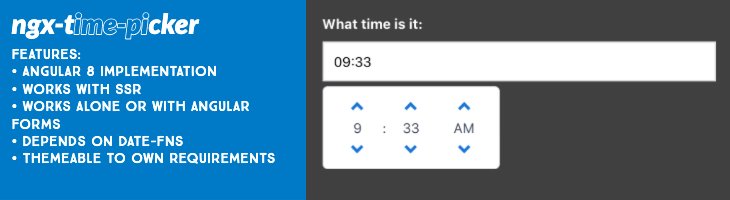
Angular Time Picker.
* Angular 10 implementation
* Works with SSR
* Works alone or with angular forms
* Depends on time-fns for localization
* Themeable to own requirements
## Installation
```sh
$ npm i @ngx-tiny/time-picker
```
## Documentation
__Full Docs:__
You can find the full documentation at https://aavanzyl.github.io/ngx-tiny which includes
* Installation instructions
* Usage and Demos
* Styling Reference
* API Reference
__Quick Start:__
1. Install with [npm](https://www.npmjs.com): `npm install @ngx-tiny/time-picker --save`
2. Add __NgxTimePickerModule__ to your __@NgModule__ like example below
```typescript
import { NgModule } from '@angular/core';
import { BrowserModule } from '@angular/platform-browser';
import { NgxTimePickerModule } from '@ngx-tiny/time-picker';
import { AppComponent } from './app.component';
@NgModule({
imports: [BrowserModule, NgxTimePickerModule],
declarations: [AppComponent],
bootstrap: [AppComponent]
})
export class AppModule { }
```
4. Add the component to your view for basic
```html
```
or for Angular forms
```html
```
The examples above are quite basic. The picker has much more features and configurations.
## Support
Support me by [becoming a patron](https://www.patreon.com/bePatron?u=27640996) and buying me a beer :)
## License
See the [LICENSE][license] file.
[license]: /LICENSE
[contributing]: /CONTRIBUTING.md
[docs]: /DOCUMENTATION.md
---
_Source: https://npm.io/package/@ngx-tiny/time-picker · Machine-readable twin of the npm.io package page. Health data is recomputed on every publish._