# @rbuljan/gamepad
> Multi-touch gamepad with buttons and joystick for JavaScript games, apps, IOT
Latest version **3.2.0** (published 2026-09-08) · MIT license · 0 weekly downloads
## Install
```sh
npm install @rbuljan/gamepad
pnpm add @rbuljan/gamepad
yarn add @rbuljan/gamepad
bun add @rbuljan/gamepad
```
## Health
**Score 70/100 (B)** — status: active.
Positive: has types; esm support; no vulnerabilities; recently updated; high maintenance score; high quality score.
Warnings: low downloads.
## Facts
| | |
|---|---|
| Version | 3.2.0 |
| Published | 2026-09-08 |
| First published | 2022-11-06 |
| Weekly downloads | 0 |
| License | MIT |
| TypeScript types | bundled |
| Module format | ESM + CommonJS |
| Dependencies | 0 |
| Unpacked size | 127.4 KB |
| Known vulnerabilities | 0 |
| Install scripts | no |
| GitHub stars | 11 |
| Author | rbuljan |
| Maintainers | rbuljan |
| Keywords | Gamepad, Joystick, Controller, Touch, Games, IOT |
## Links
- npm: https://www.npmjs.com/package/@rbuljan/gamepad
- Repository: https://github.com/rokobuljan/gamepad
- Homepage: https://github.com/rokobuljan/gamepad#readme
- Issues: https://github.com/rokobuljan/gamepad/issues
- npm.io page: https://npm.io/package/@rbuljan/gamepad
## Recent versions
- 3.2.0 (latest) — 2026-09-08
- 3.1.0 — 2026-09-08
- 3.0.0 — 2026-09-08
- 2.0.4 — 2025-01-25
- 2.0.3 — 2025-01-22
- 2.0.3-b — 2025-01-22
- 2.0.0 — 2025-01-20
- 1.3.6 — 2025-01-16
- 1.3.5 — 2024-07-18
- 1.3.4 — 2024-06-26
- 1.3.3 — 2024-06-26
- 1.3.1 — 2024-06-26
- 1.3.0 — 2024-06-26
- 1.2.0 — 2024-06-26
- 1.1.1 — 2024-06-26
- … 5 more at https://npm.io/package/@rbuljan/gamepad/versions
## README

[Live demo](https://rokobuljan.github.io/gamepad/) · [npm](https://www.npmjs.com/package/@rbuljan/gamepad)
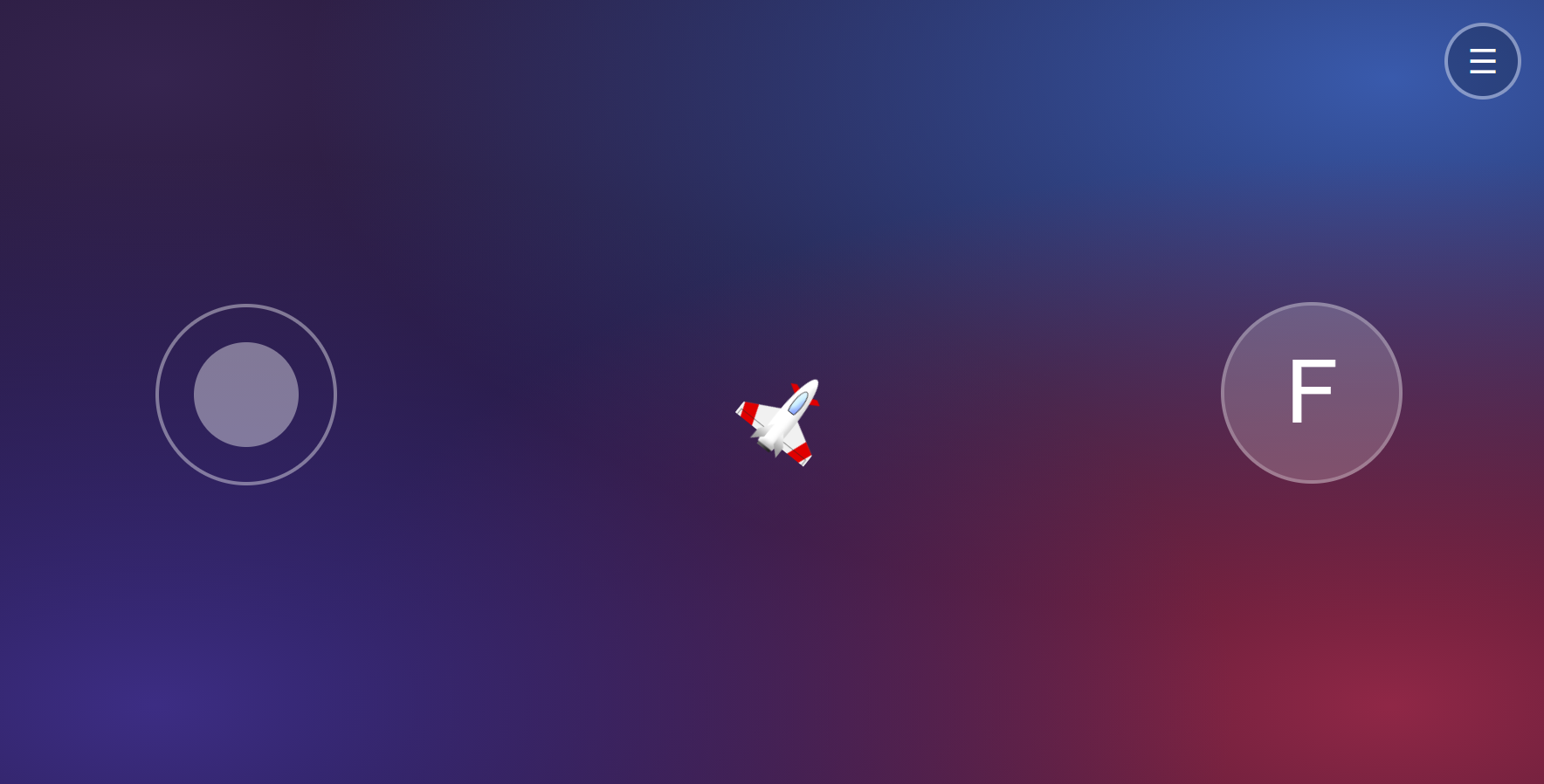
Virtual multi-touch **joysticks**, **buttons**, and **D-pads** for JavaScript games, apps, and IoT. Works with mouse, pen, and touch. Includes JSDoc types for editor hints and type checking.
## Install
```sh
npm install @rbuljan/gamepad
```
## Usage
Create a container with a position and height:
```html
```
Add your controls. `Gamepad` initializes them automatically:
```js
import { Gamepad } from "@rbuljan/gamepad";
const gamepad = new Gamepad([
{
id: "move",
type: "joystick",
parent: "#controls",
position: { left: "20%", top: "50%" },
onInput() {
console.log("Strength:", this.value, "Angle:", this.angle);
},
},
{
id: "navigate",
type: "dpad",
parent: "#controls",
position: { left: "50%", top: "50%" },
onInput() {
console.log("Direction:", this.value ? this.direction : "idle");
},
},
{
id: "fire",
type: "button",
parent: "#controls",
position: { left: "80%", top: "50%" },
text: "Fire",
onInput() {
if (this.value) console.log("Fire!");
},
},
]);
// Read the latest input from your game loop.
console.log(gamepad.controllers.move.value);
```
Use method syntax for `onInput()` as shown, so `this` refers to the controller.
It runs when input changes through a press, drag, or release, rather than on every animation frame.
## Standalone controls
Each controller also works on its own. These independent examples use the same
`#controls` container; call `init()` to display the control and `destroy()` to remove it.
IDs are generated automatically and are available as `controller.id`. Set `id`
when you want a name for lookup, such as `gamepad.controllers.move`.
### Horizontal joystick
```js
import { Joystick } from "@rbuljan/gamepad";
const joystick = new Joystick({
parent: "#controls",
axis: "x",
onInput() {
console.log("Rotation:", this.value); // -1 (left) to 1 (right)
},
});
joystick.init();
```
### Toggle button
```js
import { Button } from "@rbuljan/gamepad";
const button = new Button({
parent: "#controls",
text: "Menu",
spring: false,
onInput() {
console.log("Menu open:", Boolean(this.value));
},
});
button.init();
```
### Horizontal D-pad
```js
import { DPad } from "@rbuljan/gamepad";
const dpad = new DPad({
parent: "#controls",
axis: "x",
onInput() {
const horizontal = this.value ? (this.direction === 0 ? 1 : -1) : 0;
console.log("Steering:", horizontal); // -1 left, 0 idle, 1 right
},
});
dpad.init();
```
Use `axis: "y"` for a vertical D-pad (`2` down, `6` up), or `axis: "all"`
for all eight directions. Its `value` is always `0` or `1`; check it before reading `direction`.
## Options
Pass these options to `Gamepad` entries or standalone controllers:
| Option | Default | Description |
| --- | --- | --- |
| `id` | Auto-generated | Optional unique controller ID. Omitted or empty IDs are generated once and retained on reinitialization. |
| `type` | `"joystick"` | `"joystick"`, `"button"`, or `"dpad"`. Standalone classes set this automatically. |
| `parent` | `"body"` | CSS selector of the container. |
| `position` | `{ left: "50%", top: "50%" }` | CSS position inside the container. |
| `radius` | `50` | Radius in pixels. |
| `axis` | `"all"` | `"all"`, `"x"`, or `"y"` for joysticks and D-pads. |
| `fixed` | `true` | Set to `false` to reposition a joystick or button where the press starts. D-pads always stay fixed. |
| `spring` | `true` | Reset input on release. With `false`, joysticks and D-pads retain input, and buttons toggle on each press. |
| `deadZone` | `0.2` for an all-axis D-pad; otherwise `0` | Inactive fraction of the D-pad radius, from `0` to `1`. Applies only to D-pads. |
| `directionsTot` | `8` | Number of direction regions for joysticks and D-pads. |
| `text` | `""` | Label or HTML content, typically for buttons. |
| `style` | `{}` | CSS styles, e.g. `{ color: "#3498db" }`. |
| `onInput()` | No action | Input callback; `this` is the controller. |
With `spring: false`, releasing does not call `onInput()`.
For multiple non-fixed controls, use separate positioned containers so their touch areas do not overlap.
## Input values
Read these inside `onInput()` using `this`, or through `gamepad.controllers[id]`:
| Property | Meaning |
| --- | --- |
| `value` | Joystick: `0` to `1` on all axes, or `-1` to `1` on a single axis. Button and D-pad: `0` or `1`. |
| `angle` | Joystick/D-pad angle in radians, clockwise from right, from `0` up to (but excluding) `2π`. |
| `direction` | Joystick/D-pad direction index, clockwise from right. |
| `angleDirection` | Angle in radians snapped to the current direction. |
| `isPress` | Whether a pointer is currently held down. |
| `isDrag` | Whether a joystick or D-pad has moved during the current press. |
| `isActive` | Active state; for toggle buttons, whether the button is on. |
A single-axis joystick is positive to the **right** on X and **up** on Y.
With eight directions, `direction` is:
| Right | Down-right | Down | Down-left | Left | Up-left | Up | Up-right |
| --- | --- | --- | --- | --- | --- | --- | --- |
| `0` | `1` | `2` | `3` | `4` | `5` | `6` | `7` |
A D-pad has `value: 0` inside its dead zone and, with the default `spring: true`,
on release. Its last direction is retained on release.
## Methods
`new Gamepad([...])` accepts controller options or existing `Joystick`, `Button`,
and `DPad` instances. The array is optional.
| Gamepad method | Description |
| --- | --- |
| `add(...controllers)` | Add and initialize controller options or instances. |
| `remove(...idsOrControllers)` | Remove and destroy controllers by ID or instance. |
| `destroy()` | Remove all controllers and the fullscreen listener. Pass an ID or instance to remove only that controller. |
| `requestFullScreen()` | Enable fullscreen requests on clicks/taps. |
| `exitFullScreen()` | Exit fullscreen. |
| `isVibrationSupported()` | Return whether browser vibration is supported. |
| `vibrate(100)` | Vibrate for a duration in milliseconds, or pass a pattern such as `[100, 30, 100]`. |
Gamepad methods return the gamepad for chaining, except `isVibrationSupported()`,
which returns a boolean. Fullscreen and vibration depend on browser support.
Standalone controllers have `init()` to create their UI and `destroy()` to remove
it and its listeners. To let a gamepad manage them instead, use `gamepad.add(controller)`.
## Styling
Use `style` for individual controls, or CSS for their pressed appearance:
```css
.Gamepad-controller.is-active {
box-shadow: 0 0 20px currentColor;
}
```
## Development
```sh
npm install
npm run dev # Run the example locally; open the URL printed by Vite
npm run typecheck # Check library JSDoc types
npm test
npm run build # Build the library and example
npm run build:pages # Build the GitHub Pages demo
```
See [live demo](https://rokobuljan.github.io/gamepad/)
## License
[MIT](LICENSE)
---
_Source: https://npm.io/package/@rbuljan/gamepad · Machine-readable twin of the npm.io package page. Health data is recomputed on every publish._