# @react-native-community/clipboard
> React Native Clipboard API for macOS, iOS, Android, and Windows
Latest version **1.5.1** (published 2020-10-27) · MIT license · 0 weekly downloads
## Install
```sh
npm install @react-native-community/clipboard
pnpm add @react-native-community/clipboard
yarn add @react-native-community/clipboard
bun add @react-native-community/clipboard
```
## Health
**Score 35/100 (D)** — status: abandoned.
Positive: has types; no vulnerabilities; high quality score.
Warnings: low downloads; no esm support.
Negative: abandoned.
## Facts
| | |
|---|---|
| Version | 1.5.1 |
| Published | 2020-10-27 |
| First published | 2020-01-29 |
| Weekly downloads | 0 |
| License | MIT |
| TypeScript types | bundled |
| Module format | CommonJS |
| Dependencies | 0 |
| Unpacked size | 149.4 KB |
| Known vulnerabilities | 0 |
| Install scripts | no |
| GitHub stars | 766 |
| Author | M.Haris Baig |
| Maintainers | alloy, eliwhite, trozee, evanbacon, brentvatne, pvinis, luancurti, connectdotz, safaiyeh, naturalclar, wojteg1337, vonovak, johandutoit, scott.beca, kelset, swaagie, msand, satya164, janicduplessis, charpeni, ansal_ali, rewieer, mmazzarolo, bartolkaruza, nicholaslee119, esemesek, thymikee, dmtr.kovalenko, trensik, rafaellpa, mike.nedosekin, krizzu, mike866, ferrannp, mattoakes, cpojer, grabbou, react-native-community-bot, empyrical, titozzz |
| Keywords | Clipboard, getString, react-native, setString |
## Links
- npm: https://www.npmjs.com/package/@react-native-community/clipboard
- Repository: https://github.com/react-native-community/clipboard
- Homepage: https://github.com/react-native-community/clipboard#readme
- Issues: https://github.com/react-native-community/clipboard/issues
- npm.io page: https://npm.io/package/@react-native-community/clipboard
## Alternatives
- [@mce/gif](https://npm.io/package/@mce/gif.md) — 2.6K weekly downloads
- [cleanse](https://npm.io/package/cleanse.md) — 173 weekly downloads
- [str](https://npm.io/package/str.md) — 127 weekly downloads
- [naming](https://npm.io/package/naming.md) — 95 weekly downloads
- [tap-telco-api](https://npm.io/package/tap-telco-api.md) — 19 weekly downloads
## Recent versions
- 1.5.1 (latest) — 2020-10-27
- 1.5.0 — 2020-10-12
- 1.4.0 — 2020-10-03
- 1.3.0 — 2020-09-29
- 1.2.3 — 2020-07-04
- 1.2.2 — 2020-04-16
- 1.2.1 — 2020-04-04
- 1.2.0 — 2020-03-17
- 1.1.0 — 2020-03-09
- 1.0.0 — 2020-01-29
## README
# @react-native-community/clipboard
[![Build Status][build-badge]][build]
[![Version][version-badge]][package]
![Supports macOS, iOS, Android, and Windows][support-badge]
[![MIT License][license-badge]][license]
[![Lean Core Badge][lean-core-badge]][lean-core-issue]
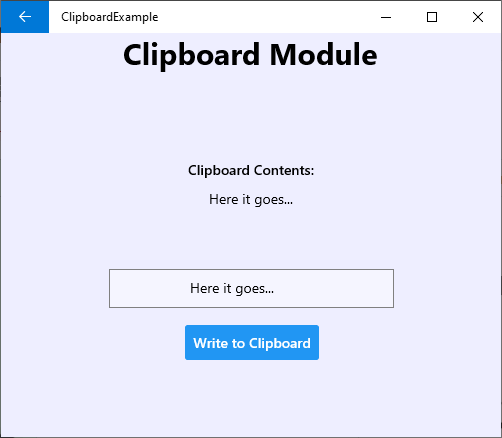
React Native Clipboard API for macOS, iOS, Android, and Windows.
| macOS | iOS | Android | Windows |
| ---------------------------------------------------------------------------------------------------------------------------- | ----------------------------------------------------------------------------------------------------------------------------- | ----------------------------------------------------------------------------------------------------------------------------- | ------------------------------------------------------------------------------------------------------------------------------ |
|  |
|  |
|  |
|  |
## Getting started
Install the library using either Yarn:
```
yarn add @react-native-community/clipboard
```
or npm:
```
npm install --save @react-native-community/clipboard
```
## Link
### React Native v0.60+
For iOS, use `cocoapods` to link the package.
run the following command:
```
$ npx pod-install
```
For android, the package will be linked automatically on build.
|
## Getting started
Install the library using either Yarn:
```
yarn add @react-native-community/clipboard
```
or npm:
```
npm install --save @react-native-community/clipboard
```
## Link
### React Native v0.60+
For iOS, use `cocoapods` to link the package.
run the following command:
```
$ npx pod-install
```
For android, the package will be linked automatically on build.
For React Native version 0.59 or older
### React Native <= 0.59
run the following command to link the package:
```
$ react-native link @react-native-community/clipboard
```
For iOS, make sure you install the pod file.
```
cd ios && pod install && cd ..
```
or you could follow the instructions to [manually link the project](https://reactnative.dev/docs/linking-libraries-ios#manual-linking)
## Upgrading to React Native 0.60+
New React Native comes with `autolinking` feature, which automatically links Native Modules in your project. In order to get it to work, make sure you unlink `Clipboard` first:
```
$ react-native unlink @react-native-community/clipboard
```
## Migrating from the core `react-native` module
This module was created when the Clipboard API was split out from the core of React Native. To migrate to this module you need to follow the installation instructions above and then change you imports from:
```javascript
import {Clipboard} from 'react-native';
```
to:
```javascript
import Clipboard from '@react-native-community/clipboard';
```
## Example
```jsx
import React, {useState} from 'react';
import {
SafeAreaView,
View,
Text,
TouchableOpacity,
StyleSheet,
} from 'react-native';
import Clipboard from '@react-native-community/clipboard';
const App = () => {
const [copiedText, setCopiedText] = useState('');
const copyToClipboard = () => {
Clipboard.setString('hello world');
};
const fetchCopiedText = async () => {
const text = await Clipboard.getString();
setCopiedText(text);
};
return (
Click here to copy to Clipboard
View copied text
{copiedText}
);
};
const styles = StyleSheet.create({
container: {
flex: 1,
justifyContent: 'center',
alignItems: 'center',
},
copiedText: {
marginTop: 10,
color: 'red',
},
});
export default App;
```
# Reference
## Methods
### Clipboard
#### `getString()`
```jsx
static getString()
```
Get content of string type, this method returns a `Promise`, so you can use following code to get clipboard content
```jsx
async _getContent() {
var content = await Clipboard.getString();
}
```
---
#### `setString()`
```jsx
static setString(content)
```
Set content of string type. You can use following code to set clipboard content
```jsx
_setContent() {
Clipboard.setString('hello world');
}
```
#### Parameters
| Name | Type | Required | Description |
| ------- | ------ | -------- | ----------------------------------------- |
| content | string | Yes | The content to be stored in the clipboard |
#### `hasString()`
```jsx
static hasString()
```
Returns whether the clipboard has content or is empty.
Can check if there is a content in clipboard without triggering PasteBoard notification for iOS 14+
#### `hasURL()`
```jsx
static hasURL()
```
(iOS only)
Returns whether the clipboard has a URL content.
Can check if there is a URL content in clipboard without triggering PasteBoard notification for iOS 14+
### useClipboard
`useClipboard` is a utility hooks for the `Clipboard` module. `data` contains the content stored in the clipboard.
```jsx
import React, {useEffect} from 'react';
import {Text} from 'react-native';
import {useClipboard} from '@react-native-community/clipboard';
export const HooksSample = () => {
const [data, setString] = useClipboard();
useEffect(() => {
setString('hello world');
}, []);
return {data};
};
```
## Maintainers
- [M.Haris Baig](https://github.com/harisbaig100)
- [Jesse Katsumata](https://github.com/Naturalclar)
## Contributing
Please see the [`contributing guide`](/CONTRIBUTING.md).
## License
The library is released under the MIT licence. For more information see [`LICENSE`](/LICENSE).
[build-badge]: https://github.com/react-native-community/clipboard/workflows/Build/badge.svg
[build]: https://github.com/react-native-community/clipboard/actions
[version-badge]: https://img.shields.io/npm/v/@react-native-community/clipboard.svg?style=flat-square
[package]: https://www.npmjs.com/package/@react-native-community/clipboard
[support-badge]: https://img.shields.io/badge/platforms-android%20|%20ios%20|%20macos%20|%20windows-lightgrey.svg?style=flat-square
[license-badge]: https://img.shields.io/npm/l/@react-native-community/clipboard.svg?style=flat-square
[license]: https://opensource.org/licenses/MIT
[lean-core-badge]: https://img.shields.io/badge/Lean%20Core-Extracted-brightgreen.svg?style=flat-square
[lean-core-issue]: https://github.com/facebook/react-native/issues/23313
---
_Source: https://npm.io/package/@react-native-community/clipboard · Machine-readable twin of the npm.io package page. Health data is recomputed on every publish._