# @scoped-vaadin/combo-box
> Web Component for displaying a list of items with filtering
Latest version **24.8.7** (published 2025-09-05) · Apache-2.0 license · 0 weekly downloads
## Install
```sh
npm install @scoped-vaadin/combo-box
pnpm add @scoped-vaadin/combo-box
yarn add @scoped-vaadin/combo-box
bun add @scoped-vaadin/combo-box
```
## Health
**Score 35/100 (D)** — status: maintenance-mode.
Positive: has types; esm support; no vulnerabilities.
Warnings: low downloads.
Negative: stale; low maintenance score.
## Facts
| | |
|---|---|
| Version | 24.8.7 |
| Published | 2025-09-05 |
| First published | 2023-03-01 |
| Weekly downloads | 0 |
| License | Apache-2.0 |
| TypeScript types | bundled |
| Module format | ESM + CommonJS |
| Dependencies | 14 |
| Unpacked size | 249.5 KB |
| Known vulnerabilities | 0 |
| Install scripts | no |
| GitHub stars | 1 |
| Author | Vaadin Ltd |
| Maintainers | robrez |
| Keywords | Vaadin, combo-box, web-components, web-component, polymer |
## Links
- npm: https://www.npmjs.com/package/@scoped-vaadin/combo-box
- Repository: https://github.com/robrez/scoped-vaadin
- Homepage: https://vaadin.com/components
- Issues: https://github.com/robrez/scoped-vaadin/issues
- npm.io page: https://npm.io/package/@scoped-vaadin/combo-box
## Dependencies (14)
- [lit](https://npm.io/package/lit.md) ^3.0.0
- [@polymer/polymer](https://npm.io/package/@polymer/polymer.md) ^3.0.0
- [@scoped-vaadin/item](https://npm.io/package/@scoped-vaadin/item.md) ^24.8.7
- [@open-wc/dedupe-mixin](https://npm.io/package/@open-wc/dedupe-mixin.md) ^1.3.0
- [@scoped-vaadin/overlay](https://npm.io/package/@scoped-vaadin/overlay.md) ^24.8.7
- [@scoped-vaadin/a11y-base](https://npm.io/package/@scoped-vaadin/a11y-base.md) ^24.8.7
- [@scoped-vaadin/field-base](https://npm.io/package/@scoped-vaadin/field-base.md) ^24.8.7
- [@scoped-vaadin/lit-renderer](https://npm.io/package/@scoped-vaadin/lit-renderer.md) ^24.8.7
- [@scoped-vaadin/component-base](https://npm.io/package/@scoped-vaadin/component-base.md) ^24.8.7
- [@scoped-vaadin/input-container](https://npm.io/package/@scoped-vaadin/input-container.md) ^24.8.7
- [@scoped-vaadin/vaadin-lumo-styles](https://npm.io/package/@scoped-vaadin/vaadin-lumo-styles.md) ^24.8.7
- [@scoped-vaadin/vaadin-themable-mixin](https://npm.io/package/@scoped-vaadin/vaadin-themable-mixin.md) ^24.8.7
- [@scoped-vaadin/vaadin-material-styles](https://npm.io/package/@scoped-vaadin/vaadin-material-styles.md) ^24.8.7
- [@scoped-vaadin/internal-custom-elements-registry](https://npm.io/package/@scoped-vaadin/internal-custom-elements-registry.md) ^24.8.7
## Recent versions
- 24.8.7 (latest) — 2025-09-05
- 24.8.6-alpha.1 — 2025-09-05
- 24.6.2 — 2025-01-17
- 24.6.2-alpha.1 — 2025-01-14
- 23.4.100 — 2024-09-03
- 23.4.1-litcompat.0 — 2024-09-03
- 24.4.2-alpha.1 — 2024-07-11
- 23.4.1 — 2024-05-23
- 23.0.2 — 2024-05-23
- 23.0.2-rc.1 — 2024-03-14
- 24.3.7-alpha.1 — 2024-03-08
- 24.0.0-alpha.1 — 2023-03-14
- 23.0.1 — 2023-03-09
- 23.0.0 — 2023-03-09
- 0.2.0 — 2023-03-02
- … 1 more at https://npm.io/package/@scoped-vaadin/combo-box/versions
## README
# @scoped-vaadin/combo-box
This component is based on [@vaadin/combo-box](https://www.npmjs.com/package/@vaadin/combo-box)
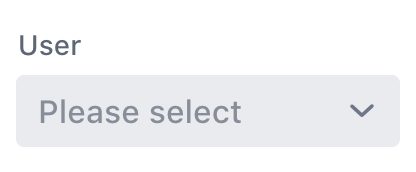
A web component for choosing a value from a filterable list of options presented in an overlay.
[Documentation + Live Demo ↗](https://vaadin.com/docs/latest/components/combo-box)
[](https://www.npmjs.com/package/@scoped-vaadin/combo-box)
```html
```
[ ](https://vaadin.com/docs/latest/components/combo-box)
## Installation
Install the component:
```sh
npm i @scoped-vaadin/combo-box
```
Once installed, import the component in your application:
```js
import '@scoped-vaadin/combo-box';
```
## Themes
Vaadin components come with two built-in [themes](https://vaadin.com/docs/latest/styling), Lumo and Material.
The [main entrypoint](https://github.com/vaadin/web-components/blob/main/packages/combo-box/vaadin-combo-box.js) of the package uses the Lumo theme.
To use the Material theme, import the component from the `theme/material` folder:
```js
import '@scoped-vaadin/combo-box/theme/material/vaadin-combo-box.js';
```
You can also import the Lumo version of the component explicitly:
```js
import '@scoped-vaadin/combo-box/theme/lumo/vaadin-combo-box.js';
```
Finally, you can import the un-themed component from the `src` folder to get a minimal starting point:
```js
import '@scoped-vaadin/combo-box/src/vaadin-combo-box.js';
```
## Contributing
Read the [contributing guide](https://vaadin.com/docs/latest/contributing) to learn about our development process, how to propose bugfixes and improvements, and how to test your changes to Vaadin components.
## License
Apache License 2.0
Vaadin collects usage statistics at development time to improve this product.
For details and to opt-out, see https://github.com/vaadin/vaadin-usage-statistics.
---
_Source: https://npm.io/package/@scoped-vaadin/combo-box · Machine-readable twin of the npm.io package page. Health data is recomputed on every publish._