# @sebbo2002/ble2mqtt

> ble2mqtt is a small script that writes data from Bluetooth LE devices to MQTT topics

Latest version **3.1.2** (published 2022-10-10) · MIT license · 0 weekly downloads

> **Deprecated.** This package is deprecated.

## Install

```sh
npm install @sebbo2002/ble2mqtt
pnpm add @sebbo2002/ble2mqtt
yarn add @sebbo2002/ble2mqtt
bun add @sebbo2002/ble2mqtt
```

Provides the command `ble2mqtt`.

## Health

**Score 10/100 (F)** — status: deprecated.

Negative: deprecated.

## Facts

| | |
|---|---|
| Version | 3.1.2 |
| Published | 2022-10-10 |
| First published | 2020-04-15 |
| Weekly downloads | 0 |
| License | MIT |
| TypeScript types | none |
| Module format | ESM + CommonJS |
| Node | >=12.0.0 |
| Dependencies | 3 |
| Unpacked size | 80.3 KB |
| Known vulnerabilities | 0 |
| Install scripts | no |
| GitHub stars | 15 |
| Author | Sebastian Pekarek |
| Maintainers | sebbo2002 |

## Links

- npm: https://www.npmjs.com/package/@sebbo2002/ble2mqtt
- Repository: https://github.com/sebbo2002/ble2mqtt
- Homepage: https://github.com/sebbo2002/ble2mqtt#readme
- Issues: https://github.com/sebbo2002/ble2mqtt/issues
- npm.io page: https://npm.io/package/@sebbo2002/ble2mqtt

## Dependencies (3)

- [mqtt](https://npm.io/package/mqtt.md) ^4.3.7
- [@sentry/node](https://npm.io/package/@sentry/node.md) ^7.14.2
- [@abandonware/noble](https://npm.io/package/@abandonware/noble.md) ^1.9.2-14

## Recent versions

- 3.1.2 (latest) — 2022-10-10
- 3.1.3-develop.1 (next) — 2023-01-01
- 3.1.2-develop.1 — 2022-10-10
- 3.1.1 — 2022-09-15
- 3.1.1-develop.1 — 2022-09-14
- 3.1.0 — 2022-08-26
- 3.1.0-develop.3 — 2022-08-24
- 3.1.0-develop.2 — 2022-08-16
- 3.1.0-develop.1 — 2022-07-29
- 3.0.0 — 2022-07-25
- 3.0.0-develop.4 — 2022-07-25
- 3.0.0-develop.3 — 2022-07-22
- 3.0.0-develop.2 — 2022-07-16
- 3.0.0-develop.1 — 2022-07-16
- 2.0.9-develop.2 — 2022-07-01
- … 80 more at https://npm.io/package/@sebbo2002/ble2mqtt/versions

## README

# ble2mqtt
[![License](https://img.shields.io/badge/license-MIT-blue.svg?style=flat-square)](LICENSE)
[![GitHub Workflow Status](https://img.shields.io/github/workflow/status/sebbo2002/ble2mqtt/Release?style=flat-square)](https://github.com/sebbo2002/ble2mqtt/actions)

## 🧐 What's this?

ble2mqtt is a small script that **writes data from Bluetooth-LE devices to MQTT Topics**. Unlike many other
implementations it **only listens to the broadcasts** of the devices, there is **no active polling**. This has the
advantage that it is more stable, the sensors consumes less energy and mostly the range is higher. The disadvantage is
that, depending on the device, individual values may be missing if they are not transmitted by broadcast. If these
values are required, they would still have to be retrieved by polling. However, the most important data is usually
transmitted via broadcasts, so that less important data (e.g. the battery status of the device) can also be requested
less frequently.

## 💾 Installation
This module is based on noble. Therefore the same requirements are necessary here as well.

- **for macOS**: install [Xcode](https://itunes.apple.com/ca/app/xcode/id497799835?mt=12)
- **for Ubuntu/Debian/Raspbian**: run `sudo apt-get install bluetooth bluez libbluetooth-dev libudev-dev`
- **for Fedora / Other-RPM based**: run `sudo yum install bluez bluez-libs bluez-libs-devel`
- for **Windows and other systems** have a look at [the noble project](https://github.com/noble/noble/blob/master/README.md#prerequisites), they may already have some instructions for you


After you have met the requirements for noble, you can install bte2mqtt:

```bash
npm install -g @sebbo2002/ble2mqtt
```

If you want to run ble2mqtt without root privileges, you have to give the node binary the right cap_net_raw under Linux,
otherwise no Bluetooth advertisements can be received. How to do this is described [here](https://github.com/abandonware/noble#running-without-rootsudo-linux-specific) quite well.

## 🔧 Configuration
| Environment Variable | Default Value      | Description                                                                               |
|:-------------------- |:------------------ |:----------------------------------------------------------------------------------------- |
| `BROKER_URL`         | `mqtt://localhost` | MQTT-Broker URI                                                                           |
| `TOPIC_PREFIX`       | `ble2mqtt`         | Prefix used to generate MQTT topics                                                       |
| `CACHE_TTL`          | `5000`             | Cache TTL in ms, set to `0` to disable cache and publish every single message it gets     |
| `RETAIN_FLAG`        | `0`                | Set the retain flag for MQTT messages? Default is no, set to `1` to enable.               |
| `WHITELIST`          | -                  | Comma seperated list of device UUIDs or addresses. If set, all other devices are ignored. |
| `MONITORING_ID`      | -                  | Added to monitoring topics like `pid` or `uptime` to distinguish multiple agents          |
| `WATCHDOG_SUICIDE`   | `0`                | Setting this to `1` allows the internal Watchdog to kill ble2mqtt if something goes wrong |

## ⌨️ Usage

If you have ble2mqtt installed, you can start the tool. The best thing to do is to set `--debug` first, so you can see
what happens. When the script reports `Connections established` it will start. If not make sure that no other programs
access your Bluetooth adapter. This can cause problems.

![ble2mqtt screenshot](https://d.sebbo.net/ble2mqtt-91RDXKYyzGHryca265JdRtznbovUo7d9ibyVxNwPfy5b1FMkmX4wNhrehMMOpEdlE1GHPVXvkMTwPqmYKGoTSkeiopmVuy2G3Dz3.png)

ble2mqtt now collects data from devices that send it out via Bluetooth LE. This data is parsed and forwarded in MQTT
topics. Besides the general attributes there are also devices that reveal more about themselves. These are mostly
sensors. If they are implemented in ble2mqtt, these values are forwarded as well. A list with all supported devices can
be found below.

#### General attributes
Event if there's no implementation for your device you can use this module to get some basic information. You can still
use other implementations to poll values in parallel. These general attributes are:
- `name`
- `address`
- `uuid`
- `lastSeen`
- `rssi`

#### Monitoring
ble2mqtt supports several topics that can be used to monitor the process. They are updated every times the script starts.
- `pid`
- `version`
- `uptime`
- `watchdogTimeout`

#### Internal Cache
To avoid flooding the MQTT-Broker with a huge amount of messages, there is a limit of one update per topic per 5
seconds. The limit can be changed or deactivated with the environment variable `CACHE_TTL`.


## 📡 Supported Devices

Here's a list of devices which are supported. Other devices as listed here will most likely only support the basic
attributes.

<table>
    <tr>
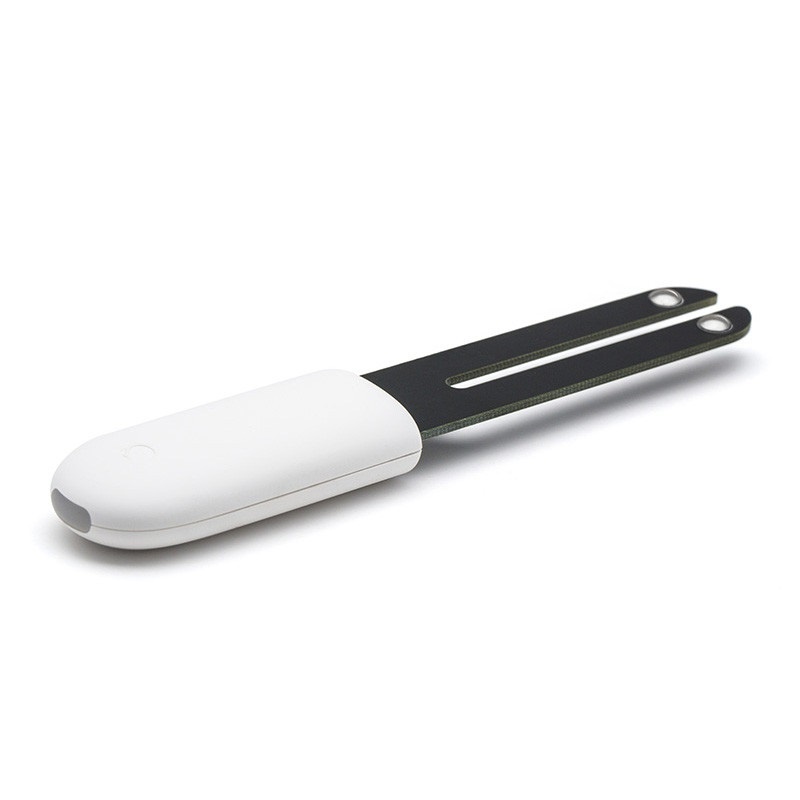
        <td><img src="https://d.sebbo.net/HHCCJCY01-sltHKnA3SmaAoB2B1ZTv2NwT9YPcDjno7tVF0PbOzjyb6lCb0IWGEjQVD4xAAG5ooqVito3tktrqyoOEwK7BTVkqEnZFHYrRpgaQ.jpeg" width="100" alt="LYWSDCGQ"></td>
        <td><b>Mi Flora Sensor</b><br />HHCCJCY01</td>
    </tr>
    <tr>
        <td><b>Values:</b> (without basics)</td>
        <td>temperature, moisture, illuminance, fertility</td>
    </tr>
    <tr>
        <td><b>Update interval:</b></td>
        <td>~ 1x / min</td>
    </tr>
</table>

<table>
    <tr>
        <td><img src="https://d.sebbo.net/LYWSDCGQ-jIYfxXMRFf0jm3XmPaONLG0RWofIr2JL9JGpshkGmGvMhzW3yMXE8gVI7Xut2Osz4oUkJnES2iB38IVr74HP1kSZRnqsu2TC7RxT.jpeg" width="100" alt="LYWSDCGQ"></td>
        <td><b>Xiaomi Thermometer / Hygrometer</b><br />LYWSDCGQ</td>
    </tr>
    <tr>
        <td><b>Values:</b> (without basics)</td>
        <td>temperature, humidity, battery</td>
    </tr>
    <tr>
        <td><b>Update interval:</b></td>
        <td>~ 20x / min</td>
    </tr>
</table>

<table>
    <tr>
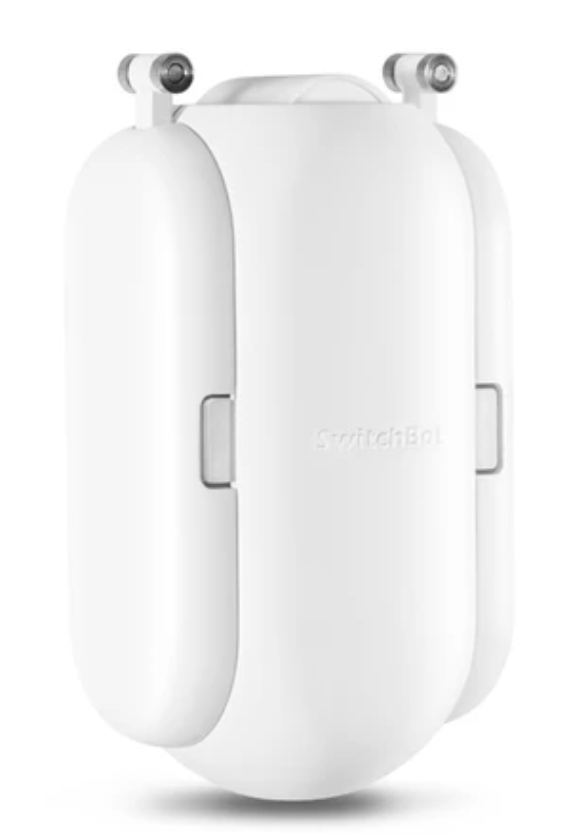
        <td><img src="https://d.sebbo.net/Shared-Image-2020-11-22-18-55-51-w01pqMCZdUPOQreGg1k446bwArsD4Fvw8CmlTy6kSqewRC2V5htTkwO9Rj04Vx26v2UVDMAG179bZhCcajqjNt4E6f4VPplyCLPz.png" width="100" alt="LYWSDCGQ"></td>
        <td><b>SwitchBot Bot</b><br />WoHand</td>
    </tr>
    <tr>
        <td><b>Values:</b> (without basics)</td>
        <td>switchAddOnUsed, state, battery</td>
    </tr>
    <tr>
        <td><b>Update interval:</b></td>
        <td><i>?</i></td>
    </tr>
</table>

<table>
    <tr>
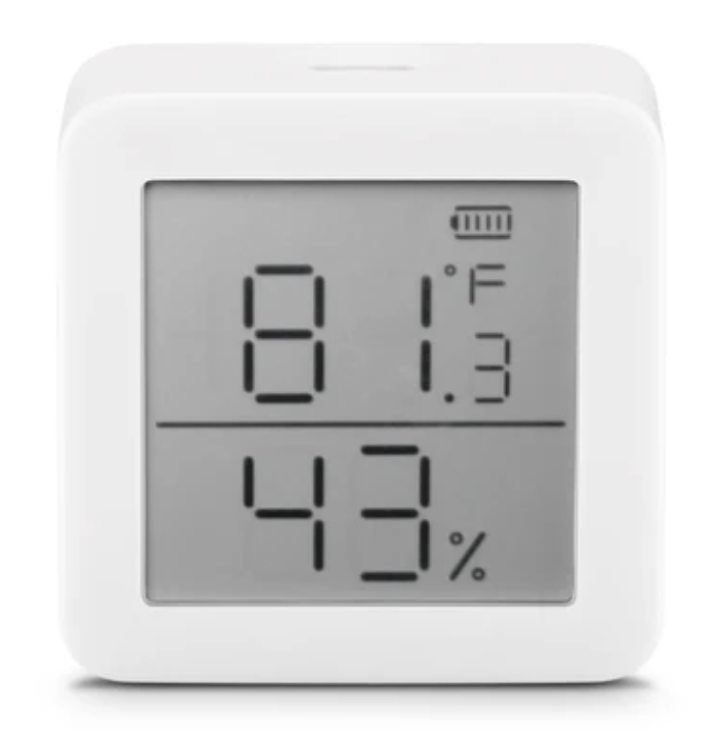
        <td><img src="https://d.sebbo.net/Shared-Image-2020-11-22-18-56-39-pOkUJpmde1r4lRSsOl02QqX6RcswTBf4FY4uGaDwTjyTOa0CArzZJ1YVdQniHJMOE9GLBcL8fSQyFwjmf0KfsxZvWzmgSMP2vREv.png" width="100" alt="LYWSDCGQ"></td>
        <td><b>SwitchBot Meter</b><br />WoSensorTH</td>
    </tr>
    <tr>
        <td><b>Values:</b> (without basics)</td>
        <td>temperature, humidity, battery</td>
    </tr>
    <tr>
        <td><b>Update interval:</b></td>
        <td><i>?</i></td>
    </tr>
</table>

<table>
    <tr>
        <td><img src="https://d.sebbo.net/Shared-Image-2020-11-22-18-57-04-ypZ9SYzljJl8rGj8NVPuadVQLwdAsn6fLsliFbkN8BNdGtwRBQysTv64ywbTIg07UD2BwppJI9wwQqTx1nWyHL6IcLk0dK9SMQm8.png" width="100" alt="LYWSDCGQ"></td>
        <td><b>SwitchBot Curtain</b><br />WoCurtain</td>
    </tr>
    <tr>
        <td><b>Values:</b> (without basics)</td>
        <td>calibrated, battery, position, lightLevel</td>
    </tr>
    <tr>
        <td><b>Update interval:</b></td>
        <td><i>?</i></td>
    </tr>
</table>


## 🤷 Frequently asked questions
### How do I determine which Bluetooth adapter the script should use?
- `hcitool dev`
- `NOBLE_HCI_DEVICE_ID=1` (hci1 used)

### Something doesn't work. How can I get more information about what's going on inside the script?
- `ble2mqtt --debug`

### After some time ble2mqtt does not work anymore, what can be the reason?
The problem is known, but unfortunately I do not know yet what the exact reason is. On some hosts I have the problem,
on others not. A restart will reliably solve the problem. If ble2mqtt was started in such a way that it is automatically
restarted when it terminates (e.g. via `forever`), `WATCHDOG_SUICIDE` can be used to allow the watchdog to terminate
ble2mqtt when no more data is received. This works very reliably for me.

### I have a large area to cover. How do I scale ble2mqtt with multiple agents?
You can run the script on multiple hosts and run it in parallel. If you set the same topic, it makes no difference which
instance received the beacons from the device. Set `MONITORING_ID` if you want to distinguish the monitoring topics.


## 📚 Credits
- [noble](https://github.com/abandonware/noble#readme)
- [mqtt.js](https://github.com/mqttjs/MQTT.js)

## 👩‍⚖️ Copyright & License
Copyright (c) Sebastian Pekarek under the [MIT license](LICENSE).

---
_Source: https://npm.io/package/@sebbo2002/ble2mqtt · Machine-readable twin of the npm.io package page. Health data is recomputed on every publish._