# @syncfusion/ej2-headless-editor
> Feature Headless Editor control with built in support editing, formatting content.
Latest version **35.1.38** (published 2026-09-29) · SEE LICENSE IN license license · 0 weekly downloads
## Install
```sh
npm install @syncfusion/ej2-headless-editor
pnpm add @syncfusion/ej2-headless-editor
yarn add @syncfusion/ej2-headless-editor
bun add @syncfusion/ej2-headless-editor
```
## Health
**Score 65/100 (B)** — status: active.
Positive: has types; esm support; no vulnerabilities; recently updated; high maintenance score.
Warnings: low downloads; large bundle.
## Facts
| | |
|---|---|
| Version | 35.1.38 |
| Published | 2026-09-29 |
| First published | 2026-09-29 |
| Weekly downloads | 0 |
| License | SEE LICENSE IN license |
| TypeScript types | bundled |
| Module format | ESM + CommonJS |
| Dependencies | 12 |
| Unpacked size | 17.8 MB |
| Known vulnerabilities | 0 |
| Install scripts | no |
| GitHub stars | 448 |
| Author | Syncfusion Inc. |
| Maintainers | syncfusionorg, essentialjs2, syncfusion-javascript |
| Keywords | ej2, syncfusion, headlesseditor, editor |
## Links
- npm: https://www.npmjs.com/package/@syncfusion/ej2-headless-editor
- Repository: https://github.com/syncfusion/ej2-javascript-ui-controls
- Homepage: https://www.syncfusion.com/javascript-ui-controls
- Issues: https://github.com/syncfusion/ej2-javascript-ui-controls/issues
- npm.io page: https://npm.io/package/@syncfusion/ej2-headless-editor
## Dependencies (12)
- [prosemirror-view](https://npm.io/package/prosemirror-view.md) 1.42.2
- [prosemirror-model](https://npm.io/package/prosemirror-model.md) 1.25.11
- [prosemirror-state](https://npm.io/package/prosemirror-state.md) 1.4.4
- [prosemirror-keymap](https://npm.io/package/prosemirror-keymap.md) 1.2.3
- [prosemirror-tables](https://npm.io/package/prosemirror-tables.md) 1.8.5
- [prosemirror-history](https://npm.io/package/prosemirror-history.md) 1.5.0
- [@syncfusion/ej2-base](https://npm.io/package/@syncfusion/ej2-base.md) *
- [prosemirror-commands](https://npm.io/package/prosemirror-commands.md) 1.7.2
- [prosemirror-transform](https://npm.io/package/prosemirror-transform.md) 1.12.0
- [prosemirror-inputrules](https://npm.io/package/prosemirror-inputrules.md) 1.5.1
- [prosemirror-schema-list](https://npm.io/package/prosemirror-schema-list.md) 1.5.1
- [prosemirror-schema-basic](https://npm.io/package/prosemirror-schema-basic.md) 1.2.4
## Alternatives
- [ext-list](https://npm.io/package/ext-list.md) — 6.3M weekly downloads
- [@lexical/selection](https://npm.io/package/@lexical/selection.md) — 3.8M weekly downloads
- [@lexical/text](https://npm.io/package/@lexical/text.md) — 3.6M weekly downloads
- [@lexical/clipboard](https://npm.io/package/@lexical/clipboard.md) — 3.0M weekly downloads
- [@tiptap/extension-mention](https://npm.io/package/@tiptap/extension-mention.md) — 3.0M weekly downloads
## Recent versions
- 35.1.38 (latest) — 2026-09-29
- 35.1.37 — 2026-09-29
## README
# JavaScript Headless Editor Library
> **Using this package with an AI coding agent**
>
> Before generating Syncfusion code, ask your AI coding agent to run the Syncfusion setup using the following prompt:
>
> ```text
> Set up this project for Syncfusion before generating code. Fetch
> and follow the official instructions at https://ai.syncfusion.com,
> then report the detected platform, installed skill pack, MCP
> status, and any required licensing action.
> ```
> The setup detects your project’s platform and loads the appropriate Syncfusion skill pack. No Syncfusion account or MCP key is required to install or read Syncfusion agent skills.
>
> **Platform reference:** [https://ai.syncfusion.com/javascript/llms.txt](https://ai.syncfusion.com/javascript/llms.txt)
The Syncfusion JavaScript Headless Editor is a framework-agnostic editing foundation built on ProseMirror for creating modern rich-text and structured editing experiences. It provides a modular architecture with a structured document model, extensible commands and extensions, schema management, selection handling, events, NodeViews, and reusable editing services. The Headless Editor is designed to provide a UI-independent editing engine that can be integrated with different editor interfaces and application frameworks.
## ⚡️ Quick Start
This guide uses Vite as the bundler and development environment for the JavaScript Headless Editor. Install [Node.js](https://nodejs.org/) 24.13.0 or higher before proceeding. For detailed information about Vite's capabilities and configuration options, refer to the [Vite documentation](https://vitejs.dev/).
### Create a TypeScript application
To set up a TypeScript application, run the following command.
```sh
npm create vite@latest my-app -- --template vanilla-ts
```
This command will prompt you to install the required packages and start the application. As Syncfusion packages are not installed yet, select the `No` option.
Then, navigate to the project directory and install the dependencies:
```sh
cd my-app
npm install
```
### Install the Headless Editor Library
```sh
npm install @syncfusion/ej2-headless-editor
```
### Add the CSS reference
Install the Syncfusion® [Tailwind 3](https://www.npmjs.com/package/@syncfusion/ej2-tailwind3-theme) theme package:
```sh
npm install @syncfusion/ej2-tailwind3-theme --save
```
Then add the following CSS reference to the `src/style.css` file:
```css
@import "../node_modules/@syncfusion/ej2-tailwind3-theme/styles/headless-editor/index.css";
#toolbar {
margin-top: 100px;
display: flex;
gap: 4px;
padding: 6px;
margin-bottom: 8px;
border: 1px solid #ddd;
border-radius: 4px;
background: #f8f8f8;
}
#toolbar button {
width: 32px;
height: 32px;
border: 0;
border-radius: 4px;
background: transparent;
cursor: pointer;
}
#toolbar button:hover {
background: #e5e5e5;
}
#headless-editor {
min-height: 300px;
padding: 10px;
border: 1px solid #ddd;
border-radius: 4px;
}
```
### Add the Headless Editor Library to your application
In the `index.html` file, add a target element:
```html
```
In the `src/main.ts` file, import the Headless Editor Library as shown below:
```ts
import { HeadlessEditor, basicExtensions } from '@syncfusion/ej2-headless-editor';
import './style.css';
const editor: HeadlessEditor = HeadlessEditor.create({
extensions: [basicExtensions]
});
const container: HTMLElement | null = document.getElementById('headless-editor');
if (container) {
editor.mount(container);
}
document.getElementById('undo')?.addEventListener('click', () => { editor.commands.undo(); });
document.getElementById('redo')?.addEventListener('click', () => { editor.commands.redo(); });
document.getElementById('bold')?.addEventListener('click', () => { editor.commands.toggleBold(); });
document.getElementById('italic')?.addEventListener('click', () => { editor.commands.toggleItalic(); });
document.getElementById('underline')?.addEventListener('click', () => { editor.commands.toggleUnderline(); });
document.getElementById('strikethrough')?.addEventListener('click', () => { editor.commands.toggleStrikethrough(); });
document.getElementById('inlineCode')?.addEventListener('click', () => { editor.commands.toggleCodeMark(); });
document.getElementById('blockquote')?.addEventListener('click', () => { editor.commands.toggleBlockQuote(); });
document.getElementById('bulletList')?.addEventListener('click', () => { editor.commands.toggleBulletList(); });
document.getElementById('orderedList')?.addEventListener('click', () => { editor.commands.toggleOrderedList(); });
```
### Run the application
```sh
npm run dev
```
Now, open your project in a browser, and the Headless Editor will be displayed! 🚀
### Key features
* **Headless Editing Foundation**: Provides a UI-independent editing engine that can be integrated with different editor interfaces and application frameworks.
* **ProseMirror-Based Editing**: Uses ProseMirror as the underlying document model and editing engine for structured content, transactions, selections, and plugin.
* **Extensible Editor Architecture**: Provides an extension system for adding, configuring, and composing editor functionality without coupling features to a specific UI.
* **Command Framework**: Introduces a centralized command system for content manipulation, formatting, selection, lists, and document transformations.
* **Structured Document Model**: Supports nodes, inline marks, blocks, nested content, and schema-based document structures for reliable content management.
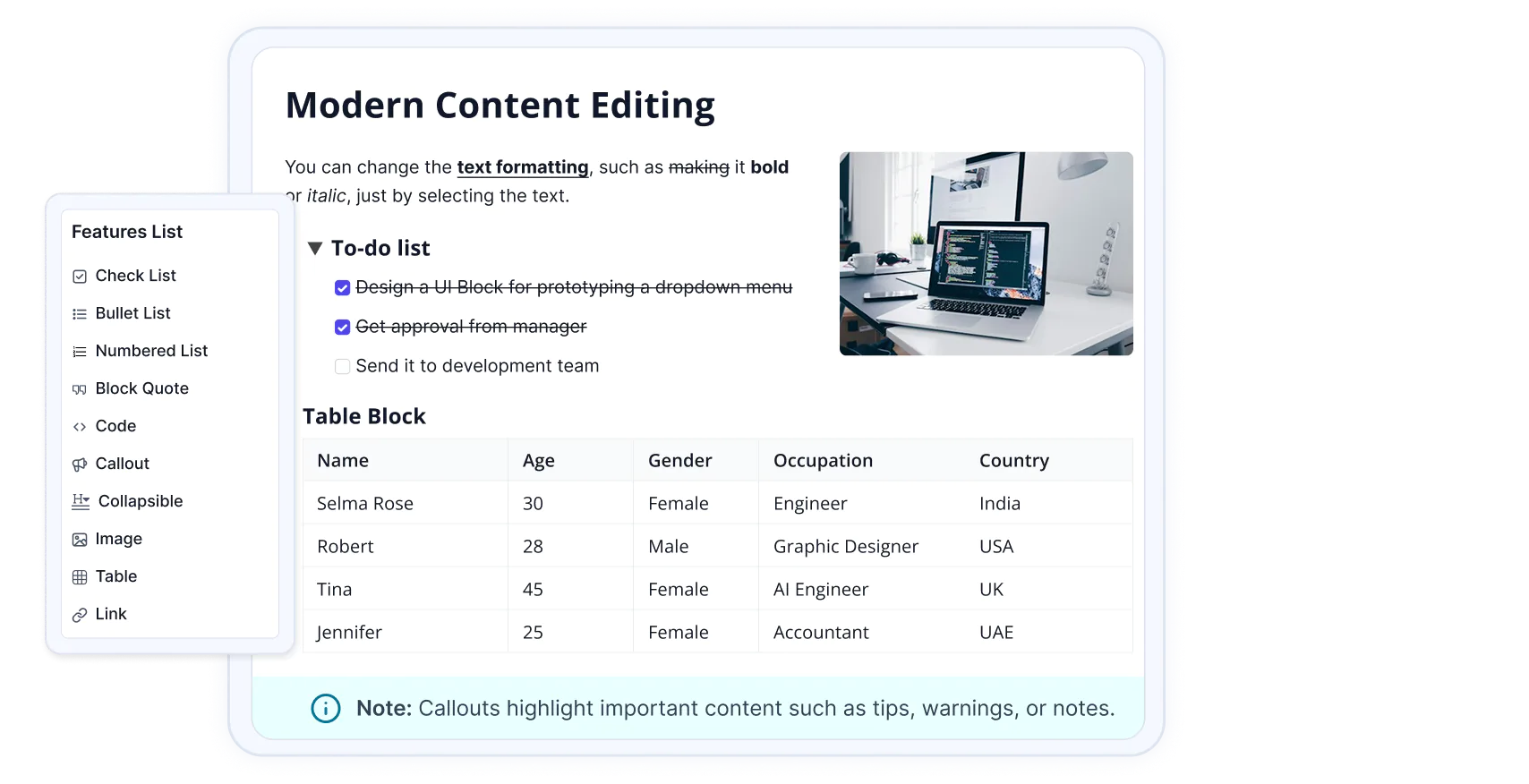
* **Rich Content Support**: Provides built-in foundations for headings, lists, links, images, tables, code blocks, callout, and collapsible sections.
* **Custom NodeView Support**: Enables custom rendering and interactive UI for complex document elements such as images, tables, and other structured content.
* **Event System**: Provides editor life cycle, content, selection, focus, paste, delete, and file events for monitoring and customizing editor behavior.
* **Schema Management**: Provides schema definition, validation, and migration capabilities to maintain structured and consistent editor content.
* **File and Upload Handling**: Provides reusable file handling and upload-state infrastructure for media and other file-based editing scenarios.
* **Keyboard and Selection Support**: Provides configurable keyboard bindings and selection APIs for building customized editing interactions.
* **Reusable Editing Foundation**: Provides a common foundation that can be used to build different editor experiences, including rich-text and structured content editors.

 ](https://www.syncfusion.com/angular-ui-components?utm_medium=listing&utm_source=github)
 ](https://www.syncfusion.com/react-ui-components?utm_medium=listing&utm_source=github)
 ](https://www.syncfusion.com/vue-ui-components?utm_medium=listing&utm_source=github)
 ](https://www.syncfusion.com/aspnet-core-ui-controls?utm_medium=listing&utm_source=github)
 ](https://www.syncfusion.com/aspnet-mvc-ui-controls?utm_medium=listing&utm_source=github)