# @vbarbarosh/vue-pager
> A reactive object for working with paged data in Vue
Latest version **1.7.1** (published 2024-11-19) · ISC license · 0 weekly downloads
## Install
```sh
npm install @vbarbarosh/vue-pager
pnpm add @vbarbarosh/vue-pager
yarn add @vbarbarosh/vue-pager
bun add @vbarbarosh/vue-pager
```
## Health
**Score 25/100 (F)** — status: maintenance-mode.
Positive: no vulnerabilities.
Warnings: low downloads; no types; no esm support.
Negative: stale; low maintenance score.
## Facts
| | |
|---|---|
| Version | 1.7.1 |
| Published | 2024-11-19 |
| First published | 2020-02-09 |
| Weekly downloads | 0 |
| License | ISC |
| TypeScript types | none |
| Module format | CommonJS |
| Dependencies | 0 |
| Unpacked size | 24.4 KB |
| Known vulnerabilities | 0 |
| Install scripts | no |
| GitHub stars | 1 |
| Author | Vladimir Barbarosh |
| Maintainers | vbarbarosh |
| Keywords | vue, pager, pagination |
## Links
- npm: https://www.npmjs.com/package/@vbarbarosh/vue-pager
- Repository: https://github.com/vbarbarosh/vue-pager
- Homepage: https://vue-pager.vbarbarosh.com
- Issues: https://github.com/vbarbarosh/vue-pager/issues
- npm.io page: https://npm.io/package/@vbarbarosh/vue-pager
## Recent versions
- 1.7.1 (latest) — 2024-11-19
- 1.7.0 — 2024-11-19
- 1.6.0 — 2024-04-16
- 1.5.0 — 2023-06-07
- 1.4.0 — 2023-03-23
- 1.3.0 — 2023-03-20
- 1.2.0 — 2023-03-19
- 1.1.1 — 2023-03-19
- 1.1.0 — 2023-03-17
- 1.0.3 — 2023-02-28
- 1.0.2 — 2020-02-16
- 1.0.1 — 2020-02-15
- 1.0.0 — 2020-02-09
## README
A reactive object for working with paged data in Vue.
## Installation
```sh
npm i @vbarbarosh/vue-pager
```
## Codepen
https://codepen.io/vbarbarosh/pen/xxRMaaz?editors=1000
## YouTube
[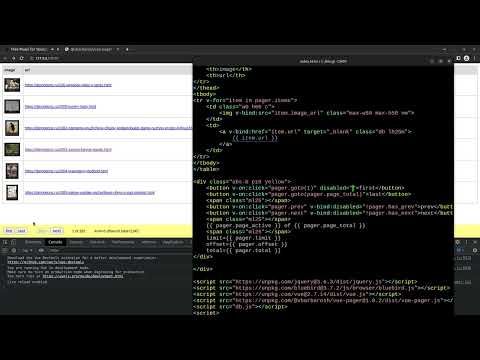](https://www.youtube.com/watch?v=Q55jBnEcc3g)
## Usage
The goal of this package is to provide a reactive
object to any paged data. Technically, this object
is nothing more than a thin wrapper around async
`fn` function. This function will be called each
time a paged data is requested.
The following reactive properties are provided: `limit`,
`offset`, `total`, and `items` for items. `page_active`,
`page_total`, and `page_numbers` for pages.
### Usage • Step 1: Create `fn` function
```javascript
// http://www.filltext.com/?rows=100&fname={firstName}&lname={lastName}&tel={phone|format}&address={streetAddress}&city={city}&state={usState|abbr}&zip={zip}&pretty=true
const api_articles_query_db = Array(100).fill(0).map(function (v, i) {
return {
uid: i + 1,
author: `${faker.name.firstName()} ${faker.name.lastName()}`,
title: faker.lorem.sentence(),
};
});
function api_articles_query(query)
{
const limit = Math.max(0, +query.limit || 10);
const offset = Math.max(0, +query.offset || 0);
const total = api_articles_query_db.length;
const items = api_articles_query_db.slice(offset, offset + limit);
const ms = faker.random.number({min: 100, max: 500});
return Promise.delay(ms).return({limit, offset, total, items});
}
```
### Usage • Step 2: Create pager object
```javascript
import Vue from 'vue';
import vue_pager from '@vbarbarosh/vue-pager';
new Vue({
el: '#app',
data: {
pager: vue_pager(api_articles_query),
},
});
```
### Usage • Step 3: Create html
```html
{{ item.title }}
Loading...
{{ error }}
```
## Props
| Name | Type | Description
| --- | :--- | :---
| `response` | `object` | A return value of `fn`
| `error` | `any` | Will be set to value other than `null` in case of error
| `is_loading` | `boolean` | Will be set to `true` while `fn` is executed.
| `items` | `array` | `response.items`
| `limit` | `number` | `response.limit`
| `offset` | `number` | `response.offset`
| `total` | `number` | Total number of items reported by `fn` (the same as `response.total`)
| `page_active` | `number` | Current page
| `page_total` | `number` | Total number of pages
| `page_numbers` | `array` | An array of page numbers (e.g. `[1,2,3,4,5]`)
| `has_prev` | `boolean` | `true` if `page_active > 1`
| `has_next` | `boolean` | `true` if `page_active < page_total`
| `can_goto(page_no)` | `Function` | `true` if `page_no >= 1 && page_no <= page_total`
| `prev()` | `Function` | Navigate to the previous page
| `next()` | `Function` | Navigate to the next page
| `goto(page_no)` | `Function` | Go to the specified page
| `rewind()` | `Function` | Reset offset and fetch very first page
| `reload()` | `Function` | Fetch current page again
| `promise_loaded()` | `Function` | Returns a promise which would be resolved after `is_loading=false`;
## Edge case • Wait until pager received first response
```javascript
new Vue({
data: function () {
return {
pager: null,
};
},
created: async function () {
this.pager = vue_pager(api_pages_list);
await this.pager.promise_loaded();
},
});
```
## Related
* https://github.com/bramus/js-pagination-sequence
---
_Source: https://npm.io/package/@vbarbarosh/vue-pager · Machine-readable twin of the npm.io package page. Health data is recomputed on every publish._