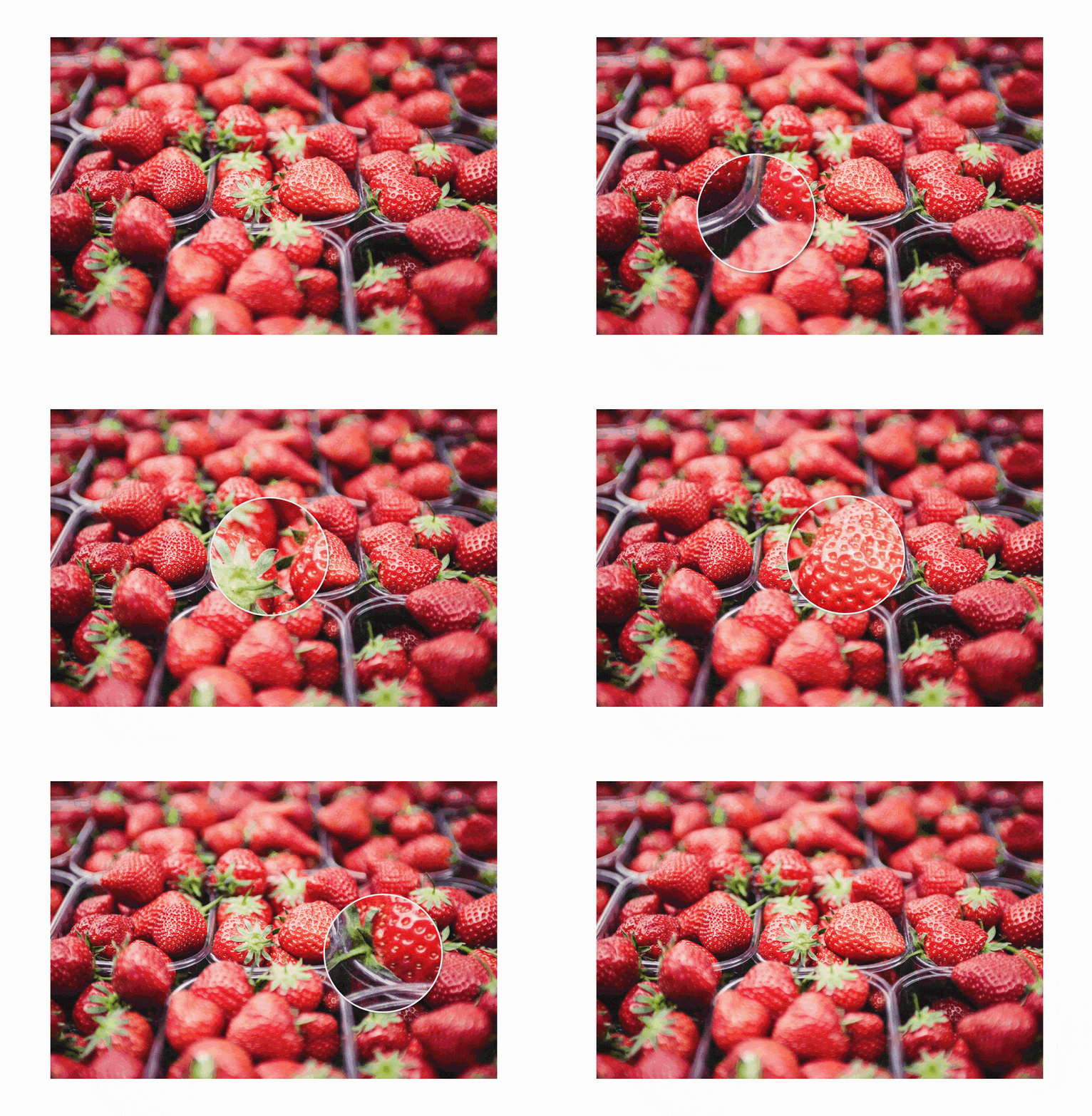
# @websitebeaver/vue-magnifier
> Vue 3 magnifier.
Latest version **1.1.0** (published 2023-01-09) · MIT license · 0 weekly downloads
## Install
```sh
npm install @websitebeaver/vue-magnifier
pnpm add @websitebeaver/vue-magnifier
yarn add @websitebeaver/vue-magnifier
bun add @websitebeaver/vue-magnifier
```
## Health
**Score 25/100 (F)** — status: abandoned.
Positive: has types; esm support; no vulnerabilities.
Warnings: low downloads.
Negative: abandoned; low maintenance score.
## Facts
| | |
|---|---|
| Version | 1.1.0 |
| Published | 2023-01-09 |
| First published | 2022-05-09 |
| Weekly downloads | 0 |
| License | MIT |
| TypeScript types | bundled |
| Module format | ESM + CommonJS |
| Dependencies | 5 |
| Unpacked size | 34.6 KB |
| Known vulnerabilities | 0 |
| Install scripts | no |
| Author | Daniel Marcus |
| Maintainers | d-marc |
## Links
- npm: https://www.npmjs.com/package/@websitebeaver/vue-magnifier
- Repository: https://github.com/WebsiteBeaver/vue-magnifier
- Homepage: https://github.com/WebsiteBeaver/vue-magnifier#readme
- Issues: https://github.com/WebsiteBeaver/vue-magnifier/issues
- npm.io page: https://npm.io/package/@websitebeaver/vue-magnifier
## Dependencies (5)
- [vue](https://npm.io/package/vue.md) ^3.2.26
- [lodash.debounce](https://npm.io/package/lodash.debounce.md) ^4.0.8
- [lodash.throttle](https://npm.io/package/lodash.throttle.md) ^4.1.1
- [@types/lodash.debounce](https://npm.io/package/@types/lodash.debounce.md) ^4.0.6
- [@types/lodash.throttle](https://npm.io/package/@types/lodash.throttle.md) ^4.1.6
## Recent versions
- 1.1.0 (latest) — 2023-01-09
- 1.0.1 — 2023-01-09
- 1.0.0 — 2022-05-09
## README
# vue-magnifier
[](https://www.npmjs.com/package/@websitebeaver/vue-magnifier) [](https://github.com/WebsiteBeaver/vue-magnifier/blob/master/LICENSE)
This is a Vue 3 adaptation of [react-magnifier](https://github.com/samuelmeuli/react-magnifier), which is the original version. Someone else made a Svelte version, called [svelte-magnifier](https://github.com/supercoww/svelte-magnifier) as well.
**Vue image zoom component**
- Simple and customizable
- Supports touch screens
- Allows different files for large image and magnifying glass (e.g. thumbnail and high-resolution image)
→ **[Demo](https://githubbox.com/WebsiteBeaver/vue-magnifier)**
## Usage
Install the package using NPM:
```bash
npm install @websitebeaver/vue-magnifier
```
Add the component to your Vue application:
```vue
```
## Props
| Prop | Type | Default | Description |
| ---------------- | ------------- | ---------- | ----------- |
| `src` (required) | String | – | URL/path of the large image |
| `height` | Number/String | `'auto'` | Image height (absolute or relative values possible) |
| `width` | Number/String | `'100%'` | Image width (absolute or relative values possible) |
| `className` | String | `''` | Class which will be applied to the image wrapper |
| `zoomImgSrc` | String | – | URL/path of the image inside the magnifying glass (if not specified, the large image will be used) |
| `zoomFactor` | Number | `1.5` | Factor by which the zoom image will be scaled (based on the size of the large image) |
| `mgWidth` | Number | `150` | Width of the magnifying glass in px |
| `mgHeight` | Number | `150` | Height of the magnifying glass in px |
| `mgBorderWidth` | Number | `2` | Border width of the magnifying glass in px |
| `mgShape` | String | `'circle'` | Shape of the magnifying glass (possible values: `'circle'`, `'square'`) |
| `mgShowOverflow` | Boolean | `true` | Set this to `false` to cut off the magnifying glass at the image borders. When disabling `mgShowOverflow`, it's recommended that you also set all offsets to `0` |
| `mgMouseOffsetX` | Number | `0` | Horizontal offset of the magnifying glass in px when hovering with a mouse |
| `mgMouseOffsetY` | Number | `0` | Vertical offset of the magnifying glass in px when hovering with a mouse |
| `mgTouchOffsetX` | Number | `-50` | Horizontal offset of the magnifying glass in px when dragging on a touch screen |
| `mgTouchOffsetY` | Number | `-50` | Vertical offset of the magnifying glass in px when dragging on a touch screen |
| `mgShow` | Boolean | `true` | Show or hide magnifying glass. Doesn't exist in React or Svelte version. |
| `mgCornerBgColor` | String | `#fff` | Magnifying glass corner background color. Doesn't exist in React or Svelte version. |
Any other props will be passed down to the `![]() ` element. This way, you can e.g. add an `alt` attribute to the image.
## Events
| Event | Type | Value | Description |
| ---------------- | ------------- | ----- | ----------- |
| `image:load` | `Event` | - | On image load. Doesn't exist in React or Svelte version. |
## Custom styling
```css
.vue-magnifier__magnifier {
/* Styles for
` element. This way, you can e.g. add an `alt` attribute to the image.
## Events
| Event | Type | Value | Description |
| ---------------- | ------------- | ----- | ----------- |
| `image:load` | `Event` | - | On image load. Doesn't exist in React or Svelte version. |
## Custom styling
```css
.vue-magnifier__magnifier {
/* Styles for around image and magnifying glass */
}
.vue-magnifier__magnifying-glass {
/* Styles for magnifying glass */
}
.vue-magnifier__magnifying-glass.vue-magnifier__circle {
/* Styles for magnifying glass circle */
}
.vue-magnifier__magnifying-glass.vue-magnifier__visible {
/* Styles for magnifying glass visible */
}
```
---
_Source: https://npm.io/package/@websitebeaver/vue-magnifier · Machine-readable twin of the npm.io package page. Health data is recomputed on every publish._