# @wmfs/tymly-cli-rest-client
> CLI tool to launch Tymly State Machines over REST
Latest version **1.21.0** (published 2025-04-04) · MIT license · 0 weekly downloads
## Install
```sh
npm install @wmfs/tymly-cli-rest-client
pnpm add @wmfs/tymly-cli-rest-client
yarn add @wmfs/tymly-cli-rest-client
bun add @wmfs/tymly-cli-rest-client
```
## Health
**Score 40/100 (D)** — status: stable.
Positive: no vulnerabilities; high maintenance score.
Warnings: low downloads; no types; no esm support.
Negative: stale.
## Facts
| | |
|---|---|
| Version | 1.21.0 |
| Published | 2025-04-04 |
| First published | 2019-07-08 |
| Weekly downloads | 0 |
| License | MIT |
| TypeScript types | none |
| Module format | CommonJS |
| Dependencies | 3 |
| Unpacked size | 68.8 KB |
| Known vulnerabilities | 0 (+29 in 1 direct dependencies) |
| Install scripts | no |
| GitHub stars | 1 |
| Author | West Midlands Fire Service |
| Maintainers | wmfsbot |
| Keywords | cli, tymly, executions, REST, API, state machines, package |
## Links
- npm: https://www.npmjs.com/package/@wmfs/tymly-cli-rest-client
- Repository: https://github.com/wmfs/tymly-cli-rest-client
- Homepage: https://github.com/wmfs/tymly-cli-rest-client#readme
- Issues: https://github.com/wmfs/tymly-cli-rest-client/issues
- npm.io page: https://npm.io/package/@wmfs/tymly-cli-rest-client
## Dependencies (3)
- [axios](https://npm.io/package/axios.md) 1.8.4
- [chalk](https://npm.io/package/chalk.md) 4.1.2
- [debug](https://npm.io/package/debug.md) 4.4.0
## Alternatives
- [monaco-yaml](https://npm.io/package/monaco-yaml.md) — 420.1K weekly downloads
- [@crewx/workflow](https://npm.io/package/@crewx/workflow.md) — 3.1K weekly downloads
- [yaml-cat](https://npm.io/package/yaml-cat.md) — 38 weekly downloads
- [nunjucks-in-yaml](https://npm.io/package/nunjucks-in-yaml.md) — 9 weekly downloads
- [shopify-symlinks](https://npm.io/package/shopify-symlinks.md) — 3 weekly downloads
## Recent versions
- 1.21.0 (latest) — 2025-04-04
- 1.20.0 — 2024-11-06
- 1.19.0 — 2024-07-10
- 1.18.0 — 2022-02-23
- 1.17.1 — 2022-01-27
- 1.17.0 — 2021-11-18
- 1.16.0 — 2021-10-07
- 1.15.0 — 2021-09-28
- 1.14.0 — 2021-05-17
- 1.13.0 — 2021-01-28
- 1.12.0 — 2020-11-16
- 1.11.0 — 2020-11-09
- 1.10.0 — 2020-11-09
- 1.9.0 — 2020-10-26
- 1.8.0 — 2020-08-24
- … 8 more at https://npm.io/package/@wmfs/tymly-cli-rest-client/versions
## README
# tymly-cli
[](https://www.npmjs.com/package/@wmfs/tymly-cli) [](https://circleci.com/gh/wmfs/tymly-cli-rest-client) [](https://codecov.io/gh/wmfs/tymly-cli) [](https://www.codefactor.io/repository/github/wmfs/tymly-cli) [](https://dependabot.com/) [](http://commitizen.github.io/cz-cli/) [](https://standardjs.com) [](https://github.com/wmfs/tymly-cli/blob/master/LICENSE)
[](https://app.fossa.io/projects/git%2Bgithub.com%2Fwmfs%2Ftymly-cli?ref=badge_shield)
> CLI tool to launch Tymly State Machines over REST
## Install
```bash
$ npm install tymly-cli --save
```
## Usage
```bash
$ npm run cli --command configKey
```
### --command
Key of the configuration you want to run, it must match with a config command. e.g. search, refreshRanking
Each config will have it's own set of input values and must be added as extra flags.
For example, if you wish to launch the search state machine you can pass in a query, a limit and an offset so the command will look like the following:
```bash
$ npm run cli --command=search --query=kebab --limit=12 --offset=0
```
To find the input flags, you can look in the run-configurations directory and find the state machine you wish to run.
### quiet | q
Including 'quiet' in the command will make it run in 'quiet mode' and does not put anything onto the console
```bash
$ npm run cli quiet --command=incidentsInProgress
```
```bash
$ npm run cli q --command=incidentsInProgress
```
## Run Configurations
1. [Incidents In Progress](#incidentsInProgress)
2. [Search](#search)
3. [Refresh Ranking](#refreshRanking)
4. [Refresh All](#refreshAll)
### Incidents In Progress
```bash
$ npm run cli --command=incidentsInProgress
```
### Search
#### Inputs:
* query (required)
* limit (required)
* offset (required)
* domain
* orderBy
* showActiveEventsOnly
* lat
* long
* categoryRestriction
```bash
$ npm run cli --command=search --query=kebabs --limit=10 --offset=0
```
When a value to any of the inputs contains multiple words then separate them with underscores. See query:
```bash
$ npm run cli --command=search --query=99_vauxhall_road --limit=10 --offset=0
```
When a value to any of the inputs is an array then separate them with commas. See categoryRestriction:
```bash
$ npm run cli --command=search --query=kebabs --limit=10 --offset=0 --categoryRestriction=gazetteer,fireSafety
```
### Refresh Ranking
#### Inputs:
* schema (required)
* category (required)
```bash
$ npm run cli --command=refreshRanking --schema=wmfs --category=factory
```
## Refresh All
```bash
$ npm run cli --command=refreshAll
```
## Build environment variables
| Environment Variable | Notes | Example |
| -------------------- | ----- | ------- |
| `TYMLY_API_URL` | The base URL of Tymly (Required) | `http://localhost:3210` |
| `TYMLY_NIC_AUTH0_CLIENT_ID` | The client ID (as supplied by Auth0) (Required) | `abc...` |
| `TYMLY_NIC_AUTH0_CLIENT_SECRET` | The client secret (as supplied by Auth0) (Required) | `abc...` |
| `TYMLY_NIC_AUTH0_DOMAIN` | The client domain (as supplied by Auth0) (Required) | `abc.de.auth0.com` |
| `TYMLY_AUTH_AUDIENCE` | The Tymly audience (Required) | `abc...` |
| `DEBUG` | To enable debug statements (Optional) | `tymly-cli` |
| `WEB_API_TIMEOUT_IN_MS` | Specify a timeout. Default to 3000. (Optional) | `5000` |
Once the environment variables have been set, you can run the tests like this:
```bash
$ npm test
```
## License
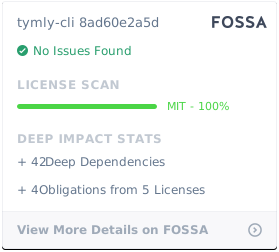
[MIT](https://github.com/wmfs/tymly-cli/blob/master/LICENSE)
[](https://app.fossa.io/projects/git%2Bgithub.com%2Fwmfs%2Ftymly-cli?ref=badge_large)
---
_Source: https://npm.io/package/@wmfs/tymly-cli-rest-client · Machine-readable twin of the npm.io package page. Health data is recomputed on every publish._