# angular-particle-effect-button

> Superb particle effect buttons for Angular

Latest version **0.0.50** (published 2020-02-29) · 0 weekly downloads

## Install

```sh
npm install angular-particle-effect-button
pnpm add angular-particle-effect-button
yarn add angular-particle-effect-button
bun add angular-particle-effect-button
```

## Health

**Score 25/100 (F)** — status: abandoned.

Positive: has types; esm support; no vulnerabilities.

Warnings: low downloads; pre 1.0.

Negative: abandoned; low maintenance score.

## Facts

| | |
|---|---|
| Version | 0.0.50 |
| Published | 2020-02-29 |
| First published | 2018-06-29 |
| Weekly downloads | 0 |
| TypeScript types | bundled |
| Module format | ESM + CommonJS |
| Dependencies | 1 |
| Unpacked size | 291.1 KB |
| Known vulnerabilities | 0 |
| Install scripts | no |
| Author | danielpdev.io |
| Maintainers | danielpdev, sbaptista |
| Keywords | angular, directive, typescript, particle-effects |

## Links

- npm: https://www.npmjs.com/package/angular-particle-effect-button
- Repository: https://github.com/danielpdev/angular-particle-effect-button
- Homepage: https://github.com/danielpdev/angular-particle-effect-button#readme
- Issues: https://github.com/danielpdev/angular-particle-effect-button/issues
- npm.io page: https://npm.io/package/angular-particle-effect-button

## Dependencies (1)

- [animejs](https://npm.io/package/animejs.md) ^3.1.0

## Alternatives

- [@openai/codex-sdk](https://npm.io/package/@openai/codex-sdk.md) — 731.4K weekly downloads
- [babel-plugin-transform-react-jsx](https://npm.io/package/babel-plugin-transform-react-jsx.md) — 565.0K weekly downloads
- [babel-helper-remove-or-void](https://npm.io/package/babel-helper-remove-or-void.md) — 508.5K weekly downloads
- [@pnpm/store-controller-types](https://npm.io/package/@pnpm/store-controller-types.md) — 186.9K weekly downloads
- [react-native-signature-canvas](https://npm.io/package/react-native-signature-canvas.md) — 155.6K weekly downloads

## Recent versions

- 0.0.50 (latest) — 2020-02-29
- 0.0.43 — 2019-09-23
- 0.0.42 — 2019-04-03
- 0.0.41 — 2019-04-03
- 0.0.4 — 2019-04-03
- 0.0.31 — 2018-10-18
- 0.0.3 — 2018-10-18
- 0.0.2 — 2018-06-29
- 0.1.0 — 2018-06-29

## README

# angular-particle-effect-button ([demo](https://codesandbox.io/s/j0jyz323v))

> Superb particle effect buttons for Angular.

[![Demo](https://raw.githubusercontent.com/danielpdev/angular-particle-effect-button/master/demo-animation.gif)](https://github.com/danielpdev/angular-particle-effect-button)
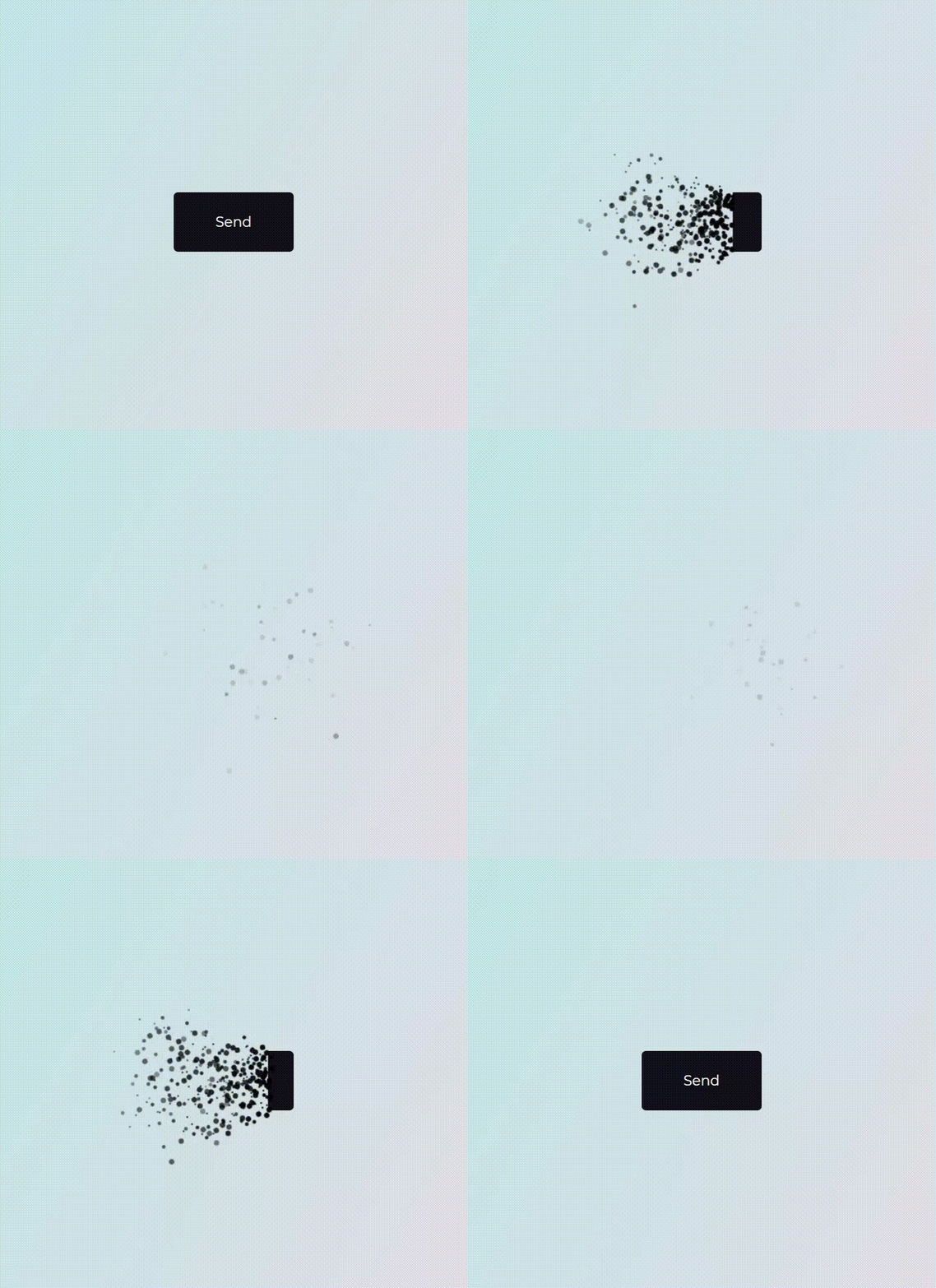
This is a Angular directive used as port of an awesome [Codrops Article](https://tympanus.net/codrops/2018/04/25/particle-effects-for-buttons/) by [Luis Manuel](https://tympanus.net/codrops/author/luis/) (original [source](https://github.com/codrops/ParticleEffectsButtons/)).

## Install

```bash
npm i --save angular-particle-effect-button
```

## Usage

Check out the [Demo](https://codesandbox.io/s/j0jyz323v/) to see it in action.

```ts
import { BrowserModule } from "@angular/platform-browser";
import { NgModule } from "@angular/core";
import { ParticleEffectButtonModule } from "angular-particle-effect-button";
import { AppComponent } from "./app.component";

@NgModule({
  declarations: [AppComponent],
  imports: [BrowserModule, ParticleEffectButtonModule],
  providers: [],
  bootstrap: [AppComponent]
})
export class AppModule {}
```

```html
<button libParticleEffectButton [pHidden]="hidden" (click)="hidden=!hidden">Hide me</button>
```

Note that `libParticleEffectButton` can be added to anything from a simple `<button>` to a complex Angular subtree. The element for which you'll add `libParticleEffectButton`
will be wrapped into a tree like that:
```html
<div style="position: relative; display: inline-block;">
  <div style="position: relative; display: inline-block; overflow: hidden;">
    <button libparticleeffectbutton="">Hide me</button>
  </div>
  <canvas style="position: absolute; pointer-events: none; top: 50%; left: 50%; transform: translate3d(-50%, -50%, 0px); display: none;">
  </canvas>
</div>
```

Changing the `hidden` boolean property will trigger an animation, typically as a result of a click on the button's contents. 
If `hidden` changes to `true`, the button will perform a disintegrating animation. If `hidden` changes to `false`, it will reverse and reintegrate the original content.

## Props

| Property      | Type               | Default                               | Description                                                                                                                                  |
|:--------------|:-------------------|:--------------------------------------|:---------------------------------------------------------------------------------------------------------------------------------------------|
| `pHidden`  | boolean           | false                                  | Whether button should be hidden or visible. Changing this property starts an animation. |
| `pColor`  | string           | '#000'                                  | Particle color. Should match the button content's background color |
| `pDuration`  | number           | 1000                                  | Animation duration in milliseconds. |
| `pEasing`  | string           | 'easeInOutCubic'                        | Animation easing. |
| `pType`  | string           | circle                                  | 'circle' or 'rectangle' or 'triangle' |
| `pStyle`  | string           | fill                                  | 'fill' or 'stroke' |
| `pDirection`  | string           | 'left'                                  | 'left' or 'right' or 'top' or 'bottom' |
| `pCanvasPadding`  | number           | 150                                  | Amount of extra padding to add to the canvas since the animation will overflow the content's bounds |
| `pSize`  | number | func           | random(4)                             | Particle size. May be a static number or a function which returns numbers. |
| `pSpeed`  | number | func           | random(2)                             | Particle speed. May be a static number or a function which returns numbers. |
| `pParticlesAmountCoefficient`  | number    | 3                             | Increases or decreases the relative number of particles |
| `pOoscillationCoefficient`  | number           | 30                         | Increases or decreases the relative curvature of particles |
| `pBegin`  | EventEmitter           | EventEmitter                                     | Callback to get notified when the animation starts. |
| `pComplete`  | EventEmitter           | EventEmitter                                  | Callback to get notified when the animation completes. |


I've tried to keep the properties and behavior exactly the same as in the original codrops version.

## Related

- [anime.js](http://animejs.com/) - Underlying animation engine.
- [ParticleEffectsButtons](https://github.com/codrops/ParticleEffectsButtons/) - Original source this library is based on.
- [Codrops Article](https://tympanus.net/codrops/2018/04/25/particle-effects-for-buttons/) - Original article this library is based on.


## Development
This module was bootstrapped with [angular-cli](https://cli.angular.io) so it's using the common build/test/lint commands from angular-cli.
### Library
- Build: ng build angular-particle-effect-button
- Test: ng test angular-particle-effect-button
- Lint: ng lint angular-particle-effect-button
### Project
- See it in action: ng serve

## License

MIT © [danielpdev](https://github.com/danielpdev)

---
_Source: https://npm.io/package/angular-particle-effect-button · Machine-readable twin of the npm.io package page. Health data is recomputed on every publish._
