# anix
Latest version **1.3.7** (published 2022-02-05) · MIT license · 0 weekly downloads
## Install
```sh
npm install anix
pnpm add anix
yarn add anix
bun add anix
```
## Health
**Score 20/100 (F)** — status: abandoned.
Positive: has types; no vulnerabilities.
Warnings: low downloads; no esm support.
Negative: abandoned; low maintenance score.
## Facts
| | |
|---|---|
| Version | 1.3.7 |
| Published | 2022-02-05 |
| First published | 2017-05-15 |
| Weekly downloads | 0 |
| License | MIT |
| TypeScript types | bundled |
| Module format | CommonJS |
| Dependencies | 0 |
| Unpacked size | 105.4 KB |
| Known vulnerabilities | 0 |
| Install scripts | no |
| Maintainers | ajiemath, wxfskylove |
| Keywords | motion, animation, animate |
## Links
- npm: https://www.npmjs.com/package/anix
- Homepage: https://github.com/aliaszz/AniX
- npm.io page: https://npm.io/package/anix
## Alternatives
- [@luma.gl/experimental](https://npm.io/package/@luma.gl/experimental.md) — 77.1K weekly downloads
- [persona-harness](https://npm.io/package/persona-harness.md) — 4.7K weekly downloads
- [@tsparticles/effect-bubble](https://npm.io/package/@tsparticles/effect-bubble.md) — 4.6K weekly downloads
- [f3d](https://npm.io/package/f3d.md) — 730 weekly downloads
- [spark-html-motion](https://npm.io/package/spark-html-motion.md) — 298 weekly downloads
## Recent versions
- 1.3.7 (latest) — 2022-02-05
- 1.3.6 — 2020-11-03
- 1.3.5 — 2020-11-03
- 1.3.3 — 2020-11-03
- 1.3.2 — 2020-03-09
- 1.3.1 — 2020-03-09
- 1.2.1 — 2020-03-09
- 1.1.1 — 2020-03-09
- 1.2.5 — 2020-03-06
- 1.2.2 — 2020-03-06
- 1.0.1 — 2019-12-30
- 0.3.3 — 2019-11-18
- 0.3.1 — 2017-12-02
- 0.2.3 — 2017-05-26
- 0.2.2 — 2017-05-25
- … 1 more at https://npm.io/package/anix/versions
## README

A super easy and lightweight javascript animation library.
---
## Overview
AniX is a lightweight and easy-to-use animation library with excellent performance and good compatibility for modern browsers.
It uses the native **css transition** attribute, better than js simulation animation performance. And you can also enable hardware acceleration with it.
AniX only less than **3k(gzip)** in size. It achieves almost the same effect as any other huge library of animations.
View demo, please click [here](https://aliaszz.github.io/AniX/).
## Install and Include
#### Install and Import anix.
```bash
$ npm install anix --save-dev
...
import { AniX } from 'anix';
```
#### Use the umd version [anix.umd.js](https://github.com/aliaszz/AniX/blob/master/dist/umd/anix.umd.js). Check out the [UMD](https://github.com/umdjs/umd) repository for more details.
```html
```
#### Use jQuery plugin [anix.jq.js](https://github.com/aliaszz/AniX/blob/master/dist/jq/anix.jq.js), that supports chain syntax.
```html
```
## Usage
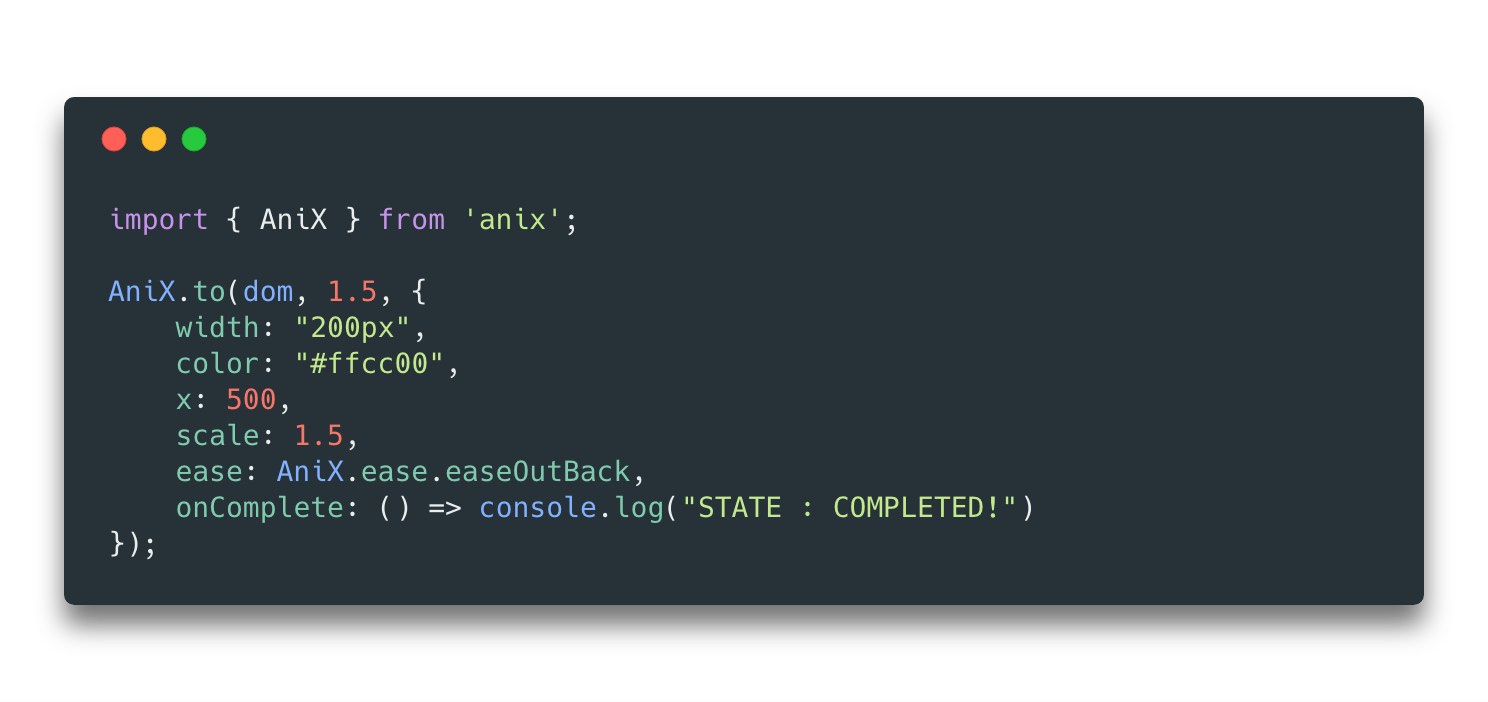
#### Basic usage.
```js
AniX.to(dom, 1, {
x: 300,
y: 10,
scale: 2,
delay: 0.5,
onComplete: function() {
alert('over');
},
});
// or
AniX.to(dom, 1, {
width: '200px',
'background-color': '#ffcc00',
ease: AniX.ease.easeOutBack,
onComplete: () => {
//STATE : COMPLETED!
console.log('STATE : COMPLETED!');
},
});
```
#### jQuery plug-in usage [anix.jq.js](https://github.com/aliaszz/AniX/blob/master/dist/jq/anix.jq.js)
```js
$('.demo')
.css({ left: '0px' })
.to(0.5, {
left: '500px',
'background-color': '#ffcc00',
});
```
#### Use in react(v16+)
```js
class MyComponent extends React.Component {
constructor(props) {
super(props);
this.myRef = React.createRef();
this.clickHandler = this.clickHandler.bind(this);
}
clickHandler(e) {
const node = this.myRef.current;
// animation
AniX.to(node, 1, {
x: 300,
y: 10,
scale: 2,
});
}
render() {
return (
);
}
}
```
## Why?
There are a lot of animation libraries Why use AniX?
- First of all, it is very small and 3kb (gzip) is very suitable for use on the mobile page (because there is a requirement for size).
- Secondly, Anix directly uses native css animation properties, which is very high performance.
- Good compatibility, after a lot of real machine tests, good performance. Includes a variety of android devices
## Documentation
#### General documents please visit [https://aliaszz.github.io/AniX/](https://aliaszz.github.io/AniX/)
#### jQuery plug-in documents are as follows
```js
//like AniX.to
$(..).to(time: number, args: {ease?:string; delay?:number; [propName:string]:any;})
//like AniX.fromTo
$(..).fromTo(time: number, fromArgs: Object, toArgs: Object)
//like AniX.kill
$(..).kill(complete?: boolean)
//like AniX.get
$(..).getTransform(param: any)
//like AniX.ease
$.ease.easeOut
```
## Test and Build
#### install and build all task
```bash
git clone git@github.com:aliaszz/AniX.git
npm install
npm run all
```
#### build jquery or umd version
```bash
npm run jq
npm run umd
```
#### demo example (the document page) is used [create-react-app](https://github.com/facebookincubator/create-react-app)
```bash
cd ./example
npm install
npm start
npm run build
```
Then open [http://localhost:3000/](http://localhost:3000/)
#### Use test cases
view the `./test/test.html`
## Other
There are other versions here, of course, they are not necessary. [React version](https://github.com/aliaszz/react-anix) and [Vue version](https://github.com/GeoffZhu/vue-anix)...
## License
[The MIT License](https://opensource.org/licenses/MIT).
---
_Source: https://npm.io/package/anix · Machine-readable twin of the npm.io package page. Health data is recomputed on every publish._




