# clio-ts
> > 💻 A type-driven command line argument parser, based on [`io-ts`](https://github.com/gcanti/io-ts).
Latest version **0.2.5** (published 2020-02-20) · MIT license · 0 weekly downloads
## Install
```sh
npm install clio-ts
pnpm add clio-ts
yarn add clio-ts
bun add clio-ts
```
## Health
**Score 30/100 (F)** — status: abandoned.
Positive: has types; esm support; no vulnerabilities; high quality score.
Warnings: low downloads; pre 1.0.
Negative: abandoned; low maintenance score.
## Facts
| | |
|---|---|
| Version | 0.2.5 |
| Published | 2020-02-20 |
| First published | 2020-02-10 |
| Weekly downloads | 0 |
| License | MIT |
| TypeScript types | bundled |
| Module format | ESM + CommonJS |
| Dependencies | 5 |
| Unpacked size | 216.8 KB |
| Known vulnerabilities | 0 |
| Install scripts | no |
| Author | Gal Schlezinger |
| Maintainers | schlez |
## Links
- npm: https://www.npmjs.com/package/clio-ts
- Homepage: https://clio-ts.now.sh/
- npm.io page: https://npm.io/package/clio-ts
## Dependencies (5)
- [chalk](https://npm.io/package/chalk.md) ^3.0.0
- [strip-ansi](https://npm.io/package/strip-ansi.md) ^6.0.0
- [io-ts-types](https://npm.io/package/io-ts-types.md) ^0.5.5
- [lodash.camelcase](https://npm.io/package/lodash.camelcase.md) ^4.3.0
- [lodash.kebabcase](https://npm.io/package/lodash.kebabcase.md) ^4.1.1
## Recent versions
- 0.2.5 (latest) — 2020-02-20
- 0.3.0-beta-2 (next) — 2020-03-12
- 0.3.0-beta-1 — 2020-03-11
- 0.3.0-beta — 2020-03-11
- 0.2.4 — 2020-02-20
- 0.2.3 — 2020-02-20
- 0.2.2 — 2020-02-20
- 0.2.1 — 2020-02-20
- 0.2.0 — 2020-02-19
- 0.1.2 — 2020-02-12
- 0.1.1 — 2020-02-10
- 0.1.0 — 2020-02-10
## README
# `clio-ts`
> 💻 A type-driven command line argument parser, based on [`io-ts`](https://github.com/gcanti/io-ts).
A fully-fledged command line argument parser, influenced by Rust's [`clap`](https://github.com/clap-rs/clap), using `io-ts` for safe type conversions:
🤩 Awesome autocomplete, awesome safeness
🎭 Decode your own custom types from strings
🌲 Nested subcommands, composable API
### Basic usage
```ts
import { command, parse, single, positional, named, t } from 'clio-ts';
const cmd = command({
name: positional({ type: t.string }),
greeting: named({
long: 'greeting',
short: 'g',
defaultValue: 'Hello',
type: single(t.string),
}),
});
const { name, greeting } = parse(cmd, process.argv.slice(2));
console.log(`${greeting}, ${name}!`);
```
#### `command(arguments)`
Creates a CLI command. Returns either a parsing error, or an object where every argument provided gets the value with the correct type, along with a special `_` key that contains the "rest" of the positional arguments.
### Decoding custom types from strings
Not all command line arguments should be strings. You sometimes want integers, UUIDs, file paths, directories, globs...
> **Note:** this section describes the `ReadStream` type, implemented in `./src/example/test-types.ts`
Let's say we're about to write a `cat` clone. We want to accept a file to read into stdout. A simple example would be something like:
```ts
// my-app.ts
import { command, parse, positional, t } from 'clio-ts';
const app = command({
file: positional({ type: t.string, displayName: 'file' }),
});
// parse arguments
const parsed = parse(app, process.argv.slice(2));
const [{ file }] = parsed;
fs.createReadStream(file).pipe(stdout);
```
That works okay. But we can do better. What if we had a way to get a `Stream` in return? This is where `clio-ts` gets its power from. Custom types with `io-ts`:
```ts
// ReadStream.ts
import { t, unimplemented } from 'clio-ts';
const ReadStream = new t.Type<
/* Into a */
Stream,
/* From a */
string
>(
'ReadStream',
_ => unimplemented(), // This isn't relevant for one-way casting
(obj, ctx) => {
// Check that the value provided is a string
if (typeof obj !== 'string') {
return t.failure(obj, ctx, 'This is not a string');
}
// Create the stream and return it
const stream = fs.createReadStream(file);
return t.success(stream);
},
_ => unimplemented() // This isn't relevant for one-way casting
);
```
Now we can use (and share) this type and always get a Stream, instead of carrying the implementation detail around:
```ts
// my-app.ts
import { command, parse, positional, t } from 'clio-ts';
const app = command({
stream: positional({ type: ReadStream, displayName: 'file' }),
});
// parse arguments
const parsed = parse(app, process.argv.slice(2));
const [{ stream }] = parsed;
stream.pipe(stdout);
```
This also provide us the ability to add better error messages and more features/conversions to our programs with ease:
- We can throw an error when the file is not found
- We can try to parse the string as a URI and check if the protocol is HTTP, if so - make an HTTP request and return the body stream
- We can see if the string is `-`, and when it happens, return `process.stdin` like many Unix applications
And the best thing about it — everything is encapsulated to an easily tested io-ts type definition, which can be easily shared and reused. Take a look at [io-ts-types](https://github.com/gcanti/io-ts-types), for instance, which has types like DateFromISOString, NumberFromString and more!
## Development
This project was bootstrapped with [TSDX](https://github.com/jaredpalmer/tsdx).
### Local Development
Below is a list of commands you will probably find useful.
#### `npm start` or `yarn start`
Runs the project in development/watch mode. Your project will be rebuilt upon changes. TSDX has a special logger for you convenience. Error messages are pretty printed and formatted for compatibility VS Code's Problems tab.
 Your library will be rebuilt if you make edits.
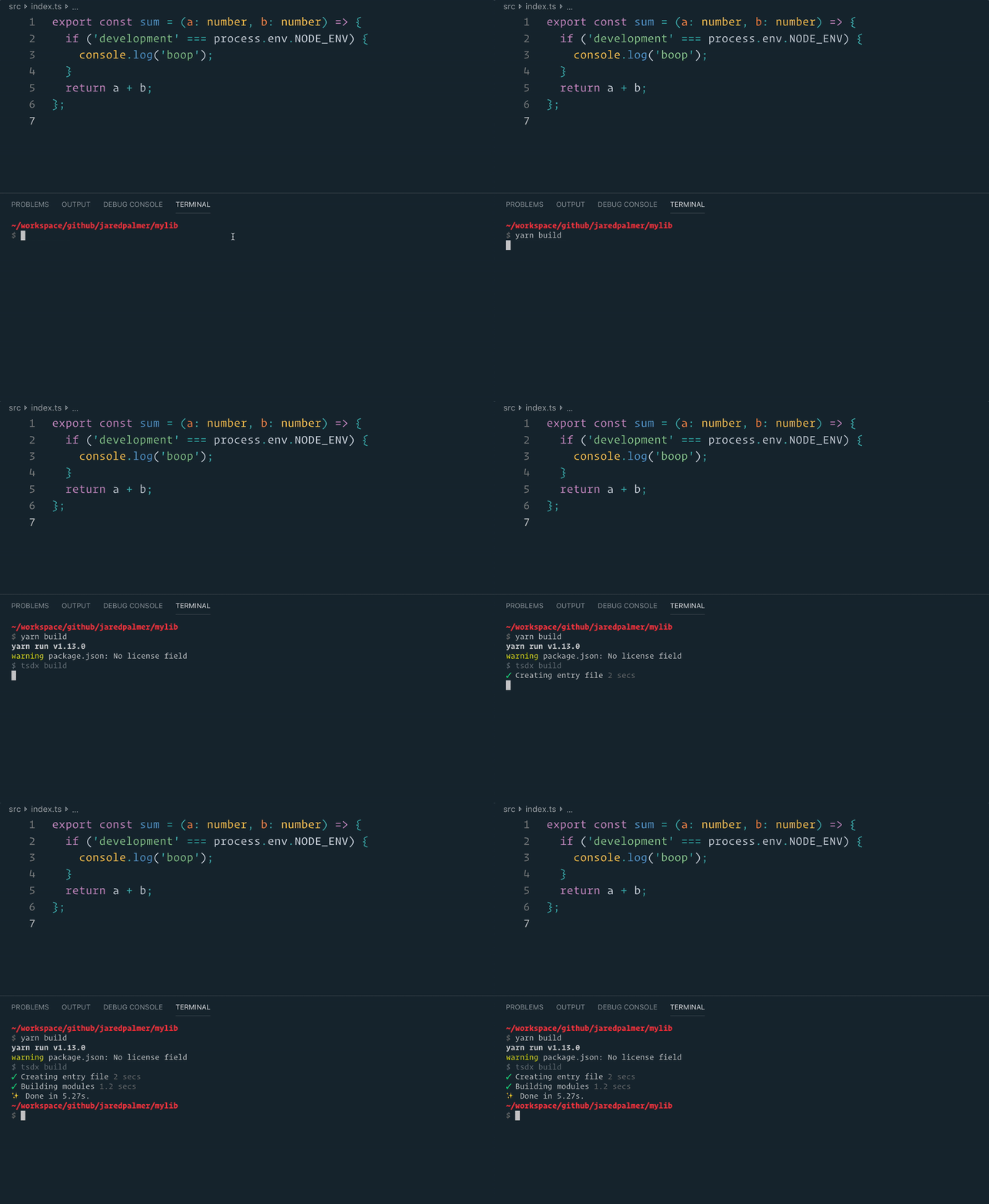
#### `npm run build` or `yarn build`
Bundles the package to the `dist` folder.
The package is optimized and bundled with Rollup into multiple formats (CommonJS, UMD, and ES Module).
Your library will be rebuilt if you make edits.
#### `npm run build` or `yarn build`
Bundles the package to the `dist` folder.
The package is optimized and bundled with Rollup into multiple formats (CommonJS, UMD, and ES Module).
 #### `npm test` or `yarn test`
Runs the test watcher (Jest) in an interactive mode.
By default, runs tests related to files changed since the last commit.
---
_Source: https://npm.io/package/clio-ts · Machine-readable twin of the npm.io package page. Health data is recomputed on every publish._
#### `npm test` or `yarn test`
Runs the test watcher (Jest) in an interactive mode.
By default, runs tests related to files changed since the last commit.
---
_Source: https://npm.io/package/clio-ts · Machine-readable twin of the npm.io package page. Health data is recomputed on every publish._