# cnk-floating-button
> An animated button component for React.
Latest version **1.0.1** (published 2018-10-26) · ISC license · 0 weekly downloads
## Install
```sh
npm install cnk-floating-button
pnpm add cnk-floating-button
yarn add cnk-floating-button
bun add cnk-floating-button
```
## Health
**Score 15/100 (F)** — status: abandoned.
Positive: no vulnerabilities.
Warnings: low downloads; no types; no esm support.
Negative: abandoned; low maintenance score.
## Facts
| | |
|---|---|
| Version | 1.0.1 |
| Published | 2018-10-26 |
| First published | 2018-10-26 |
| Weekly downloads | 0 |
| License | ISC |
| TypeScript types | none |
| Module format | CommonJS |
| Dependencies | 3 |
| Unpacked size | 8.1 KB |
| Known vulnerabilities | 0 |
| Install scripts | no |
| GitHub stars | 3 |
| Author | Ceyhun Keklik |
| Maintainers | ceyhunkeklik |
| Keywords | react, button, component, floating, animated |
## Links
- npm: https://www.npmjs.com/package/cnk-floating-button
- Repository: https://github.com/ceyhunkeklik/cnk-floating-button
- Homepage: https://github.com/ceyhunkeklik/cnk-floating-button#readme
- Issues: https://github.com/ceyhunkeklik/cnk-floating-button/issues
- npm.io page: https://npm.io/package/cnk-floating-button
## Dependencies (3)
- [prop-types](https://npm.io/package/prop-types.md) ^15.6.2
- [semantic-ui-css](https://npm.io/package/semantic-ui-css.md) ^2.4.1
- [semantic-ui-react](https://npm.io/package/semantic-ui-react.md) ^0.83.0
## Alternatives
- [mobx-react](https://npm.io/package/mobx-react.md) — 2.8M weekly downloads
- [rc-tree](https://npm.io/package/rc-tree.md) — 2.6M weekly downloads
- [@react-oauth/google](https://npm.io/package/@react-oauth/google.md) — 1.3M weekly downloads
- [@wagmi/connectors](https://npm.io/package/@wagmi/connectors.md) — 877.0K weekly downloads
- [vee-validate](https://npm.io/package/vee-validate.md) — 836.4K weekly downloads
## Recent versions
- 1.0.1 (latest) — 2018-10-26
## README
### CNK-Floating-Button
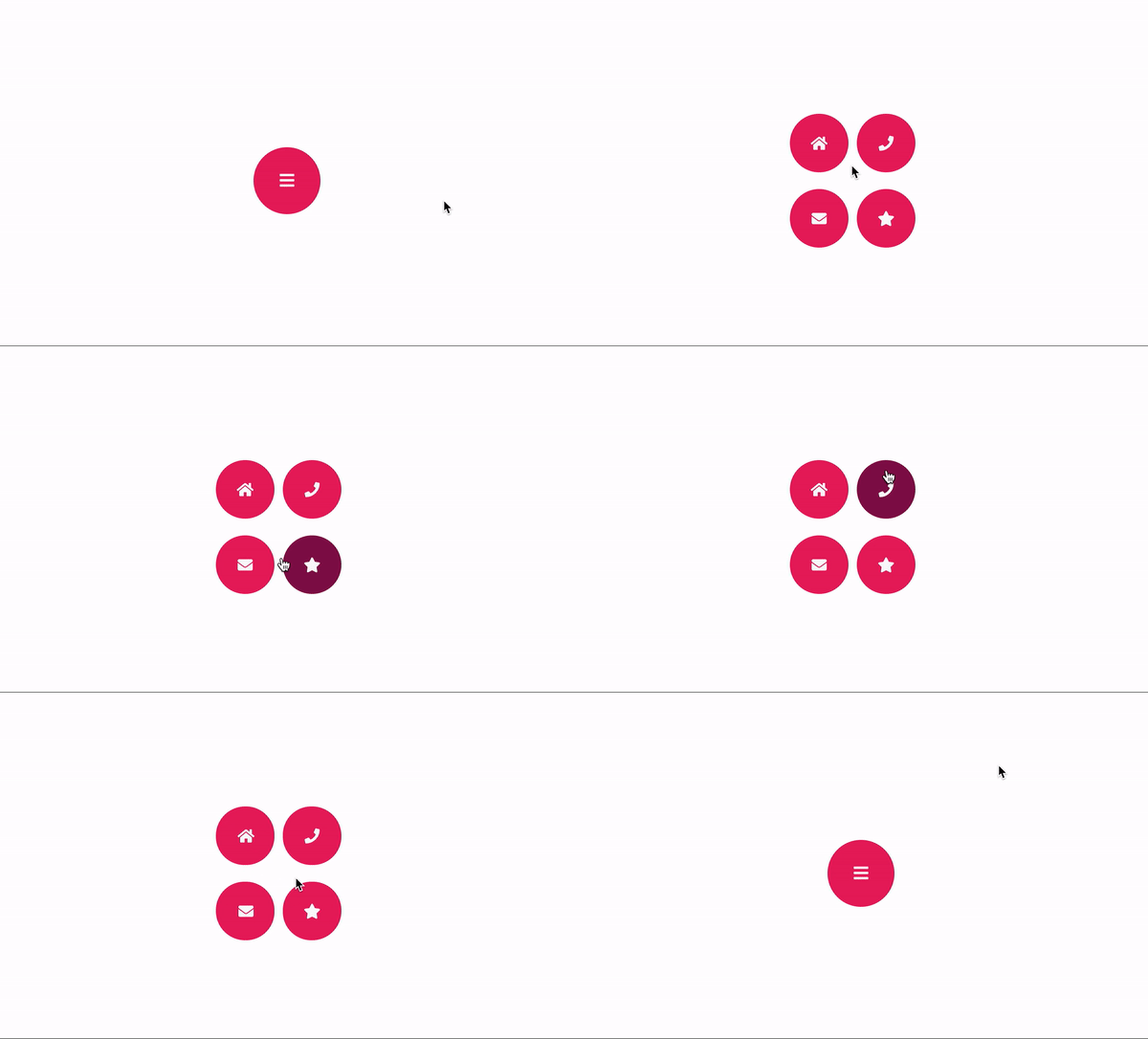
An animated button component built with React.
### Installation
```bash
npm install cnk-floating-button --save
```
### Example
```js
import React from "react";
import { render } from "react-dom";
import CNKFloatingButton from "../../src";
const buttonConfigurations = {
button1: {
iconName: "home",
onClick: () => {
console.log("Button1: Clicked");
}
},
button2: {
iconName: "phone",
onClick: () => {
console.log("Button2: Clicked");
}
},
button3: {
iconName: "envelope",
onClick: () => {
console.log("Button3: Clicked");
}
},
button4: {
iconName: "star",
onClick: () => {
console.log("Button4: Clicked");
}
}
};
const App = () => (
);
render(, document.getElementById("root"));
```
### Component Props
| Prop | Value |
|--|--|
| text | [String]: Label of the main button |
| iconName | [String]: Icon name of the main button. We use [semantic ui](https://react.semantic-ui.com/elements/icon/) library for icons. |
| size | [Number]: Width and Height's value of main button. One value for all of them.|
|fontSize|[Number]: Font Size of the Text or Icon.|
|button1|[Object]: Child button configuration for top-left |
|button2|[Object]: Child button configuration for top-right |
|button3|[Object]: Child button configuration for bottom-left |
|button4|[Object]: Child button configuration for bottom-right |
**Note: At least one button configuration must be valid**
### Child Button Configuration
| Prop | Value |
|--|--|
| text | [String]: Label of the button |
| iconName | [String]: Icon name of the button. We use [semantic ui](https://react.semantic-ui.com/elements/icon/) library for icons. |
|fontSize|[Number]: Font Size of the Text or Icon.|
|onClick|[Function][Required]: OnClick event for the button. |
|backgroundColor|[String]: Background Color of the Button. This must be valid css color. |
|foregroundColor|[String]: Foreground Color of the Button for Text or Icon. This must be valid css color. |
|hoverBackgroundColor|[String]: Hover effect background color of the button. This must be valid css color. |
---
_Source: https://npm.io/package/cnk-floating-button · Machine-readable twin of the npm.io package page. Health data is recomputed on every publish._