# color-disc
> Disc color picker for the web
Latest version **1.0.2** (published 2019-07-17) · MIT license · 0 weekly downloads
## Install
```sh
npm install color-disc
pnpm add color-disc
yarn add color-disc
bun add color-disc
```
## Health
**Score 15/100 (F)** — status: abandoned.
Positive: no vulnerabilities.
Warnings: low downloads; no types; no esm support.
Negative: abandoned; low maintenance score.
## Facts
| | |
|---|---|
| Version | 1.0.2 |
| Published | 2019-07-17 |
| First published | 2019-06-22 |
| Weekly downloads | 0 |
| License | MIT |
| TypeScript types | none |
| Module format | CommonJS |
| Dependencies | 0 |
| Unpacked size | 48.4 KB |
| Known vulnerabilities | 0 |
| Install scripts | no |
| GitHub stars | 16 |
| Author | Jakub Antolak |
| Maintainers | afternoon2 |
| Keywords | color, picker, colors, design, tool |
## Links
- npm: https://www.npmjs.com/package/color-disc
- Repository: https://github.com/afternoon2/color-disc
- Homepage: https://github.com/afternoon2/color-disc#readme
- Issues: https://github.com/afternoon2/color-disc/issues
- npm.io page: https://npm.io/package/color-disc
## Alternatives
- [postcss-color-hex-alpha](https://npm.io/package/postcss-color-hex-alpha.md) — 6.4M weekly downloads
- [randomcolor](https://npm.io/package/randomcolor.md) — 348.0K weekly downloads
- [bows](https://npm.io/package/bows.md) — 1.3K weekly downloads
- [ep_prefer_color_scheme](https://npm.io/package/ep_prefer_color_scheme.md) — 260 weekly downloads
- [coc-yank](https://npm.io/package/coc-yank.md) — 61 weekly downloads
## Recent versions
- 1.0.2 (latest) — 2019-07-17
- 1.0.1 — 2019-06-22
- 1.0.0 — 2019-06-22
## README
# ColorDisc.js
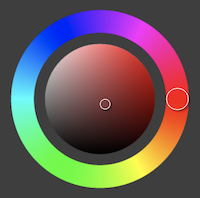
## [Procreate](https://procreate.art/)-like disc color picker for the web
[](https://www.webcomponents.org/element/color-disc)
[Demo on CodePen](https://codepen.io/jakub_antolak/pen/LKxzpJ)
## Installation
### Yarn/npm
`yarn add color-disc`
`npm install --save color-disc`
Add this snippet to your root javascript file:
```javascript
import 'color-disc';
```
### CDN
``
## Usage
Add `color-disc` to your HTML markup:
```html
```
Where
- `size` - is a number (in pixels, defaults to 390px)
- `format` - is an output color format - `hsl`, `rgb` or `hex` (defaults to hsl)
To read the picked color use `element.getAttribute()` method:
```javascript
const color = document
.querySelector('color-disc')
.getAttribute('color');
```
---
_Source: https://npm.io/package/color-disc · Machine-readable twin of the npm.io package page. Health data is recomputed on every publish._