# command-line-usage
> Generates command-line usage information
Latest version **7.0.4** (published 2026-03-02) · MIT license · 0 weekly downloads
## Install
```sh
npm install command-line-usage
pnpm add command-line-usage
yarn add command-line-usage
bun add command-line-usage
```
## Health
**Score 58/100 (C)** — status: stable.
Positive: has types package; esm support; no vulnerabilities; high quality score.
Warnings: low downloads.
## Facts
| | |
|---|---|
| Version | 7.0.4 |
| Published | 2026-03-02 |
| First published | 2015-06-28 |
| Weekly downloads | 0 |
| License | MIT |
| TypeScript types | separate (@types/command-line-usage) |
| Module format | ESM |
| Node | >=12.20.0 |
| Dependencies | 4 |
| Unpacked size | 105.8 KB |
| Known vulnerabilities | 0 |
| Install scripts | no |
| GitHub stars | 221 |
| Author | Lloyd Brookes |
| Maintainers | 75lb |
| Keywords | terminal, command line, usage, generator |
## Links
- npm: https://www.npmjs.com/package/command-line-usage
- Repository: https://github.com/75lb/command-line-usage
- Homepage: https://github.com/75lb/command-line-usage#readme
- Issues: https://github.com/75lb/command-line-usage/issues
- npm.io page: https://npm.io/package/command-line-usage
## Dependencies (4)
- [typical](https://npm.io/package/typical.md) ^7.3.0
- [array-back](https://npm.io/package/array-back.md) ^6.2.2
- [table-layout](https://npm.io/package/table-layout.md) ^4.1.1
- [chalk-template](https://npm.io/package/chalk-template.md) ^0.4.0
## Alternatives
- [localforage](https://npm.io/package/localforage.md) — 6.2M weekly downloads
- [localforage-observable](https://npm.io/package/localforage-observable.md) — 30.8K weekly downloads
- [@y/y](https://npm.io/package/@y/y.md) — 30.1K weekly downloads
- [@metaobjectsdev/render](https://npm.io/package/@metaobjectsdev/render.md) — 3.5K weekly downloads
- [@ledgerhq/coin-algorand](https://npm.io/package/@ledgerhq/coin-algorand.md) — 1.1K weekly downloads
## Recent versions
- 7.0.4 (latest) — 2026-03-02
- 7.0.3 — 2024-07-18
- 7.0.2 — 2024-07-06
- 7.0.1 — 2023-03-06
- 7.0.0 — 2023-03-05
- 7.0.0-beta.0 — 2023-02-14
- 6.1.3 — 2022-04-13
- 6.1.2 — 2022-04-01
- 6.1.1 — 2020-11-07
- 6.1.0 — 2019-11-03
- 6.0.2 — 2019-07-05
- 6.0.1 — 2019-07-01
- 6.0.0 — 2019-06-30
- 6.0.0-2 — 2019-06-30
- 6.0.0-1 — 2019-06-27
- … 37 more at https://npm.io/package/command-line-usage/versions
## README
[](https://www.npmjs.org/package/command-line-usage)
[](https://www.npmjs.org/package/command-line-usage)
[](https://github.com/75lb/command-line-usage/network/dependents?dependent_type=REPOSITORY)
[](https://github.com/75lb/command-line-usage/network/dependents?dependent_type=PACKAGE)
[](https://github.com/75lb/command-line-usage/actions/workflows/node.js.yml)
# command-line-usage
***Upgraders, please check the [release notes](https://github.com/75lb/command-line-usage/releases).***
A simple, data-driven module for creating a usage guide.
## Synopsis
A usage guide is created by first defining an arbitrary number of sections, e.g. a description section, synopsis, option list, examples, footer etc. Each section has an optional header, some content and must be of type [`content`](https://github.com/75lb/command-line-usage/blob/master/doc/api.md#module_command-line-usage--commandLineUsage..content) or [`optionList`](https://github.com/75lb/command-line-usage/blob/master/doc/api.md#module_command-line-usage--commandLineUsage..optionList). This section data is passed to [`commandLineUsage()`](https://github.com/75lb/command-line-usage/blob/master/doc/api.md#exp_module_command-line-usage--commandLineUsage) which returns a usage guide.
Inline ansi formatting can be used anywhere within section content using [chalk template literal syntax](https://github.com/chalk/chalk/tree/v2.4.2#tagged-template-literal).
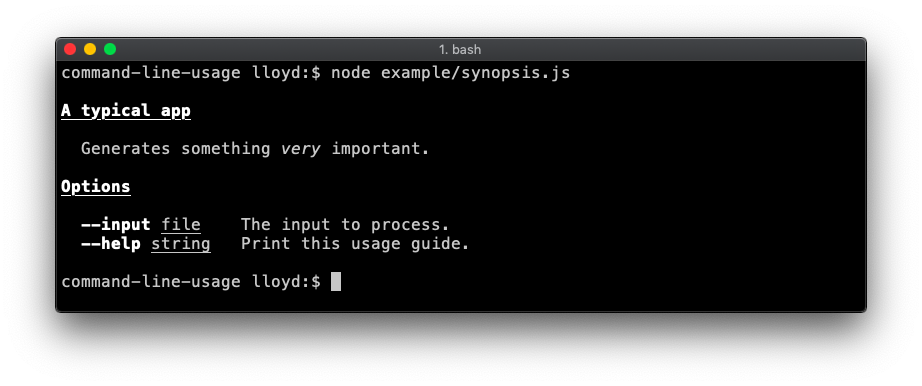
For example, this script:
```js
import commandLineUsage from 'command-line-usage'
const sections = [
{
header: 'A typical app',
content: 'Generates something {italic very} important.'
},
{
header: 'Options',
optionList: [
{
name: 'input',
typeLabel: '{underline file}',
description: 'The input to process.'
},
{
name: 'help',
description: 'Print this usage guide.'
}
]
}
]
const usage = commandLineUsage(sections)
console.log(usage)
```
Outputs this guide:
 ## Some examples
### Typical
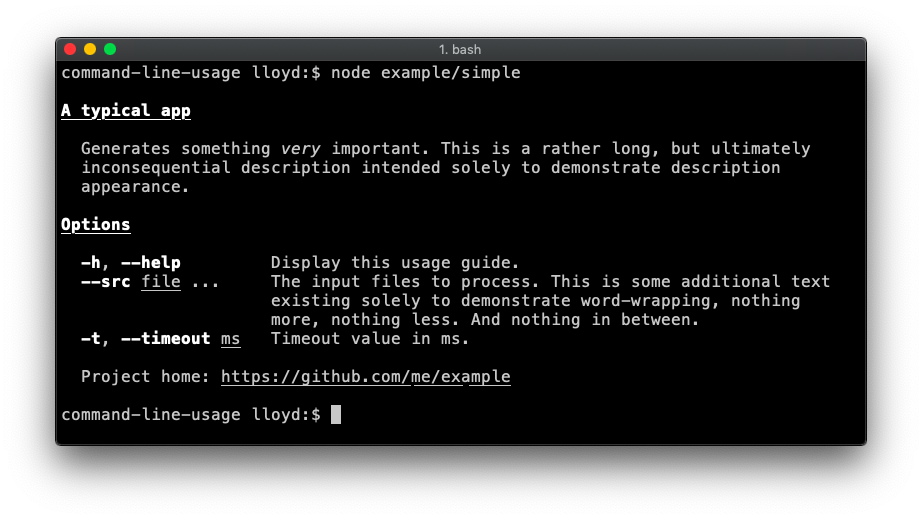
A fairly typical usage guide with three sections - description, option list and footer. [Code](https://github.com/75lb/command-line-usage/wiki/How-to-create-a-typical-usage-guide).
## Some examples
### Typical
A fairly typical usage guide with three sections - description, option list and footer. [Code](https://github.com/75lb/command-line-usage/wiki/How-to-create-a-typical-usage-guide).
 ### Option List groups
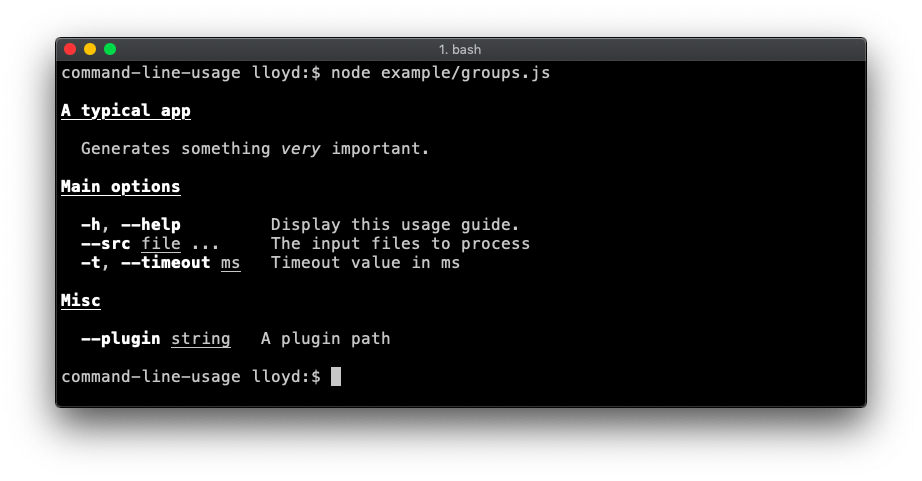
Demonstrates breaking the option list up into groups. [Code](https://github.com/75lb/command-line-usage/wiki/How-to-break-the-option-list-up-into-groups).
### Option List groups
Demonstrates breaking the option list up into groups. [Code](https://github.com/75lb/command-line-usage/wiki/How-to-break-the-option-list-up-into-groups).
 ### Banners
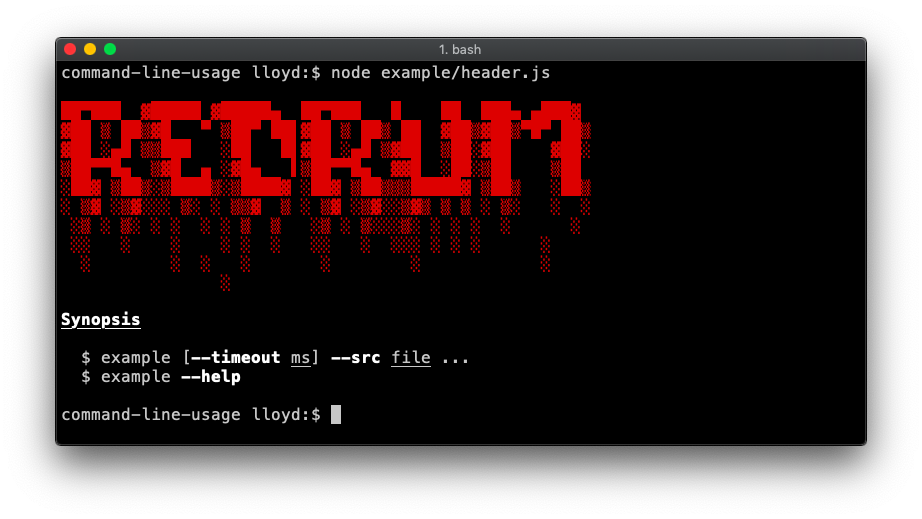
A banner is created by adding the `raw: true` property to your `content`. This flag disables any formatting on the content, displaying it raw as supplied.
#### Header
Demonstrates a banner at the top. This example also adds a `synopsis` section. [Code](https://github.com/75lb/command-line-usage/wiki/How-to-add-a-banner-to-your-usage-guide#code).
### Banners
A banner is created by adding the `raw: true` property to your `content`. This flag disables any formatting on the content, displaying it raw as supplied.
#### Header
Demonstrates a banner at the top. This example also adds a `synopsis` section. [Code](https://github.com/75lb/command-line-usage/wiki/How-to-add-a-banner-to-your-usage-guide#code).
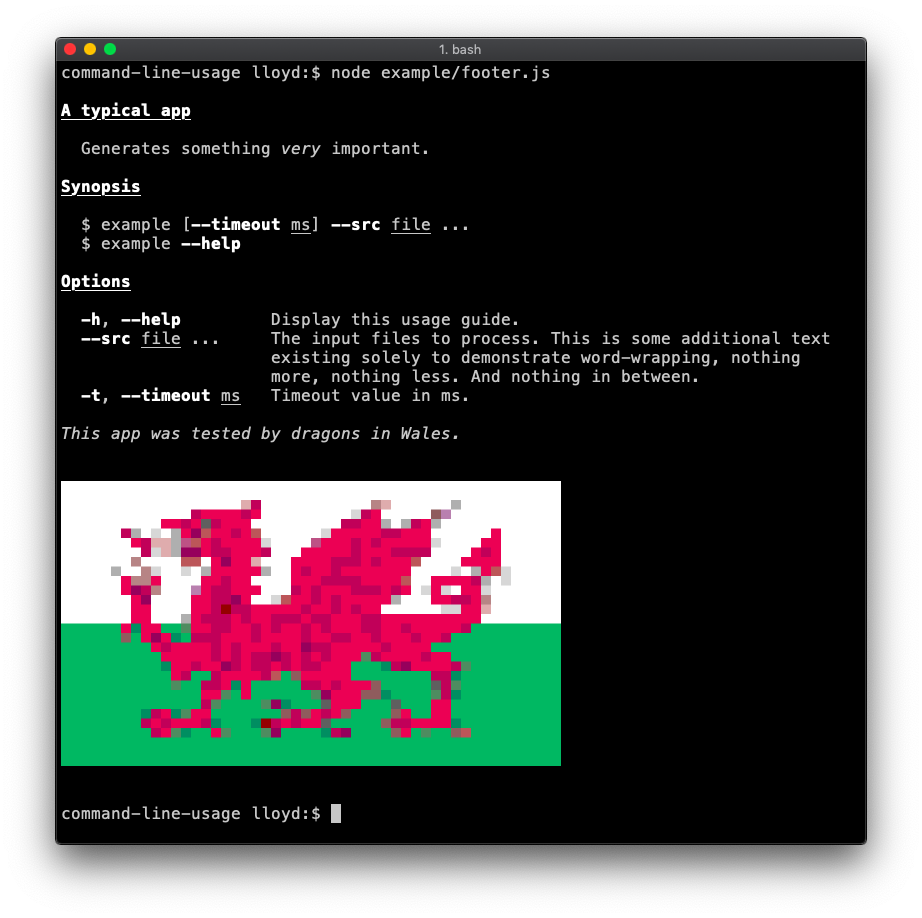
 #### Footer
Demonstrates a footer banner. [Code](https://github.com/75lb/command-line-usage/wiki/How-to-add-a-banner-to-your-usage-guide#code-1).
#### Footer
Demonstrates a footer banner. [Code](https://github.com/75lb/command-line-usage/wiki/How-to-add-a-banner-to-your-usage-guide#code-1).
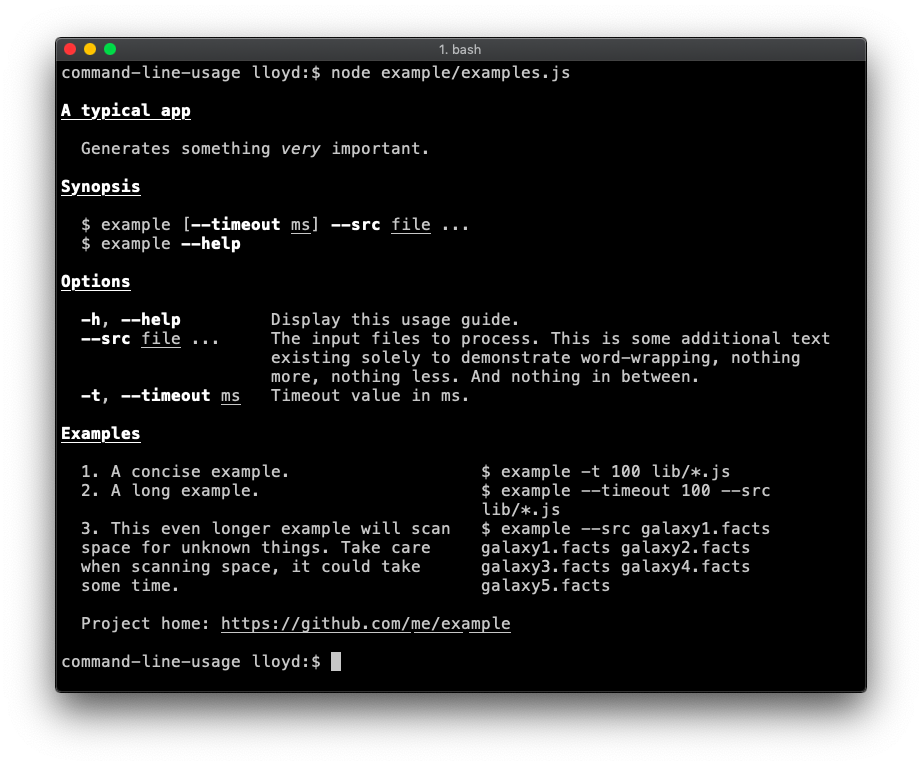
 ### Examples section (table layout)
An examples section is added. To achieve this table layout, supply the `content` as an array of objects. The property names of each object are not important, so long as they are consistent throughout the array. [Code](https://github.com/75lb/command-line-usage/wiki/How-to-add-an-examples-section-to-your-usage-guide).
### Examples section (table layout)
An examples section is added. To achieve this table layout, supply the `content` as an array of objects. The property names of each object are not important, so long as they are consistent throughout the array. [Code](https://github.com/75lb/command-line-usage/wiki/How-to-add-an-examples-section-to-your-usage-guide).
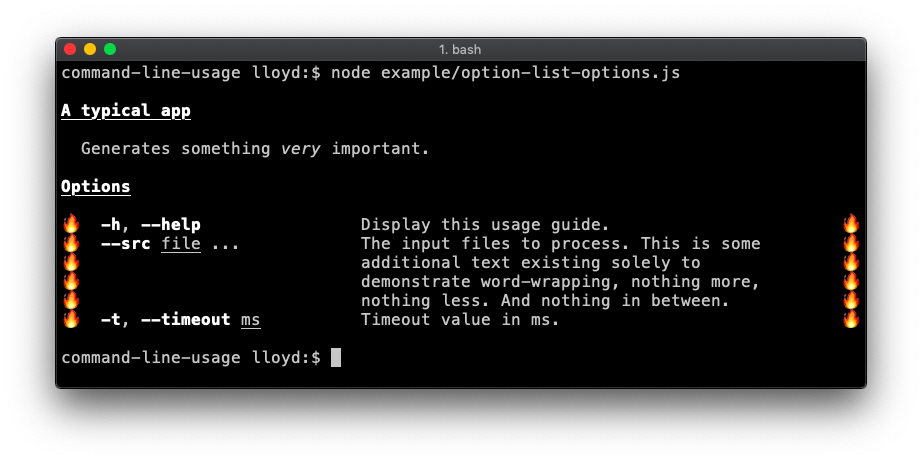
 ### Advanced optionList layout
The `optionList` layout is fully configurable by setting the `tableOptions` property with an options object suitable for passing into [table-layout](https://github.com/75lb/table-layout#table-). This example overrides the default column widths and adds flame padding. [Code](https://github.com/75lb/command-line-usage/wiki/How-to-use-advanced-optionList-table-formatting).
### Advanced optionList layout
The `optionList` layout is fully configurable by setting the `tableOptions` property with an options object suitable for passing into [table-layout](https://github.com/75lb/table-layout#table-). This example overrides the default column widths and adds flame padding. [Code](https://github.com/75lb/command-line-usage/wiki/How-to-use-advanced-optionList-table-formatting).
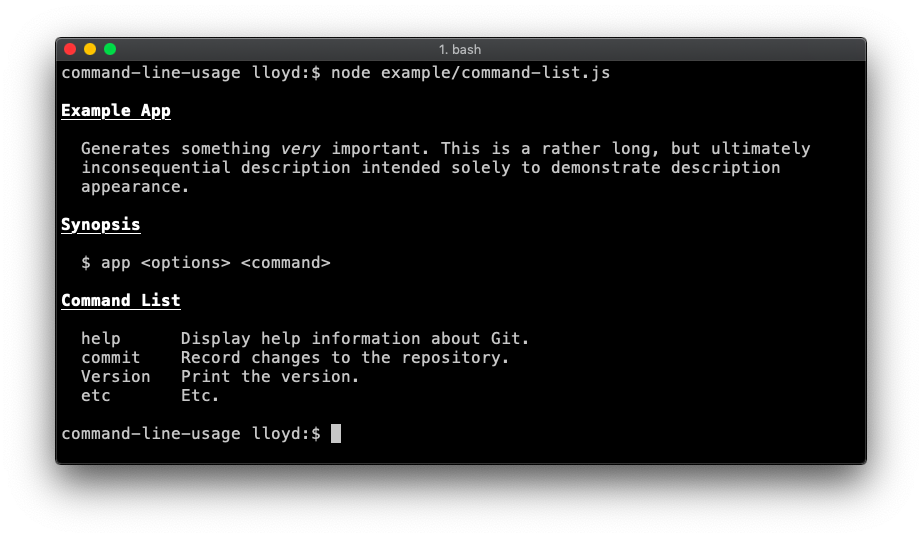
 ### Command list
Useful if your app is command-driven, like git or npm. [Code](https://github.com/75lb/command-line-usage/wiki/How-to-add-a-command-list-to-your-usage-guide).
### Command list
Useful if your app is command-driven, like git or npm. [Code](https://github.com/75lb/command-line-usage/wiki/How-to-add-a-command-list-to-your-usage-guide).
 ### Description section (table layout)
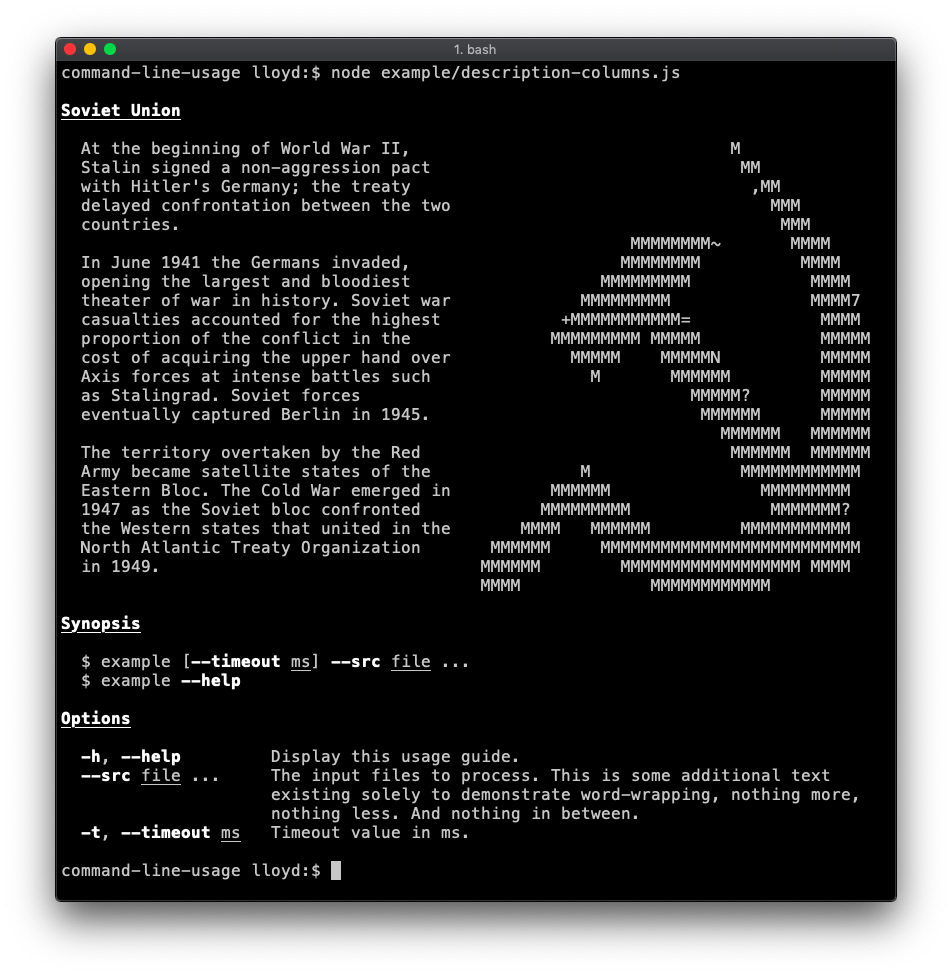
Demonstrates supplying specific [table layout](https://github.com/75lb/table-layout) options to achieve more advanced layout. In this case the second column (containing the hammer and sickle) has a fixed `width` of 40 and `noWrap` enabled (as the input is already formatted as desired). [Code](https://github.com/75lb/command-line-usage/wiki/How-to-add-a-description-section-to-your-usage-guide).
### Description section (table layout)
Demonstrates supplying specific [table layout](https://github.com/75lb/table-layout) options to achieve more advanced layout. In this case the second column (containing the hammer and sickle) has a fixed `width` of 40 and `noWrap` enabled (as the input is already formatted as desired). [Code](https://github.com/75lb/command-line-usage/wiki/How-to-add-a-description-section-to-your-usage-guide).
 ### Real-life
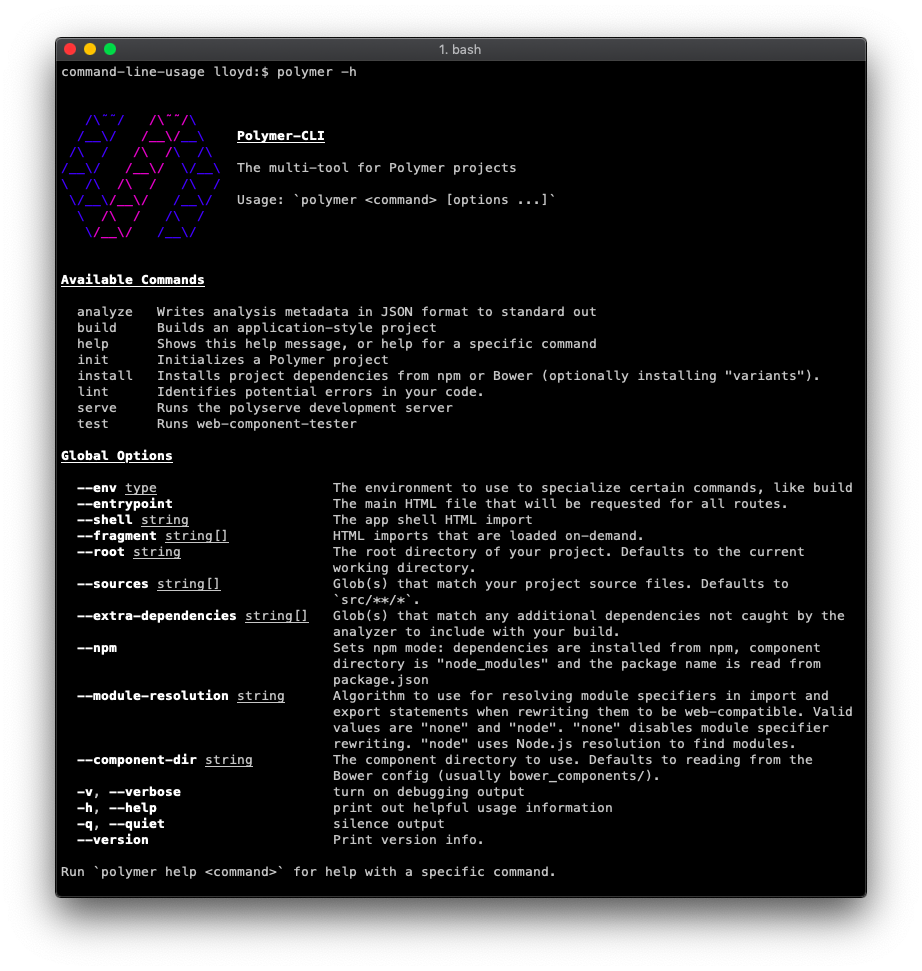
The [polymer-cli](https://github.com/Polymer/tools/tree/master/packages/cli) usage guide is a good real-life example.
### Real-life
The [polymer-cli](https://github.com/Polymer/tools/tree/master/packages/cli) usage guide is a good real-life example.
 ## Documentation
* [API Reference](https://github.com/75lb/command-line-usage/blob/master/doc/api.md)
* [The full list of examples](https://github.com/75lb/command-line-usage/wiki)
* * *
© 2015-26 Lloyd Brookes \. Documented by [jsdoc-to-markdown](https://github.com/75lb/jsdoc-to-markdown).
---
_Source: https://npm.io/package/command-line-usage · Machine-readable twin of the npm.io package page. Health data is recomputed on every publish._
## Documentation
* [API Reference](https://github.com/75lb/command-line-usage/blob/master/doc/api.md)
* [The full list of examples](https://github.com/75lb/command-line-usage/wiki)
* * *
© 2015-26 Lloyd Brookes \. Documented by [jsdoc-to-markdown](https://github.com/75lb/jsdoc-to-markdown).
---
_Source: https://npm.io/package/command-line-usage · Machine-readable twin of the npm.io package page. Health data is recomputed on every publish._