# coolboy-sdk
> Contains Search Patents, Image, PDF...
Latest version **5.4.3** (published 2021-01-12) · MIT license · 0 weekly downloads
## Install
```sh
npm install coolboy-sdk
pnpm add coolboy-sdk
yarn add coolboy-sdk
bun add coolboy-sdk
```
## Health
**Score 15/100 (F)** — status: abandoned.
Positive: no vulnerabilities.
Warnings: low downloads; no types; no esm support.
Negative: abandoned; low maintenance score.
## Facts
| | |
|---|---|
| Version | 5.4.3 |
| Published | 2021-01-12 |
| First published | 2021-01-12 |
| Weekly downloads | 0 |
| License | MIT |
| TypeScript types | none |
| Module format | CommonJS |
| Dependencies | 2 |
| Unpacked size | 97.1 KB |
| Known vulnerabilities | 0 (+1 in 1 direct dependencies) |
| Install scripts | no |
| Author | Inquartik |
| Maintainers | absar31313 |
## Links
- npm: https://www.npmjs.com/package/coolboy-sdk
- Repository: https://github.com/username/repository
- Homepage: https://github.com/username/repository#readme
- npm.io page: https://npm.io/package/coolboy-sdk
## Dependencies (2)
- [moment](https://npm.io/package/moment.md) ^2.17.1
- [request](https://npm.io/package/request.md) ^2.55.0
## Recent versions
- 5.4.3 (latest) — 2021-01-12
## README
# Getting started
Contains Search Patents, Image, PDF...
## How to Build
The generated SDK relies on [Node Package Manager](https://www.npmjs.com/) (NPM) being available to resolve dependencies. If you don't already have NPM installed, please go ahead and follow instructions to install NPM from [here](https://nodejs.org/en/download/).
The SDK also requires Node to be installed. If Node isn't already installed, please install it from [here](https://nodejs.org/en/download/)
> NPM is installed by default when Node is installed
To check if node and npm have been successfully installed, write the following commands in command prompt:
* `node --version`
* `npm -version`
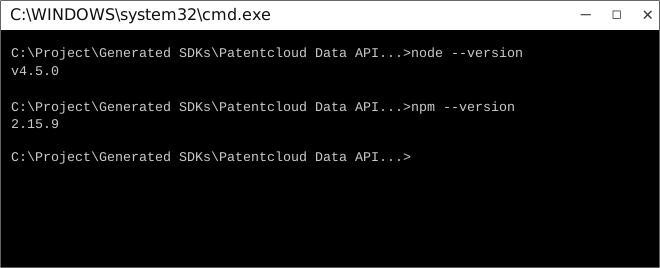
Now use npm to resolve all dependencies by running the following command in the root directory (of the SDK folder):
```bash
npm install
```
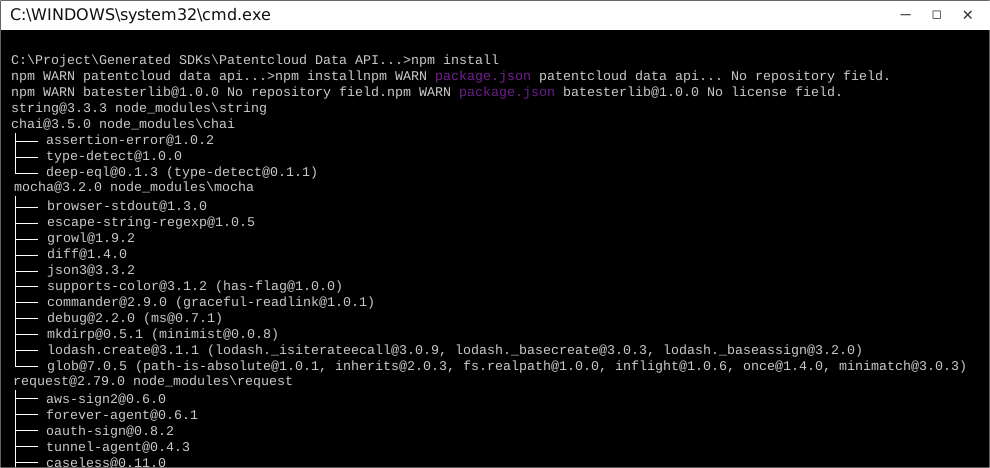
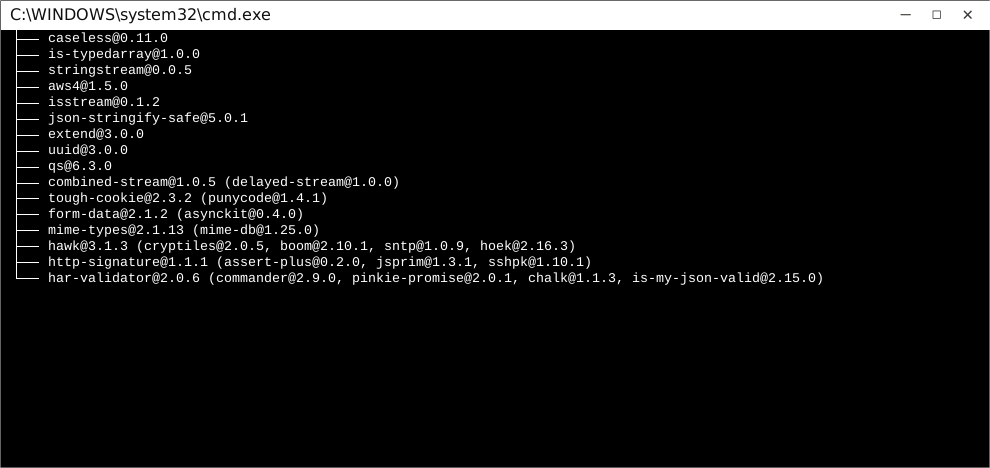
This will install all dependencies in the `node_modules` folder.
Once dependencies are resolved, you will need to move the folder `CoolboySdk ` in to your `node_modules` folder.
## How to Use
The following section explains how to use the library in a new project.
### 1. Open Project Folder
Open an IDE/Text Editor for JavaScript like Sublime Text. The basic workflow presented here is also applicable if you prefer using a different editor or IDE.
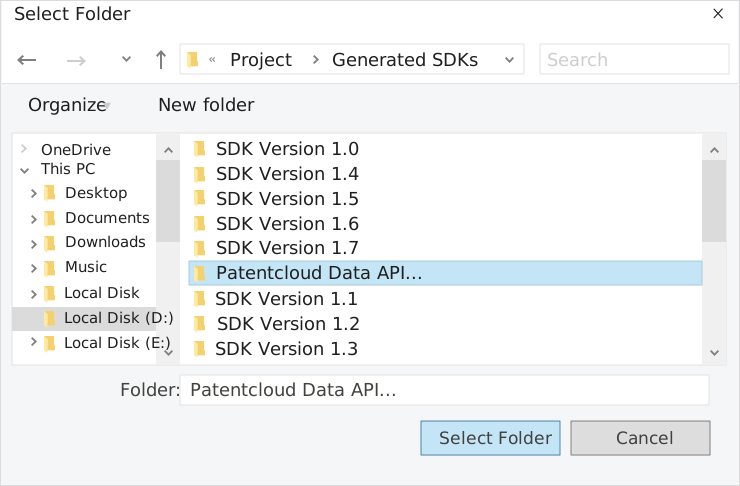
Click on `File` and select `Open Folder`.
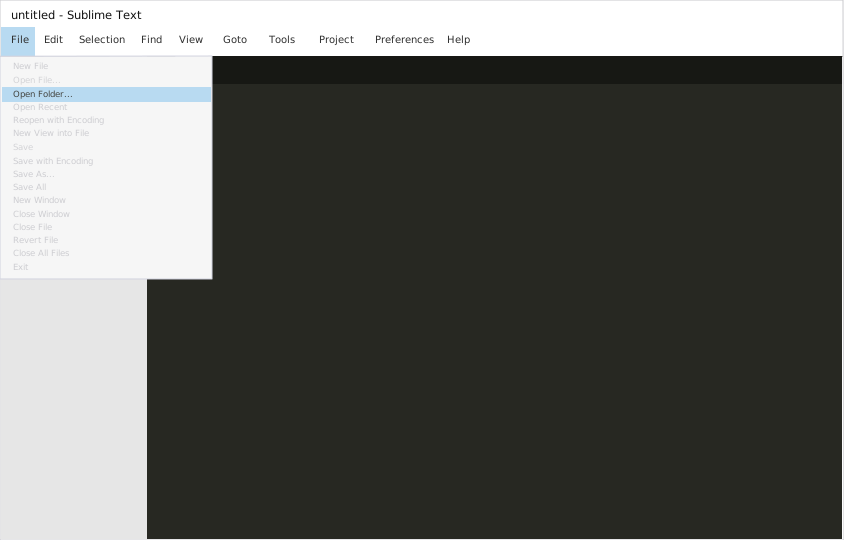
Select the folder of your SDK and click on `Select Folder` to open it up in Sublime Text. The folder will become visible in the bar on the left.
### 2. Creating a Test File
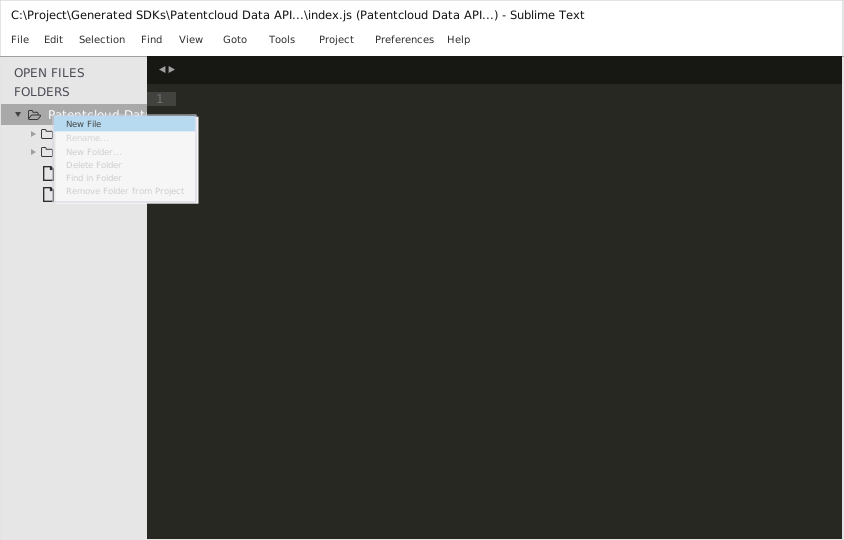
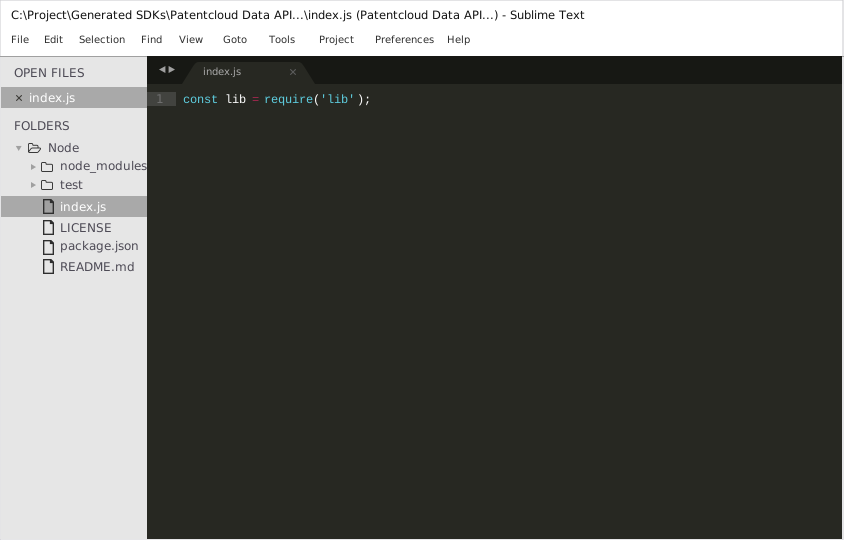
Now right click on the folder name and select the `New File` option to create a new test file. Save it as `index.js` Now import the generated NodeJS library using the following lines of code:
```js
var lib = require('lib');
```
Save changes.
### 3. Running The Test File
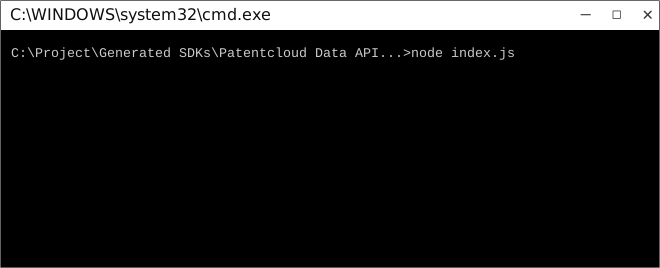
To run the `index.js` file, open up the command prompt and navigate to the Path where the SDK folder resides. Type the following command to run the file:
```
node index.js
```
## How to Test
These tests use Mocha framework for testing, coupled with Chai for assertions. These dependencies need to be installed for tests to run.
Tests can be run in a number of ways:
### Method 1 (Run all tests)
1. Navigate to the root directory of the SDK folder from command prompt.
2. Type `mocha --recursive` to run all the tests.
### Method 2 (Run all tests)
1. Navigate to the `../test/Controllers/` directory from command prompt.
2. Type `mocha *` to run all the tests.
### Method 3 (Run specific controller's tests)
1. Navigate to the `../test/Controllers/` directory from command prompt.
2. Type `mocha Patentcloud Data API ServiceController` to run all the tests in that controller file.
> To increase mocha's default timeout, you can change the `TEST_TIMEOUT` parameter's value in `TestBootstrap.js`.

## Initialization
### Authentication
In order to setup authentication in the API client, you need the following information.
| Parameter | Description |
|-----------|-------------|
| oAuthClientId | OAuth 2 Client ID |
| oAuthClientSecret | OAuth 2 Client Secret |
| oAuthUsername | OAuth 2 Resource Owner Username |
| oAuthPassword | OAuth 2 Resource Owner Password |
API client can be initialized as following:
```JavaScript
const lib = require('lib');
// Configuration parameters and credentials
lib.Configuration.oAuthClientId = "oAuthClientId"; // OAuth 2 Client ID
lib.Configuration.oAuthClientSecret = "oAuthClientSecret"; // OAuth 2 Client Secret
lib.Configuration.oAuthUsername = "oAuthUsername"; // OAuth 2 Resource Owner Username
lib.Configuration.oAuthPassword = "oAuthPassword"; // OAuth 2 Resource Owner Password
```
You must now authorize the client.
### Authorizing your client
Your application must obtain user authorization before it can execute an endpoint call.
This SDK uses *OAuth 2.0 authorization* to authorize the client.
The `authorize()` method will exchange the user's credentials for an *access token*.
The access token is an object containing information for authorizing client requests and refreshing the token itself.
You must pass the *[scopes](#scopes)* for which you need permission to access.
```JavaScript
const tokenPromise = oAuthManager.authorize([lib.OAuthScopeEnum.CLIENT]);
```
The Node.js SDK supports both callbacks and promises. So, the authorize call returns a promise and also returns response back in the callback (if one is provided)
The client can now make authorized endpoint calls.
### Scopes
Scopes enable your application to only request access to the resources it needs while enabling users to control the amount of access they grant to your application. Available scopes are defined in the `lib/Models/OAuthScopeEnum` enumeration.
| Scope Name | Description |
| --- | --- |
| `CLIENT` | access data api |
### Refreshing token
Access tokens may expire after sometime. To extend its lifetime, you must refresh the token.
```JavaScript
const refreshPromise = oAuthManager.refreshToken();
refreshPromise.then(() => {
// token has been refreshed
} , (exception) => {
// error occurred, exception will be of type lib/Exceptions/OAuthProviderException
});
```
If a token expires, the SDK will attempt to automatically refresh the token before the next endpoint call which requires authentication.
### Storing an access token for reuse
It is recommended that you store the access token for reuse.
This code snippet stores the access token in a session for an express application. It uses the [cookie-parser](https://www.npmjs.com/package/cookie-parser) and [cookie-session](https://www.npmjs.com/package/cookie-session) npm packages for storing the access token.
```JavaScript
const express = require('express');
const cookieParser = require('cookie-parser');
const cookieSession = require('cookie-session');
const app = express();
app.use(cookieParser());
app.use(cookieSession({
name: 'session',
keys: ['key1']
}));
const lib = require('lib');
...
// store token in the session
req.session.token = lib.Configuration.oAuthToken;
```
However, since the the SDK will attempt to automatically refresh the token when it expires, it is recommended that you register a **token update callback** to detect any change to the access token.
```JavaScript
lib.Configuration.oAuthTokenUpdateCallback = function(token) {
// getting the updated token
req.session.token = token;
}
```
The token update callback will be fired upon authorization as well as token refresh.
### Creating a client from a stored token
To authorize a client from a stored access token, just set the access token in `Configuration` along with the other configuration parameters before making endpoint calls:
```JavaScript
const express = require('express');
const cookieParser = require('cookie-parser');
const cookieSession = require('cookie-session');
const app = express();
app.use(cookieParser());
app.use(cookieSession({
name: 'session',
keys: ['key1']
}));
const lib = require('lib');
app.get('/', (req, res) => {
lib.Configuration.oAuthToken = req.session.token; // the access token stored in the session
});
```
### Complete example
In this example, `app.js` will check if the access token has been set in the SDK. If it has been, API calls can be made. Otherwise, client has to be authorized first before calling the API.
This example makes use of [node-localstorage](https://www.npmjs.com/package/node-localstorage) for handling data persistence.
#### `app.js`
```JavaScript
const lib = require('lib');
const oAuthManager = lib.OAuthManager;
const LocalStorage = require('node-localstorage').LocalStorage;
const localStorage = new LocalStorage('./scratch');
lib.Configuration.oAuthClientId = 'oAuthClientId'; // OAuth 2 Client ID
lib.Configuration.oAuthClientSecret = 'oAuthClientSecret'; // OAuth 2 Client Secret
lib.Configuration.oAuthUsername = 'oAuthUsername'; // OAuth 2 Resource Owner Username
lib.Configuration.oAuthPassword = 'oAuthPassword'; // OAuth 2 Resource Owner Password
const storedToken = localStorage.getItem('token');
if (storedToken !== null && storedToken !== undefined) {
lib.Configuration.oAuthToken = storedToken;
}
lib.Configuration.oAuthTokenUpdateCallback = function(token) {
// token is the updated access_token
localStorage.setItem('token', token);
};
if (oAuthManager.isTokenSet()) {
// now make API calls as required
} else {
const scopes = [lib.OAuthScopeEnum.CLIENT];
const promise = oAuthManager.authorize(scopes);
promise.then((success) => {
// client authorized. API calls can be made
}, (exception) => {
// error occurred, exception will be of type lib/Exceptions/OAuthProviderException
});
}
```
# Class Reference
## List of Controllers
* [QueryController](#query_controller)
* [ReportController](#report_controller)
* [WsChartController](#ws_chart_controller)
##  QueryController
### Get singleton instance
The singleton instance of the ``` QueryController ``` class can be accessed from the API Client.
```javascript
var controller = lib.QueryController;
```
###  createCurrentAssigneeUsingPOST
> currentAssignee
```javascript
function createCurrentAssigneeUsingPOST(q, version, callback)
```
#### Parameters
| Parameter | Tags | Description |
|-----------|------|-------------|
| q | ``` Required ``` ``` Collection ``` | q |
| version | ``` Required ``` | version |
#### Example Usage
```javascript
var q = ['q'];
var version = 'version';
controller.createCurrentAssigneeUsingPOST(q, version, function(error, response, context) {
});
```
#### Errors
| Error Code | Error Description |
|------------|-------------------|
| 401 | Unauthorized |
| 403 | Forbidden |
| 404 | Not Found |
[Back to List of Controllers](#list_of_controllers)
##  ReportController
### Get singleton instance
The singleton instance of the ``` ReportController ``` class can be accessed from the API Client.
```javascript
var controller = lib.ReportController;
```
###  createUsingPOST
> create
```javascript
function createUsingPOST(q, version, lang, reportTitle, type, callback)
```
#### Parameters
| Parameter | Tags | Description |
|-----------|------|-------------|
| q | ``` Required ``` ``` Collection ``` | q |
| version | ``` Required ``` | version |
| lang | ``` Optional ``` ``` DefaultValue ``` | lang |
| reportTitle | ``` Optional ``` | reportTitle |
| type | ``` Optional ``` ``` DefaultValue ``` | type |
#### Example Usage
```javascript
var q = ['q'];
var version = 'version';
var lang = 'lang';
var reportTitle = 'reportTitle';
var type = 'type';
controller.createUsingPOST(q, version, lang, reportTitle, type, function(error, response, context) {
});
```
#### Errors
| Error Code | Error Description |
|------------|-------------------|
| 401 | Unauthorized |
| 403 | Forbidden |
| 404 | Not Found |
###  createStatusUsingPOST
> status
```javascript
function createStatusUsingPOST(tid, version, callback)
```
#### Parameters
| Parameter | Tags | Description |
|-----------|------|-------------|
| tid | ``` Required ``` | tid |
| version | ``` Required ``` | version |
#### Example Usage
```javascript
var tid = 'tid';
var version = 'version';
controller.createStatusUsingPOST(tid, version, function(error, response, context) {
});
```
#### Errors
| Error Code | Error Description |
|------------|-------------------|
| 401 | Unauthorized |
| 403 | Forbidden |
| 404 | Not Found |
[Back to List of Controllers](#list_of_controllers)
##  WsChartController
### Get singleton instance
The singleton instance of the ``` WsChartController ``` class can be accessed from the API Client.
```javascript
var controller = lib.WsChartController;
```
###  createCurrentAssigneeUsingPOST1
> currentAssignee
```javascript
function createCurrentAssigneeUsingPOST1(q, version, xfl, yfl, callback)
```
#### Parameters
| Parameter | Tags | Description |
|-----------|------|-------------|
| q | ``` Required ``` ``` Collection ``` | q |
| version | ``` Required ``` | version |
| xfl | ``` Required ``` | xfl |
| yfl | ``` Optional ``` | yfl |
#### Example Usage
```javascript
var q = ['q'];
var version = 'version';
var xfl = 'xfl';
var yfl = 'yfl';
controller.createCurrentAssigneeUsingPOST1(q, version, xfl, yfl, function(error, response, context) {
});
```
#### Errors
| Error Code | Error Description |
|------------|-------------------|
| 401 | Unauthorized |
| 403 | Forbidden |
| 404 | Not Found |
[Back to List of Controllers](#list_of_controllers)
---
_Source: https://npm.io/package/coolboy-sdk · Machine-readable twin of the npm.io package page. Health data is recomputed on every publish._