# copy-folder-util
> Recursively copy files from one folder to another folder (CLI tool designed for use in npm package.json scripts)
Latest version **1.2.7** (published 2026-10-05) · MIT license · 0 weekly downloads
## Install
```sh
npm install copy-folder-util
pnpm add copy-folder-util
yarn add copy-folder-util
bun add copy-folder-util
```
Provides the commands `copy-folder`, `copy-folder-util`.
## Health
**Score 70/100 (B)** — status: active.
Positive: has types; esm support; no vulnerabilities; recently updated; high maintenance score; high quality score.
Warnings: low downloads.
## Facts
| | |
|---|---|
| Version | 1.2.7 |
| Published | 2026-10-05 |
| First published | 2022-10-10 |
| Weekly downloads | 0 |
| License | MIT |
| TypeScript types | bundled |
| Module format | ESM |
| Dependencies | 4 |
| Unpacked size | 14.4 KB |
| Known vulnerabilities | 0 |
| Install scripts | no |
| GitHub stars | 3 |
| Author | Center Key |
| Maintainers | pilafmon |
| Keywords | cli, copy, cp, dir, directory, files, folder, recursive, scripts |
## Links
- npm: https://www.npmjs.com/package/copy-folder-util
- Repository: https://github.com/center-key/copy-folder-util
- Issues: https://github.com/center-key/copy-folder-util/issues
- npm.io page: https://npm.io/package/copy-folder-util
## Dependencies (4)
- [chalk](https://npm.io/package/chalk.md) ~6.0
- [slash](https://npm.io/package/slash.md) ~5.1
- [fancy-log](https://npm.io/package/fancy-log.md) ~2.0
- [cli-argv-util](https://npm.io/package/cli-argv-util.md) ~1.5
## Alternatives
- [unionfs](https://npm.io/package/unionfs.md) — 2.2M weekly downloads
- [path-starts-with](https://npm.io/package/path-starts-with.md) — 35.9K weekly downloads
- [redzip](https://npm.io/package/redzip.md) — 1.2K weekly downloads
- [vscode-anymatch](https://npm.io/package/vscode-anymatch.md) — 848 weekly downloads
- [@ledgerhq/coin-filecoin](https://npm.io/package/@ledgerhq/coin-filecoin.md) — 793 weekly downloads
## Recent versions
- 1.2.7 (latest) — 2026-10-05
- 1.2.6 — 2026-08-18
- 1.2.5 — 2026-06-30
- 1.2.4 — 2026-06-05
- 1.2.3 — 2025-12-28
- 1.2.2 — 2025-12-24
- 1.2.1 — 2025-12-18
- 1.2.0 — 2025-11-06
- 1.1.7 — 2025-11-05
- 1.1.6 — 2025-09-29
- 1.1.5 — 2025-03-04
- 1.1.4 — 2024-08-14
- 1.1.3 — 2024-01-02
- 1.1.2 — 2023-11-06
- 1.1.1 — 2023-08-21
- … 8 more at https://npm.io/package/copy-folder-util/versions
## README
# copy-folder-util
 _Recursively copy files from one folder to another folder (CLI tool designed for use in npm package.json scripts)_
[](https://github.com/center-key/copy-folder-util/blob/main/LICENSE.txt)
[](https://www.npmjs.com/package/copy-folder-util)
[](https://github.com/center-key/copy-folder-util/actions/workflows/run-spec-on-push.yaml)
**copy-folder-util** takes a source folder and copies its files and subfolders to a new destination.
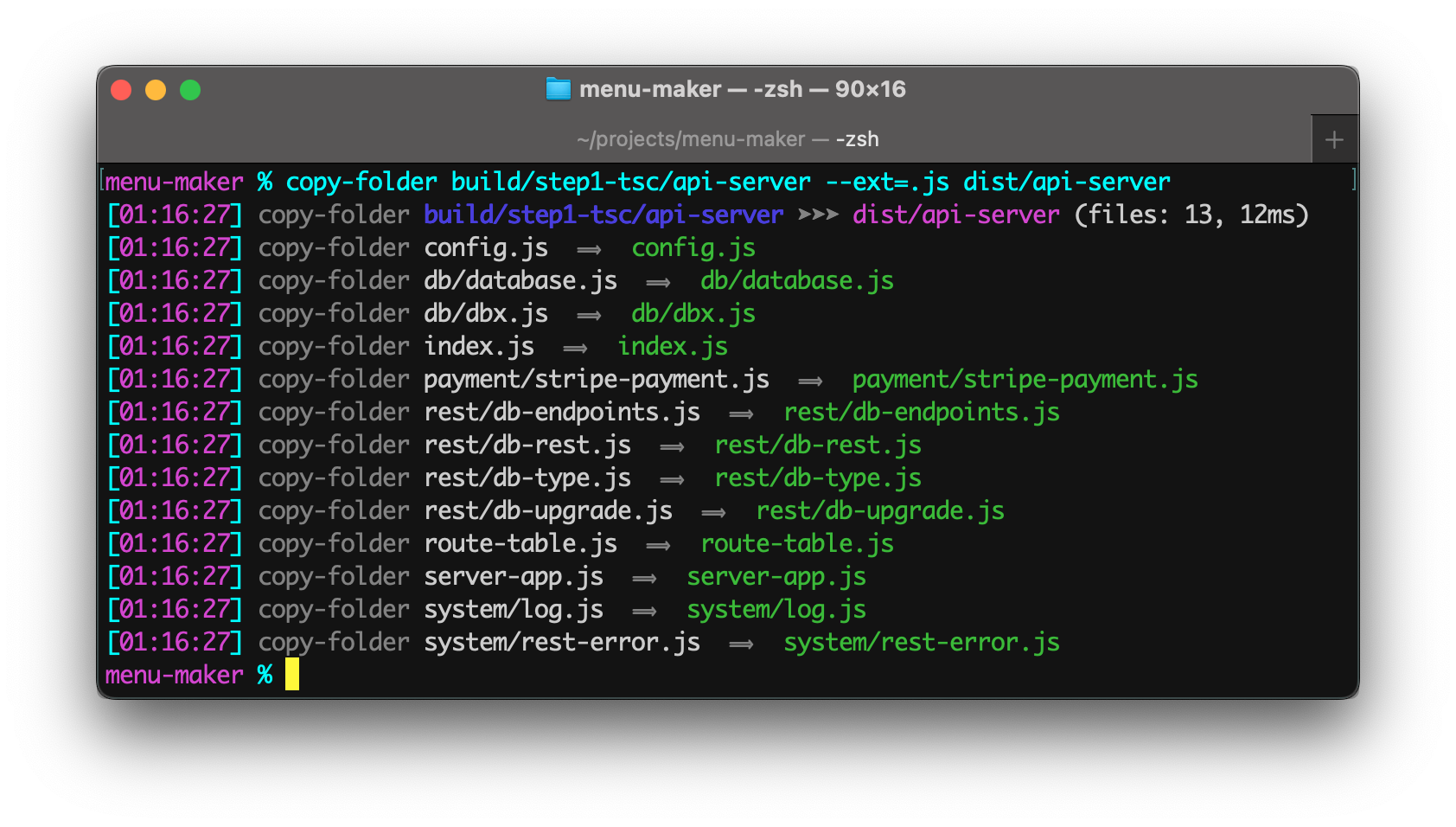
The command's console output includes a timestamp and formatting helpful in build systems.
 ## A) Setup
Install package for node:
```shell
$ npm install --save-dev copy-folder-util
```
## B) Usage
### 1. Synopsis
```
copy-folder [SOURCE] [TARGET]
```
Parameters:
* The **first** parameter is the *source* folder.
* The **second** parameter is the *target* folder.
### 2. npm package.json scripts
Run `copy-folder` from the `"scripts"` section of your **package.json** file.
Example **package.json** scripts:
```json
"scripts": {
"make-dist": "copy-folder build dist",
"make-docs": "copy-folder src/web --ext=.html docs/api-manual"
},
```
### 3. Command-line npx
Example terminal commands:
```shell
$ npm install --save-dev copy-folder-util
$ npx copy-folder src/web ext=.html docs/api-manual
```
You can also install **copy-folder-util** globally (`--global`) and then run it anywhere directly from the terminal.
### 4. CLI flags
Command-line flags:
| Flag | Description | Value |
| ------------ | ----------------------------------------------------- | ---------- |
| `--basename` | Filter files by filename ignoring the file extension. | **string** |
| `--cd` | Change working directory before starting copy. | **string** |
| `--ext` | Filter files by file extension, such as `.js`.
Use a comma to specify multiple extensions. | **string** |
| `--note` | Place to add a comment only for humans. | **string** |
| `--quiet` | Suppress informational messages. | N/A |
| `--summary` | Only print out the single line summary message. | N/A |
### 5. Examples
- `copy-folder build --basename=index dist`
Only copies files with filenames matching `index.*`.
- `copy-folder -cd=spec fixtures mock1`
Copies the folder **spec/fixtures** to **spec/mock1**.
- `copy-folder build dist --summary`
Displays the summary informaion but not informaion about individual files copied.
- `copy-folder 'src/Legal Notices' dist --summary`
Copies a folder that has a space in its name.
- `copy-folder src/web --ext=.js,.html docs`
Copies only the JavaScript and HTML files to the **docs** folder.
> [!NOTE]
> _Single quotes in commands are normalized so they work cross-platform and avoid the errors often encountered on Microsoft Windows._
## C) Application Code
Even though **copy-folder-util** is primarily intended for build scripts, the package can be used programmatically in ESM and TypeScript projects.
Example:
``` typescript
import { copyFolder } from 'copy-folder-util';
const options = { fileExtensions: ['.html', '.js'] };
const results = copyFolder.cp('src/web', 'docs/api-manual', options);
console.info('Number of files copied:', results.count);
```
See the **TypeScript Declarations** at the top of [copy-folder.ts](src/copy-folder.ts) for documentation.
---
[MIT License](LICENSE.txt)
[🛡️ npm Security Aggregator](https://center-key.github.io/npm-security-aggregator/?package=copy-folder-util)
See the `runScriptsConfig` section of [`package.json`](package.json) for a clean way to organize build tasks:
- 🎋 [`add-dist-header`](https://github.com/center-key/add-dist-header) — _Prepend a one-line banner comment (with license notice) to distribution files_
- 📄 [`copy-file-util`](https://github.com/center-key/copy-file-util) — _Copy or rename a file with optional package version number_
- 📂 [`copy-folder-util`](https://github.com/center-key/copy-folder-util) — _Recursively copy files from one folder to another folder_
- 🪺 [`recursive-exec`](https://github.com/center-key/recursive-exec) — _Run a command on each file in a folder and its subfolders_
- 🔍 [`replacer-util`](https://github.com/center-key/replacer-util) — _Find and replace strings or template outputs in text files_
- 🔢 [`rev-web-assets`](https://github.com/center-key/rev-web-assets) — _Revision web asset filenames with cache busting content hash fingerprints_
- 🚆 [`run-scripts-util`](https://github.com/center-key/run-scripts-util) — _Organize npm package.json scripts into groups of easy-to-manage commands_
- 🚦 [`w3c-html-validator`](https://github.com/center-key/w3c-html-validator) — _Check the markup validity of HTML files using the W3C validator_
---
_Source: https://npm.io/package/copy-folder-util · Machine-readable twin of the npm.io package page. Health data is recomputed on every publish._