# corefinancialwidgets
> Render different type of graphics or items
Latest version **3.1.8** (published 2022-05-25) · 0 weekly downloads
## Install
```sh
npm install corefinancialwidgets
pnpm add corefinancialwidgets
yarn add corefinancialwidgets
bun add corefinancialwidgets
```
## Health
**Score 15/100 (F)** — status: abandoned.
Positive: no vulnerabilities.
Warnings: low downloads; no types; no esm support.
Negative: abandoned; low maintenance score.
## Facts
| | |
|---|---|
| Version | 3.1.8 |
| Published | 2022-05-25 |
| First published | 2021-10-13 |
| Weekly downloads | 0 |
| TypeScript types | none |
| Module format | CommonJS |
| Dependencies | 20 |
| Unpacked size | 3.3 MB |
| Known vulnerabilities | 0 (+23 in 1 direct dependencies) |
| Install scripts | no |
| Maintainers | developer_fs |
## Links
- npm: https://www.npmjs.com/package/corefinancialwidgets
- npm.io page: https://npm.io/package/corefinancialwidgets
## Dependencies (20)
- [axios](https://npm.io/package/axios.md) ^0.21.1
- [react](https://npm.io/package/react.md) 17.0.2
- [lodash](https://npm.io/package/lodash.md) ^4.17.21
- [typescript](https://npm.io/package/typescript.md) ^4.2.3
- [react-stomp](https://npm.io/package/react-stomp.md) ^5.1.0
- [@types/react](https://npm.io/package/@types/react.md) ^17.0.3
- [react-native](https://npm.io/package/react-native.md) 0.65.2
- [text-encoding](https://npm.io/package/text-encoding.md) ^0.7.0
- [@stomp/stompjs](https://npm.io/package/@stomp/stompjs.md) ^6.1.0
- [moment-timezone](https://npm.io/package/moment-timezone.md) ^0.5.33
- [webstomp-client](https://npm.io/package/webstomp-client.md) ^1.2.6
- [styled-components](https://npm.io/package/styled-components.md) ^5.3.1
- [@types/react-native](https://npm.io/package/@types/react-native.md) ^0.64.0
- [immutability-helper](https://npm.io/package/immutability-helper.md) ^3.1.1
- [react-native-animatable](https://npm.io/package/react-native-animatable.md) ^1.3.3
- [@types/react-test-renderer](https://npm.io/package/@types/react-test-renderer.md) ^17.0.1
- [@react-native-picker/picker](https://npm.io/package/@react-native-picker/picker.md) ^2.4.0
- [react-native-charts-wrapper](https://npm.io/package/react-native-charts-wrapper.md) ^0.5.7
- [react-native-linear-gradient](https://npm.io/package/react-native-linear-gradient.md) ^2.5.6
- [react-native-select-dropdown](https://npm.io/package/react-native-select-dropdown.md) ^1.11.0
## Recent versions
- 3.1.8 (latest) — 2022-05-25
- 3.2.3 (prod-env) — 2022-06-28
- 3.2.0 (env-qa) — 2022-06-28
- 3.2.2 — 2022-06-10
- 3.1.9 — 2022-06-10
- 3.2.1 — 2022-05-25
- 3.1.7 — 2022-05-12
- 3.1.6 — 2022-05-10
- 3.1.5 — 2022-05-05
- 3.1.4 — 2022-04-29
- 3.1.3 — 2022-04-28
- 3.0.3 — 2022-04-27
- 3.0.2 — 2022-04-27
- 3.0.1 — 2022-04-27
- 2.2.7 — 2022-04-26
- … 12 more at https://npm.io/package/corefinancialwidgets/versions
## README
# Financial Solutions
Render different type of graphics or items
---
Installation
WARNING: You need to have previously the node_modules folder before install the modules
( if you dont have the node_modules folder make a `npm install`)
#### Step 1. Installation of module
```npm
npm i corefinancialwidgets
```
#### Setep 2. Aditional (required)
```npm
npm i react-native-charts-wrapper
```
---
## Usage
```javascript
import * as React from 'react';
import {ParentComponent} from 'corefinancialwidgets';
export default function Widget1() {
const rics = ['AMXL.MX', 'BIMBOA.MX', 'AAPL.MX', 'WALMEX.MX'];
return (
{
console.log(item.last);
Alert.alert(
'Event',
`${
item.last.commonName !== undefined
? `${item.last.commonName}`
: item.last.cfname
}`,
);
}}
onBuy={item => {
console.log(item.last);
Alert.alert(
'Buy event',
`${
item.last.commonName !== undefined
? `${item.last.commonName}`
: item.last.cfname
}`,
);
}}
onSell={item => {
console.log(item.last);
Alert.alert(
'SellEvent',
`${
item.last.commonName !== undefined
? `${item.last.commonName}`
: item.last.cfname
}`,
);
}}
period={'intraday'}
/>
);
}
```
---
## Props
| name | type | values | description | required |
| ---- | ------------- | -------------------------------------------------- | --------------------------------------------------- | -------- |
| type | string | "minichart", "issuerParent", "watchlist | render the different graphics | Yes |
| rics | array[string] | "AMXL.MX", "BIMBOA.MX", "AAPL.MX" (example values) | rics in the array will use to render the components | Yes |
---
---
## Props Watchlist
| name | type | values | description | required |
| ------- | ---------- | -------------- | -------------------------------------| -------- |
| onPress | Func event | Function Event | Event for redirect activity | No |
| onBuy | Func event | Function Event | anonymous function for Buy Button | No |
| onSell | Func event | Function Event | anonymous function for Sell Button | No |
| positions | Boolean | true or false | render titles in watchlist component | No |
| titles | int | number | Numbers of titles to render in watchlist | No |
| configuration | array object | { symbol : 'ALFAA.MX', positions : true , titles : 1} | json object contains the configuration for every node | No |
---
## Examples
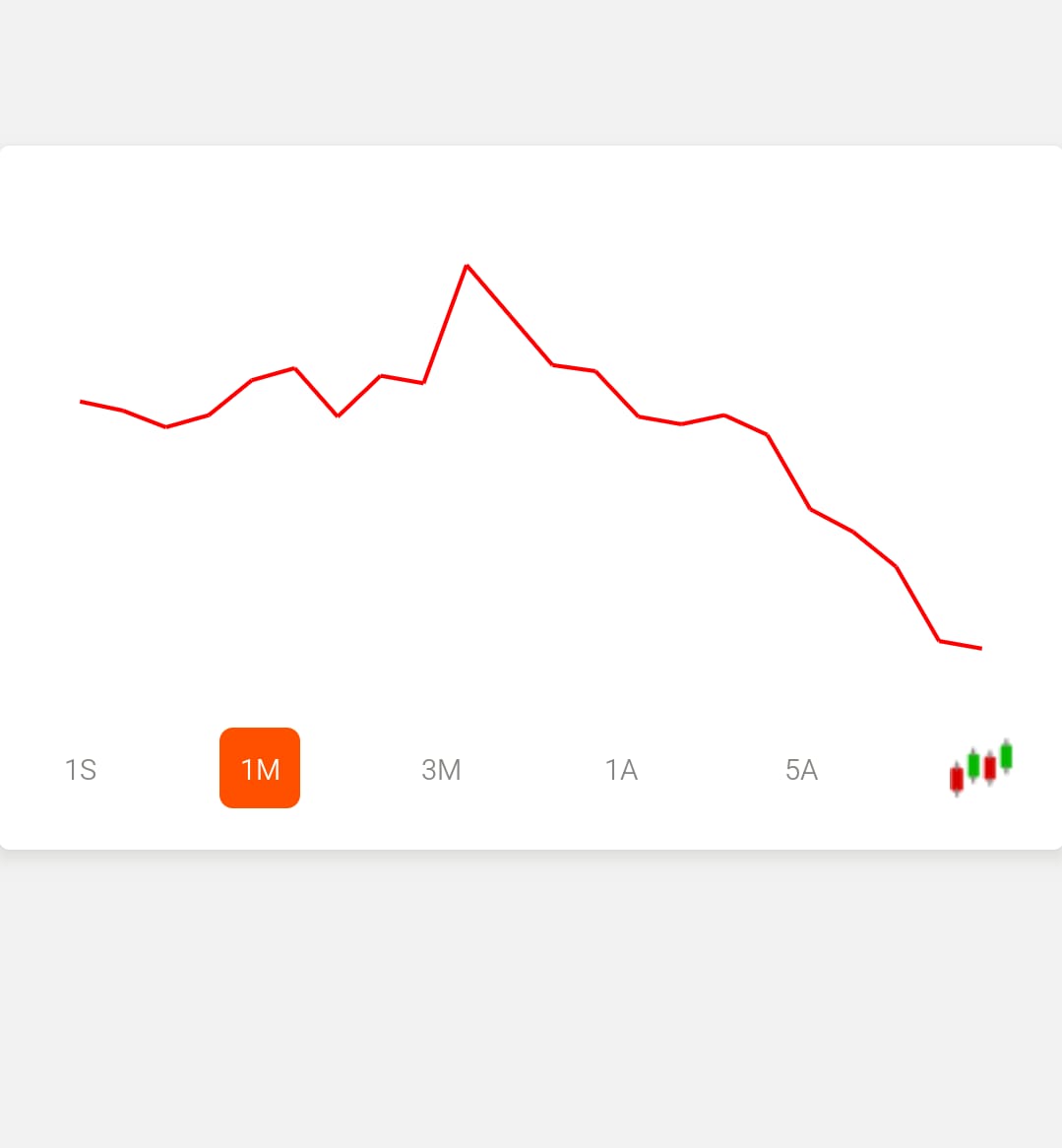
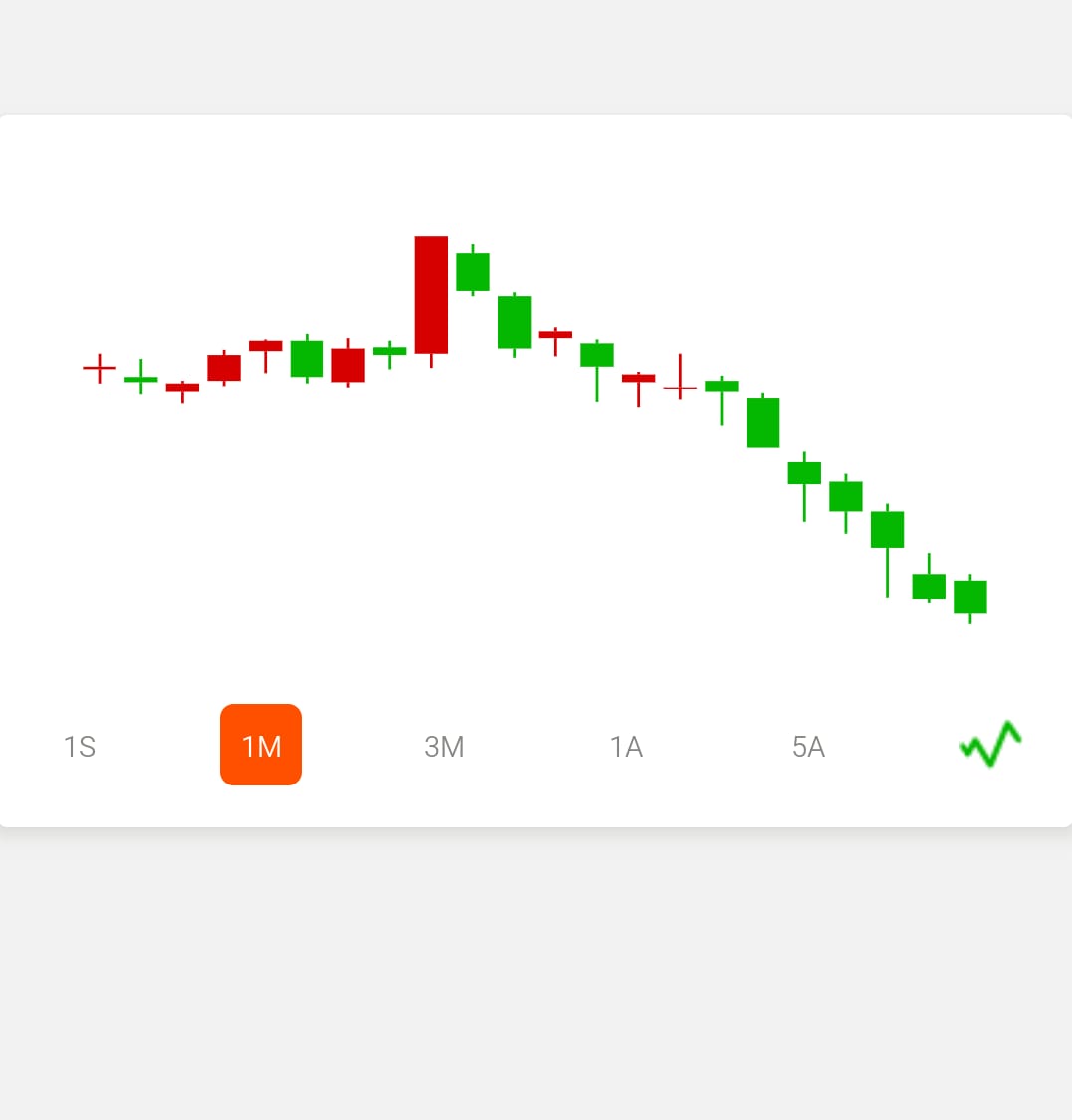
### Issuer charts
**Line chart**
 **Candles chart**
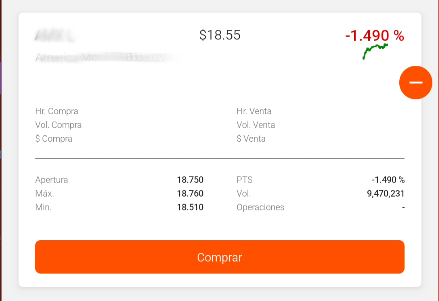
 ### Watchlist
**Watchlist Items**
 ---
## SETUP
### iOS
( use cocoapods (suggested) )
- Install the `react-native-charts-wrapper`
- In **/ios/podfile** file, add this line `pod 'RNCharts', :path => '../node_modules/react-native-charts-wrapper' `
- `cd ios && pod install`
- open **.xcworkspace**
- create a empty swift file, the xcode will prompt a message 'Would you like to configure an Objective-C bridging header?' to Create Bridging Header, accept it.
 ---
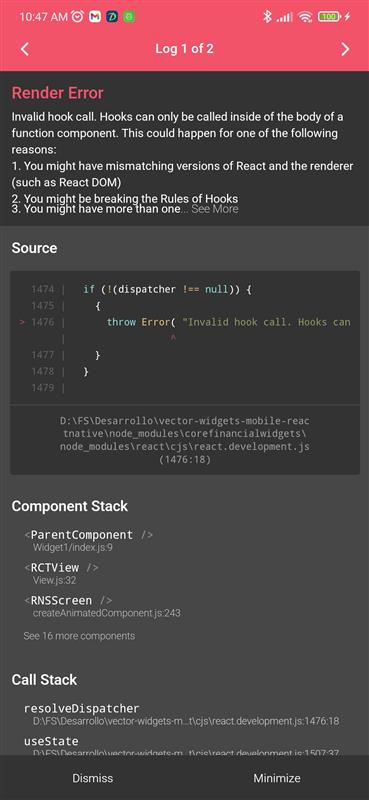
## Errors
If the installation of the modules are not correct you can find with some errors
- For the next error see the `step 1`
 ---
_Source: https://npm.io/package/corefinancialwidgets · Machine-readable twin of the npm.io package page. Health data is recomputed on every publish._