# create-pluto-front
> Create Pluto Svelte App works on macOS, Windows, and Linux. If something doesn't work, please [file an issue](https://github.com/PlutoDAO/create-pluto-svelte-app/issues/new).
Latest version **0.2.9** (published 2022-09-22) · 0 weekly downloads
## Install
```sh
npm install create-pluto-front
pnpm add create-pluto-front
yarn add create-pluto-front
bun add create-pluto-front
```
Provides the command `create-pluto-front`.
## Health
**Score 20/100 (F)** — status: abandoned.
Positive: esm support; no vulnerabilities.
Warnings: low downloads; no types; pre 1.0.
Negative: abandoned; low maintenance score.
## Facts
| | |
|---|---|
| Version | 0.2.9 |
| Published | 2022-09-22 |
| First published | 2022-09-18 |
| Weekly downloads | 0 |
| TypeScript types | none |
| Module format | ESM |
| Dependencies | 1 |
| Unpacked size | 192.7 KB |
| Known vulnerabilities | 0 |
| Install scripts | no |
| Maintainers | avero |
## Links
- npm: https://www.npmjs.com/package/create-pluto-front
- npm.io page: https://npm.io/package/create-pluto-front
## Dependencies (1)
- [stellar-sdk](https://npm.io/package/stellar-sdk.md) ^10.0.0
## Recent versions
- 0.2.9 (latest) — 2022-09-22
- 0.2.8 — 2022-09-22
- 0.2.7 — 2022-09-22
- 0.2.6 — 2022-09-19
- 0.2.5 — 2022-09-19
- 0.2.4 — 2022-09-19
- 0.2.3 — 2022-09-19
- 0.2.2 — 2022-09-19
- 0.2.1 — 2022-09-19
- 0.2.0 — 2022-09-19
- 0.1.9 — 2022-09-19
- 0.1.8 — 2022-09-19
- 0.1.7 — 2022-09-18
- 0.1.6 — 2022-09-18
- 0.1.4 — 2022-09-18
- … 3 more at https://npm.io/package/create-pluto-front/versions
## README
# Create Pluto Svelte App [](https://github.com/PlutoDAO/create-pluto-svelte-app/actions/workflows/main.yml)
Create Pluto Svelte App works on macOS, Windows, and Linux.
If something doesn't work, please [file an issue](https://github.com/PlutoDAO/create-pluto-svelte-app/issues/new).
 ## Quick Overview
```sh
npx create-pluto-svelte-app my-app
npm run dev
```
### Get Started Immediately
You **don’t** need to install or configure tools.
They are preconfigured so that you can focus on the code.
Create a project, and you’re good to go.
## Creating an App
**You’ll need to have Node 16.0.0 or later version on your local development machine.**
To create a new app, you may execute:
### npx
```sh
npx create-pluto-svelte-app my-app
```
It will create a directory called `my-app` inside the current folder.
Inside that directory, it will generate the initial project structure and install the transitive dependencies:
```
my-app
├── .github
│ └── main.yml
├── .husky
├── cypress
├── node_modules
├── public
│ └── pluto.ico
├── package.json
├── src
│ ├── assets
│ │ └── dao.svg
│ │ └── logo.svg
│ | └── pluto.svg
│ ├── routes
│ │ ├── __tests__
| | ├── Home.svelte
| ├── App.svelte
| ├── main.ts
| └── process-env.d.ts
├── .gitignore
└── package.json
```
No configuration or complicated folder structures, only the files you need to build your Svelte + Stellar app.
### `npm run dev`
Runs the app in development mode.
Open [https://localhost:3000/](https://localhost:3000/) to view it in the browser.
The page will automatically reload if you make changes to the code.
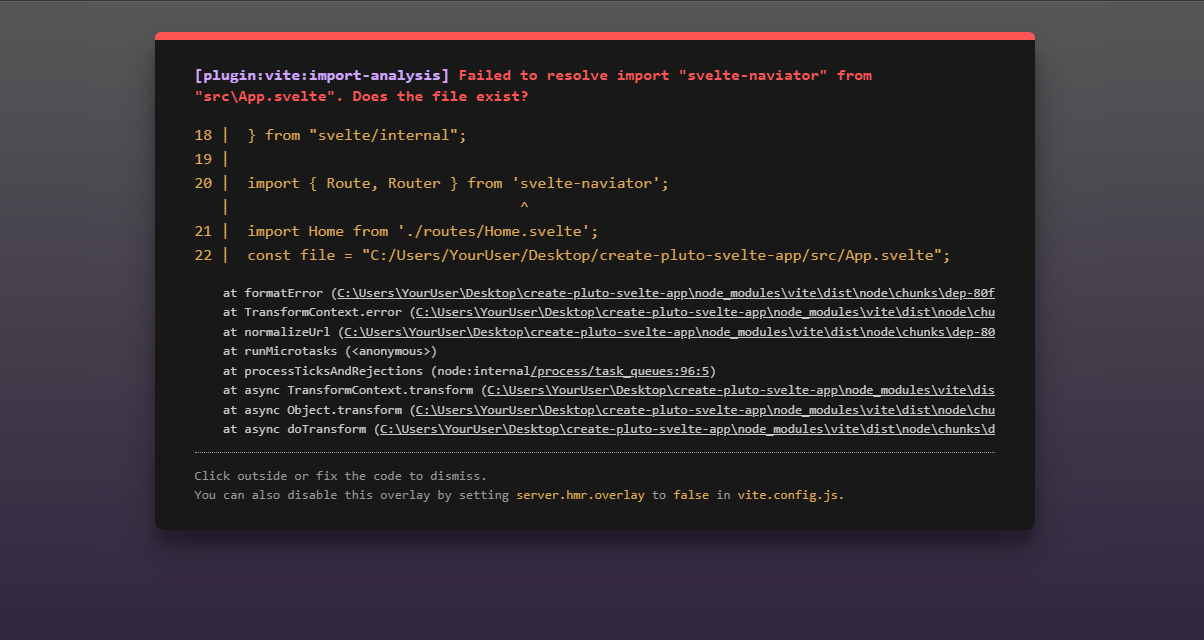
You will see the build errors and lint warnings in the console or your screen.
### `npm run build`
Builds the app for production to the `build` folder.
### `npm run test` or `npm run test:watch`
Runs the test watcher in an interactive mode.
[Read more about testing with Vitest](https://vitest.dev/api/).
### `npm run test:ui:dev` or `npm run test:ui:headless`
First one will run Cypress by default and will automatically find and allow you to use the browsers installed on your system.
Second one runs Cypress tests to completion. By default, `cypress run` will run all tests headlessly.
[Read more about testing with Cypress](https://docs.cypress.io/api/table-of-contents).
## User Guide
You can find detailed instructions on using Svelte in [its documentation](https://svelte.dev/docs).
---
_Source: https://npm.io/package/create-pluto-front · Machine-readable twin of the npm.io package page. Health data is recomputed on every publish._