# css-debug
> A tool for debugging CSS and HTML boxes
Latest version **0.0.2-beta** (published 2022-04-19) · MIT license · 0 weekly downloads
## Install
```sh
npm install css-debug
pnpm add css-debug
yarn add css-debug
bun add css-debug
```
## Health
**Score 15/100 (F)** — status: abandoned.
Positive: no vulnerabilities.
Warnings: low downloads; no types; no esm support; pre 1.0.
Negative: abandoned; low maintenance score.
## Facts
| | |
|---|---|
| Version | 0.0.2-beta |
| Published | 2022-04-19 |
| First published | 2022-04-19 |
| Weekly downloads | 0 |
| License | MIT |
| TypeScript types | none |
| Module format | CommonJS |
| Dependencies | 0 |
| Unpacked size | 63.3 KB |
| Known vulnerabilities | 0 |
| Install scripts | no |
| GitHub stars | 0 |
| Author | Francisco José Pereira Alvarado - Gammafp |
| Maintainers | gammafp |
| Keywords | css, html, debug, box, css-debug |
## Links
- npm: https://www.npmjs.com/package/css-debug
- Repository: https://github.com/gammafp/css-debug
- Homepage: https://github.com/gammafp/css-debug#readme
- Issues: https://github.com/gammafp/css-debug/issues
- npm.io page: https://npm.io/package/css-debug
## Alternatives
- [@tsparticles/shape-image](https://npm.io/package/@tsparticles/shape-image.md) — 303.7K weekly downloads
- [@tsparticles/shape-line](https://npm.io/package/@tsparticles/shape-line.md) — 233.7K weekly downloads
- [stringify-attributes](https://npm.io/package/stringify-attributes.md) — 58.6K weekly downloads
- [mobile-drag-drop](https://npm.io/package/mobile-drag-drop.md) — 46.3K weekly downloads
- [@comunica/actor-rdf-parse-html](https://npm.io/package/@comunica/actor-rdf-parse-html.md) — 29.2K weekly downloads
## Recent versions
- 0.0.2-beta (latest) — 2022-04-19
- 0.0.1-beta — 2022-04-19
## README
# CSS-DEBUG
A tool for debugging CSS and HTML boxes.
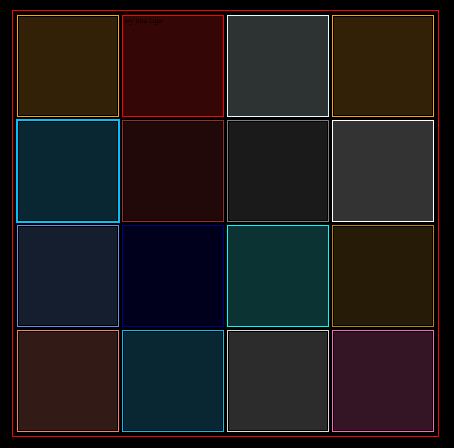
### How to use it?
Donwload the project with:
```bash
> npm i --save-dev css-debug
```
Inside the project you have two folders SASS and CSS use the one that feels most comfortable to you, the main file is **sass/debug.scss** (in sass) or **css/debug.css** (in css).
css-debug have one class called debug-*, you can add color by replacing the asterisk with the X11 color you want ([CLICK HERE TO KNOW ABOUT COLORS X11](https://en.wikipedia.org/wiki/X11_color_names)), example:
```html
```
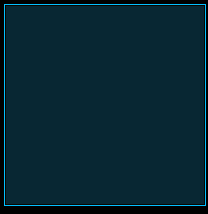
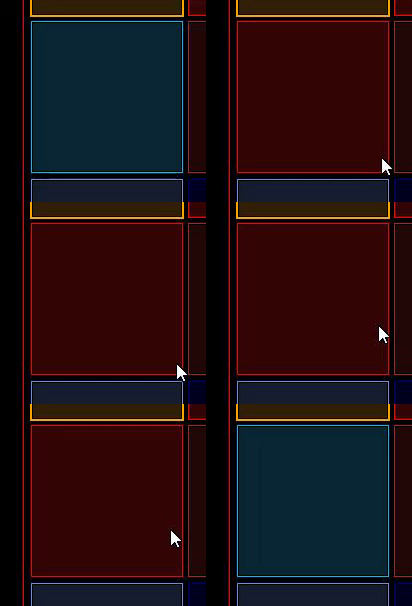
You can use hover debug with: (debug-color--hover) **debug-red--hover**:
```html
```
You can remove the background with **no-bg**:
```html
```

You can remove the outline whith **debug-outline-none**:
```html
```

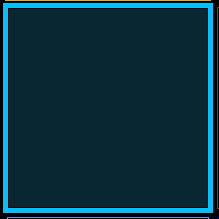
You have the possibility to change the properties with css variables:
- --outline-size -> change the outline-size
- --alpha -> change the background-color alpha
- --color -> change the background-color (If you use this, the rgba alpha will be disabled, and you need pass it by css color)
Example with --outline-size
```html
```
---
_Source: https://npm.io/package/css-debug · Machine-readable twin of the npm.io package page. Health data is recomputed on every publish._