# customaddcomponents
> create components by your template
Latest version **1.0.35** (published 2018-07-26) · ISC license · 0 weekly downloads
## Install
```sh
npm install customaddcomponents
pnpm add customaddcomponents
yarn add customaddcomponents
bun add customaddcomponents
```
Provides the command `add-component`.
## Health
**Score 15/100 (F)** — status: abandoned.
Positive: no vulnerabilities.
Warnings: low downloads; no types; no esm support.
Negative: abandoned; low maintenance score.
## Facts
| | |
|---|---|
| Version | 1.0.35 |
| Published | 2018-07-26 |
| First published | 2018-07-09 |
| Weekly downloads | 0 |
| License | ISC |
| TypeScript types | none |
| Module format | CommonJS |
| Dependencies | 9 |
| Unpacked size | 16.6 KB |
| Known vulnerabilities | 0 |
| Install scripts | no |
| Author | zhangjunrao |
| Maintainers | zhangjunrao |
| Keywords | add components |
## Links
- npm: https://www.npmjs.com/package/customaddcomponents
- npm.io page: https://npm.io/package/customaddcomponents
## Dependencies (9)
- [fuzzy](https://npm.io/package/fuzzy.md) ^0.1.3
- [yargs](https://npm.io/package/yargs.md) ^11.0.0
- [colors](https://npm.io/package/colors.md) ^1.3.0
- [inquirer](https://npm.io/package/inquirer.md) ^6.0.0
- [node-emoji](https://npm.io/package/node-emoji.md) ^1.8.1
- [strip-ansi](https://npm.io/package/strip-ansi.md) ^4.0.0
- [ansi-styles](https://npm.io/package/ansi-styles.md) ^3.2.1
- [inquirer-fuzzy-path](https://npm.io/package/inquirer-fuzzy-path.md) ^1.0.0
- [inquirer-autocomplete-prompt](https://npm.io/package/inquirer-autocomplete-prompt.md) ^0.12.2
## Recent versions
- 1.0.35 (latest) — 2018-07-26
- 1.0.34 — 2018-07-26
- 1.0.33 — 2018-07-26
- 1.0.32 — 2018-07-25
- 1.0.31 — 2018-07-25
- 1.0.30 — 2018-07-23
- 1.0.29 — 2018-07-23
- 1.0.28 — 2018-07-23
- 1.0.27 — 2018-07-23
- 1.0.26 — 2018-07-23
- 1.0.25 — 2018-07-21
- 1.0.24 — 2018-07-21
- 1.0.23 — 2018-07-21
- 1.0.22 — 2018-07-18
- 1.0.19 — 2018-07-12
- … 19 more at https://npm.io/package/customaddcomponents/versions
## README
# customaddcomponents

---
A tool to create components based on custom templates.
## [npm address](https://www.npmjs.com/package/customaddcomponents)
## [github address](https://github.com/pureZjr/customAddComponent)
## [Documentation](#documentation)
### Installation
```shell
npm install customaddcomponents
```
#### add script in your package.json
```json
"scripts": {
"add": "add-component",
},
```
#### create a templateconfig.json & write
```json
{ "templatepath": "CustomTemplate", "componentPlacementPath": "src" }
```
- **templatepath**: the placement of your template
- **CustomAddcCmponents**: The root directory which you want to place your component
#### create two folders name `src` and `CustomTemplate`
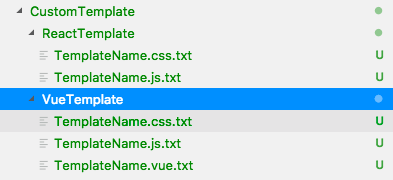
#### create templates into the CustomTemplate folder like
### Examples (Run it and see it)
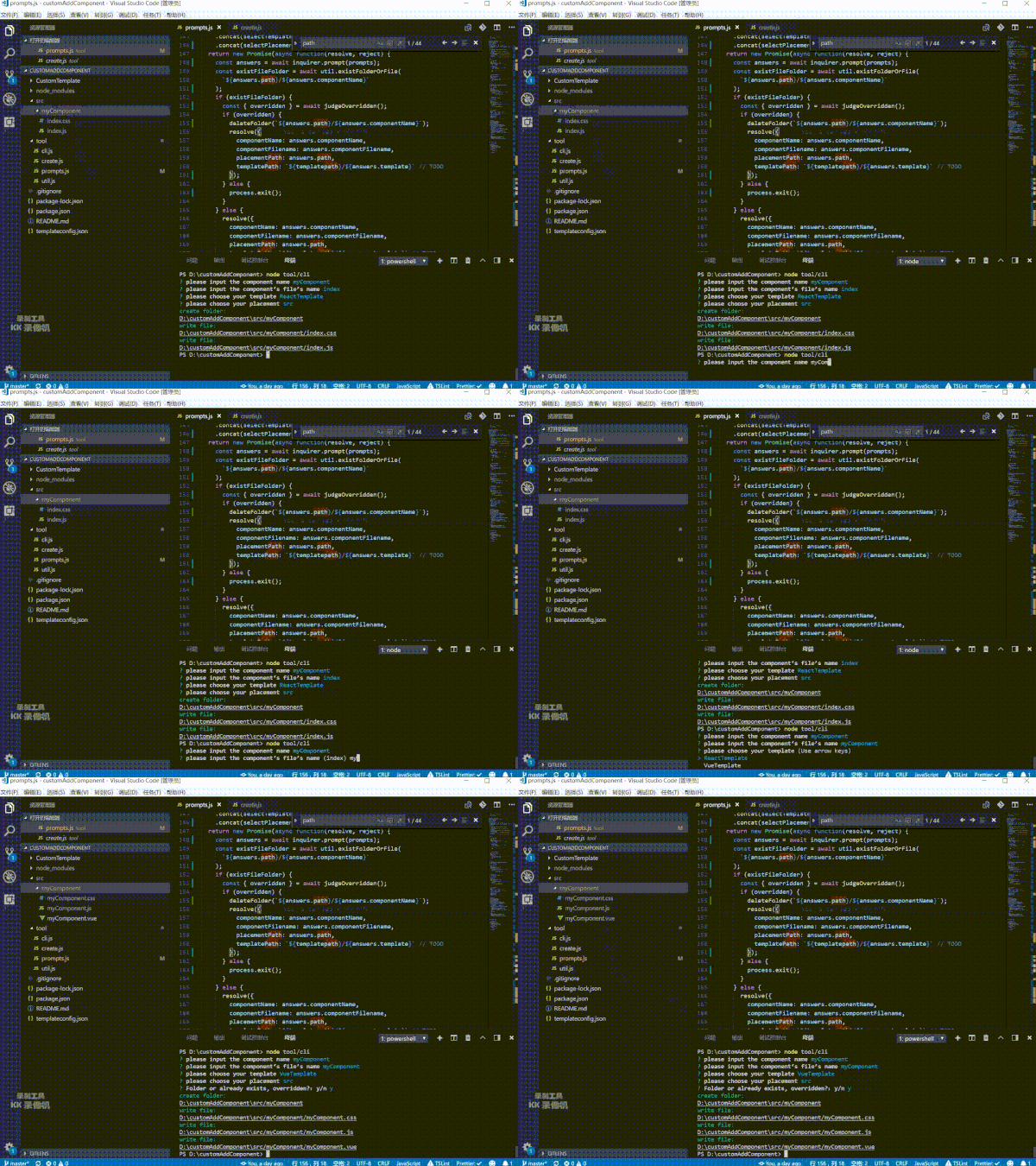
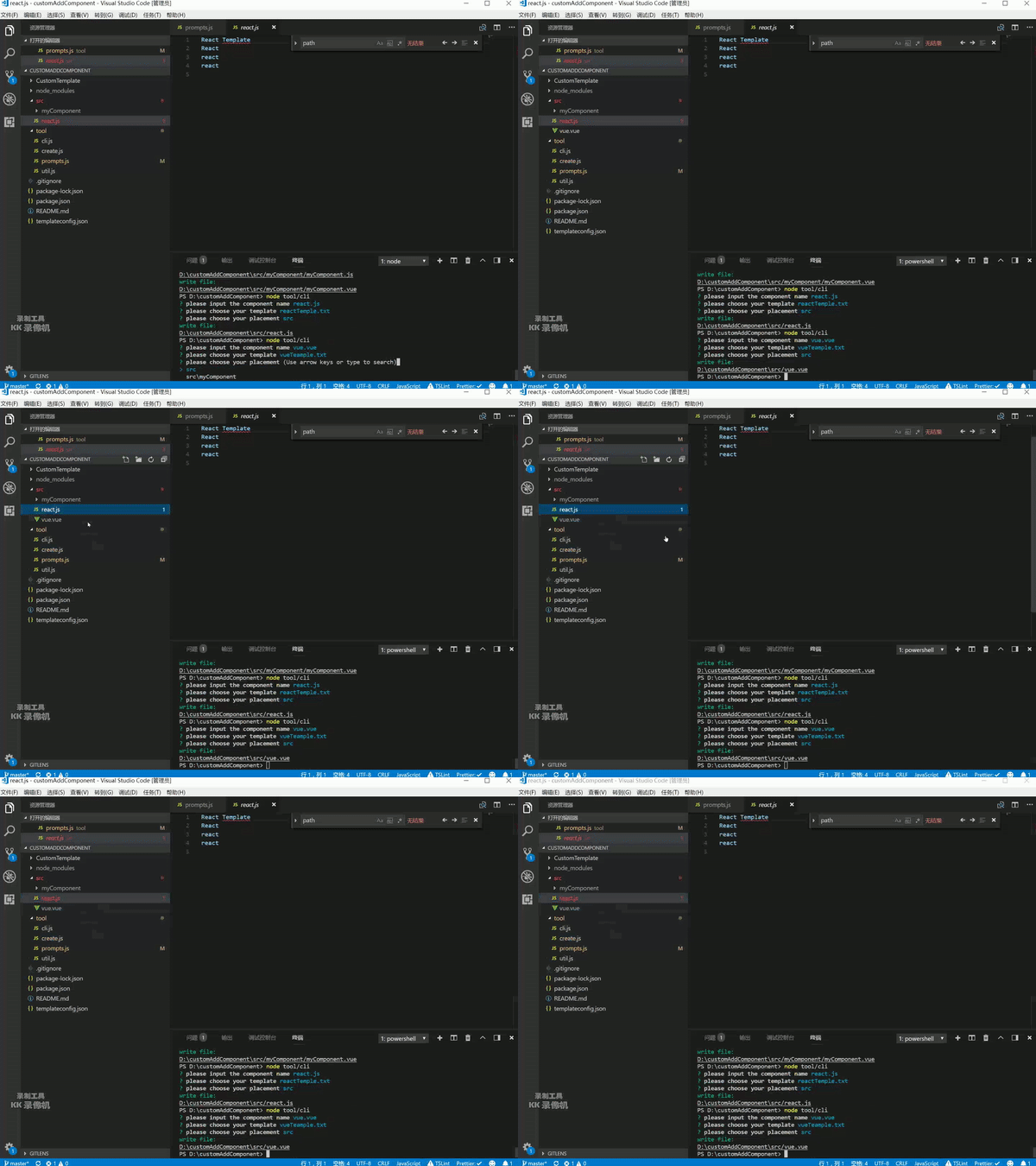
```shell
npm run add
```
- template is folder
- template is file
### About the to write your template
```
${component-name} -> component-name
${componentName} -> componentName
${ComponentName} -> ComponentName
${component-filename} -> component-filename
${componentFilename} -> componentFilename
${ComponentFilename} -> ComponentFilename
```
### example
`template.tsx.txt`
```
import { Component } from 'react'
export default class ${TemplateName} extends Components {
constructor(props) {
super(props)
this.state = {}
}
render() {
return ${TemplateName}
}
}
```
`your component file`
```
import { Component } from 'react'
export default class YourComponent extends Components {
constructor(props) {
super(props)
this.state = {}
}
render() {
return YourComponent
}
}
```
---
_Source: https://npm.io/package/customaddcomponents · Machine-readable twin of the npm.io package page. Health data is recomputed on every publish._