# datav-particle

> ![datav-particle logo][logo]

Latest version **1.0.4** (published 2022-09-21) · 0 weekly downloads

## Install

```sh
npm install datav-particle
pnpm add datav-particle
yarn add datav-particle
bun add datav-particle
```

## Health

**Score 20/100 (F)** — status: abandoned.

Positive: esm support; no vulnerabilities.

Warnings: low downloads; no types; large bundle.

Negative: abandoned; low maintenance score.

## Facts

| | |
|---|---|
| Version | 1.0.4 |
| Published | 2022-09-21 |
| First published | 2022-09-02 |
| Weekly downloads | 0 |
| TypeScript types | none |
| Module format | ESM + CommonJS |
| Dependencies | 2 |
| Unpacked size | 9.6 MB |
| Known vulnerabilities | 0 |
| Install scripts | no |
| Author | sunny |
| Maintainers | khz |

## Links

- npm: https://www.npmjs.com/package/datav-particle
- Homepage: https://github.com/kouhunzhe/datav-particle
- npm.io page: https://npm.io/package/datav-particle

## Dependencies (2)

- [vue](https://npm.io/package/vue.md) ^3.2.37
- [lodash](https://npm.io/package/lodash.md) ^4.17.21

## Recent versions

- 1.0.4 (latest) — 2022-09-21
- 1.0.3 — 2022-09-02
- 1.0.2 — 2022-09-02
- 1.0.1 — 2022-09-02

## README

![datav-particle logo][logo]

# [datav-particle - 一个][vjs]

[![Build Status][travis-icon]][travis-link]
[![Coverage Status][coveralls-icon]][coveralls-link]
[![Greenkeeper badge](https://badges.greenkeeper.io/videojs/video.js.svg)](https://greenkeeper.io/)
[![Slack Status][slack-icon]][slack-link]

[![NPM][npm-icon]][npm-link]

> datav-particle 是一个粒子特效插件库.

## Table of Contents

- [Quick Start](#quick-start)
- [Contributing](#contributing)
- [Code of Conduct](#code-of-conduct)
- [License](#license)

## 快速上手


```html
<script src="******************/datav-partice.umd.js"></script>
```
或者
```html
<script >
import * as DatavParticle from 'datav-partice'
</script>
```


> 获取最新的项目代码请查看[datav-particle Github](https://github.com/kouhunzhe/datav-particle).


接下来，使用datav-partice就像创建一个`<div>`元素一样简单 只需要引入datav-partice
## 全局引入【不建议】
```html
<div id="rise" ref="rise" style="width: 1920px;height: 1080px;"></div>
<script >
import * as DatavParticle from 'datav-partice'

new DatavParticle.textLine({
  el:document.getElementById("datav-partice"),
  textColor:"#adcf12",
  textSize:200,
  speed: 0.2
})
</script>
```

## 按需引入【建议】
```html
<div id="rise" ref="rise" style="width: 1920px;height: 1080px;"></div>
<script >
import {textLine} from 'datav-partice'
new textLine({
  el:document.getElementById("datav-partice"),
  textColor:"#adcf12",
  textSize:200,
  speed: 0.2
})
</script>
```

datav-partice粒子特效方法:

## rise 配置项
![image](https://raw.githubusercontent.com/kouhunzhe/datav-particle/master/public/rise.gif)
  - el - 必传 document.getElementById("datavPartice") 
  - size- 气泡数量  默认为 100
  - background - canvas 背景色支持渐变 默认为 linear-gradient(to right, #0cebeb, #20e3b2, #29ffc6)
  - speed - 气泡上升速度 默认为 0.2
  - min - 气泡最小半径 默认为 1
  - max - 气泡最大半径 默认为 10
  
```js
{
    el:document.getElementById("datavPartice"),
    size:90,
    speed:0.2,
    min:1,
    max:10,
    background: 'linear-gradient(to right, #0cebeb, #20e3b2, #29ffc6)'
}
```
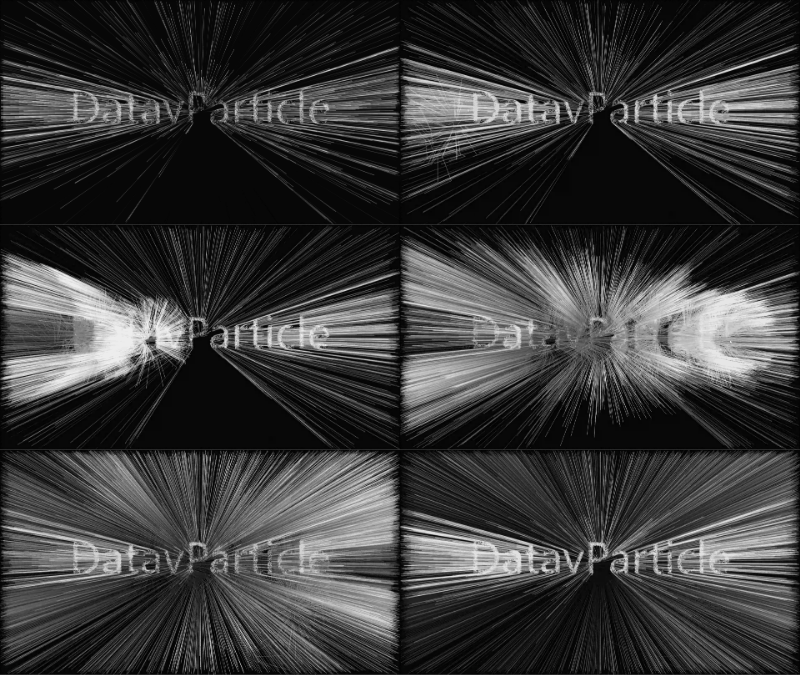
## textLine 配置项
![image](https://raw.githubusercontent.com/kouhunzhe/datav-particle/master/public/textLine.gif)
  - el - 必传 document.getElementById("datavPartice") 
  - text - 文字 默认为 DatavPartice
  - background - canvas 背景色支持渐变 默认为 linear-gradient(to right, #0cebeb, #20e3b2, #29ffc6)
  - speed - 气泡上升速度 默认为 0.2
  - min - 气泡最小半径 默认为 1
  - max - 气泡最大半径 默认为 10
  
```js
{
    el:document.getElementById("datavPartice"),
    size:90,
    speed:0.2,
    min:1,
    max:10,
    background: 'linear-gradient(to right, #0cebeb, #20e3b2, #29ffc6)'
}
```

---
_Source: https://npm.io/package/datav-particle · Machine-readable twin of the npm.io package page. Health data is recomputed on every publish._