# dependency-tree-webpack-plugin
> get dependency tree from webpack.
Latest version **1.0.12** (published 2020-07-10) · ISC license · 0 weekly downloads
## Install
```sh
npm install dependency-tree-webpack-plugin
pnpm add dependency-tree-webpack-plugin
yarn add dependency-tree-webpack-plugin
bun add dependency-tree-webpack-plugin
```
## Health
**Score 15/100 (F)** — status: abandoned.
Positive: no vulnerabilities.
Warnings: low downloads; no types; no esm support.
Negative: abandoned; low maintenance score.
## Facts
| | |
|---|---|
| Version | 1.0.12 |
| Published | 2020-07-10 |
| First published | 2020-07-01 |
| Weekly downloads | 0 |
| License | ISC |
| TypeScript types | none |
| Module format | CommonJS |
| Dependencies | 3 |
| Unpacked size | 666.8 KB |
| Known vulnerabilities | 0 (+1 in 1 direct dependencies) |
| Install scripts | no |
| Maintainers | xuxuex |
## Links
- npm: https://www.npmjs.com/package/dependency-tree-webpack-plugin
- Repository: https://github.com/uoau/dependency-tree-webpack-plugin
- Homepage: https://github.com/uoau/dependency-tree-webpack-plugin#readme
- Issues: https://github.com/uoau/dependency-tree-webpack-plugin/issues
- npm.io page: https://npm.io/package/dependency-tree-webpack-plugin
## Dependencies (3)
- [vue](https://npm.io/package/vue.md) ^2.6.11
- [webpack](https://npm.io/package/webpack.md) ^3.0.0
- [webpack-cli](https://npm.io/package/webpack-cli.md) ^3.3.12
## Recent versions
- 1.0.12 (latest) — 2020-07-10
- 1.0.11 — 2020-07-03
- 1.0.10 — 2020-07-03
- 1.0.9 — 2020-07-03
- 1.0.8 — 2020-07-03
- 1.0.7 — 2020-07-02
- 1.0.6 — 2020-07-02
- 1.0.5 — 2020-07-02
- 1.0.4 — 2020-07-01
- 1.0.3 — 2020-07-01
- 1.0.2 — 2020-07-01
- 1.0.1 — 2020-07-01
- 1.0.0 — 2020-07-01
## README
# Intro
This webpack plugin can export the dependencies of your project as JSON files.
# Usage
First, you need install it in your project.
```
npm i dependency-tree-webpack-plugin -D
```
Second, Add webpack plug to your project.
``` javascript
const DependencyTreePlugin = require('dependency-tree-webpack-plugin').default;
...
plugins:[
...,
new DependencyTreePlugin(),
]
}
```
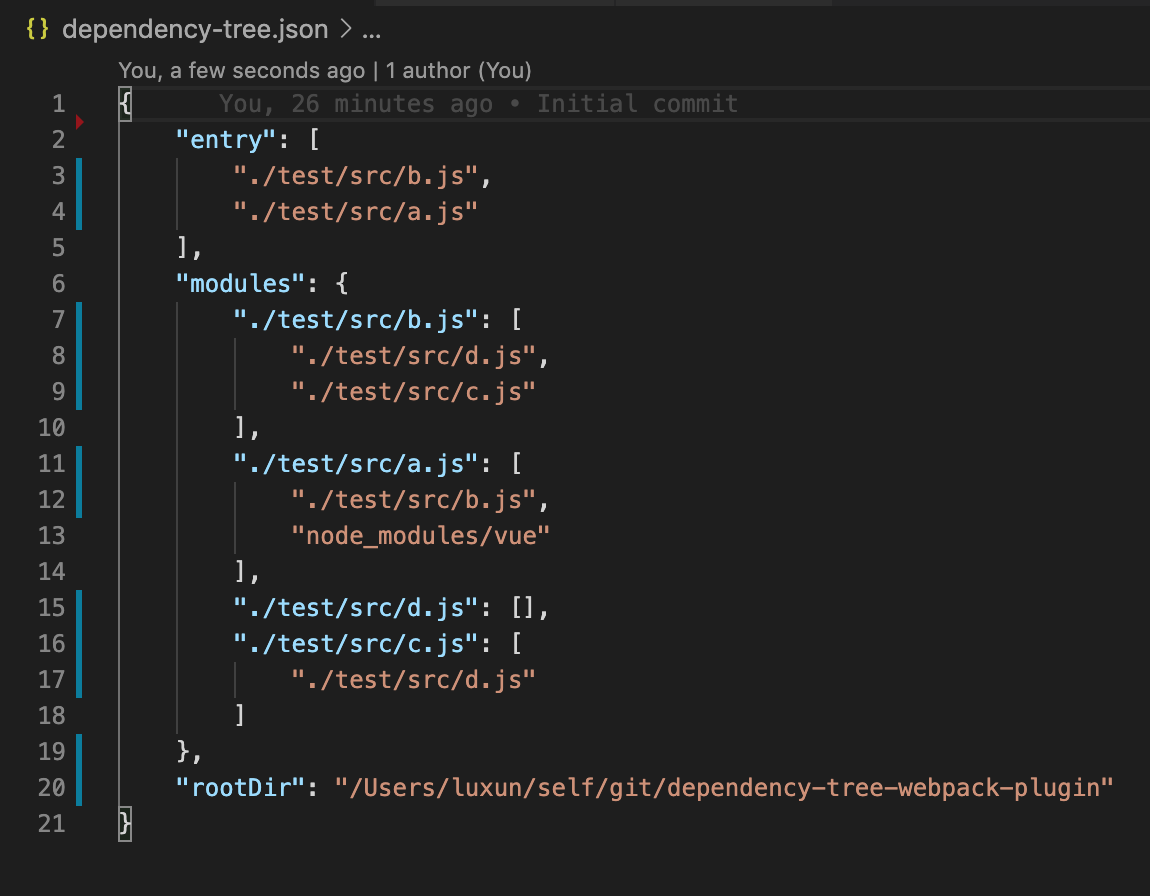
Then, just run it, a `dependency-tree` file will appear in your root directory. The content of this file will look like this.
# What's the use of this JSON
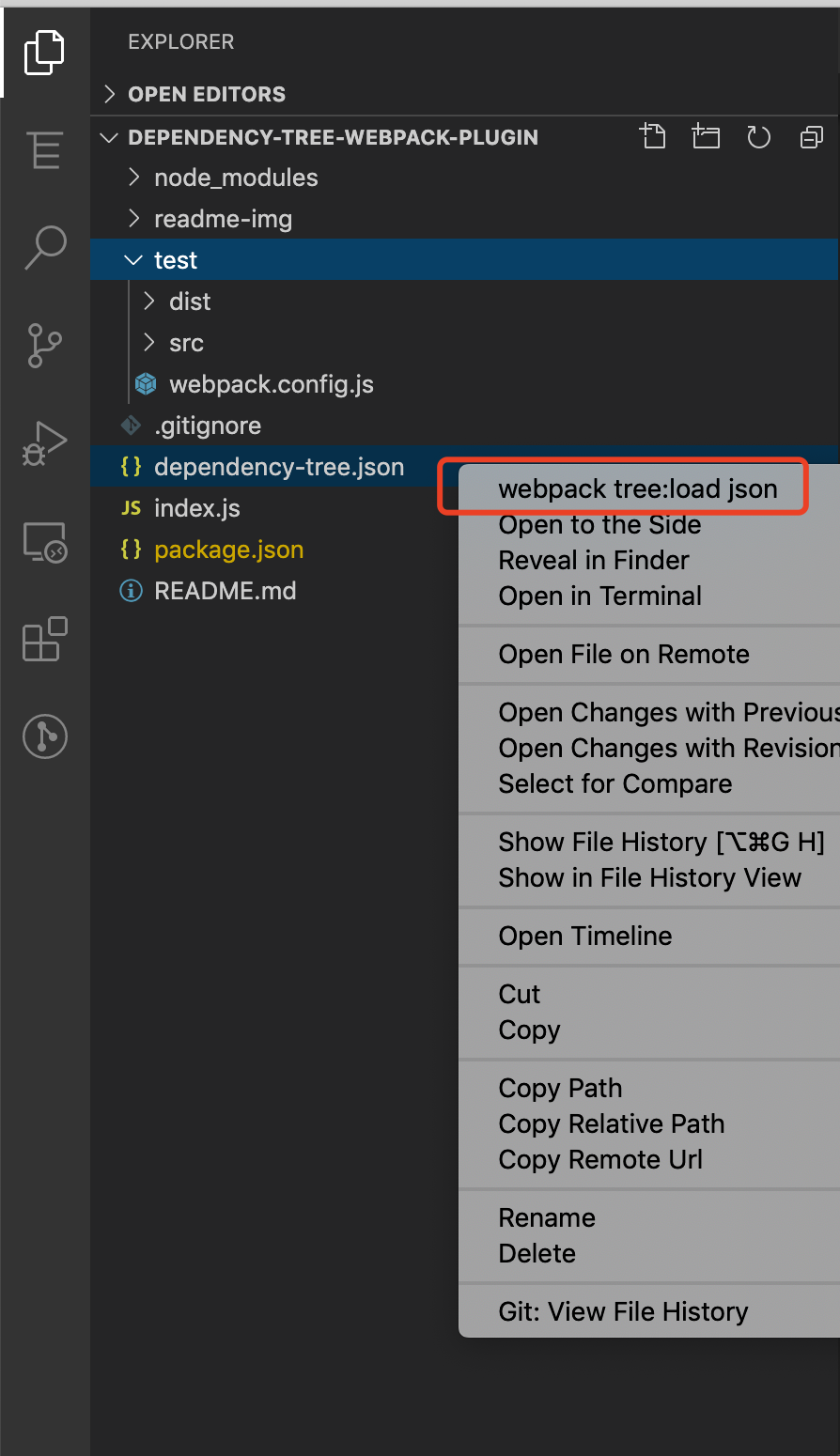
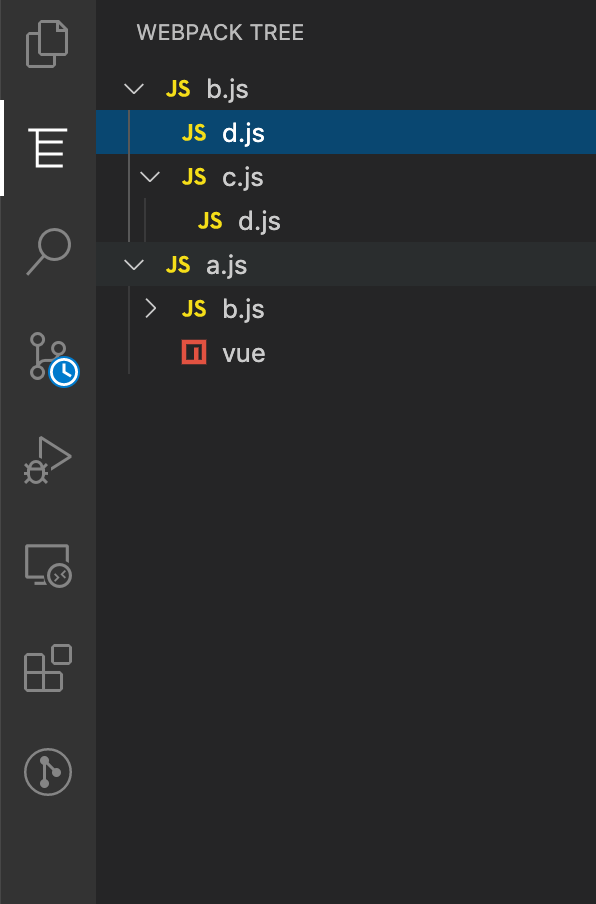
You need install the VSCode extension `webpack tree`, And load the json file, and it will generate a tree view in the sidebar, like this.
You can take the initiative to load the JSON file, or the VSCode extension will automatically search the `/` folder, `build` folder, `.Vscode` folder in the directory to find this file `dependency-tree.json`.
This tree is made up of project dependencies, and you can clearly understand the structure of the project. you can jump quickly between these files.
---
_Source: https://npm.io/package/dependency-tree-webpack-plugin · Machine-readable twin of the npm.io package page. Health data is recomputed on every publish._