# detail-list-elem
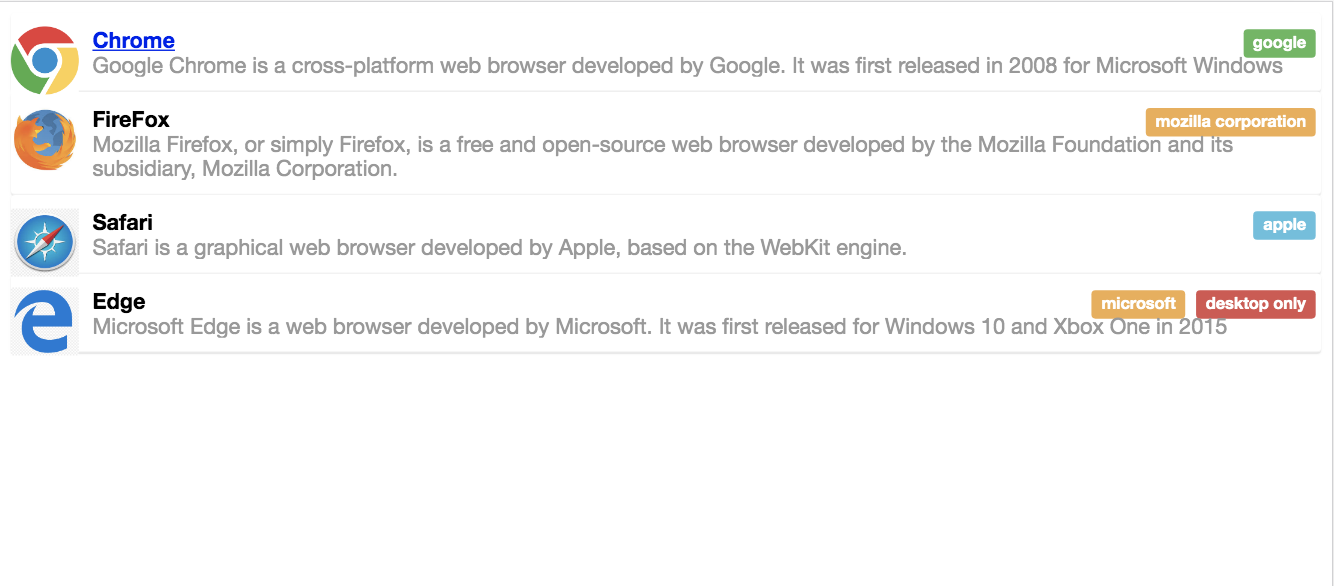
> Webcomponent for customized list with item name, item details, item image and tags.
Latest version **1.0.7** (published 2019-09-01) · MIT license · 0 weekly downloads
## Install
```sh
npm install detail-list-elem
pnpm add detail-list-elem
yarn add detail-list-elem
bun add detail-list-elem
```
## Health
**Score 15/100 (F)** — status: abandoned.
Positive: no vulnerabilities.
Warnings: low downloads; no types; no esm support.
Negative: abandoned; low maintenance score.
## Facts
| | |
|---|---|
| Version | 1.0.7 |
| Published | 2019-09-01 |
| First published | 2019-09-01 |
| Weekly downloads | 0 |
| License | MIT |
| TypeScript types | none |
| Module format | CommonJS |
| Dependencies | 2 |
| Unpacked size | 27.2 KB |
| Known vulnerabilities | 0 |
| Install scripts | no |
| GitHub stars | 1 |
| Author | Syed Rameez Aijaz |
| Maintainers | rameez.aijaz |
| Keywords | webcomponent, lit-element, list, element, details, tags, image, pictures, tags, list, with, detail, web, component |
## Links
- npm: https://www.npmjs.com/package/detail-list-elem
- Repository: https://github.com/RameezAijaz/detail-list-elem
- Homepage: https://github.com/RameezAijaz/detail-list-elem#readme
- Issues: https://github.com/RameezAijaz/detail-list-elem/issues
- npm.io page: https://npm.io/package/detail-list-elem
## Dependencies (2)
- [lit-element](https://npm.io/package/lit-element.md) ^2.2.1
- [@webcomponents/webcomponentsjs](https://npm.io/package/@webcomponents/webcomponentsjs.md) ^2.2.10
## Alternatives
- [@opentelemetry/exporter-zipkin](https://npm.io/package/@opentelemetry/exporter-zipkin.md) — 14.8M weekly downloads
- [pusher-js](https://npm.io/package/pusher-js.md) — 2.0M weekly downloads
- [browserify](https://npm.io/package/browserify.md) — 1.7M weekly downloads
- [sqs-consumer](https://npm.io/package/sqs-consumer.md) — 1.7M weekly downloads
- [@sanity/eventsource](https://npm.io/package/@sanity/eventsource.md) — 930.8K weekly downloads
## Recent versions
- 1.0.7 (latest) — 2019-09-01
- 1.0.6 — 2019-09-01
- 1.0.5 — 2019-09-01
- 1.0.4 — 2019-09-01
- 1.0.3 — 2019-09-01
- 1.0.2 — 2019-09-01
- 1.0.1 — 2019-09-01
- 1.0.0 — 2019-09-01
## README
# detail-list-elem
[](https://www.webcomponents.org/element/detail-list-elem)
Webcomponent for customized list with item name, item details, item image and tags.
[](https://detail-list-elem-demo.firebaseapp.com/)
## Demo
https://detail-list-elem-demo.firebaseapp.com/
## Install
Run ```npm i --save detail-list-elem``` inside your project
## Usage
1. Import ``webcomponent polyfill`` in ``index.html`` using
```html
```
2. Import ``detail-list-elem ``
```html
```
3. Use ``detail-list-elem `` like
```html
```
## Options
detail-list-elem takes items array with one or more following item objects:
```json
{
"title": {
"text": "Title of Item",
"url": "https://www.google.com", //optional
"target": "_blank", //optional
"style": "css properties to be applied on title" //optional
},
"description": {
"text": "Description of Item",
"style": "css properties to be applied on description" //optional
},
"img": {
"src": "file path or url of image",
"style": "css properties to be applied on img element" //optional
},
"tags": [
{
"text" : "name of tag",
"style": "css properties to be applied on a tag", //optional
"type": "warn" //optional, its 'success' by default
//type can be 'warn' , 'danger', 'info' or 'success'
//if you want to use some other tag type then use style to apply custom style on tag
}
]
}
```
---
_Source: https://npm.io/package/detail-list-elem · Machine-readable twin of the npm.io package page. Health data is recomputed on every publish._