# electron-custom-titlebar
> Adds CSS-based UI title bars to any Electron-based desktop app
Latest version **4.0.2** (published 2019-10-01) · MIT license · 0 weekly downloads
## Install
```sh
npm install electron-custom-titlebar
pnpm add electron-custom-titlebar
yarn add electron-custom-titlebar
bun add electron-custom-titlebar
```
## Health
**Score 15/100 (F)** — status: abandoned.
Positive: no vulnerabilities.
Warnings: low downloads; no types; no esm support.
Negative: abandoned; low maintenance score.
## Facts
| | |
|---|---|
| Version | 4.0.2 |
| Published | 2019-10-01 |
| First published | 2019-09-30 |
| Weekly downloads | 0 |
| License | MIT |
| TypeScript types | none |
| Module format | CommonJS |
| Node | ^8.10.0 \|\| ^10.13.0 \|\| >=12.0.0 |
| Dependencies | 2 |
| Unpacked size | 32.8 KB |
| Known vulnerabilities | 0 |
| Install scripts | no |
| GitHub stars | 6 |
| Author | Quentin Fremeaux |
| Maintainers | popzelife |
| Keywords | acrylic, css, electron, metro, stylesheet, tabs, titlebar, win32, windows |
## Links
- npm: https://www.npmjs.com/package/electron-custom-titlebar
- Repository: https://github.com/popzelife/electron-custom-titlebar
- Homepage: https://github.com/popzelife/electron-custom-titlebar.git
- Issues: https://github.com/popzelife/electron-custom-titlebar/issues
- npm.io page: https://npm.io/package/electron-custom-titlebar
## Dependencies (2)
- [domify](https://npm.io/package/domify.md) ^1.4.0
- [defaultcss](https://npm.io/package/defaultcss.md) ^1.1.1
## Alternatives
- [style-dictionary](https://npm.io/package/style-dictionary.md) — 2.0M weekly downloads
- [postcss-merge-idents](https://npm.io/package/postcss-merge-idents.md) — 1.7M weekly downloads
- [@fontsource/noto-sans](https://npm.io/package/@fontsource/noto-sans.md) — 93.0K weekly downloads
- [uglifycss](https://npm.io/package/uglifycss.md) — 71.6K weekly downloads
- [mat4-interpolate](https://npm.io/package/mat4-interpolate.md) — 23.3K weekly downloads
## Recent versions
- 4.0.2 (latest) — 2019-10-01
- 4.0.1 — 2019-09-30
- 4.0.0 — 2019-09-30
## README
# Electron Custom Titlebar [](https://www.npmjs.com/package/electron-custom-titlebar)[](https://github.com/popzelife/electron-custom-titlebar/issues)[](https://github.com/popzelife/electron-custom-titlebar/blob/master/LICENSE)
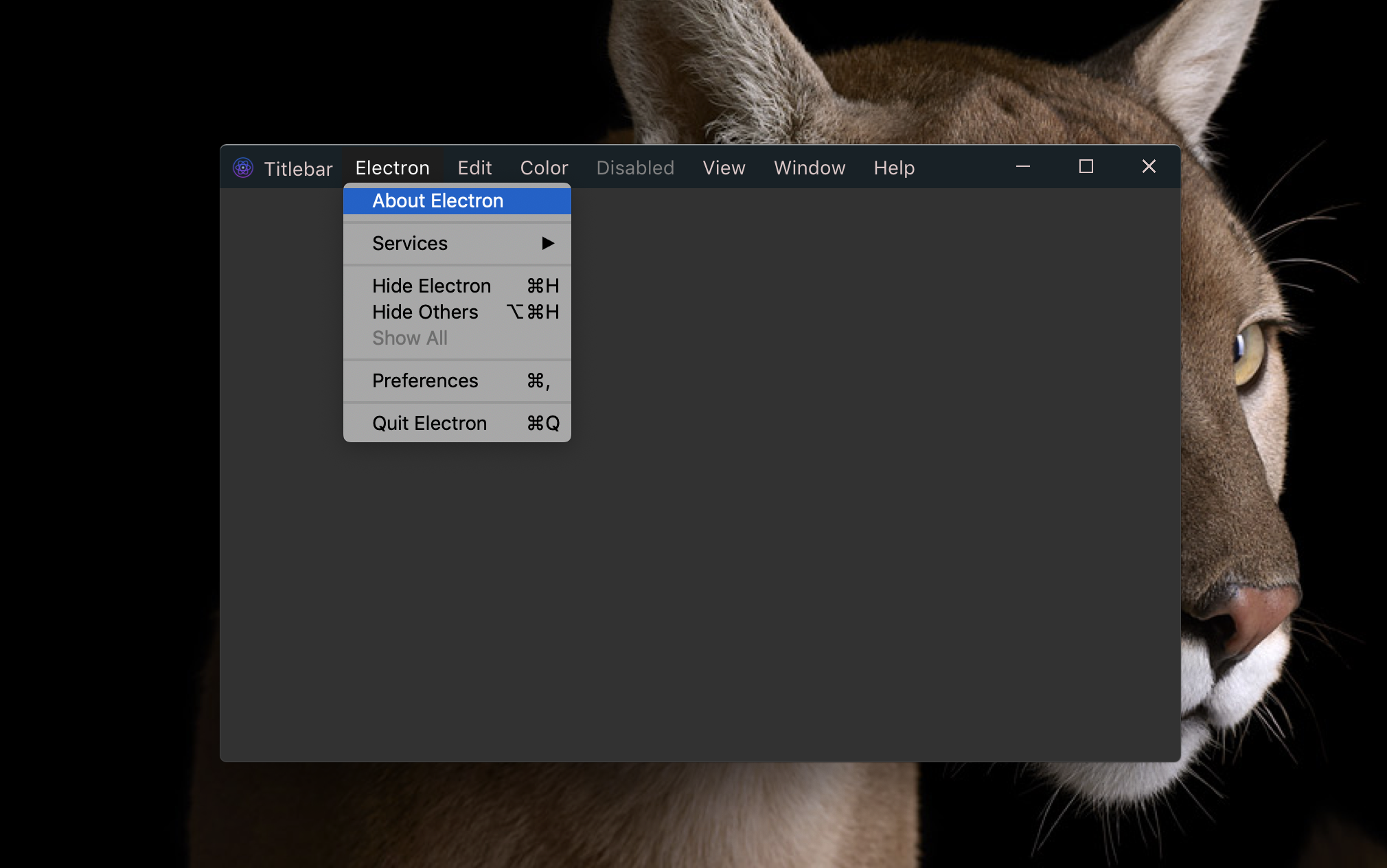
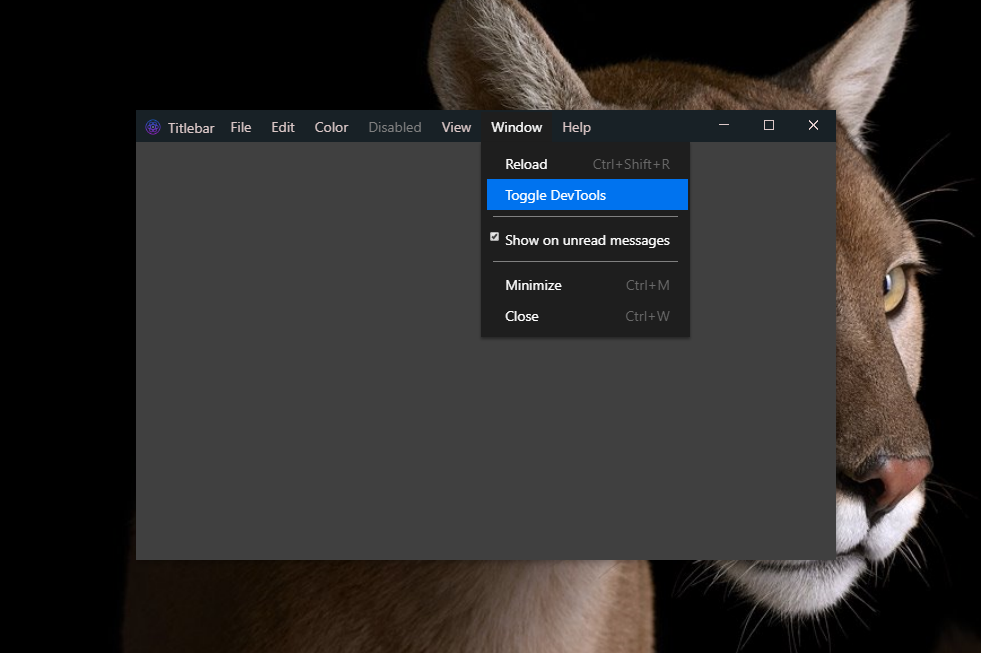
**Adds CSS-based UI title bars to any Electron-based desktop app.** Lightweight and customizable with menu implementation like VS Code. Menu can be use as remote contextMenu from electron or stylized with CSS.
Initial fork from [electron-titlebar-windows](https://github.com/sidneys/electron-titlebar-windows), now as independent version.
Electron version supported : `^1.8.8 || ^4.2.11 || >=5.0.0`.
```
yarn add electron-custom-titlebar
npm install electron-custom-titlebar --save
```
#### macOS
#### Windows
## Table of Content
1. [Usage](#usage)
2. [API](#api)
3. [Contributing](#contributing)
4. [Usecases](#usecases)
5. [License](#license)
## Installation
## Usage
The module takes a single optional argument `options` and exports the `TitleBar` class:
```js
import ElectronTitlebar from 'electron-custom-titlebar';
const titlebar = new ElectronTitlebar({ ...options });
const contextElement = document.querySelector('#titlebarRegion');
titlebar.appendTo(contextElement);
// Dispatch control actions to currentWindow
titlebar.on('close', () => { remote.getCurrentWindow().close(); });
titlebar.on('fullscreen', () => { remote.getCurrentWindow().maximize(); });
titlebar.on('minimize', () => { remote.getCurrentWindow().minimize(); });
titlebar.on('maximize', () => { remote.getCurrentWindow().restore(); });
// Update menu when electron contextMenu has changed
// menus files handle template and actions for app
const { menus } = remote.require('./main');
menus.on('update', () => {
const updatedMenu = menus.getMenuTemplate();
titlebar.update({ ...titlebar.options, menu: updatedMenu });
});
```
```html
```
Properties of `options`:
- (optional) **darkMode** - `String` - **Light titlebar buttons (for dark backgrounds)**
- (optional) **color** - `String` - **Icon color (Hex)**
- (optional) **backgroundColor** - `String` - **Bar color (Hex)**
- (optional) **draggable** - `Boolean` - **Titlebar enables dragging of contained window**
- (optional) **fullscreen** - `Boolean` - **Resize button initializes in fullscreen mode**
- (optional) **title** - `String` - **The app name shown to the left of the menu items**
- (optional) **icon** - `String` - **The app icon shown on the top left**
- (optional) **menu** - `Object` - **The array of menu items following the Electron Menu Object Documentation/Template**
- (optional) **onDoubleClick** - `Boolean` - **Double clicking on titlebar enable to resize window in fullscreen mode. Default to false**
- (optional) **contextMenu** - `Boolean` - **Use internal contextMenu of Electron. Useful if using browserView. Default to false**
*Note:* with a remote contextMenu, there are some UI limitations. Once user first clicked on a tile and context menu opened, the main thread is hanged and user should reclick on an other tile to open the new menu options.
## API
#### #appendTo
Add titlebar to your HTML app page. If you use several webviews, you should add it to a persistent app page.
The contextElement argument is your Titlebar region, letting you should where you want to place it.
```js
titlebar.appendTo(contextElement);
```
- (optional) **contextElement** - `HTMLElement` - Default: `document.body` creating a context element with position absolute top left, width 100% and z-index 9999 - **Element to which to add the titlebar**
- **Returns** - Titlebar
#### #update
Update the Title Bar. Useful to handle Electron `Menu.on('update', () => titlebar.update(menu))`.
```js
titlebar.update(options);
```
- **options** - `Object` - default to previous configuration - **Titlebar Configuration**
- **Returns** - Titlebar
#### #destroy
Removes the Title Bar.
```js
titlebar.destroy();
```
#### Events
`TitleBar` emits the following events:
- `minimize`
- `maximize`
- `fullscreen`
- `close`
```js
titlebar.on('close', function(e) {
console.log('close');
});
```
## Contributing
Fork this project and make a new PR to start contributing to this project. Here are some example how to contribute.
#### CORE FEATURES
- [ ] Responsive on X axis with menu position and width
- [ ] Handle checked items
#### IMPROVEMENTS
- [ ] Include multi BrowserView support for better menu interaction (electron@^5)
- [ ] Better drag support with [electron-drag](https://www.npmjs.com/package/electron-drag)
#### DOCUMENTATION
- [ ] Complete example project
## Usecases
 Feel free to add yours, making a PR.
## License
MIT © [popzelife](https://taurus.sh)
#### Related
Based on [sidneys](http://sidneys.github.io)
---
_Source: https://npm.io/package/electron-custom-titlebar · Machine-readable twin of the npm.io package page. Health data is recomputed on every publish._