# ember-portal
> Render content somewhere else in your app
Latest version **0.2.0** (published 2018-04-19) · MIT license · 0 weekly downloads
## Install
```sh
npm install ember-portal
pnpm add ember-portal
yarn add ember-portal
bun add ember-portal
```
## Health
**Score 15/100 (F)** — status: abandoned.
Positive: no vulnerabilities.
Warnings: low downloads; no types; no esm support; pre 1.0.
Negative: abandoned; low maintenance score.
## Facts
| | |
|---|---|
| Version | 0.2.0 |
| Published | 2018-04-19 |
| First published | 2015-06-10 |
| Weekly downloads | 0 |
| License | MIT |
| TypeScript types | none |
| Module format | CommonJS |
| Node | ^4.5 \|\| 6.* \|\| >= 7.* |
| Dependencies | 2 |
| Unpacked size | 937.1 KB |
| Known vulnerabilities | 0 |
| Install scripts | no |
| Author | Richard Livsey |
| Maintainers | rlivsey |
| Keywords | ember-addon, portal, wormhole |
## Links
- npm: https://www.npmjs.com/package/ember-portal
- npm.io page: https://npm.io/package/ember-portal
## Dependencies (2)
- [ember-wormhole](https://npm.io/package/ember-wormhole.md) ^0.5.1
- [ember-cli-babel](https://npm.io/package/ember-cli-babel.md) ^6.6.0
## Recent versions
- 0.2.0 (latest) — 2018-04-19
- 0.1.0 — 2016-12-16
- 0.0.5 — 2015-08-14
- 0.0.4 — 2015-06-29
- 0.0.3 — 2015-06-10
- 0.0.2 — 2015-06-10
- 0.0.1 — 2015-06-10
## README
# Ember-portal
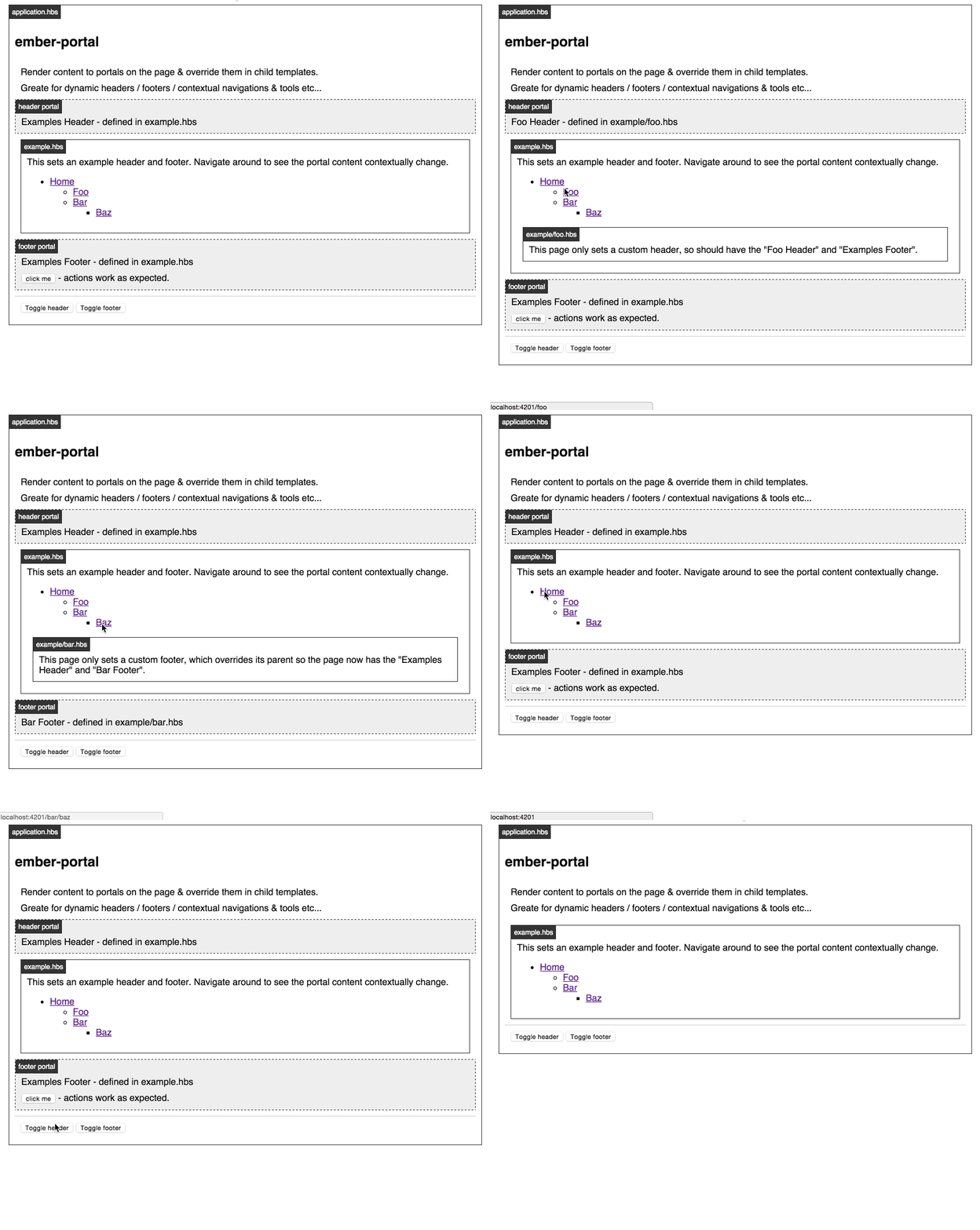
Render stuff here, put it over there.
[Demo](http://minutebase.github.io/ember-portal)
## Installation
```
ember install ember-portal
```
## Basic Usage
Setup some portals in your application template, or wherever:
```hbs
{{! app/templates/application.hbs }}
{{outlet}}
```
These will be empty until you give them some content from some other template:
```hbs
{{! app/templates/foo.hbs }}
{{#portal-content for="header"}}
This will appear in the header
{{/portal-content}}
```
If you render to the same portal in a deeper template, it will replace the
previous content:
```hbs
{{! app/templates/foo/bar/baz.hbs }}
{{#portal-content for="header"}}
This will replace the header content
{{/portal-content}}
```
## DOM Layout
ember-portal uses [ember-wormhole](https://github.com/yapplabs/ember-wormhole) and manages the DOM element it needs to render the child elements into.
Given the following template:
```hbs
{{#portal-content for="header"}}
the content
{{/portal-content}}
```
It will result in the following HTML:
```html
```
The `{{portal-for}}` component takes `class` and `portal-class` attributes to add class names for styling, for example:
```hbs
{{#portal-content for="header"}}
the content
{{/portal-content}}
```
It will result in the following HTML:
```html
```
## Developing
### Installation
* `git clone` this repository
* `npm install`
* `bower install`
### Running
* `ember server`
* Visit your app at http://localhost:4200.
### Running Tests
* `ember test`
* `ember test --server`
### Building
* `ember build`
For more information on using ember-cli, visit [http://www.ember-cli.com/](http://www.ember-cli.com/).
---
_Source: https://npm.io/package/ember-portal · Machine-readable twin of the npm.io package page. Health data is recomputed on every publish._