# file-system-utils
> Currently the [FileSystem API](https://developer.mozilla.org/en-US/docs/Web/API/FileSystem) is experimental which means it is not 100% reliable. I tested it in Chrome & Firefox but beware of future changes that might crash this code.
Latest version **0.0.1** (published 2020-04-19) · MIT license · 0 weekly downloads
## Install
```sh
npm install file-system-utils
pnpm add file-system-utils
yarn add file-system-utils
bun add file-system-utils
```
## Health
**Score 15/100 (F)** — status: abandoned.
Positive: no vulnerabilities.
Warnings: low downloads; no types; no esm support; pre 1.0.
Negative: abandoned; low maintenance score.
## Facts
| | |
|---|---|
| Version | 0.0.1 |
| Published | 2020-04-19 |
| First published | 2020-04-19 |
| Weekly downloads | 0 |
| License | MIT |
| TypeScript types | none |
| Module format | CommonJS |
| Dependencies | 1 |
| Unpacked size | 185.9 KB |
| Known vulnerabilities | 0 (+1 in 1 direct dependencies) |
| Install scripts | no |
| GitHub stars | 1 |
| Author | Alexandru Pavaloi |
| Maintainers | iampava |
| Keywords | FileSystem API, file-system utils |
## Links
- npm: https://www.npmjs.com/package/file-system-utils
- Repository: https://github.com/iampava/file-system-utils
- Issues: https://github.com/iampava/file-system-utils/issues
- npm.io page: https://npm.io/package/file-system-utils
## Dependencies (1)
- [uuid](https://npm.io/package/uuid.md) ^7.0.3
## Alternatives
- [unionfs](https://npm.io/package/unionfs.md) — 2.2M weekly downloads
- [path-starts-with](https://npm.io/package/path-starts-with.md) — 35.9K weekly downloads
- [redzip](https://npm.io/package/redzip.md) — 1.2K weekly downloads
- [vscode-anymatch](https://npm.io/package/vscode-anymatch.md) — 848 weekly downloads
- [@ledgerhq/coin-filecoin](https://npm.io/package/@ledgerhq/coin-filecoin.md) — 793 weekly downloads
## Recent versions
- 0.0.1 (latest) — 2020-04-19
## README
# file-system-utils
## ⚠ Disclaimer
Currently the [FileSystem API](https://developer.mozilla.org/en-US/docs/Web/API/FileSystem) is experimental which means it is not 100% reliable. I tested it in Chrome & Firefox but beware of future changes that might crash this code.
## Motivation
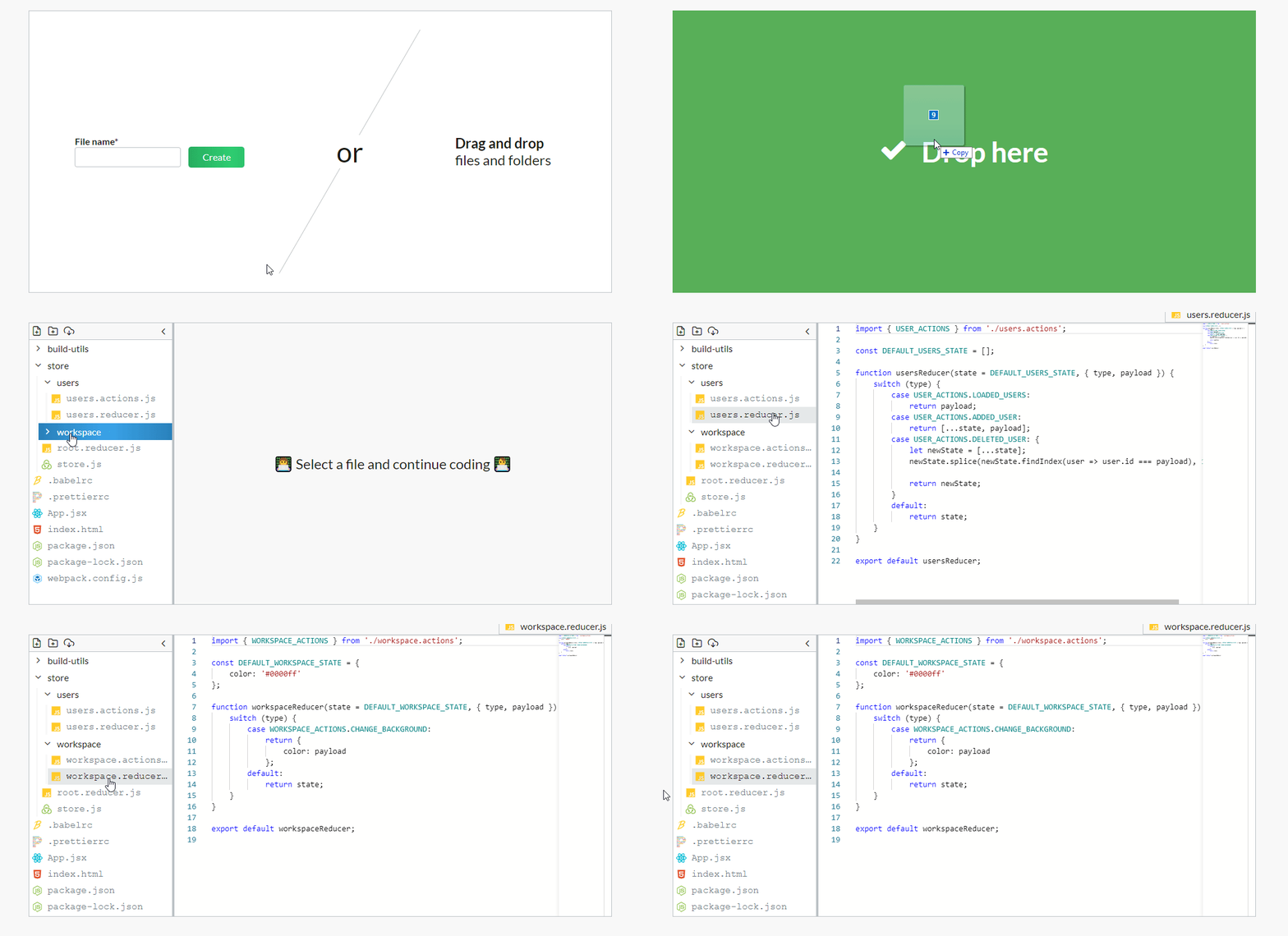
I wanted to provide Drag-and-Drop functionality for folders in two of the apps I'm working on. Next I discovered the FileSystem API and decided to release these utility functions as a separate package.
Here's the end-results of using these utils in [DevDrive](https://devdrive.io).
## Installation & Usage
```bash
$ npm install file-system-utils --save
```
To use this library just import the functions you want into the code and voilà!
```js
import {
toFolderStructure,
toFileEntriesArray
} from "file-system-utils";
```
⚠ This library is specifically made to be used in conjunction with ES Modules or a bundler like Webpack. If you want to use it in a vanilla JavaScript project without any build process or ES Modules, then you'll need to copy-paste the functions directly in your code.
## API
### toFolderStructure(entries, middleware?) : `Promise
 ## Installation & Usage
```bash
$ npm install file-system-utils --save
```
To use this library just import the functions you want into the code and voilà!
```js
import {
toFolderStructure,
toFileEntriesArray
} from "file-system-utils";
```
⚠ This library is specifically made to be used in conjunction with ES Modules or a bundler like Webpack. If you want to use it in a vanilla JavaScript project without any build process or ES Modules, then you'll need to copy-paste the functions directly in your code.
## API
### toFolderStructure(entries, middleware?) : `Promise