# formio-wizard
> A Form.IO Wizard Directive.
Latest version **1.0.0** (published 2016-02-12) · ISC license · 0 weekly downloads
## Install
```sh
npm install formio-wizard
pnpm add formio-wizard
yarn add formio-wizard
bun add formio-wizard
```
## Health
**Score 15/100 (F)** — status: abandoned.
Positive: no vulnerabilities.
Warnings: low downloads; no types; no esm support.
Negative: abandoned; low maintenance score.
## Facts
| | |
|---|---|
| Version | 1.0.0 |
| Published | 2016-02-12 |
| First published | 2016-02-12 |
| Weekly downloads | 0 |
| License | ISC |
| TypeScript types | none |
| Module format | CommonJS |
| Dependencies | 1 |
| Known vulnerabilities | 0 |
| Install scripts | no |
| GitHub stars | 1 |
| Maintainers | travist |
## Links
- npm: https://www.npmjs.com/package/formio-wizard
- Repository: https://github.com/formio/formio-form
- Homepage: https://github.com/formio/formio-wizard#readme
- Issues: https://github.com/formio/formio-form/issues
- npm.io page: https://npm.io/package/formio-wizard
## Dependencies (1)
- [ng-formio](https://npm.io/package/ng-formio.md) ^1.2.1
## Recent versions
- 1.0.0 (latest) — 2016-02-12
## README
Form.io Wizard
---------------------
An Angular.js directive that provides wizard capabilities to a [Form.io](https://form.io) form using the following simple directive.
```
```
This directive uses Panel components placed within the root of your form as an indication for separate pages within
the wizard.
Getting Started
===================
You will first need to create an account at https://form.io. Go there now and sign up for a free account.
Installation
====================
To install this within your application, you will need to use bower.
```
bower install formio-wizard --save
```
Then, you will need to add the wizard and its dependencies to your HTML page.
```
```
Now, you will need to add this to your Angular.js module as a dependency like the following.
```
angular.module('myApp', ['formio.wizard']);
```
Example
================
Take a look at **index.html** for an example implementation of this wizard capability.
How it works
================
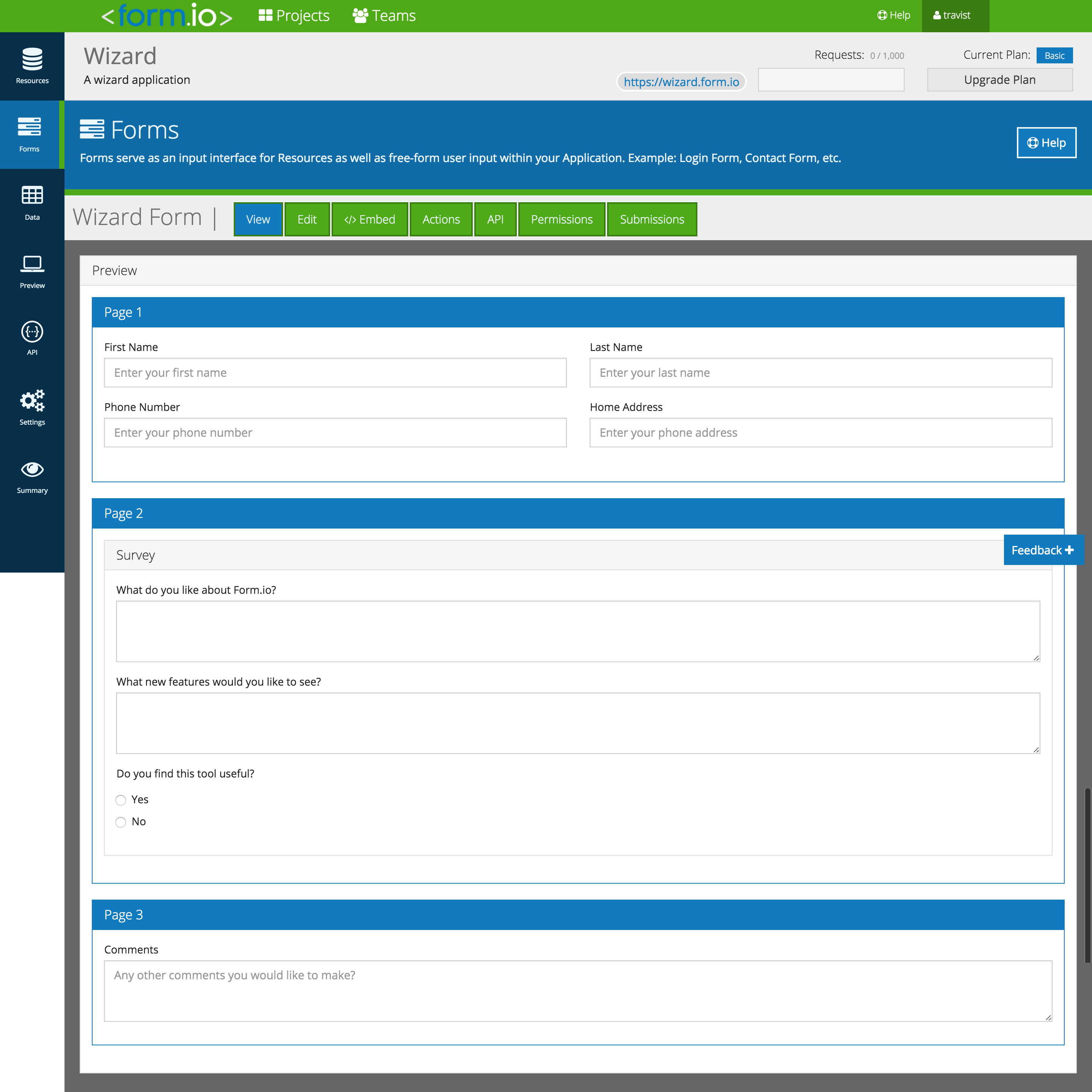
This directive uses **Panel** components placed within the root of the form as the separate pages within that form. Because
of this, you will need to create your form using Panels on the root level to indicate separate pages like the following
image shows.
---
_Source: https://npm.io/package/formio-wizard · Machine-readable twin of the npm.io package page. Health data is recomputed on every publish._