# frame-animate-js
> A javascript lib to create frame-by-frame animation.
Latest version **0.1.1** (published 2018-12-27) · MIT license · 0 weekly downloads
## Install
```sh
npm install frame-animate-js
pnpm add frame-animate-js
yarn add frame-animate-js
bun add frame-animate-js
```
## Health
**Score 15/100 (F)** — status: abandoned.
Positive: no vulnerabilities.
Warnings: low downloads; no types; no esm support; pre 1.0.
Negative: abandoned; low maintenance score.
## Facts
| | |
|---|---|
| Version | 0.1.1 |
| Published | 2018-12-27 |
| First published | 2018-09-25 |
| Weekly downloads | 0 |
| License | MIT |
| TypeScript types | none |
| Module format | CommonJS |
| Dependencies | 0 |
| Unpacked size | 11.4 KB |
| Known vulnerabilities | 0 |
| Install scripts | no |
| GitHub stars | 1 |
| Author | geminate |
| Maintainers | geminate |
| Keywords | animate, frame-by-frame |
## Links
- npm: https://www.npmjs.com/package/frame-animate-js
- Repository: https://github.com/geminate/frame-animate
- Homepage: https://github.com/geminate/frame-animate#readme
- Issues: https://github.com/geminate/frame-animate/issues
- npm.io page: https://npm.io/package/frame-animate-js
## Alternatives
- [@luma.gl/experimental](https://npm.io/package/@luma.gl/experimental.md) — 77.1K weekly downloads
- [persona-harness](https://npm.io/package/persona-harness.md) — 4.7K weekly downloads
- [@tsparticles/effect-bubble](https://npm.io/package/@tsparticles/effect-bubble.md) — 4.6K weekly downloads
- [f3d](https://npm.io/package/f3d.md) — 730 weekly downloads
- [spark-html-motion](https://npm.io/package/spark-html-motion.md) — 298 weekly downloads
## Recent versions
- 0.1.1 (latest) — 2018-12-27
- 0.1.0 — 2018-11-16
- 0.0.4 — 2018-09-29
- 0.0.3 — 2018-09-29
- 0.0.2 — 2018-09-25
- 0.0.1 — 2018-09-25
## README
## Introduction
A javascript lib to create frame-by-frame animation.
## Install
You can install frame-animate by npm.
```javascript
$ npm install frame-animate-js
```
or use script label
```html
```
## Config
| config | instruction | example
| -------- | ----- | -----
| dom | animate container | document.querySelector("#test")
| frameNumber | total number of frames | 16
| delay | interval between two frames | 70
| imgPath | source image path | './app-download.png'
| imgWidth | source image width | 1280
## Api
#### 1. playForward(start, end)
Start animate and play forward from one frame to another.
#### 2. playBack(start, end)
Start animate and play back from one frame to another.
#### 3. reset()
Reset animate, stop animate and move to first frame.
#### 4. pause()
Pause animate.
#### 5. addFrameCallBack(frameNumber, func)
Call the function when the animation is playing to the specified frame.
#### 6. removeFrameCallBack(callback)
Remove a callback.
#### 7. getCurrentFrame()
Return current frame number.
## Example
All the following examples use this picture as material.(from bilibili.com)

### Basic
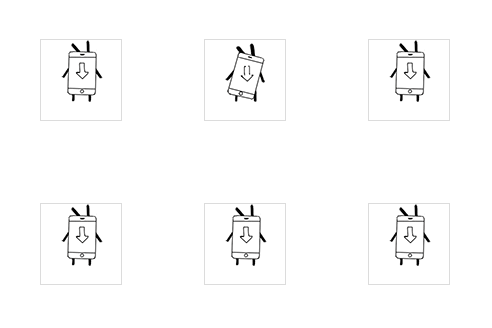
```javascript
import FrameAnimate from 'frame-animate-js';
const config = {
dom: document.querySelector("#test"),
frameNumber: 16,
delay: 70,
imgPath: './app-download.png',
imgWidth: 1280
};
const frame = new FrameAnimate(config);
frame.playForward();
```
### Loop playback
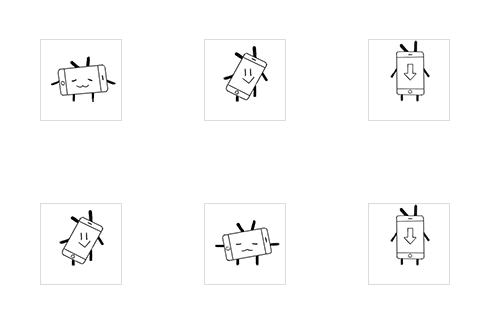
```javascript
import FrameAnimate from 'frame-animate-js';
const config = {
dom: document.querySelector("#test"),
frameNumber: 16,
delay: 70,
imgPath: './app-download.png',
imgWidth: 1280
};
const frame = new FrameAnimate(config);
frame.playForward();
frame.addFrameCallBack(0, function () {
frame.pause();
frame.playForward();
});
frame.addFrameCallBack(15, function () {
frame.pause();
frame.playBack();
});
```
### Complex
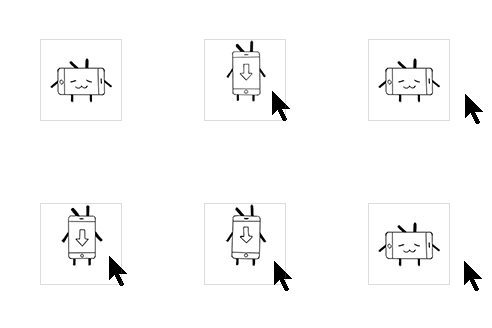
```javascript
import FrameAnimate from 'frame-animate-js';
const config = {
dom: document.querySelector("#test"),
frameNumber: 16,
delay: 70,
imgPath: './app-download.png',
imgWidth: 1280
};
const frame = new FrameAnimate(config);
let callback15, callback9;
document.querySelector("#test").addEventListener("mouseenter", function () {
callback9 = frame.addFrameCallBack(9, function () {
frame.pause();
frame.playForward(9, 15);
});
callback15 = frame.addFrameCallBack(15, function () {
frame.pause();
frame.playBack(15, 0);
});
frame.pause();
frame.playForward(frame.getCurrentFrame());
});
document.querySelector("#test").addEventListener("mouseleave", function () {
frame.removeFrameCallBack(callback9);
frame.removeFrameCallBack(callback15);
frame.pause();
frame.playBack(frame.getCurrentFrame(), 0);
});
```
### Use in vue
```html
```
```javascript
import FrameAnimate from 'frame-animate-js';
import Img from './app-download.png';
export default {
mounted() {
const config = {
dom: this.$refs.imgContainer,
frameNumber: 16,
delay: 70,d
imgPath: Img,
imgWidth: 1280
};
const frame = new FrameAnimate(config);
frame.playForward()
}
}
```
---
_Source: https://npm.io/package/frame-animate-js · Machine-readable twin of the npm.io package page. Health data is recomputed on every publish._