# hantry-js-core
> Core for Hantry
Latest version **0.1.76** (published 2023-03-27) · ISC license · 0 weekly downloads
## Install
```sh
npm install hantry-js-core
pnpm add hantry-js-core
yarn add hantry-js-core
bun add hantry-js-core
```
## Health
**Score 15/100 (F)** — status: abandoned.
Positive: no vulnerabilities.
Warnings: low downloads; no types; no esm support; pre 1.0.
Negative: abandoned; low maintenance score.
## Facts
| | |
|---|---|
| Version | 0.1.76 |
| Published | 2023-03-27 |
| First published | 2022-07-03 |
| Weekly downloads | 0 |
| License | ISC |
| TypeScript types | none |
| Module format | CommonJS |
| Dependencies | 1 |
| Unpacked size | 13.4 KB |
| Known vulnerabilities | 0 |
| Install scripts | no |
| GitHub stars | 2 |
| Author | hkh9601 |
| Maintainers | hankyounghun |
## Links
- npm: https://www.npmjs.com/package/hantry-js-core
- Repository: https://github.com/hkh0105/Hantry-Sdk
- Homepage: https://github.com/hkh0105/Hantry-Sdk#readme
- Issues: https://github.com/hkh0105/Hantry-Sdk/issues
- npm.io page: https://npm.io/package/hantry-js-core
## Dependencies (1)
- [hantry-js-utils](https://npm.io/package/hantry-js-utils.md) ^0.1.73
## Recent versions
- 0.1.76 (latest) — 2023-03-27
- 0.1.74 — 2022-08-04
- 0.1.73 — 2022-07-28
- 0.1.69 — 2022-07-22
- 0.1.55 — 2022-07-22
- 0.1.53 — 2022-07-21
- 0.1.50 — 2022-07-21
- 0.1.48 — 2022-07-21
- 0.1.46 — 2022-07-21
- 0.1.45 — 2022-07-21
- 0.1.44 — 2022-07-21
- 0.1.43 — 2022-07-21
- 0.1.42 — 2022-07-20
- 0.1.40 — 2022-07-20
- 0.1.39 — 2022-07-17
- … 20 more at https://npm.io/package/hantry-js-core/versions
## README
# Getting Started with Hantry
브라우저, Node 에서 쉽고 간편하게 에러를 Catch 하고 확인하세요!
Front- https://62d778fc74fb04000cd2965d--astounding-piroshki-9ccec6.netlify.app/
Webpack Plugin -https://www.npmjs.com/package/hantry-webpack
Browser -https://www.npmjs.com/package/hantry-js-react
Node -https://www.npmjs.com/package/hantry-js-node
Profiler - https://www.npmjs.com/package/hantry-js-profiler
## 개발환경
- NPM
- Lerna
- Slack Oauth
- React
- WebPack Plugin
- Express
## How TO Start
- Webpack Plugin (컴파일에러를 잡고 소스맵 업로드를 담당합니다)
```
npm install hantry-webpack
```
webpack config plugin
options = { sourcemap: boolean }
```
plugins: [new HantryPlugin(options, "your dsn")],
```
- Browser (런타임에러를 잡고 BreadCrubs, Profiler, RejectionError를 제공합니다)
```
npm install hantry-js-react
import {init} from "hantry-js-react
```
options = { rejection: boolean, breadcrumbsClick: boolean, breadcrumbsURL: boolean, profiler: boolean }
```
init(options,"your dsn")
```
- Node (Node 버전입니다.)
```
npm install hantry-js-node
import {init} from "hantry-js-react
```
options = {}
```
init(options,"your dsn")
```
## User Flow
로그인

프로젝트 생성

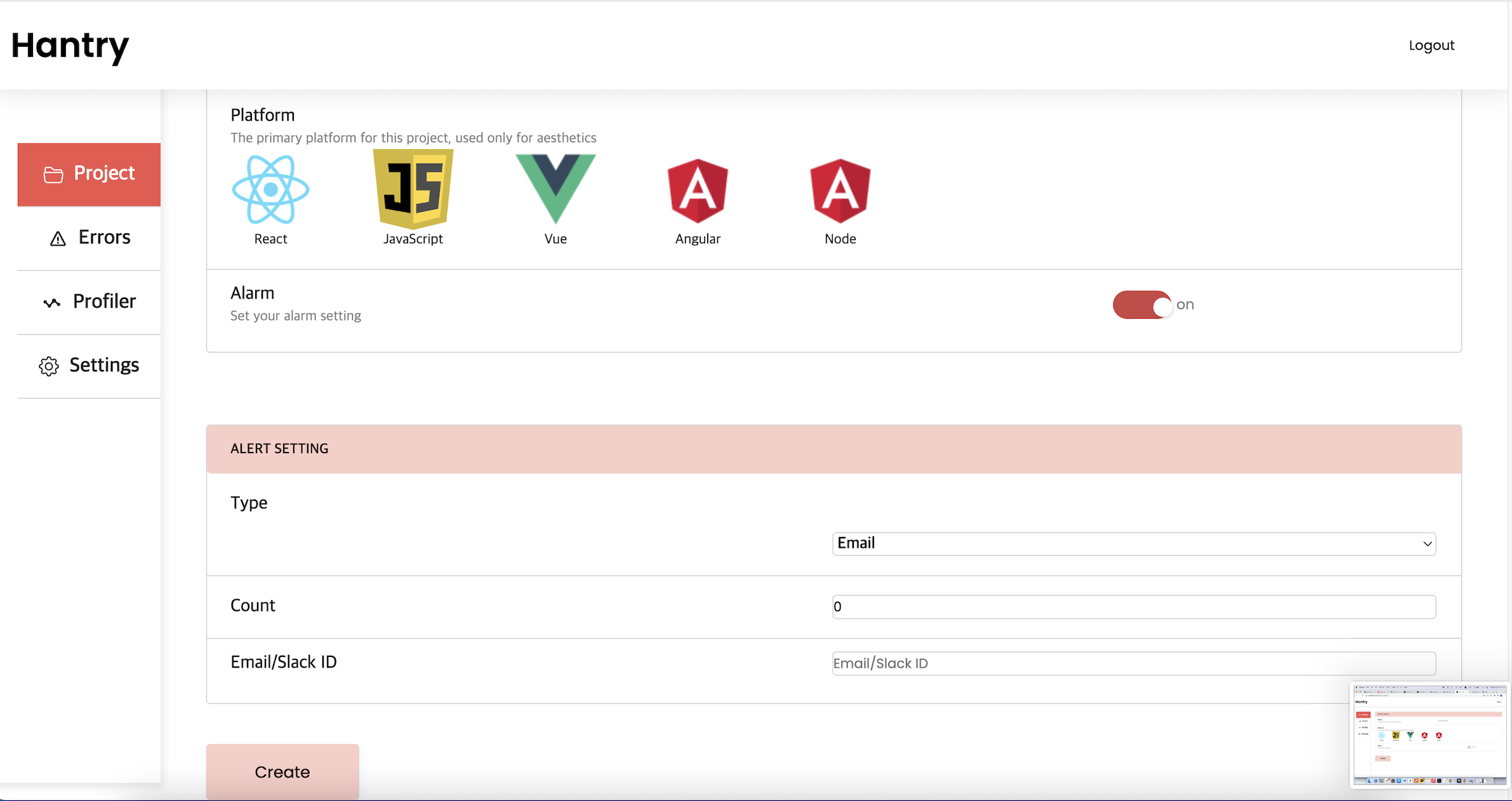 알람타입에서 Slack 과 Email을 고를 수 있습니다.
Slack 으로 진행해 보겠습니다.
프로젝트 생성시 DSN을 디테일 페이지에서 확인할 수 있습니다.

DSN을 받은 후 , init 설정을 본인 프로젝트에서 할 수 있습니다. (이름은 browser로 변경예정입니다)

profiler 만 사용하고 싶을 시 , profiler 라이브러리만 import해서 설정 가능합니다.
Compile Error 도 Catch 하고 싶을 시 ,
웹팩설정 플러그인에 추가해주시면 됩니다.

더욱 더 정확한 정보를 원한다면,

devtool을 source-map 으로 변경하거나 직접 Hantry 페이지에서 source-map을 첨부 가능합니다.

Type이 Email이라면 그냥 이메일만 입력하면 자동으로 이메일을 보내주지만, Slack의 경우 슬랙봇을 워크플레이스 채널에 추가해 주어야 합니다. Setting 페이지에 버튼이 있습니다.
알람타입에서 Slack 과 Email을 고를 수 있습니다.
Slack 으로 진행해 보겠습니다.
프로젝트 생성시 DSN을 디테일 페이지에서 확인할 수 있습니다.

DSN을 받은 후 , init 설정을 본인 프로젝트에서 할 수 있습니다. (이름은 browser로 변경예정입니다)

profiler 만 사용하고 싶을 시 , profiler 라이브러리만 import해서 설정 가능합니다.
Compile Error 도 Catch 하고 싶을 시 ,
웹팩설정 플러그인에 추가해주시면 됩니다.

더욱 더 정확한 정보를 원한다면,

devtool을 source-map 으로 변경하거나 직접 Hantry 페이지에서 source-map을 첨부 가능합니다.

Type이 Email이라면 그냥 이메일만 입력하면 자동으로 이메일을 보내주지만, Slack의 경우 슬랙봇을 워크플레이스 채널에 추가해 주어야 합니다. Setting 페이지에 버튼이 있습니다.


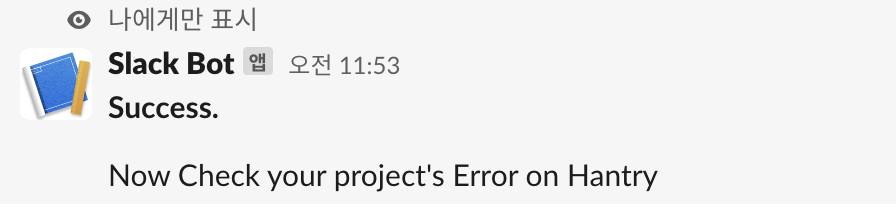 추가된 봇을 구독을 원하는 채널에 추가시킨후, slash 명령어를 통해, DSN정보를 보내줍니다.
이제 에러를 발생시켜 보겠습니다. 방금 추가한 워크스페이스 및 채널은 방금 생성한 채널과 워크스페이스입니다.

슬랙에 알림이 나오는것을 볼 수 있습니다.
이메일 예시입니다.

프로젝트 페이지입니다

추가된 봇을 구독을 원하는 채널에 추가시킨후, slash 명령어를 통해, DSN정보를 보내줍니다.
이제 에러를 발생시켜 보겠습니다. 방금 추가한 워크스페이스 및 채널은 방금 생성한 채널과 워크스페이스입니다.

슬랙에 알림이 나오는것을 볼 수 있습니다.
이메일 예시입니다.

프로젝트 페이지입니다


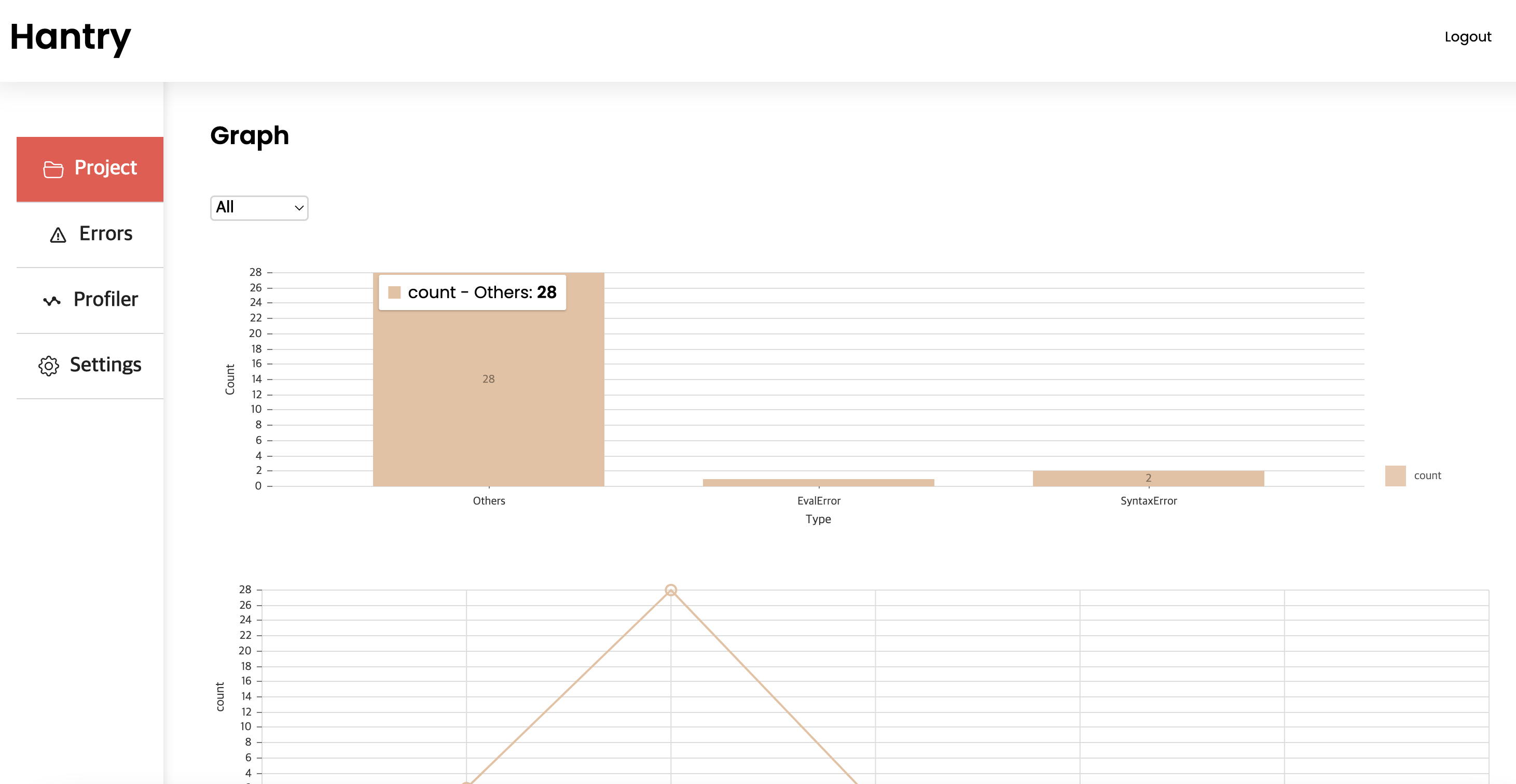
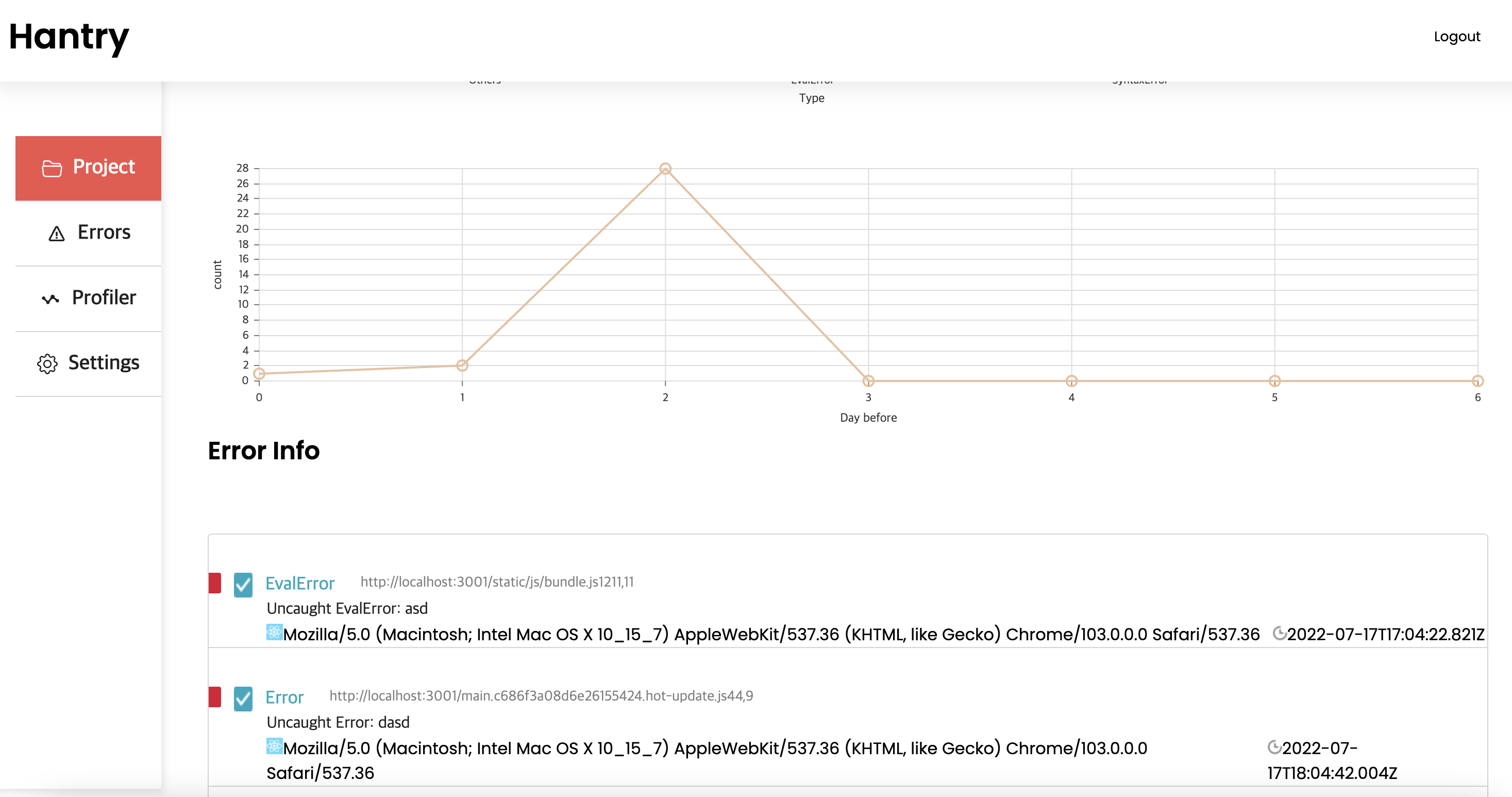 시각화된 그래프로도 볼 수 있습니다. 프로젝트 개요에서 클릭시 , 에러 디테일페이지로 이동합니다.
에러리스트 페이지입니다.
시각화된 그래프로도 볼 수 있습니다. 프로젝트 개요에서 클릭시 , 에러 디테일페이지로 이동합니다.
에러리스트 페이지입니다.
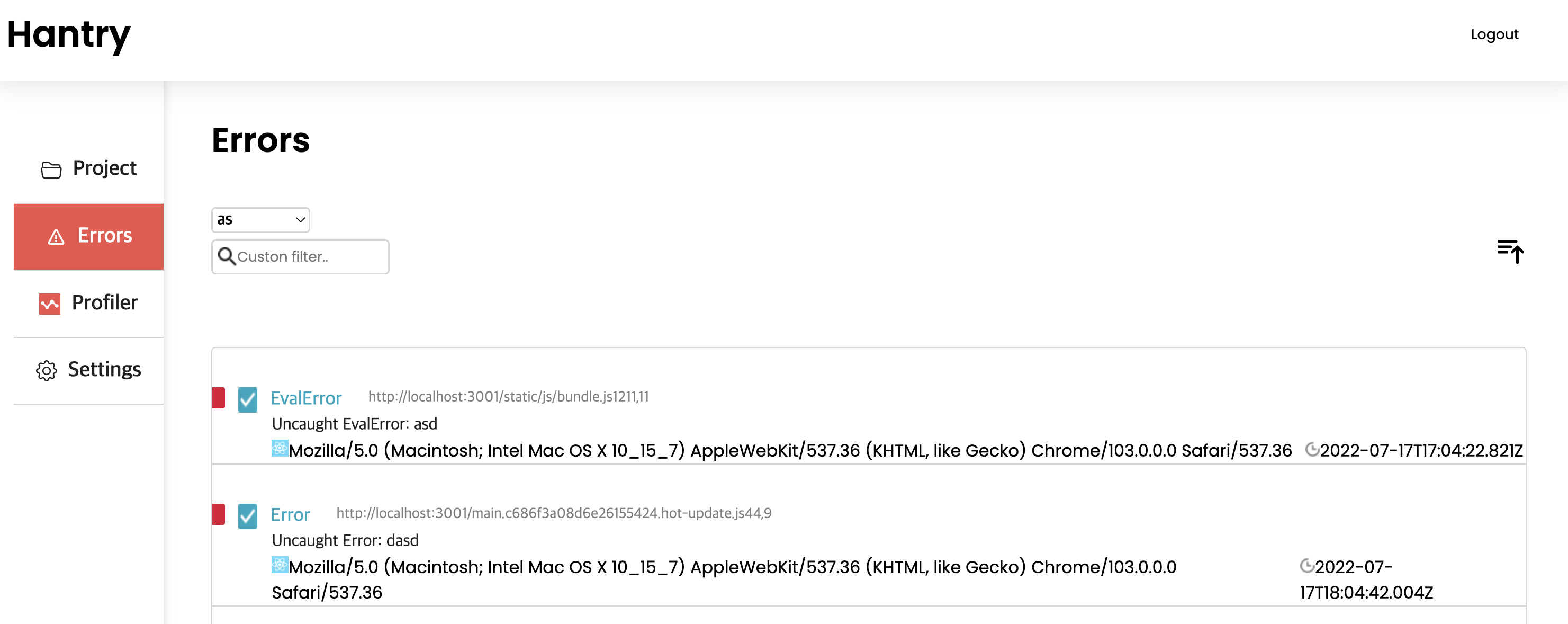
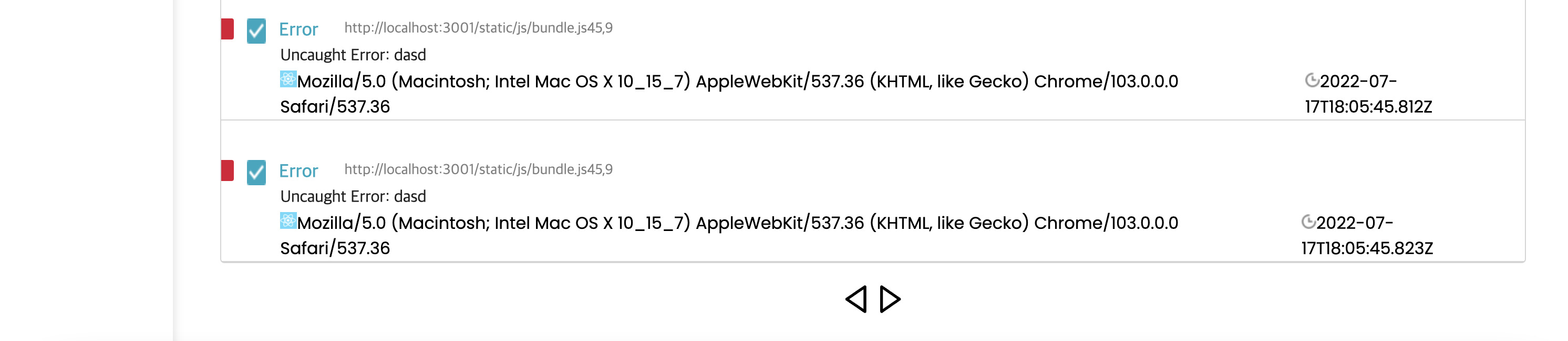 에러 리스트 페이지에서는 프로젝트 별, 날짜별 정렬, 검색 등의 기능을 제공합니다 클릭시 에러 디테일 페이지로 이동합니다.
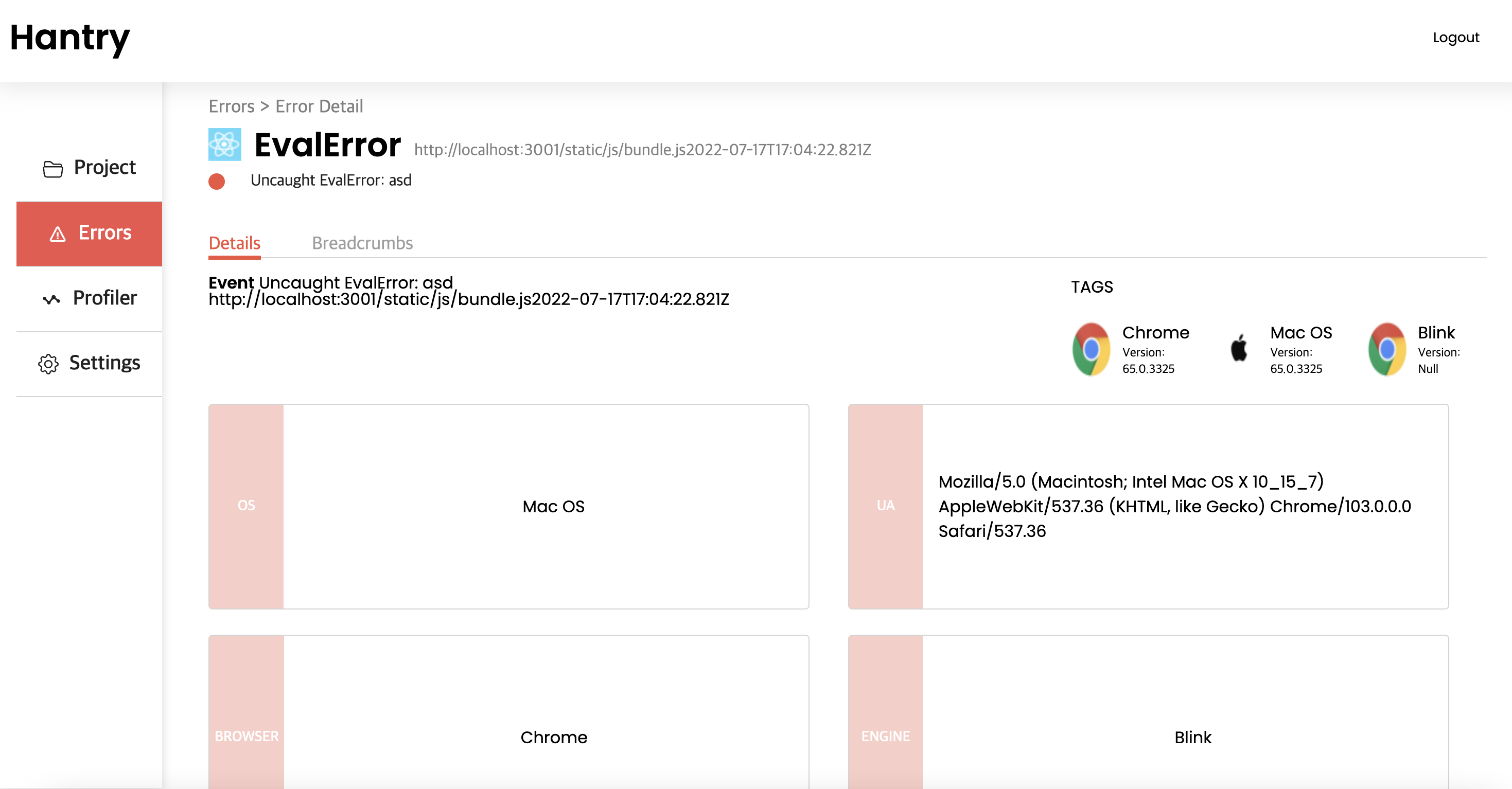

 디테일 페이지에서는 user 정보, 에러의 breadcrumbs, stack등의 자세한 정보를 제공해 줍니다.
조금 더 정확한 정보를 원할 시, 소스맵을 업데이트 해야 합니다.
Profile페이지입니다.
Profile 페이지에서는 프로젝트 Performance를 볼 수 있습니다. 클릭시 디테일 페이지로 이동 가능합니다.


Settings 페이지에서는 Project Create 시 했던 정보들을 수정할 수 있습니다.
디테일 페이지에서는 user 정보, 에러의 breadcrumbs, stack등의 자세한 정보를 제공해 줍니다.
조금 더 정확한 정보를 원할 시, 소스맵을 업데이트 해야 합니다.
Profile페이지입니다.
Profile 페이지에서는 프로젝트 Performance를 볼 수 있습니다. 클릭시 디테일 페이지로 이동 가능합니다.


Settings 페이지에서는 Project Create 시 했던 정보들을 수정할 수 있습니다.
 ## 주요 기능
- **UnhandledError**: NPM으로 배포한 라이브러리를 통해서 **unhandledError**, **RejectionError**, 에러가 발생한 **UserInfo(Browser,Os..etc)**, **Error Stack**, 등 에러에 관한 정보를 캐치할 수 있습니다. 에러가 발생한 순간의 정보들을 캐치 한후 서버로 보내게 했습니다.
여러 환경을 대응하기 위해 **오프라인 웹**도 대응하게 로직을 짜놨습니다.
- **Breadcrumbs:** Error 의 Breadcrums 도 추적하게 했습니다. Click 과 URL에 대해서 추적하게 했습니다. URL 의 경우 hashchange event는 hash가 변경될때만 일어나고, popstate 의 경우 pushstate가 된 뒤, 앞으로가기 등의 경우 일어나고 다른경우 일어나지 않는 경우가 있었습니다.
그래서 pushstate, relpaceevent를 커스텀하게 수정하고, 커스텀된 pushstate, replaceevent 와 기존의 popstate에서 새로운 url 변경이벤트를 보내게 만들어서 캐치했습니다.
- **Visualize**: 사용자는 이를 Front의 배포된 사이트에서 그래프 및 디테일한 정보를 확인할 수 있습니다.
현제 **Vue, angular, react** 등의 모든 브라우저 **JS**와, **NodeJS** 버전을 지원하고, 전시회까지 NPM다운로드가 가능한 **파이썬** 까지 지원해볼 생각입니다.
- **Compile Error** **WebPack PlugIn**: 런타임 환경에서 캐치할 수 없는 컴파일 환경의 에러는 **WebPack PlugIn**으로 캐치하게 했습니다. 이를 통해서 **compiler hook**의 **emit** 에서 접근할 수 있는 **compilation** 에서 에러를 찾아 이를 파싱한 후 서버로 보내게 해서 컴파일 에러를 캐치하게 했습니다.
- **Souce Map** : 런타임 환경에서 에러를 캐치하면, 위치 등의 정보가 **bundle.js**기준으로 나오게 됩니다. 이를 해결하기 위해 사용자의 **Source Map**을 받게 했습니다.
**Source Map**을 받는 방식은 2가지가 있습니다.
- **DND Modal**: 첫번째로 Front 의 Setting 창에서 직접 **DND**로 구현한 모달창에 JS파일을 올리는법이 있습니다. 이를 파일폼으로 받은 후 그대로 DB에 저장하게 했지만, 추후 S3로 전환하는 방법을 생각하고 있습니다.
- **WebPack**: 두번째 방법은 **WebPack PlugIn** 을 이용하는 방법입니다. devtool 을 sourcemap으로 전환하면, sourcemap을 읽어 자동으로 서버로 보내게 했습니다. **compiler hook 의 done환경에서 stats**에 접근 할 수 있는데 이때 정보를 받은 후 읽어 서버로 보내게 했습니다.
- **Email**: 서버에서 에러를 받았을때, 프로젝트의 DSN을 확인한 후 , 프로젝트 설정이 Alram Type Email 이면 에러의 정보를 사용자의 이메일로 보내게 했습니다. 즉각적으로 에러에 대응할 수 있도록 했습니다.
- **Slack Bot**: 마찬가지로, 서버에서 에러를 받았을 때, 에러말고도 Slack 으로도 알람을 받을 수 있게 했습니다.
**Slack Bot**을 만든 후, Oauth 인증을 거쳐 배포시켰습니다. Setting에서 제공하는 버튼으로 **Hantry Slack bot**을 워크스페이스에 추가한 후 Slash 명령어를 통해 구독하면, **Slack Bot**이 에러가 발생했을 시 자동으로 메세지를 보내주게 했습니다. 지금은 백엔드 서버에 같이 존재하지만 추후 lamda 서버를 따로 팔 예정입니다.
- **PerformanceObserver:** 웹 프로파일러를 제공하려고 했습니다. 라이브러리도 따로 배포했습니다. 사실 Sentry는 리액트의 경우 **Profiler Component**를 따로 지원 해주고 이를 이용할까 고민도 했습니다. 하지만 이 한기능을 위해서 리액트를 불러온다가 너무 과하게 느껴졌고 **PerformanceObserver 라는 기능을 사용하기로 했습니다.** 이를 통해 first Input, paint, long take, largest paint, navigate, layourshift 등등의 performance 요소 를 관측하고 기록해 서버로 보내게 했습니다.
---
_Source: https://npm.io/package/hantry-js-core · Machine-readable twin of the npm.io package page. Health data is recomputed on every publish._
## 주요 기능
- **UnhandledError**: NPM으로 배포한 라이브러리를 통해서 **unhandledError**, **RejectionError**, 에러가 발생한 **UserInfo(Browser,Os..etc)**, **Error Stack**, 등 에러에 관한 정보를 캐치할 수 있습니다. 에러가 발생한 순간의 정보들을 캐치 한후 서버로 보내게 했습니다.
여러 환경을 대응하기 위해 **오프라인 웹**도 대응하게 로직을 짜놨습니다.
- **Breadcrumbs:** Error 의 Breadcrums 도 추적하게 했습니다. Click 과 URL에 대해서 추적하게 했습니다. URL 의 경우 hashchange event는 hash가 변경될때만 일어나고, popstate 의 경우 pushstate가 된 뒤, 앞으로가기 등의 경우 일어나고 다른경우 일어나지 않는 경우가 있었습니다.
그래서 pushstate, relpaceevent를 커스텀하게 수정하고, 커스텀된 pushstate, replaceevent 와 기존의 popstate에서 새로운 url 변경이벤트를 보내게 만들어서 캐치했습니다.
- **Visualize**: 사용자는 이를 Front의 배포된 사이트에서 그래프 및 디테일한 정보를 확인할 수 있습니다.
현제 **Vue, angular, react** 등의 모든 브라우저 **JS**와, **NodeJS** 버전을 지원하고, 전시회까지 NPM다운로드가 가능한 **파이썬** 까지 지원해볼 생각입니다.
- **Compile Error** **WebPack PlugIn**: 런타임 환경에서 캐치할 수 없는 컴파일 환경의 에러는 **WebPack PlugIn**으로 캐치하게 했습니다. 이를 통해서 **compiler hook**의 **emit** 에서 접근할 수 있는 **compilation** 에서 에러를 찾아 이를 파싱한 후 서버로 보내게 해서 컴파일 에러를 캐치하게 했습니다.
- **Souce Map** : 런타임 환경에서 에러를 캐치하면, 위치 등의 정보가 **bundle.js**기준으로 나오게 됩니다. 이를 해결하기 위해 사용자의 **Source Map**을 받게 했습니다.
**Source Map**을 받는 방식은 2가지가 있습니다.
- **DND Modal**: 첫번째로 Front 의 Setting 창에서 직접 **DND**로 구현한 모달창에 JS파일을 올리는법이 있습니다. 이를 파일폼으로 받은 후 그대로 DB에 저장하게 했지만, 추후 S3로 전환하는 방법을 생각하고 있습니다.
- **WebPack**: 두번째 방법은 **WebPack PlugIn** 을 이용하는 방법입니다. devtool 을 sourcemap으로 전환하면, sourcemap을 읽어 자동으로 서버로 보내게 했습니다. **compiler hook 의 done환경에서 stats**에 접근 할 수 있는데 이때 정보를 받은 후 읽어 서버로 보내게 했습니다.
- **Email**: 서버에서 에러를 받았을때, 프로젝트의 DSN을 확인한 후 , 프로젝트 설정이 Alram Type Email 이면 에러의 정보를 사용자의 이메일로 보내게 했습니다. 즉각적으로 에러에 대응할 수 있도록 했습니다.
- **Slack Bot**: 마찬가지로, 서버에서 에러를 받았을 때, 에러말고도 Slack 으로도 알람을 받을 수 있게 했습니다.
**Slack Bot**을 만든 후, Oauth 인증을 거쳐 배포시켰습니다. Setting에서 제공하는 버튼으로 **Hantry Slack bot**을 워크스페이스에 추가한 후 Slash 명령어를 통해 구독하면, **Slack Bot**이 에러가 발생했을 시 자동으로 메세지를 보내주게 했습니다. 지금은 백엔드 서버에 같이 존재하지만 추후 lamda 서버를 따로 팔 예정입니다.
- **PerformanceObserver:** 웹 프로파일러를 제공하려고 했습니다. 라이브러리도 따로 배포했습니다. 사실 Sentry는 리액트의 경우 **Profiler Component**를 따로 지원 해주고 이를 이용할까 고민도 했습니다. 하지만 이 한기능을 위해서 리액트를 불러온다가 너무 과하게 느껴졌고 **PerformanceObserver 라는 기능을 사용하기로 했습니다.** 이를 통해 first Input, paint, long take, largest paint, navigate, layourshift 등등의 performance 요소 를 관측하고 기록해 서버로 보내게 했습니다.
---
_Source: https://npm.io/package/hantry-js-core · Machine-readable twin of the npm.io package page. Health data is recomputed on every publish._