# incu-webview
> iNCU Webview 库,用于实现一些与原生端的交互操作。
Latest version **1.0.12** (published 2017-08-05) · MIT license · 0 weekly downloads
## Install
```sh
npm install incu-webview
pnpm add incu-webview
yarn add incu-webview
bun add incu-webview
```
## Health
**Score 15/100 (F)** — status: abandoned.
Positive: no vulnerabilities.
Warnings: low downloads; no types; no esm support.
Negative: abandoned; low maintenance score.
## Facts
| | |
|---|---|
| Version | 1.0.12 |
| Published | 2017-08-05 |
| First published | 2017-07-29 |
| Weekly downloads | 0 |
| License | MIT |
| TypeScript types | none |
| Module format | CommonJS |
| Dependencies | 4 |
| Known vulnerabilities | 0 |
| Install scripts | no |
| Author | Lxxyx |
| Maintainers | lxxyx |
## Links
- npm: https://www.npmjs.com/package/incu-webview
- Repository: https://coding.net/u/ncuhomedev/p/iNCU-Webview/git
- Issues: https://coding.net/u/ncuhomedev/p/iNCU-Webview/git/issues
- npm.io page: https://npm.io/package/incu-webview
## Dependencies (4)
- [events](https://npm.io/package/events.md) ^1.1.1
- [babel-preset-env](https://npm.io/package/babel-preset-env.md) ^1.6.0
- [babel-preset-es2016](https://npm.io/package/babel-preset-es2016.md) ^6.24.1
- [babel-preset-es2017](https://npm.io/package/babel-preset-es2017.md) ^6.24.1
## Recent versions
- 1.0.12 (latest) — 2017-08-05
- 1.0.11 — 2017-08-05
- 1.0.10 — 2017-08-05
- 1.0.9 — 2017-08-05
- 1.0.8 — 2017-08-05
- 1.0.7 — 2017-08-04
- 1.0.6 — 2017-08-04
- 1.0.5 — 2017-08-04
- 1.0.4 — 2017-07-29
- 1.0.3 — 2017-07-29
- 1.0.2 — 2017-07-29
## README
# iNCU-Webview操作库
## 安装
**版本一定要用@latest,确保每次构建都能拿到最新版**
```bash
npm i incu-webview@latest --save
```
## 引用
ES6:
```js
import Miracle from 'incu-webview'
```
浏览器:
```html
```
## 调试
1. 首先,在 云家园 的 iNCU 板块的toolbox中,加入你的项目。(只有管理员可以)
2. 下载 iNCU 测试版
3. 在校园生活中,进入网页,安卓/iOS 均使用数据线连接到电脑
4. Android: 使用 `chrome://inspect` 调试
5. iOS:使用 safari 调试,看第二步和第四步就行,教程:http://www.saitjr.com/ios/ios-user-safari-debug-webview.html
6. incu-webview 在全局的变量是 Miracle
板块: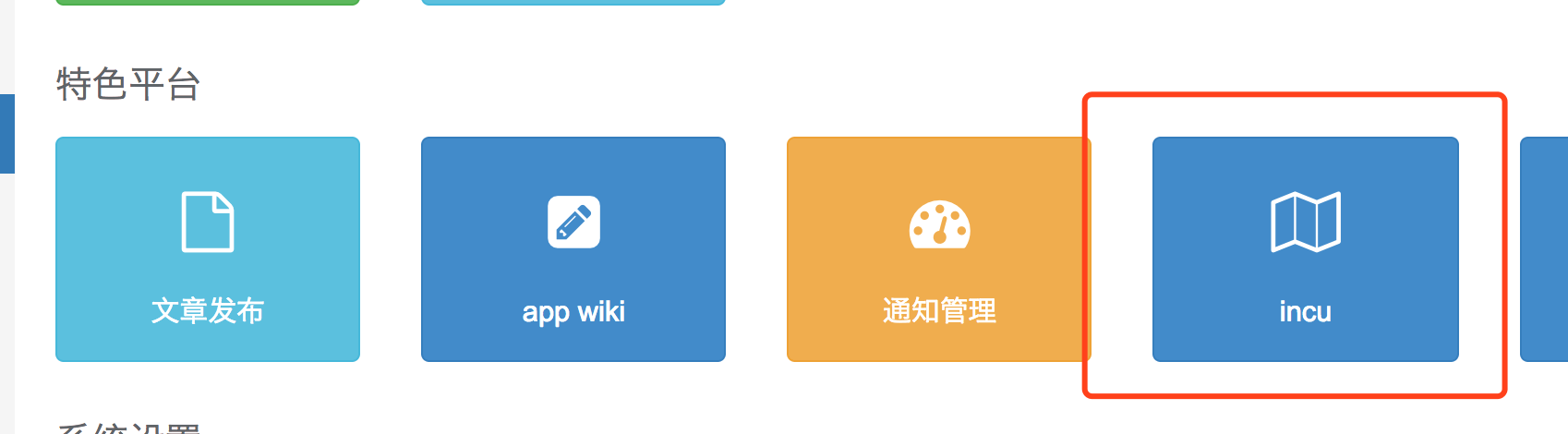
## API
### isApp
Demo:
```js
import Miracle from 'incu-webview'
const isApp = Miracle.isApp()
console.log(isApp)
```
### onAppReady
用于监听App的加载,加载完成后会调用回调。
**除 isApp 外,其他所有Api需在AppReady后才能调用**
参数与类型
```js
onAppReady: (callback?: Function) => void
```
Demo:
```js
import Miracle from 'incu-webview'
const onAppReady = Miracle.onAppReady(() => {
console.log(Miracle.getData())
})
```
### getData
获取App端的数据,具体格式,看数据吧……,请灵活使用该方法 =。=
Demo:
```js
import Miracle from 'incu-webview'
console.log(Miracle.getData())
```
### call
**安全起见,具体能调用的方法查看 iNCU 的文档**
参数与类型:
```js
call: (
baseClass: string,
method: string,
params: any,
success?: Function,
fail?: Function
) => void
```
Demo:
```js
import Miracle from 'incu-webview'
Miracle.call('router', 'refresh', {
title: 'Hello World'
}, () => {
console.log('set Title success')
}, () => {
console.log('set Title failed')
})
```
---
_Source: https://npm.io/package/incu-webview · Machine-readable twin of the npm.io package page. Health data is recomputed on every publish._