# intitule
> Dump javascript values and html like it makes sense.
Latest version **1.0.3** (published 2018-02-04) · MIT license · 0 weekly downloads
## Install
```sh
npm install intitule
pnpm add intitule
yarn add intitule
bun add intitule
```
## Health
**Score 15/100 (F)** — status: abandoned.
Positive: no vulnerabilities.
Warnings: low downloads; no types; no esm support.
Negative: abandoned; low maintenance score.
## Facts
| | |
|---|---|
| Version | 1.0.3 |
| Published | 2018-02-04 |
| First published | 2018-02-04 |
| Weekly downloads | 0 |
| License | MIT |
| TypeScript types | none |
| Module format | CommonJS |
| Dependencies | 7 |
| Known vulnerabilities | 0 |
| Install scripts | no |
| GitHub stars | 0 |
| Author | Timon Schenzel |
| Maintainers | timonschenzel |
## Links
- npm: https://www.npmjs.com/package/intitule
- Repository: https://github.com/timonSchenzel/intitule
- Homepage: https://github.com/timonSchenzel/intitule#readme
- Issues: https://github.com/timonSchenzel/intitule/issues
- npm.io page: https://npm.io/package/intitule
## Dependencies (7)
- [chalk](https://npm.io/package/chalk.md) ^2.3.0
- [is-html](https://npm.io/package/is-html.md) ^1.1.0
- [prettier](https://npm.io/package/prettier.md) ^1.10.2
- [deepmerge](https://npm.io/package/deepmerge.md) ^2.0.1
- [ansi-styles](https://npm.io/package/ansi-styles.md) ^3.2.0
- [concordance](https://npm.io/package/concordance.md) ^3.0.0
- [cli-highlight](https://npm.io/package/cli-highlight.md) ^1.2.3
## Recent versions
- 1.0.3 (latest) — 2018-02-04
- 1.0.2 — 2018-02-04
- 1.0.1 — 2018-02-04
- 1.0.0 — 2018-02-04
## README
# Intitule
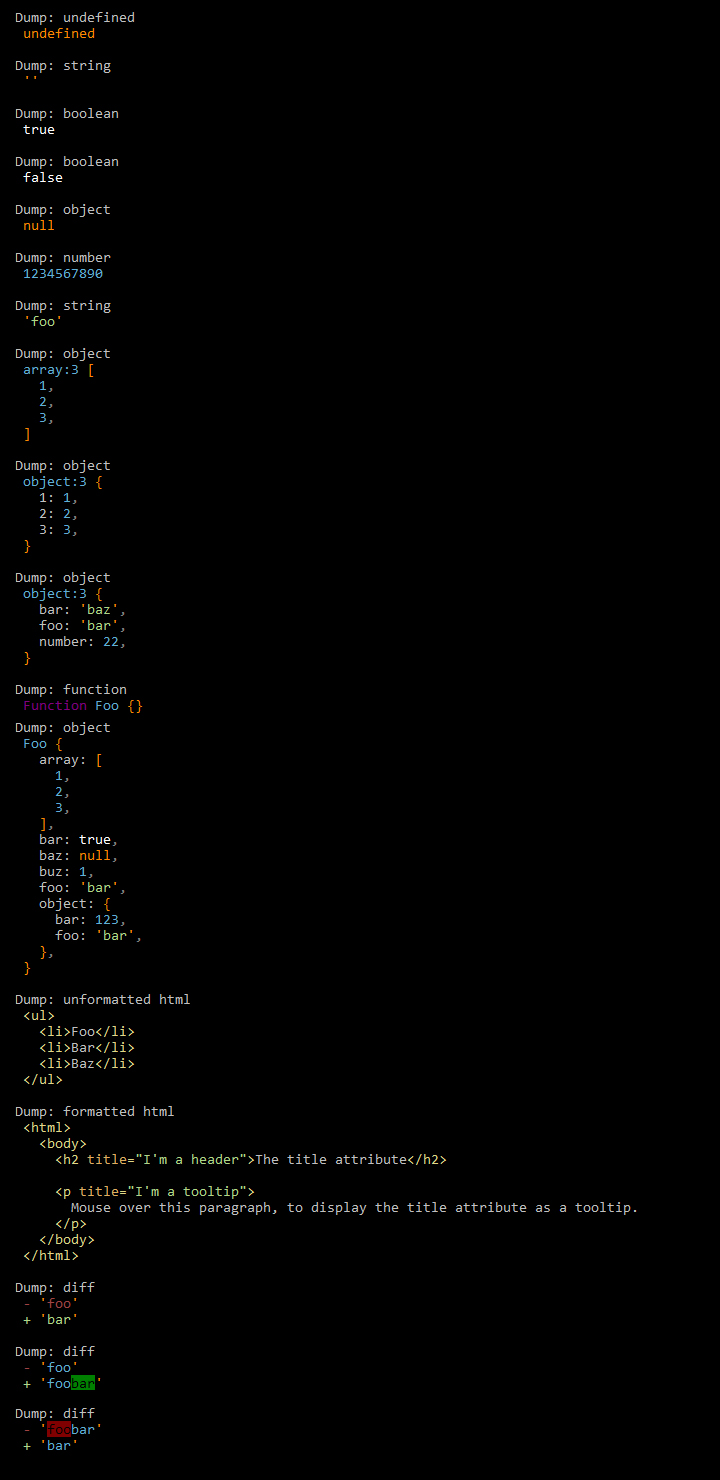
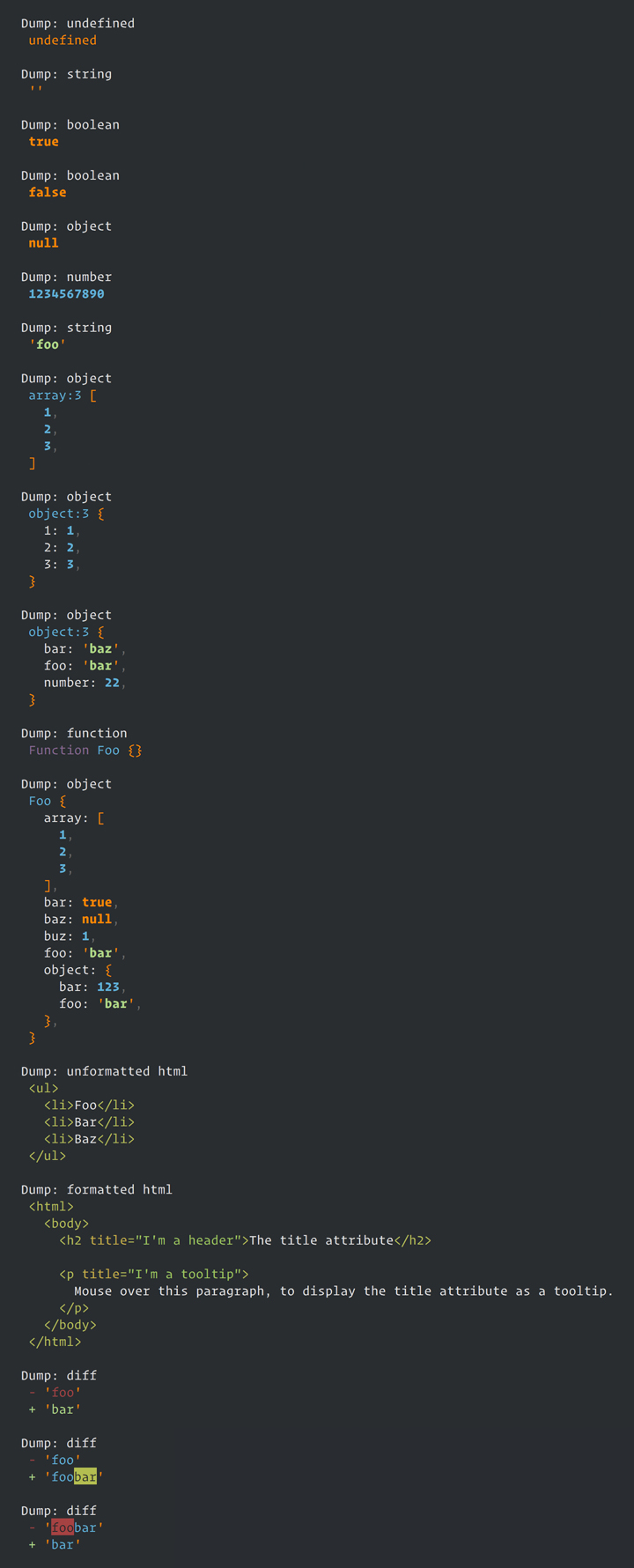
Dump javascript values and html like [this](#examples) ([windows example](#windows-example), [mac example](#mac-example)).
## Installation
```bash
# Using npm
npm install intitule
# Using Yarn
yarn add intitule
```
## Usage
```javascript
let dumper = require('intitule');
dumper.makeGlobal(); // This will make dump(), dd(), dump_diff() and dd_diff() methodes global available
dump('Hello World');
dump([1,2,3]);
dd('exit.');
```
View ./node_modules/intitule/examples/example.js file for more details. You can run this example like this:
```bash
node ./node_modules/intitule/examples/example.js
```
## [API](https://github.com/timonSchenzel/intitule/wiki/API)
### class Intitule
- [make(color, value)](https://github.com/timonSchenzel/intitule/wiki/API#makecolor-value)
- [registerColors(colors)](https://github.com/timonSchenzel/intitule/wiki/API#registercolorscolors)
- [bindAnsiColor(colorName, ansiColor)](https://github.com/timonSchenzel/intitule/wiki/API#bindansicolorcolorname-ansicolor)
- [registerColor(colorName, colorValue)](https://github.com/timonSchenzel/intitule/wiki/API#registercolorcolorname-colorvalue)
- [style(properties, styling)](https://github.com/timonSchenzel/intitule/wiki/API#styleproperties-styling)
- [applyTheme(theme)](https://github.com/timonSchenzel/intitule/wiki/API#applythemetheme)
- [diff(actual, expected)](https://github.com/timonSchenzel/intitule/wiki/API#diffactual-expected)
- [ddDiff(actual, expected)](https://github.com/timonSchenzel/intitule/wiki/API#dddiffactual-expected)
- [dump(value)](https://github.com/timonSchenzel/intitule/wiki/API#dumpvalue)
- [dd(value)](https://github.com/timonSchenzel/intitule/wiki/API#ddvalue)
- [makeGlobal()](https://github.com/timonSchenzel/intitule/wiki/API#makeglobal)
## [Customize highlighting](https://github.com/timonSchenzel/intitule/wiki/Customize-highlighting)
Intitule highlighting is fully customizable. You got 3 options to achieve this:
1. [Use the style() method](https://github.com/timonSchenzel/intitule/wiki/Customize-highlighting#use-the-style-method)
2. [Create a intitule.config.js file](https://github.com/timonSchenzel/intitule/wiki/Customize-highlighting#create-a-intituleconfigjs-file)
3. [Create your own theme](https://github.com/timonSchenzel/intitule/wiki/Customize-highlighting#create-your-own-theme)
## Examples
### Windows example
### Mac example
---
_Source: https://npm.io/package/intitule · Machine-readable twin of the npm.io package page. Health data is recomputed on every publish._