# jj-uploader
> a vue componet to upload file to server using ajax, support preview image
Latest version **1.0.1** (published 2018-12-23) · MIT license · 0 weekly downloads
## Install
```sh
npm install jj-uploader
pnpm add jj-uploader
yarn add jj-uploader
bun add jj-uploader
```
## Health
**Score 20/100 (F)** — status: abandoned.
Positive: esm support; no vulnerabilities.
Warnings: low downloads; no types.
Negative: abandoned; low maintenance score.
## Facts
| | |
|---|---|
| Version | 1.0.1 |
| Published | 2018-12-23 |
| First published | 2018-12-23 |
| Weekly downloads | 0 |
| License | MIT |
| TypeScript types | none |
| Module format | ESM + CommonJS |
| Dependencies | 0 |
| Unpacked size | 88.5 KB |
| Known vulnerabilities | 0 |
| Install scripts | no |
| GitHub stars | 0 |
| Author | junjie-lee |
| Maintainers | comfan-lee |
| Keywords | upload, vue, uploader, ajax, preview |
## Links
- npm: https://www.npmjs.com/package/jj-uploader
- Repository: https://github.com/JasonLeee2014/jj-uploader
- Homepage: https://github.com/JasonLeee2014/jj-uploader#readme
- Issues: https://github.com/JasonLeee2014/jj-uploader/issues
- npm.io page: https://npm.io/package/jj-uploader
## Recent versions
- 1.0.1 (latest) — 2018-12-23
- 1.0.0 — 2018-12-23
## README
jj-uploader is designed for single file update usage in your Vue App.
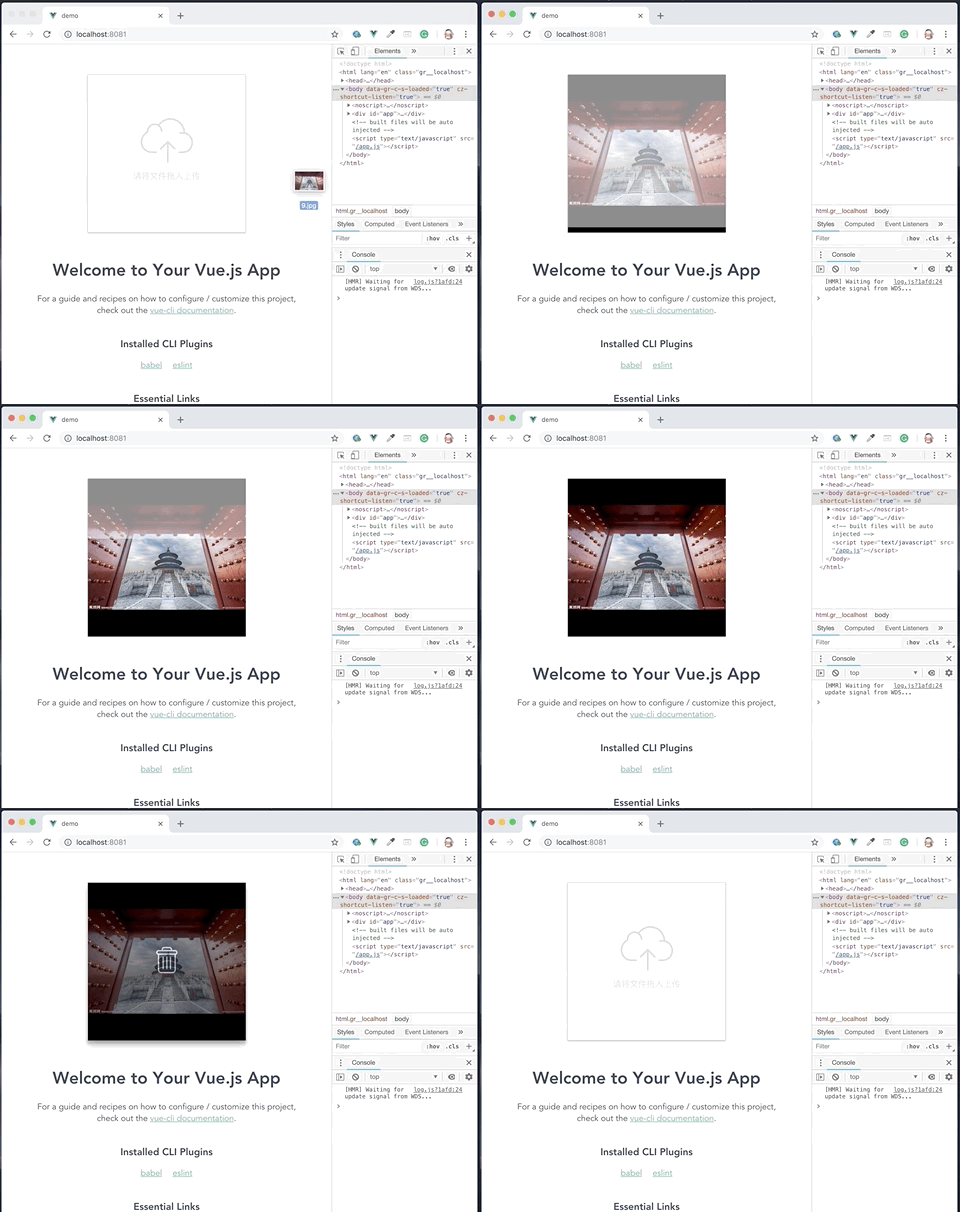
### Usage
1. install jj-uploader via npm
`npm i jj-uploader`
2. import it into your view
```javascript
```
3. Use it
jj-uploader designed for simple single file upload usage.
| Props | Type | Description |
| ------- | ------ | ------------------------------------------------------- |
| url | String | the file upload url aka action in traditional from tag. |
| timeout | Number | timeout in upload process, default is 0. |
| Event | Description |
| ------- | ----------------------------------------------------------- |
| success | when file successfully updated, this event will be trigged. |
| error | when error occurred, this event will be trigged. |
### Sample Uasge
```html
```
```js
methods:{
errorOccured(event){
console.log(event)
},
success(event){
console.log(event)
}
}
```
---
_Source: https://npm.io/package/jj-uploader · Machine-readable twin of the npm.io package page. Health data is recomputed on every publish._