# jupyterlab_sparkmonitor-s
> Jupyter Lab extension to monitor Apache Spark Jobs
Latest version **1.0.0** (published 2020-08-03) · LGPL-2.1 license · 0 weekly downloads
## Install
```sh
npm install jupyterlab_sparkmonitor-s
pnpm add jupyterlab_sparkmonitor-s
yarn add jupyterlab_sparkmonitor-s
bun add jupyterlab_sparkmonitor-s
```
## Health
**Score 15/100 (F)** — status: abandoned.
Positive: no vulnerabilities.
Warnings: low downloads; no types; no esm support.
Negative: abandoned; low maintenance score.
## Facts
| | |
|---|---|
| Version | 1.0.0 |
| Published | 2020-08-03 |
| First published | 2020-07-21 |
| Weekly downloads | 0 |
| License | LGPL-2.1 |
| TypeScript types | none |
| Module format | CommonJS |
| Dependencies | 19 |
| Unpacked size | 327 KB |
| Known vulnerabilities | 0 (+2 in 2 direct dependencies) |
| Install scripts | no |
| GitHub stars | 92 |
| Author | Krishnan R |
| Maintainers | bepstein |
| Keywords | jupyter, jupyterlab, jupyterlab-extension, Spark, sparkmonitor |
## Links
- npm: https://www.npmjs.com/package/jupyterlab_sparkmonitor-s
- Repository: https://github.com/itsjafer/jupyterlab-sparkmonitor
- Homepage: https://github.com/itsjafer/jupyterlab-sparkmonitor#readme
- Issues: https://github.com/itsjafer/jupyterlab-sparkmonitor/issues
- npm.io page: https://npm.io/package/jupyterlab_sparkmonitor-s
## Dependencies (19)
- [uuid](https://npm.io/package/uuid.md) ^7.0.2
- [jquery](https://npm.io/package/jquery.md) ^3.4.1
- [moment](https://npm.io/package/moment.md) ^2.24.0
- [webpack](https://npm.io/package/webpack.md) ^4.41.5
- [plotly.js](https://npm.io/package/plotly.js.md) ^1.51.1
- [es6-promise](https://npm.io/package/es6-promise.md) ^4.2.8
- [vis-timeline](https://npm.io/package/vis-timeline.md) ^7.3.4
- [jquery-ui-bundle](https://npm.io/package/jquery-ui-bundle.md) ^1.12.1-migrate
- [kuende-livestamp](https://npm.io/package/kuende-livestamp.md) ^1.1.2
- [@phosphor/widgets](https://npm.io/package/@phosphor/widgets.md) ^1.9.3
- [@phosphor/coreutils](https://npm.io/package/@phosphor/coreutils.md) ^1.3.1
- [@jupyterlab/apputils](https://npm.io/package/@jupyterlab/apputils.md) ^1.1.0
- [@jupyterlab/mainmenu](https://npm.io/package/@jupyterlab/mainmenu.md) ^1.2.0
- [@jupyterlab/notebook](https://npm.io/package/@jupyterlab/notebook.md) ^1.1.0
- [@jupyterlab/services](https://npm.io/package/@jupyterlab/services.md) ^4.1.0
- [@jupyterlab/coreutils](https://npm.io/package/@jupyterlab/coreutils.md) ^3.1.0
- [moment-duration-format](https://npm.io/package/moment-duration-format.md) ^2.3.2
- [@jupyterlab/application](https://npm.io/package/@jupyterlab/application.md) ^1.1.0
- [@jupyterlab/docregistry](https://npm.io/package/@jupyterlab/docregistry.md) ^1.2.0
## Recent versions
- 1.0.0 (latest) — 2020-08-03
- 0.0.4 — 2020-07-28
- 0.0.3 — 2020-07-28
- 0.0.2 — 2020-07-28
- 0.0.1 — 2020-07-28
- 1.0.0-b2 — 2020-07-24
- 1.0.0-b1 — 2020-07-24
- 1.0.0-b0 — 2020-07-24
- 1.2.0 — 2020-07-24
- 1.1.10-b10 — 2020-07-24
- 1.1.10-b9 — 2020-07-24
- 1.1.10-b8 — 2020-07-24
- 1.1.10-b7 — 2020-07-24
- 1.1.10-b6 — 2020-07-24
- 1.1.10-b5 — 2020-07-24
- … 14 more at https://npm.io/package/jupyterlab_sparkmonitor-s/versions
## README
# Spark Monitor - An extension for Jupyter Lab
This project was originally written by krishnan-r as a Google Summer of Code project for Jupyter Notebook. [Check his website out here.](https://krishnan-r.github.io/sparkmonitor/)
As a part of my internship as a Software Engineer at Yelp, I created this fork to update the extension to be compatible with JupyterLab - Yelp's choice for sharing and collaborating on notebooks.
## About
SparkMonitor is an extension for Jupyter Lab that enables the live monitoring of Apache Spark Jobs spawned from a notebook. The extension provides several features to monitor and debug a Spark job from within the notebook interface itself.
---
## Features
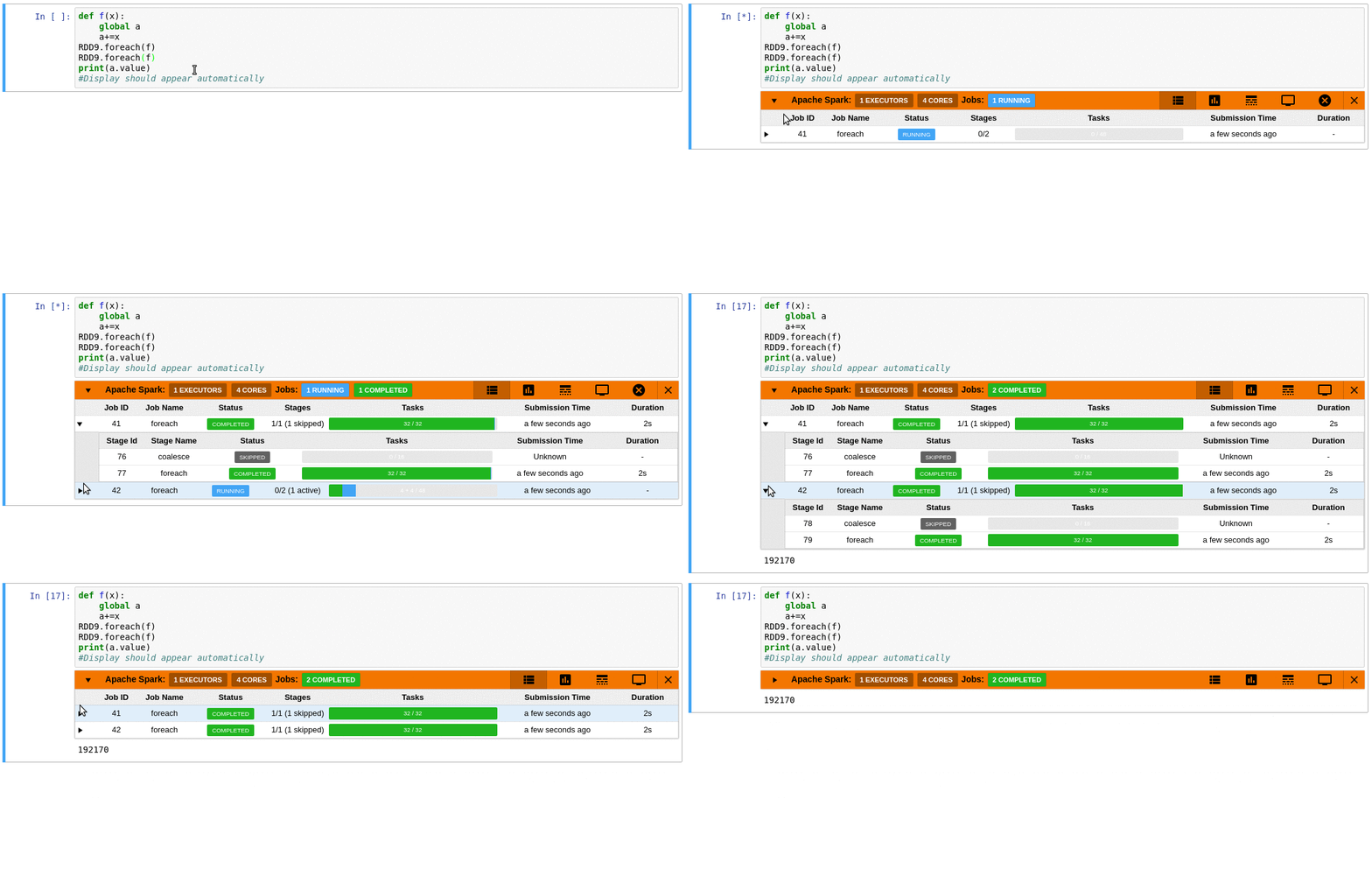
- Automatically displays a live monitoring tool below cells that run Spark jobs in a Jupyter notebook
- A table of jobs and stages with progressbars
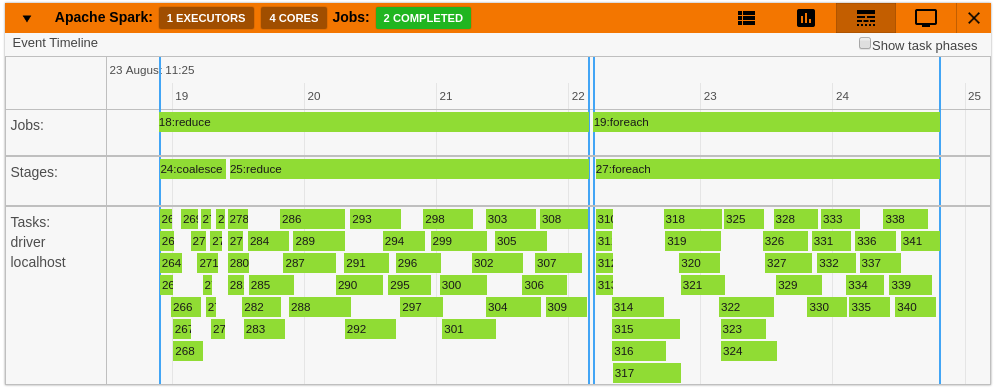
- A timeline which shows jobs, stages, and tasks
- A graph showing number of active tasks & executor cores vs time
- A notebook server extension that proxies the Spark UI and displays it in an iframe popup for more details
- For a detailed list of features see the use case [notebooks](https://krishnan-r.github.io/sparkmonitor/#common-use-cases-and-tests)
- [How it Works](https://krishnan-r.github.io/sparkmonitor/how.html)
## Quick Start
### To do a quick test of the extension
This docker image has pyspark and several other related packages installed alongside the sparkmonitor extension.
```bash
docker run -it -p 8888:8888 itsjafer/sparkmonitor
```
### Setting up the extension
```bash
jupyter labextension install jupyterlab_sparkmonitor # install the jupyterlab extension
pip install jupyterlab-sparkmonitor # install the server/kernel extension
jupyter serverextension enable --py sparkmonitor
# set up ipython profile and add our kernel extension to it
ipython profile create --ipython-dir=.ipython
echo "c.InteractiveShellApp.extensions.append('sparkmonitor.kernelextension')" >> .ipython/profile_default/ipython_config.py
# run jupyter lab
IPYTHONDIR=.ipython jupyter lab --watch
```
With the extension installed, a SparkConf object called `conf` will be usable from your notebooks. You can use it as follows:
```python
from pyspark import SparkContext
# start the spark context using the SparkConf the extension inserted
sc=SparkContext.getOrCreate(conf=conf) #Start the spark context
# Monitor should spawn under the cell with 4 jobs
sc.parallelize(range(0,100)).count()
sc.parallelize(range(0,100)).count()
sc.parallelize(range(0,100)).count()
sc.parallelize(range(0,100)).count()
```
If you already have your own spark configuration, you will need to set `spark.extraListeners` to `sparkmonitor.listener.JupyterSparkMonitorListener` and `spark.driver.extraClassPath` to the path to the sparkmonitor python package `path/to/package/sparkmonitor/listener.jar`
```python
from pyspark.sql import SparkSession
spark = SparkSession.builder\
.config('spark.extraListeners', 'sparkmonitor.listener.JupyterSparkMonitorListener')\
.config('spark.driver.extraClassPath', 'venv/lib/python3.7/site-packages/sparkmonitor/listener.jar')\
.getOrCreate()
# should spawn 4 jobs in a monitor bnelow the cell
spark.sparkContext.parallelize(range(0,100)).count()
spark.sparkContext.parallelize(range(0,100)).count()
spark.sparkContext.parallelize(range(0,100)).count()
spark.sparkContext.parallelize(range(0,100)).count()
```
## Development
If you'd like to develop the extension:
```bash
make venv # Creates a virtual environment using tox
source venv/bin/activate # Make sure we're using the virtual environment
make build # Build the extension
make develop # Run a local jupyterlab with the extension installed
```
---
_Source: https://npm.io/package/jupyterlab_sparkmonitor-s · Machine-readable twin of the npm.io package page. Health data is recomputed on every publish._