# leaflet-ruler
> A simple leaflet plugin to measure true bearing and distance between clicked points.
Latest version **1.0.0** (published 2021-08-27) · MIT license · 0 weekly downloads
## Install
```sh
npm install leaflet-ruler
pnpm add leaflet-ruler
yarn add leaflet-ruler
bun add leaflet-ruler
```
## Health
**Score 15/100 (F)** — status: abandoned.
Positive: no vulnerabilities.
Warnings: low downloads; no types; no esm support; large bundle.
Negative: abandoned; low maintenance score.
## Facts
| | |
|---|---|
| Version | 1.0.0 |
| Published | 2021-08-27 |
| First published | 2021-08-27 |
| Weekly downloads | 0 |
| License | MIT |
| TypeScript types | none |
| Module format | CommonJS |
| Dependencies | 0 |
| Unpacked size | 18.1 MB |
| Known vulnerabilities | 0 |
| Install scripts | no |
| GitHub stars | 139 |
| Author | Göker Tanrısever |
| Maintainers | muciacia7 |
| Keywords | leaflet, measure |
## Links
- npm: https://www.npmjs.com/package/leaflet-ruler
- Repository: https://github.com/gokertanrisever/leaflet-ruler
- Homepage: https://github.com/gokertanrisever/leaflet-ruler#readme
- Issues: https://github.com/gokertanrisever/leaflet-ruler/issues
- npm.io page: https://npm.io/package/leaflet-ruler
## Recent versions
- 1.0.0 (latest) — 2021-08-27
## README
# Leaflet-Ruler Plugin
A simple leaflet plugin to measure **true bearing** and **distance** between clicked points. Extends L.Control.
### [Demo](http://gokertanrisever.github.io/leaflet-ruler)
[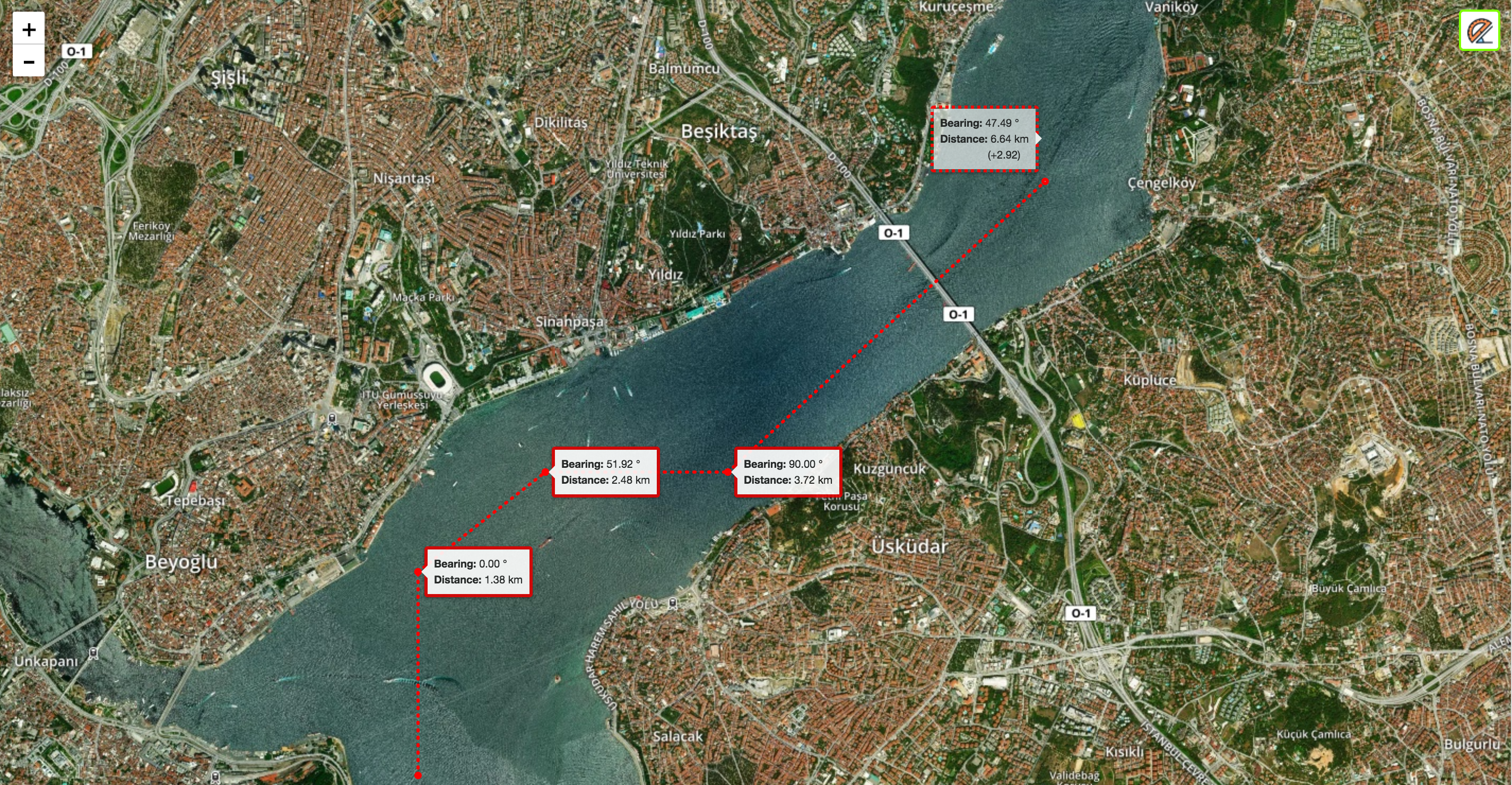](http://gokertanrisever.github.io/leaflet-ruler)
## Requirements
- Leaflet 1.0.0+
## Usage
- Create a [leaflet map](http://leafletjs.com/examples/quick-start/)
- Include leaflet-ruler.js and leaflet-ruler.css files.
```html
```
- Add Ruler control to map
```js
L.control.ruler().addTo(map);
```
- Escape button finishes measurement path and starts a new measurement. Second push to escape turns off the plugin.
- Double-click also finishes measurement path and starts a new measurement.
- It's possible to add other units. No need to specify any option value to use defaults.
```js
var options = {
position: 'topleft',
lengthUnit: {
factor: 0.539956803, // from km to nm
display: 'Nautical Miles',
decimal: 2
}
};
L.control.ruler(options).addTo(map);
```
## Default Options
```js
options: {
position: 'topright', // Leaflet control position option
circleMarker: { // Leaflet circle marker options for points used in this plugin
color: 'red',
radius: 2
},
lineStyle: { // Leaflet polyline options for lines used in this plugin
color: 'red',
dashArray: '1,6'
},
lengthUnit: { // You can use custom length units. Default unit is kilometers.
display: 'km', // This is the display value will be shown on the screen. Example: 'meters'
decimal: 2, // Distance result will be fixed to this value.
factor: null, // This value will be used to convert from kilometers. Example: 1000 (from kilometers to meters)
label: 'Distance:'
},
angleUnit: {
display: '°', // This is the display value will be shown on the screen. Example: 'Gradian'
decimal: 2, // Bearing result will be fixed to this value.
factor: null, // This option is required to customize angle unit. Specify solid angle value for angle unit. Example: 400 (for gradian).
label: 'Bearing:'
}
}
```
---
_Source: https://npm.io/package/leaflet-ruler · Machine-readable twin of the npm.io package page. Health data is recomputed on every publish._