# markup-frame
> A React component to display raw html markup inside an iframe
Latest version **1.0.0** (published 2016-03-22) · MIT license · 0 weekly downloads
## Install
```sh
npm install markup-frame
pnpm add markup-frame
yarn add markup-frame
bun add markup-frame
```
## Health
**Score 15/100 (F)** — status: abandoned.
Positive: no vulnerabilities.
Warnings: low downloads; no types; no esm support.
Negative: abandoned; low maintenance score.
## Facts
| | |
|---|---|
| Version | 1.0.0 |
| Published | 2016-03-22 |
| First published | 2016-03-22 |
| Weekly downloads | 0 |
| License | MIT |
| TypeScript types | none |
| Module format | CommonJS |
| Dependencies | 0 |
| Known vulnerabilities | 0 |
| Install scripts | no |
| GitHub stars | 1 |
| Author | Payton Swick |
| Maintainers | sirbrillig |
| Keywords | react, iframe |
## Links
- npm: https://www.npmjs.com/package/markup-frame
- Repository: https://github.com/sirbrillig/markup-frame
- Homepage: https://github.com/sirbrillig/markup-frame#readme
- Issues: https://github.com/sirbrillig/markup-frame/issues
- npm.io page: https://npm.io/package/markup-frame
## Alternatives
- [mobx-react](https://npm.io/package/mobx-react.md) — 2.8M weekly downloads
- [rc-tree](https://npm.io/package/rc-tree.md) — 2.6M weekly downloads
- [@react-oauth/google](https://npm.io/package/@react-oauth/google.md) — 1.3M weekly downloads
- [@wagmi/connectors](https://npm.io/package/@wagmi/connectors.md) — 877.0K weekly downloads
- [vee-validate](https://npm.io/package/vee-validate.md) — 836.4K weekly downloads
## Recent versions
- 1.0.0 (latest) — 2016-03-22
## README
# MarkupFrame
A [React](https://facebook.github.io/react/) component to display raw html markup inside an iframe.
Sometimes you need to display html inside an iframe, but not it's not at a URL. Perhaps you got the markup from an API endpoint or generated it yourself. Maybe the markup is from a different domain and you need to be able to manipulate its DOM without cross-origin errors. For all these reasons, you can use MarkupFrame.
## Usage
```javascript
import React from 'react';
import ReactDOM from 'react-dom';
import MarkupFrame from 'markup-frame';
function getMarkupFromAPI() {
return 'Hello World!
How are you?';
}
const FrameWrapper = React.createClass( {
onFrameLoad( frameDocument ) {
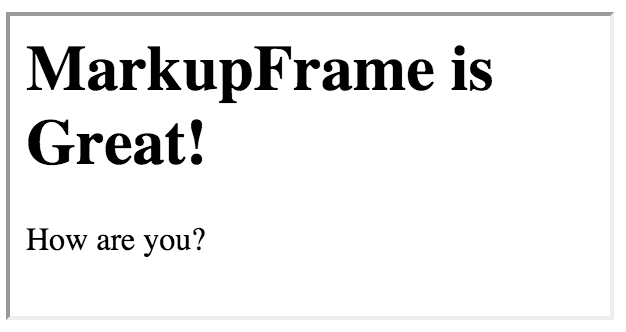
frameDocument.querySelector( '.article-title' ).innerHTML = 'MarkupFrame is Great!';
},
render() {
return (
);
}
} );
ReactDOM.render(
,
document.getElementById( 'example' )
);
```
## Props
* `markup`: The markup to display in the preview.
* `onClick`: (Optional) A function which will be called when any DOM element is clicked. Will be passed the raw event.
* `onLoad`: (Optional) A function which will be called when the DOM is loaded. Will be passed a reference to the DOM document object.
---
_Source: https://npm.io/package/markup-frame · Machine-readable twin of the npm.io package page. Health data is recomputed on every publish._