
Docs • Demo • Code Sandbox • Video Tutorial • Why
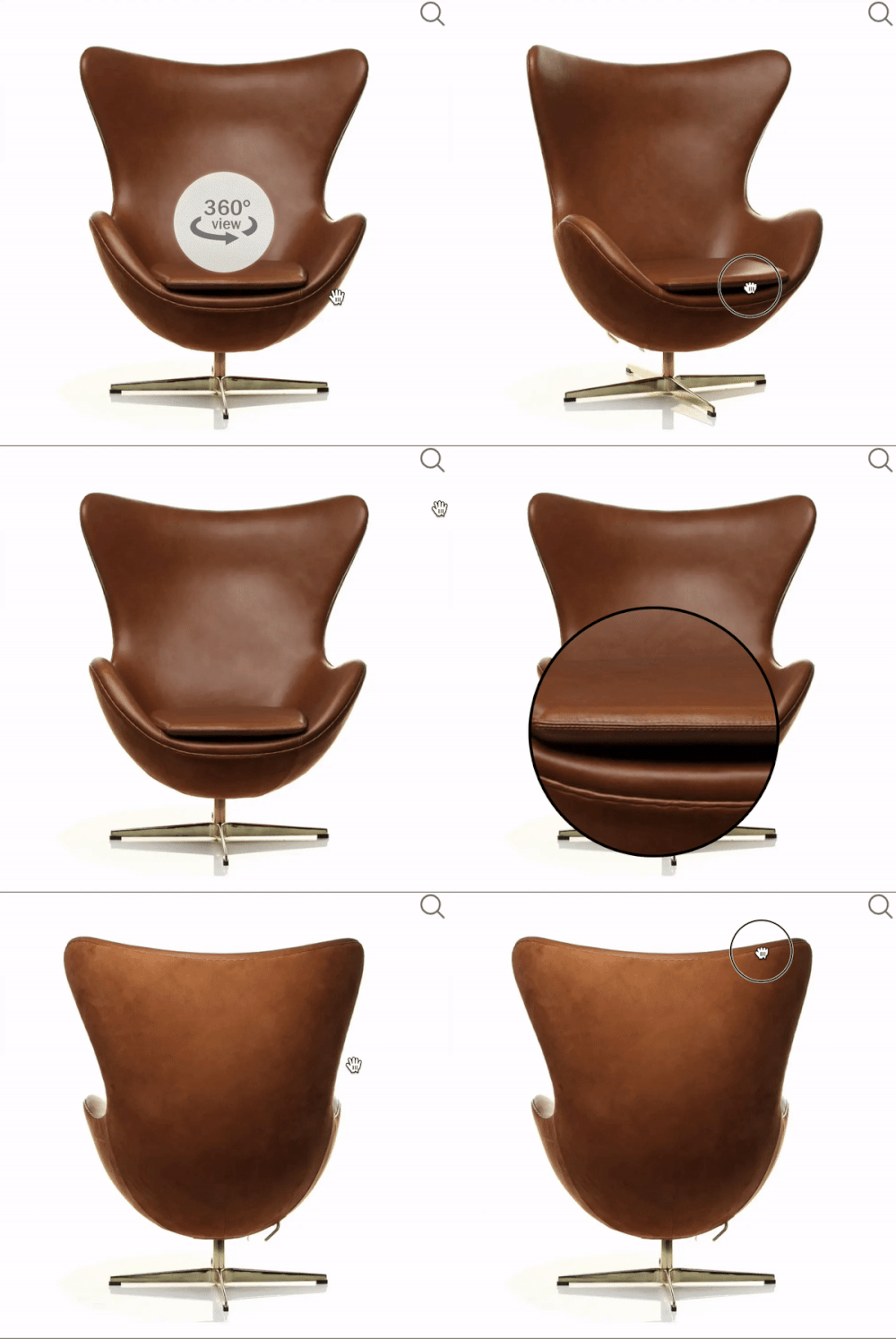
A simple, interactive resource that can be used to provide a virtual tour of your product.
 ## Methods
### init
###### Type: **Function**
Initialization of js cloudimage 360 view plugin.
```javascript
window.CI360.init();
```
> NOTE: initialization of the plugin runs on the script load. In case you need to postpone the initialization of the plugin you can disable it with **notInitOnLoad** param
> ```javascript
>
>
>
> ```
### destroy
###### Type: **Function**
Destroying a cloudimage 360 viewer instance will reset the HTML to its original state.
```javascript
window.CI360.destroy();
```
### getActiveIndexByID
###### Type: **Function**
Get the {index} of the image that is being viewed.
```javascript
window.CI360.getActiveIndexByID('id_of_product');
```
## Customize icons
You can customize the icons by adding the following classes:
### Example CSS
```css
.cloudimage-360 .fullscreen-icon {
background: url(https://scaleflex.ultrafast.io/https://scaleflex.airstore.io/filerobot/js-cloudimage-360-view/full_screen.svg) 50% 50% / cover no-repeat;
}
.cloudimage-360 .magnify-icon {
background: url(https://scaleflex.ultrafast.io/https://scaleflex.airstore.io/filerobot/js-cloudimage-360-view/loupe.svg) 50% 50% / cover no-repeat;
}
.cloudimage-360 .close-fullscreen-icon {
background: url(https://scaleflex.ultrafast.io/https://scaleflex.airstore.io/filerobot/js-cloudimage-360-view/cross.svg) 50% 50% / cover no-repeat;
}
.cloudimage-360 .reset-zoom-icon {
background: url(https://scaleflex.cloudimg.io/v7/filerobot/js-cloudimage-360-view/ic-resize.svg?vh=248986) 50% 50% / cover no-repeat;
}
```
## Config
### class
###### Type: **String** | Value: **"cloudimage-360"** | _required_
The selector for js-cloudimage-360-view lib.
### data-folder (or folder)
###### Type: **String(url)** | _required_
Your images folder on server.
### data-api-version (or api-version)
###### Type: **String** |Default: **'v7'** | _optional_
Allow to use a specific version of API.
- set a specific version of API
```javascript
data-api-version="v7"
```
- disable API version
```javascript
data-api-version="null"
```
### data-filename (or filename)
###### Type: **String** | Default: **image-{index}.jpg** | _optional_
The filename pattern for your 360 image. Must include {index}, which the library will replace with a number between 1 and [data-amount](#data-amount).
### data-filename-y (or filename-y)
###### Type: **String** | Default: **image-y-{index}.jpg** | _optional_
The filename pattern for Y-axis images. Must include {index}, which the library will replace with a number between 1 and [data-amount-y](#data-amount-y).
### data-amount (or amount)
###### Type: **Number** | Default: **36** | _optional_
Amount of images to load for 360 view.
### data-amount-y (or amount-y)
###### Type: **Number** | Default: **0** | _optional_
Amount of images to load in Y-axis for 360 view.
### data-keys (or keys)
###### Type: **Bool** | Default: **false** | _optional_
Support for 360 spin by pressing arrow keys on keyboard.
### data-autoplay (or autoplay)
###### Type: **Bool** | Default: **false** | _optional_
Autoplay 360 spin view on load.
### data-play-once (or autoplay)
###### Type: **Bool** | Default: **false** | _optional_
stops the autoplay after one complete cycle.
### data-autoplay-behavior (or autoplay-behavior)
###### Type: **String** | Default: **spin-x** | _optional_
Changing autoplay behavior
Available behaviors (spin-x, spin-y, spin-xy, spin-yx)
### data-full-screen (or full-screen)
###### Type: **Bool** | Default: **false** | _optional_
Open 360 spin view in full screen modal.
### data-magnifier (or magnifier)
###### Type: **Number** | Default: **none** | _optional_
Magnifier to zoom image.
### data-magnifier-in-fullscreen (or magnifier-in-fullscreen)
###### Type: **bool** | Default: **false** | _optional_
enable magnifier in fullscreen modal.
### data-ratio (or ratio)
###### Type: **Number** (height / width) | Default: **none** | _optional_
Prevents page from jumping.
### data-autoplay-reverse (or autoplay-reverse)
###### Type: **Bool** | Default: **false** | _optional_
Autoplay 360 spin view on load.
### data-disable-drag (or disable-drag)
###### Type: **bool** | Default: **false** | _optional_
disable mouse drag.
### data-speed (or speed)
###### Type: **Number** | Default: **150** | _optional_
Speed of changing frames for autoplay in milliseconds.
### data-drag-speed (or drag-speed)
###### Type: **Number** | Default: **150** | _optional_
Speed Factor of changing frames on drag event.
### data-spin-reverse (or spin-reverse)
###### Type: **Bool** | Default: **false** | _optional_
Spin direction, by default it uses counterclockwise (image indexes from 1 to data-amount).
### data-box-shadow (or box-shadow)
###### Type: **String** (e.g. data-box-shadow="inset 0 0 100px #222") | Default: **none** | _optional_
Apply box shadow for container.
### data-bottom-circle (or bottom-circle)
###### Type: **Bool** | Default: **false** | _optional_
Display 360 view line at the bottom of container.
### data-hide-360-logo (or hide-360-logo)
###### Type: **Bool** | Default: **false** | _optional_
Hide 360 view icon.
### data-logo-src (or logo-src)
###### Type: **String** | Default: **https://scaleflex.ultrafast.io/https://scaleflex.airstore.io/filerobot/js-cloudimage-360-view/360_view.svg** | _optional_
URL of asset to use as the 360 view icon.
### data-control-reverse (or control-reverse)
###### Type: **Bool** | Default: **false** | _optional_
Spin direction using controls, by default it uses counterclockwise (image indexes from 1 to data-amount).
### data-stop-at-edges (or stop-at-edges)
###### Type: **Bool** | Default: **false** | _optional_
Blocks repeating images after reaching last image (or first image in opposite direction)
### data-bottom-circle-offset (or bottom-circle-offset)
###### Type: **Number** | Default: **5** | _optional_
Bottom offset for 360 view line.
### data-index-zero-base (or index-zero-base)
###### Type: **Number** | _optional_
Left zero padding on filename. For example: index-zero-base="4" => image index will be "0004"
### data-image-list (or image-list)
###### Type: **Array** | _optional_
Option to add list of images instead of `folder` & `filename`.
example:
```javascript
data-folder="https://scaleflex.airstore.io/demo/360-car/"
data-image-list='[
"iris-1.jpeg",
"iris-4.jpeg",
"https://scaleflex.airstore.io/demo/360-car/iris-12.jpeg",
"https://scaleflex.airstore.io/demo/360-car/iris-15.jpeg"
]’
```
### data-lazyload (or lazyload)
###### Type: **Bool** | Default: **false** | _optional_
Only 360 view images close to the client's viewport will be loaded, hence accelerating the page loading time. If set to true, an additional script must be included, see [Lazy loading](#lazy-loading)
### data-disable-pointer-zoom (or disable-pointer-zoom)
###### Type: **bool** | Default: **false** | _optional_
Disable pointer zoom on desktop
### data-disable-pinch-zoom (or disable-pinch-zoom)
###### Type: **bool** | Default: **false** | _optional_
Disable pinch zoom on mobile
### data-to-start-pointer-zoom (or to-start-pointer-zoom)
###### Type: **string** | Default: **click** | _optional_
Events to start pointer zoom
Available events (scroll, click)
### data-on-mouse-leave (or on-mouse-leave)
###### Type: **string** | Default: **none** | _optional_
Functions called after mouse leave the container
Available functions (resetZoom)
Multiple functions can be applied, separated by "," (comma)
### data-pointer-zoom-factor (or pointer-zoom-factor)
###### Type: **Number** | Default: **2** | _optional_
Pointer zoom scaling factor
### data-pinch-zoom-factor (or pinch-zoom-factor)
###### Type: **Number** | Default: **2** | _optional_
Pinch zoom scaling factor
### data-max-scale (or max-scale)
###### Type: **Number** | Default: **none** | _optional_
Maximum scale that images can be resize to it with pointer or pinch zoom
### data-lazyload-selector (or lazyload-selector)
###### Type: **String** | Default: **lazyload** | _optional_
Helper class to apply lazy-loading depending on library you choose, see [Lazy loading](#lazy-loading)
## Controls
You can add controls by adding elements with the following classes: **cloudimage-360-prev**, **cloudimage-360-next**, **cloudimage-360-top**, **cloudimage-360-bottom**
### Example CSS
```css
.cloudimage-360 .cloudimage-360-prev, .cloudimage-360 .cloudimage-360-next {
padding: 8px;
background: rgba(255, 255, 255, 0.5);
border: none;
border-radius: 4px;
}
.cloudimage-360 .cloudimage-360-prev:focus, .cloudimage-360 .cloudimage-360-next:focus {
outline: none;
}
.cloudimage-360 .cloudimage-360-prev {
display: none;
position: absolute;
z-index: 100;
top: calc(50% - 15px);
left: 20px;
}
.cloudimage-360 .cloudimage-360-next {
display: none;
position: absolute;
z-index: 100;
top: calc(50% - 15px);
right: 20px;
}
.cloudimage-360 .cloudimage-360-prev:before, .cloudimage-360 .cloudimage-360-next:before {
content: '';
display: block;
width: 30px;
height: 30px;
background: 50% 50% / cover no-repeat;
}
.cloudimage-360 .cloudimage-360-prev:before {
background-image: url('https://cdn.scaleflex.it/plugins/js-cloudimage-360-view/assets/img/arrow-left.svg');
}
.cloudimage-360 .cloudimage-360-next:before {
background-image: url('https://cdn.scaleflex.it/plugins/js-cloudimage-360-view/assets/img/arrow-right.svg');
}
.cloudimage-360 .cloudimage-360-prev.not-active, .cloudimage-360 .cloudimage-360-next.not-active {
opacity: 0.4;
cursor: default;
}
```
### Example HTML
```html
## Cloudimage Responsive Integration
[See how it works (article on Medium)](https://medium.com/cloudimage/responsive-images-in-2019-now-easier-than-ever-b76e5a43c074)
### Requirements
To use the Cloudimage Responsive plugin, you will need a
Cloudimage token to deliver your images over CDN. Don't worry, it only takes seconds to get one by
registering [here](https://www.cloudimage.io/en/register_page).
Once your token is created, you can configure it as described below.
This token allows you to use 25GB of image cache and 25GB of worldwide
CDN traffic per month for free.
### data-responsive (or responsive)
###### Type: **String** (Cloudimage token) | Default: **none** | _required for cloudimage responsive plugin_
Enables cloudimage responsive plugin for 360 view.
### data-transformation (or transformation)
###### Type: **String** | Default: **none** | _optional_
Applies Cloudimage resize operations to your image, e.g. width, height, crop, face crop, rotate, prevent enlargement...
Multiple transformation operations can be applied to your image, separated by "```&```" (Ampersand).
example:
```html
data-transformation="w=400&h=200&func=fit"
```
[Full documentation here.](https://docs.cloudimage.io/go/cloudimage-documentation-v7/en/image-resizing)
### data-filters (or filters)
###### Type: **String** | Default: **none** | _optional_
Applies Cloudimage filters to your image, e.g. brightness, contrast, greyscale, blur, Sharpen...
Multiple filters can be applied, separated by "```,```" (comma).
example:
```html
data-filters="bright:15,contrast:30"
```
[Full documentation here.](https://docs.cloudimage.io/go/cloudimage-documentation-v7/en/image-filters)
## Lazy Loading
Lazy loading is not included into js-cloudimage-360-view by default. There are well thought libraries to achieve that. If you enable lazy loading in the configuration, you need to add an additional library like [lazysizes](https://github.com/aFarkas/lazysizes), [yall.js (Yet Another Lazy Loader)](https://github.com/malchata/yall.js), [lozad.js](https://github.com/ApoorvSaxena/lozad.js) to handle it.
[Implementation example with lazysizes](https://codesandbox.io/s/w7vx5w1ln7?fontsize=14)
[Implementation example with yall.js](https://codesandbox.io/s/ym2xrk87xv?fontsize=14)
[Implementation example with lozad.js](https://codesandbox.io/s/0185934m8p?fontsize=14)
to save API calls you man want to use one of our cdn bundles:
CDN link to js-cloudimage-360-view 1.1.0 + lazysizes 4.1.7
```javascript
```
CDN link to js-cloudimage-360-view 1.1.0 + yall.js 3.1.1
```javascript
```
CDN link to js-cloudimage-360-view 1.1.0 + lozad.js 1.9.0
```javascript
```
## Best practices
* In order to use cloudimage responsive with 360 view, your original (master) images should be stored on a server
or storage bucket (S3, Google Cloud, Azure Blob...) reachable over
HTTP or HTTPS by Cloudimage. If you want to upload your master images to
Cloudimage, contact us at
[hello@cloudimage.io](mailto:hello@cloudimage.io).
## Browser support
Tested in all modern browsers and IE 11, 10, 9.
## Filerobot UI Familiy
* [JS Cloudimage Responsive](https://github.com/scaleflex/js-cloudimage-responsive)
* [React Cloudimage Responsive](https://github.com/scaleflex/react-cloudimage-responsive)
* [Angular Cloudimage Responsive](https://github.com/scaleflex/ng-cloudimage-responsive)
* [Image Editor](https://github.com/scaleflex/filerobot-image-editor)
* [Uploader](https://github.com/scaleflex/filerobot-uploader)
## Contributing!
All contributions are super welcome!
## License
JS Cloudimage 360 View is provided under the [MIT License](https://opensource.org/licenses/MIT)
---
_Source: https://npm.io/package/mmc-js-cloudimage-360-view · Machine-readable twin of the npm.io package page. Health data is recomputed on every publish._
## Methods
### init
###### Type: **Function**
Initialization of js cloudimage 360 view plugin.
```javascript
window.CI360.init();
```
> NOTE: initialization of the plugin runs on the script load. In case you need to postpone the initialization of the plugin you can disable it with **notInitOnLoad** param
> ```javascript
>
>
>
> ```
### destroy
###### Type: **Function**
Destroying a cloudimage 360 viewer instance will reset the HTML to its original state.
```javascript
window.CI360.destroy();
```
### getActiveIndexByID
###### Type: **Function**
Get the {index} of the image that is being viewed.
```javascript
window.CI360.getActiveIndexByID('id_of_product');
```
## Customize icons
You can customize the icons by adding the following classes:
### Example CSS
```css
.cloudimage-360 .fullscreen-icon {
background: url(https://scaleflex.ultrafast.io/https://scaleflex.airstore.io/filerobot/js-cloudimage-360-view/full_screen.svg) 50% 50% / cover no-repeat;
}
.cloudimage-360 .magnify-icon {
background: url(https://scaleflex.ultrafast.io/https://scaleflex.airstore.io/filerobot/js-cloudimage-360-view/loupe.svg) 50% 50% / cover no-repeat;
}
.cloudimage-360 .close-fullscreen-icon {
background: url(https://scaleflex.ultrafast.io/https://scaleflex.airstore.io/filerobot/js-cloudimage-360-view/cross.svg) 50% 50% / cover no-repeat;
}
.cloudimage-360 .reset-zoom-icon {
background: url(https://scaleflex.cloudimg.io/v7/filerobot/js-cloudimage-360-view/ic-resize.svg?vh=248986) 50% 50% / cover no-repeat;
}
```
## Config
### class
###### Type: **String** | Value: **"cloudimage-360"** | _required_
The selector for js-cloudimage-360-view lib.
### data-folder (or folder)
###### Type: **String(url)** | _required_
Your images folder on server.
### data-api-version (or api-version)
###### Type: **String** |Default: **'v7'** | _optional_
Allow to use a specific version of API.
- set a specific version of API
```javascript
data-api-version="v7"
```
- disable API version
```javascript
data-api-version="null"
```
### data-filename (or filename)
###### Type: **String** | Default: **image-{index}.jpg** | _optional_
The filename pattern for your 360 image. Must include {index}, which the library will replace with a number between 1 and [data-amount](#data-amount).
### data-filename-y (or filename-y)
###### Type: **String** | Default: **image-y-{index}.jpg** | _optional_
The filename pattern for Y-axis images. Must include {index}, which the library will replace with a number between 1 and [data-amount-y](#data-amount-y).
### data-amount (or amount)
###### Type: **Number** | Default: **36** | _optional_
Amount of images to load for 360 view.
### data-amount-y (or amount-y)
###### Type: **Number** | Default: **0** | _optional_
Amount of images to load in Y-axis for 360 view.
### data-keys (or keys)
###### Type: **Bool** | Default: **false** | _optional_
Support for 360 spin by pressing arrow keys on keyboard.
### data-autoplay (or autoplay)
###### Type: **Bool** | Default: **false** | _optional_
Autoplay 360 spin view on load.
### data-play-once (or autoplay)
###### Type: **Bool** | Default: **false** | _optional_
stops the autoplay after one complete cycle.
### data-autoplay-behavior (or autoplay-behavior)
###### Type: **String** | Default: **spin-x** | _optional_
Changing autoplay behavior
Available behaviors (spin-x, spin-y, spin-xy, spin-yx)
### data-full-screen (or full-screen)
###### Type: **Bool** | Default: **false** | _optional_
Open 360 spin view in full screen modal.
### data-magnifier (or magnifier)
###### Type: **Number** | Default: **none** | _optional_
Magnifier to zoom image.
### data-magnifier-in-fullscreen (or magnifier-in-fullscreen)
###### Type: **bool** | Default: **false** | _optional_
enable magnifier in fullscreen modal.
### data-ratio (or ratio)
###### Type: **Number** (height / width) | Default: **none** | _optional_
Prevents page from jumping.
### data-autoplay-reverse (or autoplay-reverse)
###### Type: **Bool** | Default: **false** | _optional_
Autoplay 360 spin view on load.
### data-disable-drag (or disable-drag)
###### Type: **bool** | Default: **false** | _optional_
disable mouse drag.
### data-speed (or speed)
###### Type: **Number** | Default: **150** | _optional_
Speed of changing frames for autoplay in milliseconds.
### data-drag-speed (or drag-speed)
###### Type: **Number** | Default: **150** | _optional_
Speed Factor of changing frames on drag event.
### data-spin-reverse (or spin-reverse)
###### Type: **Bool** | Default: **false** | _optional_
Spin direction, by default it uses counterclockwise (image indexes from 1 to data-amount).
### data-box-shadow (or box-shadow)
###### Type: **String** (e.g. data-box-shadow="inset 0 0 100px #222") | Default: **none** | _optional_
Apply box shadow for container.
### data-bottom-circle (or bottom-circle)
###### Type: **Bool** | Default: **false** | _optional_
Display 360 view line at the bottom of container.
### data-hide-360-logo (or hide-360-logo)
###### Type: **Bool** | Default: **false** | _optional_
Hide 360 view icon.
### data-logo-src (or logo-src)
###### Type: **String** | Default: **https://scaleflex.ultrafast.io/https://scaleflex.airstore.io/filerobot/js-cloudimage-360-view/360_view.svg** | _optional_
URL of asset to use as the 360 view icon.
### data-control-reverse (or control-reverse)
###### Type: **Bool** | Default: **false** | _optional_
Spin direction using controls, by default it uses counterclockwise (image indexes from 1 to data-amount).
### data-stop-at-edges (or stop-at-edges)
###### Type: **Bool** | Default: **false** | _optional_
Blocks repeating images after reaching last image (or first image in opposite direction)
### data-bottom-circle-offset (or bottom-circle-offset)
###### Type: **Number** | Default: **5** | _optional_
Bottom offset for 360 view line.
### data-index-zero-base (or index-zero-base)
###### Type: **Number** | _optional_
Left zero padding on filename. For example: index-zero-base="4" => image index will be "0004"
### data-image-list (or image-list)
###### Type: **Array** | _optional_
Option to add list of images instead of `folder` & `filename`.
example:
```javascript
data-folder="https://scaleflex.airstore.io/demo/360-car/"
data-image-list='[
"iris-1.jpeg",
"iris-4.jpeg",
"https://scaleflex.airstore.io/demo/360-car/iris-12.jpeg",
"https://scaleflex.airstore.io/demo/360-car/iris-15.jpeg"
]’
```
### data-lazyload (or lazyload)
###### Type: **Bool** | Default: **false** | _optional_
Only 360 view images close to the client's viewport will be loaded, hence accelerating the page loading time. If set to true, an additional script must be included, see [Lazy loading](#lazy-loading)
### data-disable-pointer-zoom (or disable-pointer-zoom)
###### Type: **bool** | Default: **false** | _optional_
Disable pointer zoom on desktop
### data-disable-pinch-zoom (or disable-pinch-zoom)
###### Type: **bool** | Default: **false** | _optional_
Disable pinch zoom on mobile
### data-to-start-pointer-zoom (or to-start-pointer-zoom)
###### Type: **string** | Default: **click** | _optional_
Events to start pointer zoom
Available events (scroll, click)
### data-on-mouse-leave (or on-mouse-leave)
###### Type: **string** | Default: **none** | _optional_
Functions called after mouse leave the container
Available functions (resetZoom)
Multiple functions can be applied, separated by "," (comma)
### data-pointer-zoom-factor (or pointer-zoom-factor)
###### Type: **Number** | Default: **2** | _optional_
Pointer zoom scaling factor
### data-pinch-zoom-factor (or pinch-zoom-factor)
###### Type: **Number** | Default: **2** | _optional_
Pinch zoom scaling factor
### data-max-scale (or max-scale)
###### Type: **Number** | Default: **none** | _optional_
Maximum scale that images can be resize to it with pointer or pinch zoom
### data-lazyload-selector (or lazyload-selector)
###### Type: **String** | Default: **lazyload** | _optional_
Helper class to apply lazy-loading depending on library you choose, see [Lazy loading](#lazy-loading)
## Controls
You can add controls by adding elements with the following classes: **cloudimage-360-prev**, **cloudimage-360-next**, **cloudimage-360-top**, **cloudimage-360-bottom**
### Example CSS
```css
.cloudimage-360 .cloudimage-360-prev, .cloudimage-360 .cloudimage-360-next {
padding: 8px;
background: rgba(255, 255, 255, 0.5);
border: none;
border-radius: 4px;
}
.cloudimage-360 .cloudimage-360-prev:focus, .cloudimage-360 .cloudimage-360-next:focus {
outline: none;
}
.cloudimage-360 .cloudimage-360-prev {
display: none;
position: absolute;
z-index: 100;
top: calc(50% - 15px);
left: 20px;
}
.cloudimage-360 .cloudimage-360-next {
display: none;
position: absolute;
z-index: 100;
top: calc(50% - 15px);
right: 20px;
}
.cloudimage-360 .cloudimage-360-prev:before, .cloudimage-360 .cloudimage-360-next:before {
content: '';
display: block;
width: 30px;
height: 30px;
background: 50% 50% / cover no-repeat;
}
.cloudimage-360 .cloudimage-360-prev:before {
background-image: url('https://cdn.scaleflex.it/plugins/js-cloudimage-360-view/assets/img/arrow-left.svg');
}
.cloudimage-360 .cloudimage-360-next:before {
background-image: url('https://cdn.scaleflex.it/plugins/js-cloudimage-360-view/assets/img/arrow-right.svg');
}
.cloudimage-360 .cloudimage-360-prev.not-active, .cloudimage-360 .cloudimage-360-next.not-active {
opacity: 0.4;
cursor: default;
}
```
### Example HTML
```html
## Cloudimage Responsive Integration
[See how it works (article on Medium)](https://medium.com/cloudimage/responsive-images-in-2019-now-easier-than-ever-b76e5a43c074)
### Requirements
To use the Cloudimage Responsive plugin, you will need a
Cloudimage token to deliver your images over CDN. Don't worry, it only takes seconds to get one by
registering [here](https://www.cloudimage.io/en/register_page).
Once your token is created, you can configure it as described below.
This token allows you to use 25GB of image cache and 25GB of worldwide
CDN traffic per month for free.
### data-responsive (or responsive)
###### Type: **String** (Cloudimage token) | Default: **none** | _required for cloudimage responsive plugin_
Enables cloudimage responsive plugin for 360 view.
### data-transformation (or transformation)
###### Type: **String** | Default: **none** | _optional_
Applies Cloudimage resize operations to your image, e.g. width, height, crop, face crop, rotate, prevent enlargement...
Multiple transformation operations can be applied to your image, separated by "```&```" (Ampersand).
example:
```html
data-transformation="w=400&h=200&func=fit"
```
[Full documentation here.](https://docs.cloudimage.io/go/cloudimage-documentation-v7/en/image-resizing)
### data-filters (or filters)
###### Type: **String** | Default: **none** | _optional_
Applies Cloudimage filters to your image, e.g. brightness, contrast, greyscale, blur, Sharpen...
Multiple filters can be applied, separated by "```,```" (comma).
example:
```html
data-filters="bright:15,contrast:30"
```
[Full documentation here.](https://docs.cloudimage.io/go/cloudimage-documentation-v7/en/image-filters)
## Lazy Loading
Lazy loading is not included into js-cloudimage-360-view by default. There are well thought libraries to achieve that. If you enable lazy loading in the configuration, you need to add an additional library like [lazysizes](https://github.com/aFarkas/lazysizes), [yall.js (Yet Another Lazy Loader)](https://github.com/malchata/yall.js), [lozad.js](https://github.com/ApoorvSaxena/lozad.js) to handle it.
[Implementation example with lazysizes](https://codesandbox.io/s/w7vx5w1ln7?fontsize=14)
[Implementation example with yall.js](https://codesandbox.io/s/ym2xrk87xv?fontsize=14)
[Implementation example with lozad.js](https://codesandbox.io/s/0185934m8p?fontsize=14)
to save API calls you man want to use one of our cdn bundles:
CDN link to js-cloudimage-360-view 1.1.0 + lazysizes 4.1.7
```javascript
```
CDN link to js-cloudimage-360-view 1.1.0 + yall.js 3.1.1
```javascript
```
CDN link to js-cloudimage-360-view 1.1.0 + lozad.js 1.9.0
```javascript
```
## Best practices
* In order to use cloudimage responsive with 360 view, your original (master) images should be stored on a server
or storage bucket (S3, Google Cloud, Azure Blob...) reachable over
HTTP or HTTPS by Cloudimage. If you want to upload your master images to
Cloudimage, contact us at
[hello@cloudimage.io](mailto:hello@cloudimage.io).
## Browser support
Tested in all modern browsers and IE 11, 10, 9.
## Filerobot UI Familiy
* [JS Cloudimage Responsive](https://github.com/scaleflex/js-cloudimage-responsive)
* [React Cloudimage Responsive](https://github.com/scaleflex/react-cloudimage-responsive)
* [Angular Cloudimage Responsive](https://github.com/scaleflex/ng-cloudimage-responsive)
* [Image Editor](https://github.com/scaleflex/filerobot-image-editor)
* [Uploader](https://github.com/scaleflex/filerobot-uploader)
## Contributing!
All contributions are super welcome!
## License
JS Cloudimage 360 View is provided under the [MIT License](https://opensource.org/licenses/MIT)
---
_Source: https://npm.io/package/mmc-js-cloudimage-360-view · Machine-readable twin of the npm.io package page. Health data is recomputed on every publish._