# msc-snackbar
> provide brief messages about app processes at the bottom of the screen. It's a web component and applied Material Design - Snackbar's spec.
Latest version **2.0.2** (published 2025-10-09) · MIT license · 0 weekly downloads
## Install
```sh
npm install msc-snackbar
pnpm add msc-snackbar
yarn add msc-snackbar
bun add msc-snackbar
```
## Health
**Score 45/100 (D)** — status: stable.
Positive: no vulnerabilities.
Warnings: low downloads; no types; no esm support.
## Facts
| | |
|---|---|
| Version | 2.0.2 |
| Published | 2025-10-09 |
| First published | 2022-09-01 |
| Weekly downloads | 0 |
| License | MIT |
| TypeScript types | none |
| Module format | CommonJS |
| Dependencies | 0 |
| Unpacked size | 72.7 KB |
| Known vulnerabilities | 0 |
| Install scripts | no |
| GitHub stars | 0 |
| Author | Paul Li |
| Maintainers | meistudioli |
| Keywords | web, front-end, web component, snackbar |
## Links
- npm: https://www.npmjs.com/package/msc-snackbar
- Repository: https://github.com/meistudioli/msc-snackbar
- Homepage: https://github.com/meistudioli/msc-snackbar#readme
- Issues: https://github.com/meistudioli/msc-snackbar/issues
- npm.io page: https://npm.io/package/msc-snackbar
## Alternatives
- [@opentelemetry/exporter-zipkin](https://npm.io/package/@opentelemetry/exporter-zipkin.md) — 14.8M weekly downloads
- [pusher-js](https://npm.io/package/pusher-js.md) — 2.0M weekly downloads
- [browserify](https://npm.io/package/browserify.md) — 1.7M weekly downloads
- [sqs-consumer](https://npm.io/package/sqs-consumer.md) — 1.7M weekly downloads
- [@sanity/eventsource](https://npm.io/package/@sanity/eventsource.md) — 930.8K weekly downloads
## Recent versions
- 2.0.2 (latest) — 2025-10-09
- 2.0.1 — 2025-10-01
- 2.0.0 — 2025-09-24
- 1.0.1 — 2022-12-17
- 1.0.0 — 2022-09-01
## README
# msc-snackbar
[](https://www.webcomponents.org/element/msc-snackbar) [](https://deepscan.io/dashboard#view=project&tid=16372&pid=22133&bid=651098)
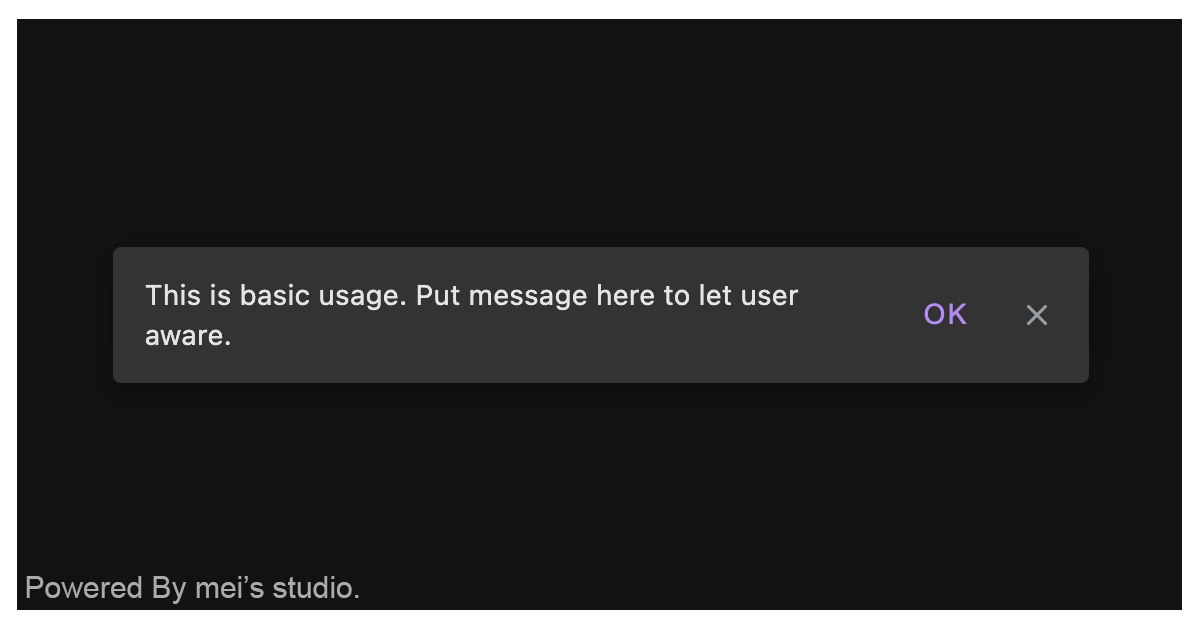
<msc-snackbar /> provide brief messages about app processes at the bottom of the screen. It's a web component and applied Material Design - Snackbar's spec.
## Basic Usage
<msc-snackbar /> is a web component. All we need to do is put the required script into your HTML document. Then follow 's html structure and everything will be all set.
- Required Script
```html
```
- Structure
Put <msc-snacker /> into HTML document. It will have different functions and looks with attribute mutation.
```html
```
Otherwise, developers could also choose remoteconfig to fetch config for <msc-snackbar />.
```html
```
## JavaScript Instantiation
<msc-snackbar /> could also use JavaScript to create DOM element. Here comes some examples.
```html
```
## Style Customization
Developers could apply styles to decorate <msc-snackbar /> margin distance.
```html
```
Otherwise, developers could set data attribute to change layout direction and button display.
```html
...
```
## Attributes
<msc-snackbar /> supports some attributes to let it become more convenience & useful.
- **duration**
Set auto dismiss duration for <msc-snackbar />. Default is `99999` (seconds).
```html
...
```
- **actioncontent**
Set action button's content. Default is "`Action`".
```html
...
```
## Properties
| Property Name | Type | Description |
| ----------- | ----------- | ----------- |
| duration | Number | Getter / Setter for duration (seconds) to auto dismiss. |
| actioncontent | String | Getter / Setter for action button's content. |
| open | Boolean | Getter for <msc-snackbar />'s open state. |
## Event
| Event Signature | Description |
| ----------- | ----------- |
| msc-snackbar-action-click | Fired when <msc-snackbar />'s action has been clicked. |
| msc-snackbar-dismiss | Fired when <msc-snackbar /> dismiss behavior occured. |
## Reference
- [Material Design - Snackbars](https://material.io/components/snackbars)
- [<msc-snackbar />](https://blog.lalacube.com/mei/webComponent_msc-snackbar.html)
- [WEBCOMPONENTS.ORG](https://www.webcomponents.org/element/msc-snackbar)
- [YouTube tutorial](https://youtube.com/shorts/OT4qqLA-Pzs)
---
_Source: https://npm.io/package/msc-snackbar · Machine-readable twin of the npm.io package page. Health data is recomputed on every publish._