# nexment-vue
> A feature-rich serverless comment library based on LeanCloud
Latest version **0.0.145** (published 2020-08-23) · MIT license · 0 weekly downloads
## Install
```sh
npm install nexment-vue
pnpm add nexment-vue
yarn add nexment-vue
bun add nexment-vue
```
## Health
**Score 15/100 (F)** — status: abandoned.
Positive: no vulnerabilities.
Warnings: low downloads; no types; no esm support; large bundle; pre 1.0.
Negative: abandoned; low maintenance score.
## Facts
| | |
|---|---|
| Version | 0.0.145 |
| Published | 2020-08-23 |
| First published | 2020-08-14 |
| Weekly downloads | 0 |
| License | MIT |
| TypeScript types | none |
| Module format | CommonJS |
| Dependencies | 1 |
| Unpacked size | 19.5 MB |
| Known vulnerabilities | 0 (+1 in 1 direct dependencies) |
| Install scripts | no |
| Maintainers | helipeng |
## Links
- npm: https://www.npmjs.com/package/nexment-vue
- npm.io page: https://npm.io/package/nexment-vue
## Dependencies (1)
- [vue](https://npm.io/package/vue.md) ^2.6.11
## Recent versions
- 0.0.145 (latest) — 2020-08-23
- 0.0.144 — 2020-08-23
- 0.0.143 — 2020-08-18
- 0.0.142 — 2020-08-18
- 0.0.141 — 2020-08-15
- 0.0.14 — 2020-08-14
- 0.0.13 — 2020-08-14
- 0.0.12 — 2020-08-14
- 0.0.11 — 2020-08-14
- 0.0.1 — 2020-08-14
## README
# Nexment-Vue
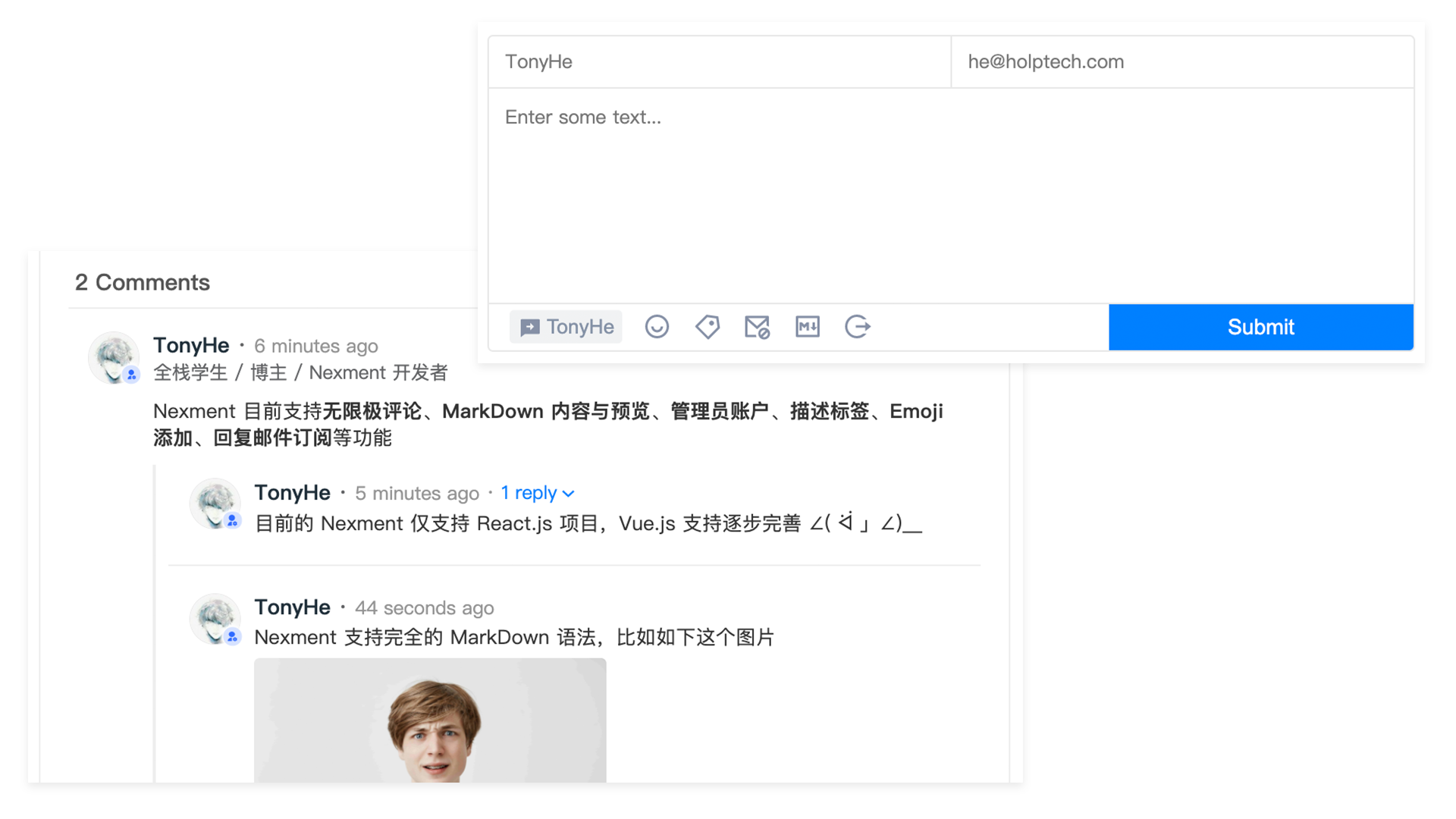
A feature-rich serverless comment library based on LeanCloud
## See also
+ Nexment for Vue.js / Web Component [https://github.com/HelipengTony/nexment-vue](https://github.com/HelipengTony/nexment-vue)
+ Nexment for React.js [https://github.com/HelipengTony/nexment](https://github.com/HelipengTony/nexment)
## Docs
Visit Nexment documentation site at [https://nexment.ouorz.com](https://nexment.ouorz.com)
## Demo
Visit Nexment demo site at [https://nexment-vue-demo.ouorz.com](https://nexment-vue-demo.ouorz.com)
## Use Nexment in Vue.js projects
Nexment is available for both React.js and Vue.js projects.
### Part I - LeanCloud
1. Register / Login [LeanCloud](https://leancloud.cn/dashboard/login.html#/signup)
2. Create an App in [Dashboard](https://leancloud.cn/dashboard/applist.html#/apps)
3. Go to Your App => **LeanStorage** tab => Objects
4. Create a class named "test" using default settings
5. Go to Your App => **Settings** tab => App keys
6. Copy AppID and AppKey
7. Configure REST API Server URL. For configuration instructions, see [How to Specify API Server URL (Chinese)](https://leancloud.cn/docs/custom-api-domain-guide.html#hash810845114)
8. Go to Your App => **Settings** tab => Security and add your project domain to Web secure domains
### Part II - Nexment
Add Nexment to your project dependencies
using Yarn:
```shell
yarn add nexment-vue
```
or using NPM:
```shell
npm install nexment-vue
```
Use Nexment in your project:
Import nexment library and stylesheet:
```js
import NexmentContainer from "nexment-vue";
import "nexment-vue/dist/nexment-vue.css";
Vue.use(NexmentContainer);
```
Setup nexment configuration:
```js
const config = {
pageKey: 'xxx' | undefined;
enableLinkInput: true | false | undefined,
enableReplyListModal: true | false | undefined,
leancloud: {
appId: 'xxx',
appKey: 'xxx',
serverURL: 'https://xxx.xxx',
},
admin: {
name: 'xxx',
email: 'xxx@xxx.xxx',
},
};
```
Use the nexment component:
```Vue
```
## Use Nexment-Vue in Nuxt.js
Add Nexment to your project dependencies
using Yarn:
```shell
yarn add nexment-vue
```
or using NPM:
```shell
npm install nexment-vue
```
Create a plugin(src/plugins/nexment.js):
```js
import Vue from 'vue'
import NexmentContainer from 'nexment-vue'
import 'nexment-vue/dist/nexment-vue.css'
Vue.use(NexmentContainer)
```
Add this plugin to your Nuxt.js configuration(nuxt.config.js):
```js
module.exports = {
plugins: [{
src: '@/plugins/nexment.ts',
ssr: false,
mode: 'client'
}]
}
```
Setup nexment configuration:
```js
const config = {
pageKey: 'xxx' | undefined;
enableLinkInput: true | false | undefined,
enableReplyListModal: true | false | undefined,
leancloud: {
appId: 'xxx',
appKey: 'xxx',
serverURL: 'https://xxx.xxx',
},
admin: {
name: 'xxx',
email: 'xxx@xxx.xxx',
},
};
```
Use the nexment component:
```Vue
```
## Use Nexment in Browsers
Nexment can be used as a web component in browsers. That means it can work without a Vue.js instance. Follow the following steps to set it up:
Add Nexment stylesheet to your `` through CDN:
```html
```
Add Nexment main file through CDN:
```html
```
Use Nexment component in your page(`pagekey` is optional):
```html
```
See Nexment web component demo here: [https://github.com/HelipengTony/nexment-vue/blob/master/index.html](https://github.com/HelipengTony/nexment-vue/blob/master/index.html)
## TypeScript Support
Currently type-checking is not supported, please add the following declaration to any .d.ts file in your project:
```ts
declare module 'nexment-vue'
```
## Todo
1. 管理模式
1. [ ] 评论精选
2. [ ] 评论 Label
## Donation
Your name will be on the list [Donation](https://www.ouorz.com/donation)

File an issue if you encountered any problem
I will reply you as soon as possible
---
_Source: https://npm.io/package/nexment-vue · Machine-readable twin of the npm.io package page. Health data is recomputed on every publish._

