# ng-ol
> Openlayers Angular framework
Latest version **17.1.1** (published 2024-02-05) · MPL-2.0 license · 0 weekly downloads
## Install
```sh
npm install ng-ol
pnpm add ng-ol
yarn add ng-ol
bun add ng-ol
```
## Health
**Score 40/100 (D)** — status: abandoned.
Positive: has types; esm support; no vulnerabilities; high maintenance score.
Warnings: low downloads.
Negative: abandoned.
## Facts
| | |
|---|---|
| Version | 17.1.1 |
| Published | 2024-02-05 |
| First published | 2024-02-05 |
| Weekly downloads | 0 |
| License | MPL-2.0 |
| TypeScript types | bundled |
| Module format | ESM + CommonJS |
| Dependencies | 1 |
| Unpacked size | 1000.5 KB |
| Known vulnerabilities | 0 |
| Install scripts | no |
| GitHub stars | 0 |
| Author | Kamil Furtak |
| Maintainers | frtkkamil |
| Keywords | ngx-openlayers, angular, angular17, openlayers, openlayers8, ol8 |
## Links
- npm: https://www.npmjs.com/package/ng-ol
- Repository: https://github.com/kamilfurtak/ngx-ol
- Issues: https://github.com/kamilfurtak/ngx-ol/issues
- npm.io page: https://npm.io/package/ng-ol
## Dependencies (1)
- [tslib](https://npm.io/package/tslib.md) ^2.3.0
## Recent versions
- 17.1.1 (latest) — 2024-02-05
- 17.1.0 — 2024-02-05
## README
# ng-openlayers
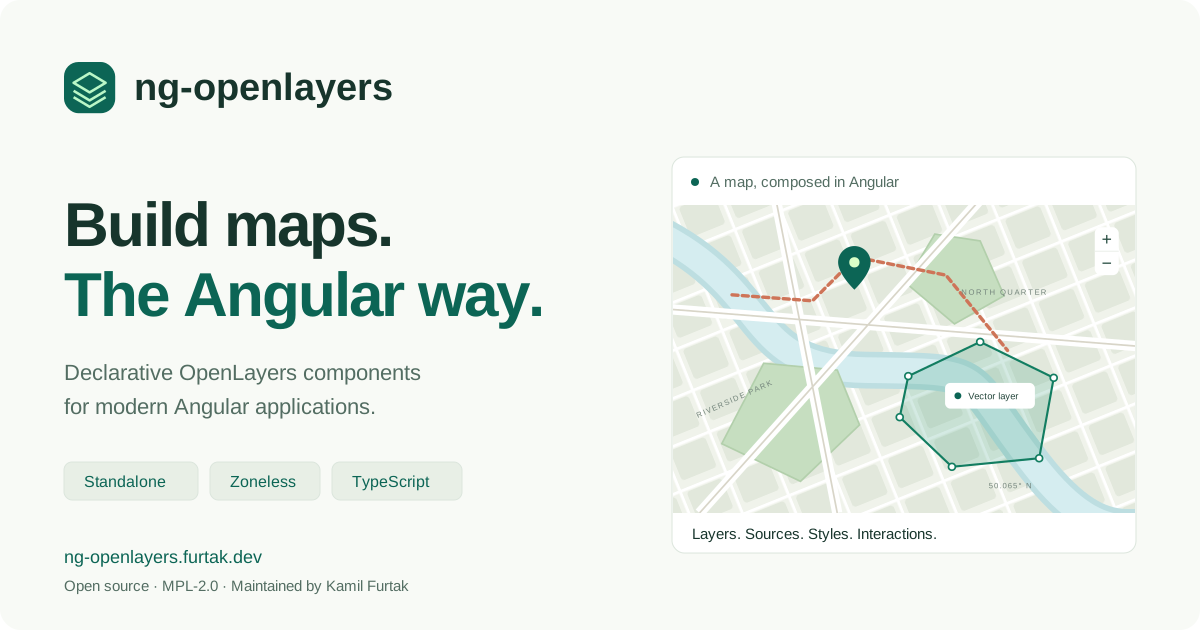
**Build maps. The Angular way.**
Declarative OpenLayers components for Angular. Compose maps, layers, sources, styles and interactions in your templates.
[](https://github.com/kamilfurtak/ng-openlayers/actions/workflows/ci.yml)
[](https://www.npmjs.com/package/ng-openlayers)
[](https://github.com/kamilfurtak/ng-openlayers/blob/master/LICENSE.md)
[Explore the examples](https://ng-openlayers.furtak.dev/) · [npm package](https://www.npmjs.com/package/ng-openlayers) · [Changelog](https://github.com/kamilfurtak/ng-openlayers/blob/master/libs/ng-openlayers/CHANGELOG.md) · [Sponsor](https://github.com/sponsors/kamilfurtak)
[](https://ng-openlayers.furtak.dev/)
## What you can build
- Tile, image and vector maps with OSM, XYZ, WMS, WMTS, ArcGIS, TileJSON and GeoJSON sources.
- Features, geometries, markers, overlays and composed styles.
- Drawing, editing, selection, snapping, measurement and custom controls.
- Maps with dynamic view projections and declarative coordinate transformation.
Use standalone components or `AngularOpenlayersModule`. Each component owns its OpenLayers lifecycle and exposes its public `instance` for advanced integration. The [27 interactive examples](https://ng-openlayers.furtak.dev/#examples) include links to their TypeScript source.
## Compatibility
**ng-openlayers 22** requires **Angular 22**. The npm badge above shows the latest published release.
| Package | Supported range | Development version |
| ---------- | --------------- | ------------------- |
| Angular | `^22.0.0` | `22.1.7` |
| OpenLayers | `^10.10.0` | `10.10.0` |
| Proj4 | `^2.22.0` | `2.22.0` |
Angular 21 applications should stay on ng-openlayers 21.2.x until they upgrade. For development, use Node.js 24.15+ or 22.22.3+ and TypeScript 6.0.x. Angular 22 does not yet support TypeScript 7. See the [migration guide](https://github.com/kamilfurtak/ng-openlayers/blob/master/docs/angular-22-migration.md).
## Quick start
Install the library and its peers in an Angular 22 application:
```sh
npm install ng-openlayers ol proj4
```
Add the OpenLayers stylesheet to your global styles:
```css
@import 'ol/ol.css';
```
## Minimal standalone example
```ts
import { Component } from '@angular/core';
import {
CoordinateComponent,
DefaultControlComponent,
DefaultInteractionComponent,
LayerTileComponent,
MapComponent,
SourceOsmComponent,
ViewComponent,
} from 'ng-openlayers';
@Component({
selector: 'app-map-example',
imports: [
MapComponent,
ViewComponent,
CoordinateComponent,
LayerTileComponent,
SourceOsmComponent,
DefaultInteractionComponent,
DefaultControlComponent,
],
template: `
`,
})
export class MapExampleComponent {}
```
Give the map a nonzero height and include a view. Default controls and interactions are explicit components, so a map only includes the behavior requested by its template.
Module-based applications can import `AngularOpenlayersModule` instead of individual components.
## Angular state and lifecycle
The demo runs with zoneless change detection. Library components use `OnPush`; use template input bindings, signals or `ComponentRef.setInput()` to notify Angular about changes. Setting a field on a component obtained through `ViewChild` does not invoke `ngOnChanges`.
Map creation, pointer handling and rendering run outside Angular's zone. Observed map outputs re-enter the zone for applications that still use Zone.js. Template event bindings also notify zoneless change detection.
The library disposes resources it creates. Consumer-supplied OpenLayers objects remain the application's responsibility. Use `.instance` after the component has initialized and do not retain it after component destruction. See [validation and boundaries](https://github.com/kamilfurtak/ng-openlayers/blob/master/docs/validation.md) for tested behavior.
### Server rendering
OpenLayers needs browser DOM and canvas APIs. Render map components on the client. For example, place the map in a separate component and defer it while prerendering the surrounding description and navigation:
```html
@defer (on immediate) {
} @placeholder {
The interactive map loads in your browser.
}
```
The demo prerenders the home page and all example descriptions, then creates maps in the browser. This does not make OpenLayers itself server-renderable. The demo explicitly disables incremental hydration for its deferred map outlet.
## APIs added or improved in version 22
| Component | Capability |
| ----------------------------------- | ------------------------------------------------------------------------------------------------------------- |
| `aol-map` | `maxTilesLoading`, `moveTolerance`, `(renderComplete)`; both `(propertyChange)` and `(olPropertyChange)` work |
| `aol-layer-*` | `minZoom` / `maxZoom`; render callbacks can be replaced and removed |
| `aol-layer-vector` | OpenLayers flat style objects through `[style]`; updates apply in place |
| `aol-source-xyz` / `aol-source-osm` | URL changes retain the source instance and its listeners |
| `aol-source-cluster` | `[minDistance]` and proper detachment on destruction |
| `aol-interaction-draw` | `[trace]`, `[traceSource]`, `(drawAbort)` alongside `(olDrawAbort)` |
| `aol-styles` | Style composition follows children added or removed with `@if` / `@for` |
View constraints and projected vector-tile/WMTS format or grid changes replace the owned OpenLayers object automatically. Other inputs that OpenLayers only accepts in a constructor still require recreating the component; not every OpenLayers option is dynamically mutable. The map's legacy `logo`, `renderer` and `loadTilesWhile*` inputs and style `snapToPixel` inputs are retained for source compatibility but are not supported options in current OpenLayers.
Reusable wrapper components can provide sources, styles and attribution through ancestor injection. The [upstream comparison](https://github.com/kamilfurtak/ng-openlayers/blob/master/docs/upstream-review.md) explains the changes adopted from Quentin Lampin's `ngx-openlayers`.
## API reference and examples
The [public API](https://github.com/kamilfurtak/ng-openlayers/blob/master/libs/ng-openlayers/src/public-api.ts) lists exported components. Their TypeScript inputs and outputs are the reference for the wrapper; consult the [OpenLayers API](https://openlayers.org/en/latest/apidoc/) for underlying classes and options.
Start with [a basic map](https://ng-openlayers.furtak.dev/examples/basic/), [drawing](https://ng-openlayers.furtak.dev/examples/draw-polygon/), [GeoJSON](https://ng-openlayers.furtak.dev/examples/display-geojson-source/), [measurement](https://ng-openlayers.furtak.dev/examples/measure/) or [composed styles](https://ng-openlayers.furtak.dev/examples/styles-composition/).
## Development
```sh
npm ci
npm start # Local demo at http://localhost:4200
npm run lint
npm run test-ci # Library and zoneless demo unit tests with coverage
npm run build # npm package + prerendered production site
npm run e2e # Cypress production-site browser regressions in Chrome
npm run test:consumer # Install and test the actual npm tarball on Angular 22
```
`npm run test:all` runs lint, unit tests, Cypress and the packaged-consumer checks. Install Chrome for the unit and Cypress suites. `test:consumer` does not publish a package. The CI workflow runs these checks before deploying the site; npm publishing uses the separate release job.
| Directory | Purpose |
| -------------------------------- | --------------------------------------------------------- |
| `libs/ng-openlayers` | Publishable library |
| `apps/demo-ng-openlayers` | Standalone, zoneless example site |
| `apps/demo-ng-openlayers-cypress` | Cypress browser, keyboard and prerendering regressions |
| `compatibility/angular22` | Independent consumer of the built npm package |
| `tools` | Static-site validation and packaged-consumer verification |
## Maintenance and license
Maintained by [Kamil Furtak](https://furtak.dev/). Report reproducible problems through [GitHub issues](https://github.com/kamilfurtak/ng-openlayers/issues), or [sponsor ongoing maintenance](https://github.com/sponsors/kamilfurtak).
MPL-2.0. See [LICENSE.md](https://github.com/kamilfurtak/ng-openlayers/blob/master/LICENSE.md). The project builds on the Angular/OpenLayers wrapper work in [quentinlampin/ngx-openlayers](https://github.com/quentinlampin/ngx-openlayers).
---
_Source: https://npm.io/package/ng-ol · Machine-readable twin of the npm.io package page. Health data is recomputed on every publish._